[Privacy & Consent](/categories/privacy-and-consent) April 30, 2025
# Microsoft Consent Mode Guide: Prepare by May 5
Microsoft Consent Mode becomes mandatory on May 5. Learn how agencies can deploy it, stay GDPR-compliant, and keep conversion tracking intact.

**[David Pombar](/author/david-pombar)** Swiss army knife at Trackingplan
3 min read · 608 words
## Why Microsoft Consent Mode Matters (and Why May 5 Is the Red Line)
- **Policy switch:** After 5 May, Microsoft Ads and Clarity will ** drop or anonymize all events without a consent flag**. Early tests showed some advertisers in France losing *100 %* of reported conversions when tags stayed in “legacy” mode.
- **No modelling safety-net:** Unlike Google, Microsoft won’t back-fill with modelled conversions. What you don’t capture at consent time is gone. For the Google side, see [how to debug Google Consent Mode v2](/guides/debug-google-consent-mode-v2).
- **Algorithm risk:** Smart bidding strategies need conversion feedback. Zero feedback = lower bids, lost impressions, and higher CPA within days.
- **Legal exposure:** The same signals also prove that your tracking honors GDPR, ePrivacy, and CCPA opt-outs.
## How Microsoft Consent Mode Works — and How It Differs from Google
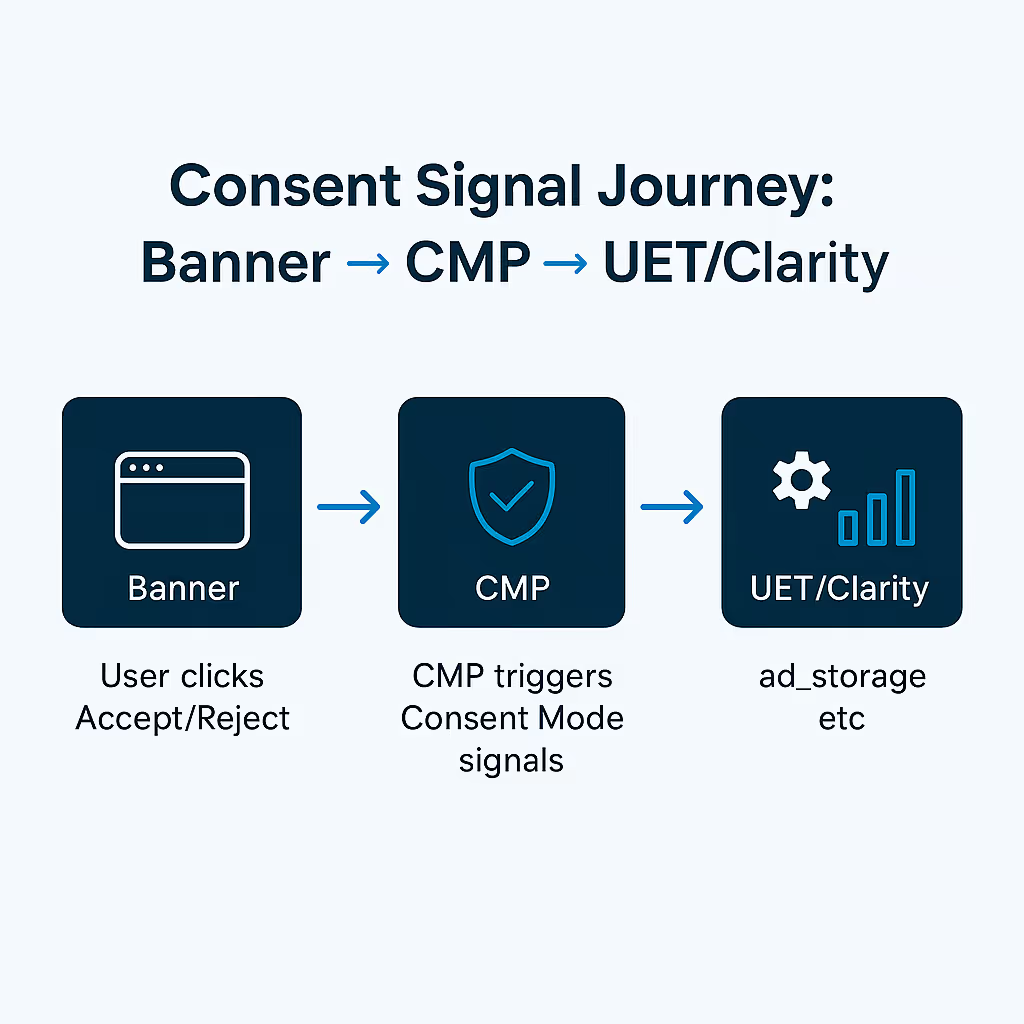
**Consent signal:** Both use the `ad_storage` flag, but their fallback logic diverges.
👉 **Take-away:** Microsoft’s stricter approach means you ** must** secure explicit consent or expect permanent data loss.
## Step-by-Step Implementation
### Direct Script (Basic Mode)
```javascript
```
### Google Tag Manager / Server-Side GTM
1. Import the community **“Microsoft UET Consent Mode”** template.
2. Create a **Consent Initialization** tag ➜ `ad_storage=denied`.
3. Fire an **Update** tag on the CMP event (`consent_granted`).
4. In sGTM, forward the client-side `asc` parameter so the server honors the user’s choice.
### CMP Integration (OneTrust, Cookiebot, Usercentrics)
1. Listen to the platform’s callback (e.g. `CookiebotOnConsentReady`).
2. Pass `marketing=true/false` into `uetq.push()` and `clarity('consent', state)`.
3. If your CMP supports **IAB TCF v2**, turn on the “useTcf” switch in the UET template to map Purpose 1 & 4 automatically.
## Compliance Checklist (15 Minutes)
1. **No Microsoft cookies before opt-in:** Verify `_uetmsclkid` and `_clck` are absent.
2. **Correct region logic:** Default to *denied* in EU; *granted* in opt-out states like California (but switch to denied on “Do Not Sell”).
3. **Proof of consent:** Log CMP event IDs—Trackingplan captures them in ** Tracks Explorer** for audit trails.
4. **Data-subject rights:** Document deletion workflow in your privacy policy and link to ** Explore your Data** for evidence handling.
## Business Impact: What Your Clients Gain or Lose
## Testing & Troubleshooting with Trackingplan
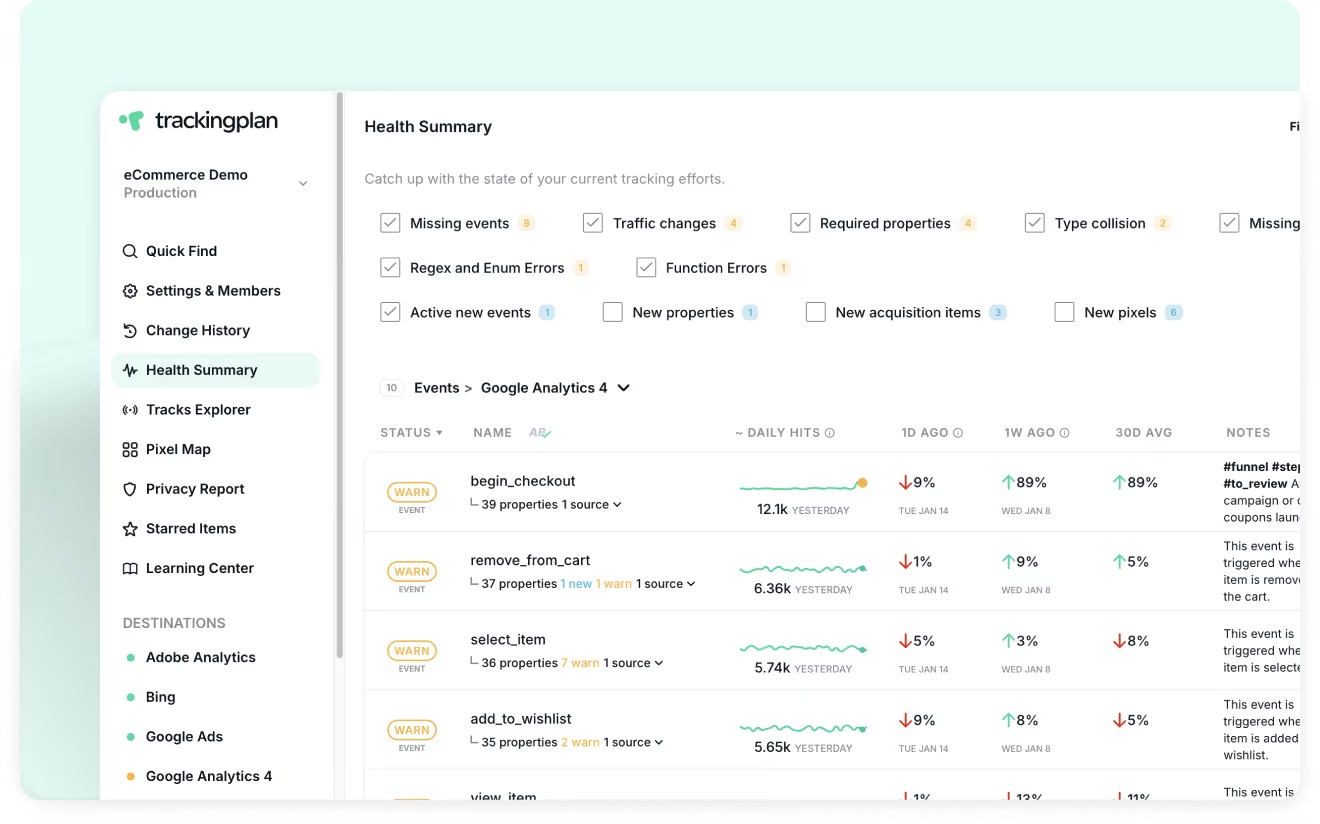
1. **Instant visibility:** Our ** Presence Map** surfaces every UET and Clarity call with the `asc` parameter.
2. **Regression alerts:** Enable ** Change History** to catch any future deploy that flips the default to *granted* accidentally.
3. **Consent funnels:** Use ** Data Explorer** to segment traffic by consent state and quantify opt-in drop-off.
4. **Cross-vendor QA:** Trackingplan monitors Google, Meta, and Microsoft tags side-by-side—no more guesswork.
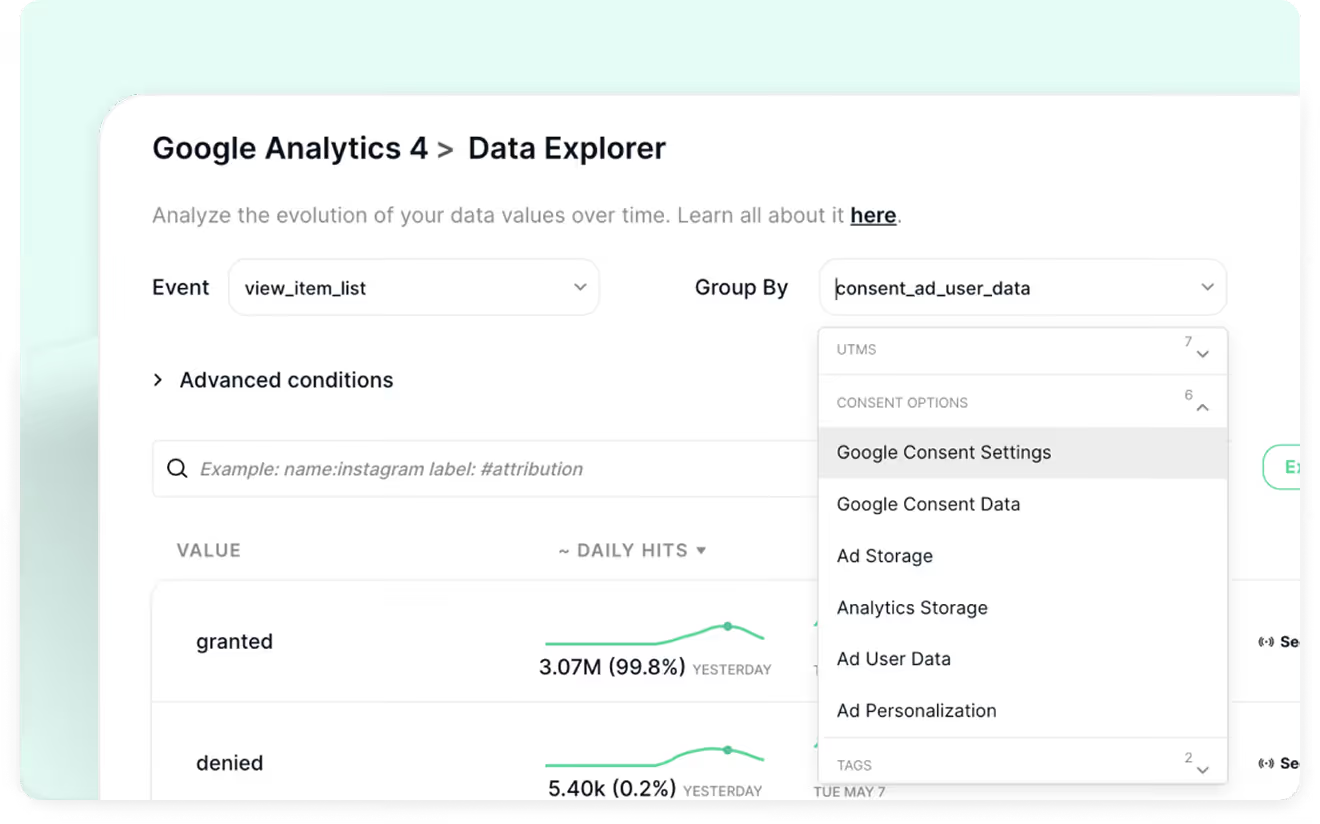
> Pro tip: If there is a significant drop in the ratio of Microsoft events to user sessions, Trackingplan will automatically detect the change and send you a warning
## Key Takeaways
- **Deadline:** Microsoft flips the switch on ** 5 May 2025**.
- **No modelling cushion:** Miss consent ➜ lose data—period.
- **Three-step fix:** Default-deny ➜ grant on CMP event ➜ QA with Trackingplan.
- **Business upside:** Regain up to ** 95 %** of lost conversions, keep ROAS steady, and stay audit-ready.
## Next Steps: Keep Your Tracking Bulletproof
Ready to roll out Microsoft Consent Mode and **sleep well on 4 May**?
1. **Create a free Trackingplan workspace** to auto-discover every tag, pixel, and CMP callback.
2. Run the **Consent Mode Data Explorer** reports.
3. Book a 30-minute strategy session with our success team.
**→** [** Try Trackingplan now**](https://app.trackingplan.com/signup) or [** book a demo**](https://calendar.app.google/zVwy6x5zqiPpJ5ae7) and make broken consent pipelines a thing of the past.
On this page
1. [*01*Why Microsoft Consent Mode Matters (and Why May 5 Is the Red Line)](#why-microsoft-consent-mode-matters-and-why-may-5-is-the-red-line)
2. [*02*How Microsoft Consent Mode Works — and How It Differs from Google](#how-microsoft-consent-mode-works-and-how-it-differs-from-google)
3. [*03*Step-by-Step Implementation](#step-by-step-implementation)
4. [*04*Compliance Checklist (15 Minutes)](#compliance-checklist-15-minutes)
5. [*05*Business Impact: What Your Clients Gain or Lose](#business-impact-what-your-clients-gain-or-lose)
6. [*06*Testing & Troubleshooting with Trackingplan](#testing-troubleshooting-with-trackingplan)
7. [*07*Key Takeaways](#key-takeaways)
8. [*08*Next Steps: Keep Your Tracking Bulletproof](#next-steps-keep-your-tracking-bulletproof)
**Stop babysitting tags**
Trackingplan audits your real user data around the clock and flags issues before they cost you.
[Start free trial →](https://app.trackingplan.com/signup)

**David Pombar** Swiss army knife at Trackingplan
Read more from David, a Senior Product Strategist with 18+ years in digital product development and an atypical error detection knack.
Share Copy link [LinkedIn](https://www.linkedin.com/sharing/share-offsite/?url=https%3A%2F%2Fwww.trackingplan.com%2Fblog%2Fmicrosoft-consent-mode-guide) [X](https://twitter.com/intent/tweet?url=https%3A%2F%2Fwww.trackingplan.com%2Fblog%2Fmicrosoft-consent-mode-guide&text=Microsoft%20Consent%20Mode%20Guide%3A%20Prepare%20by%20May%205)
Read next
[All Blog →](/blog)
- [
14 minPrivacy & ConsentNovember 7, 2026
### PII audit: how to check your analytics tags, field by field
A PII audit for analytics tags: where personal data hides in hits, why field combinations identify people, and the consent checks per state.
by **David Pombar**](/blog/identifying-and-safeguarding-personally-identifiable-information)
- [
6 minPrivacy & ConsentNovember 3, 2026
### CCPA compliance software: the tools you need, by job
Compare CCPA compliance software by the job it does: opt-outs and consent, consumer requests, data discovery, compliance programs and tag monitoring.
by **David Pombar**](/blog/ccpa-compliance-software)
- [
5 minPrivacy & ConsentNovember 3, 2026
### How to monitor trackers and consent across multiple websites
Which tools find the trackers on every website you run, and which ones fire before consent, by site and market: scanners, browser checks, and real traffic.
by **David Pombar**](/blog/monitor-trackers-across-multiple-websites)
Trackingplan
## See everything. Miss nothing.
Your implementations audited around the clock with real-time, real-user data. Real-time alerts about errors or changes in your data, campaigns, pixels, privacy and consent. Let AI flag issues before they cost you.
[Start free trial →](https://app.trackingplan.com/signup) [Book a demo](/demo)