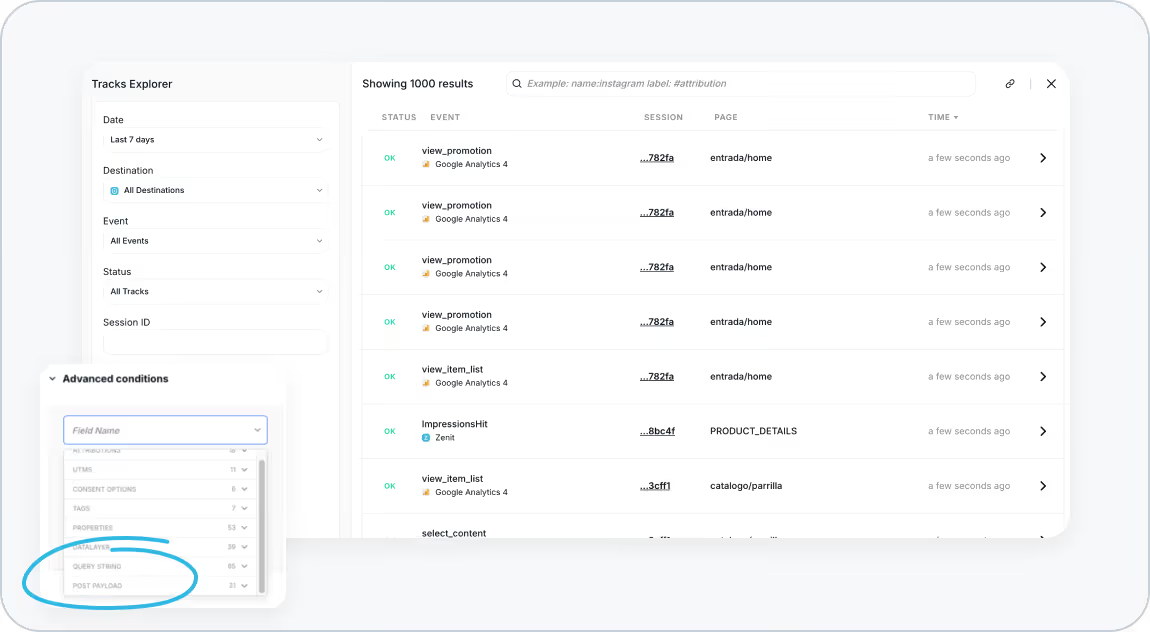
At Trackingplan, we understand how critical it is to have full visibility into the data you’re sending to analytics platforms. That’s why we’ve introduced a powerful new capability in Tracks Explorer and Data Explorer: Query String and POST Payload Filtering!
This update lets you:
- Search for specific query string values directly in your tracks.
- Pinpoint POST payload parameters to analyze structured data.
With these enhancements, you can dive deep into the details of what’s being processed and reported, making it easier to investigate issues faster and ensure your data accuracy.
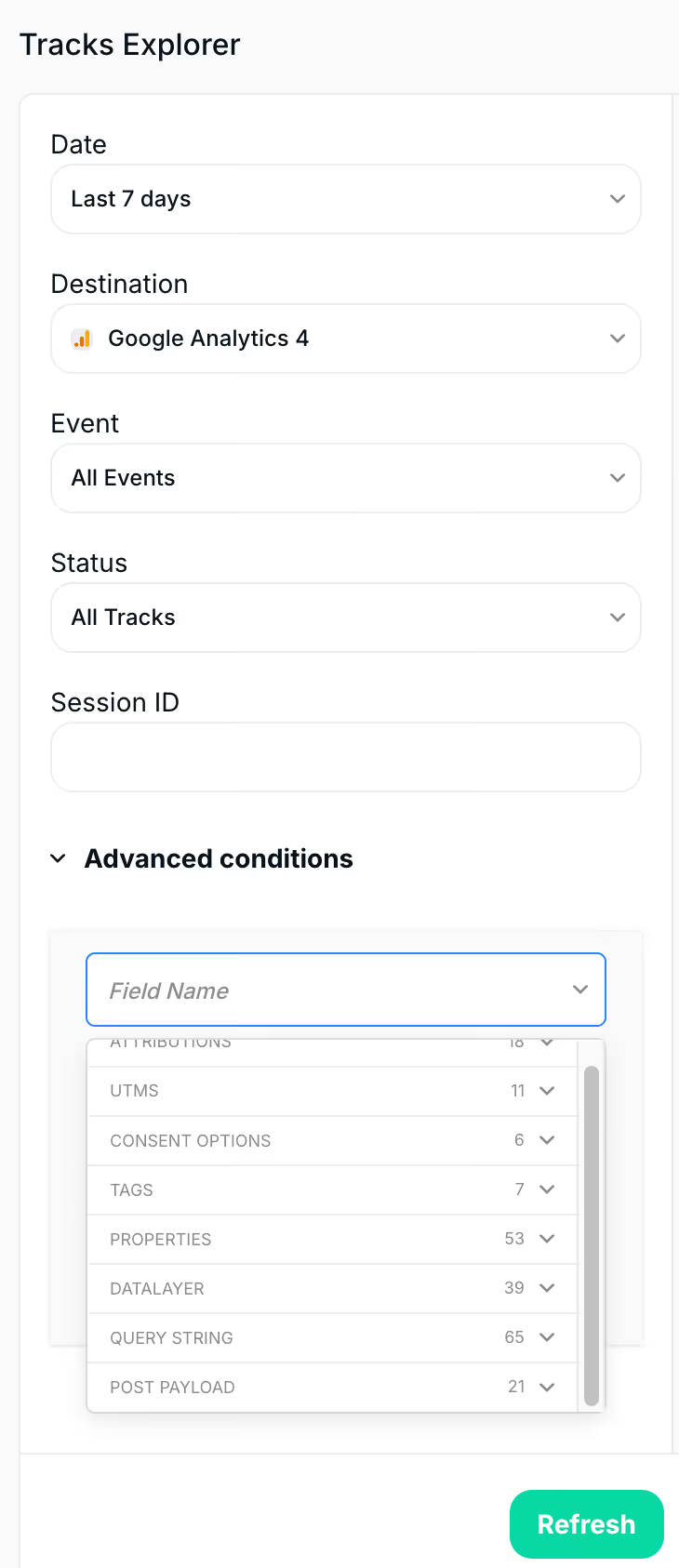
What does this mean?
By enabling filtering for both query strings and POST payloads, Trackingplan helps you ensure data quality at every step of your analytics pipeline. From user acquisition to session tracking, you can trust that the data flowing through your stack is accurate, actionable, and aligned with your business goals.
What Are Query Strings?
When a user interacts with your website or app, their actions generate requests to analytics endpoints like Google Analytics 4 (GA4). These requests often include a query string, a set of key-value pairs appended to a URL.
Query strings convey essential details, such as user acquisition parameters (e.g., UTMs) or tracking IDs.
In this example:
utm_source=googleindicates the source of traffic.utm_medium=cpcspecifies the marketing medium.tid=G-XG12345associates the event with a specific GA4 property ID.
Query String Filtering in Trackingplan
Query string parameters provide critical insights into user behavior and campaign performance. They also help you detect tracking errors, such as malformed or missing parameters, which can lead to inaccurate reporting. Because of this, our latest update allows you to filter your tracks based on query string values in both Tracks Explorer and Data Explorer. This feature allows you to:
- Investigate errors caused by missing or incorrect query string parameters.
- Debug tracking for specific campaigns or GTM container IDs.
- Ensure parameters like
tidare correctly included in your requests.
Use Case Examples
Let’s say you want to identify all tracks where the query string contains a specific tracking ID (tid=G-XG12345). With query string filtering, you can quickly isolate these events and verify they’re being reported accurately.
What Is a POST Payload?
In addition to query strings, your analytics requests might include POST payloads. Unlike query strings, POST payloads are sent in the request body and often contain more complex, structured data, such as JSON objects.
POST payloads are commonly used to send detailed event information, including:
- Custom event parameters (e.g., product IDs, categories).
- E-commerce transaction details.
- Metadata for user interactions or session tracking.
POST Payload Filtering in Trackingplan
Errors in POST payloads—such as missing or malformed data—can result in incomplete or incorrect analytics reporting. Because of this, with our new POST Payload Filtering feature, you can now search for specific parameters or values in POST payloads. This functionality is designed to help you:
- Troubleshoot malformed data in real time.
- Verify custom parameters, such as product IDs or SKUs.
- Ensure critical metadata, like
session_start, is included and configured correctly.
Use Case Examples
If data is malformed or missing in the payload, it can result in inaccurate reporting. If you’re sending custom parameters in a post payload (e.g., a product ID or category), you can filter by those parameters to ensure they’re being correctly included in requests. Another option, when tracking product views or purchases, would be to filter by items in the post payload to verify that the correct product information is being sent, such as the product SKU or price.
Proactive Debugging for Improved Data Accuracy
Both query string and POST payload filtering empower you to proactively debug and optimize your analytics data. With these tools, you can:
- Identify and resolve tracking errors before they escalate into reporting issues.
- Ensure compliance with your tracking specifications.
- Maintain high-quality data for better decision-making.
Explore More
Learn more about Filtering by Query Sting & Post Payload in our technical documentation.