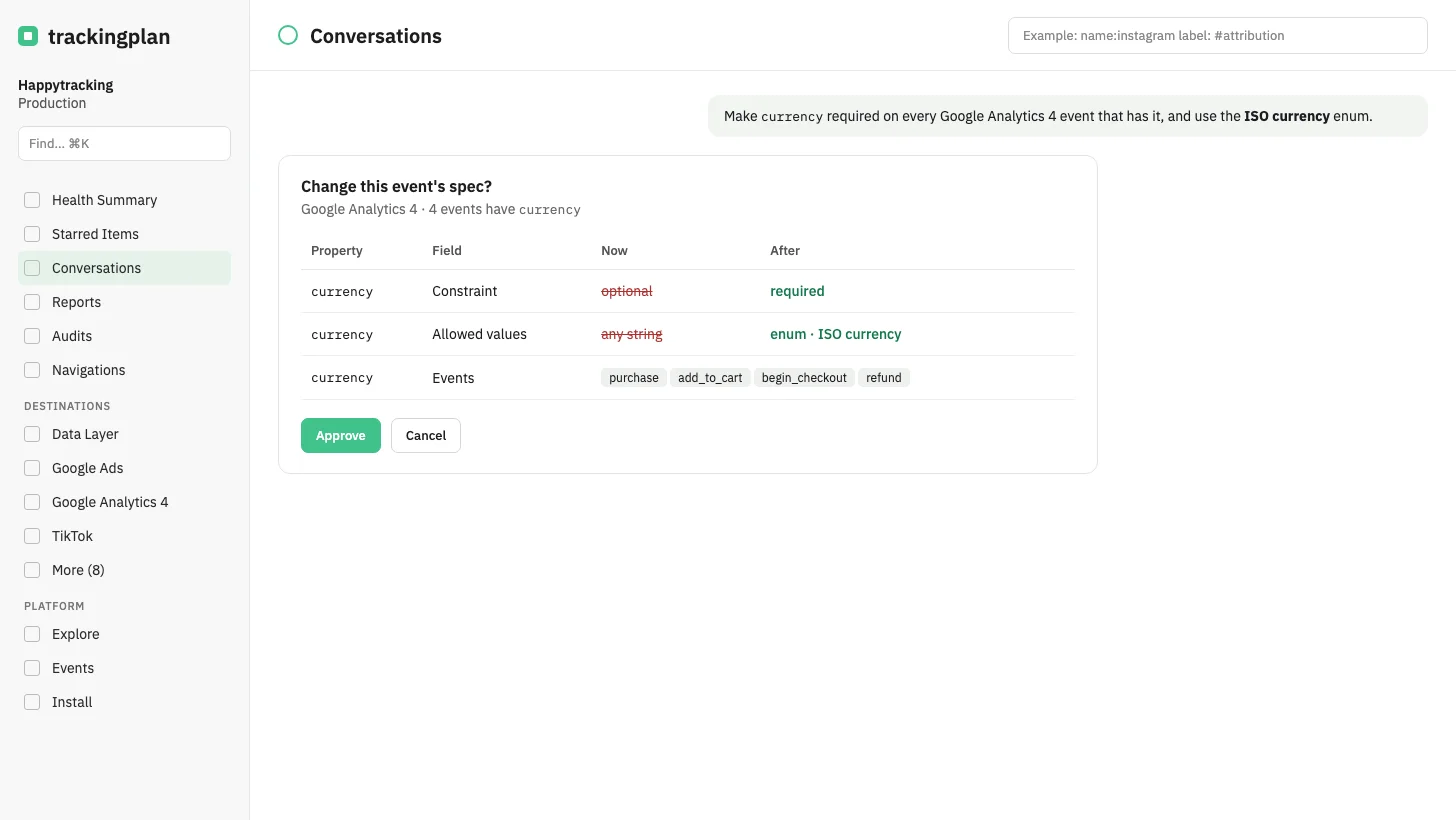
You can now ask Trackingplan to change an event spec, in the panel chat or from a connected MCP client. It can change the description, mute an event or a property, and set a property's type, allowed values, pattern, constraint (required, present, optional or forbidden) or description.
A change can cover one event, or every event of a destination that has that property. It can also point a property at an enum, regular expression or condition the plan already has, by name, including the values learned for that destination.
Nothing is saved until you approve the card Change this event's spec?. A property that still receives traffic can be hidden, not deleted.
Who it is for: whoever maintains the tracking plan and would rather say the change than click through it.
Where: any chat in the panel, or your MCP client. More on specs: Events and Properties.