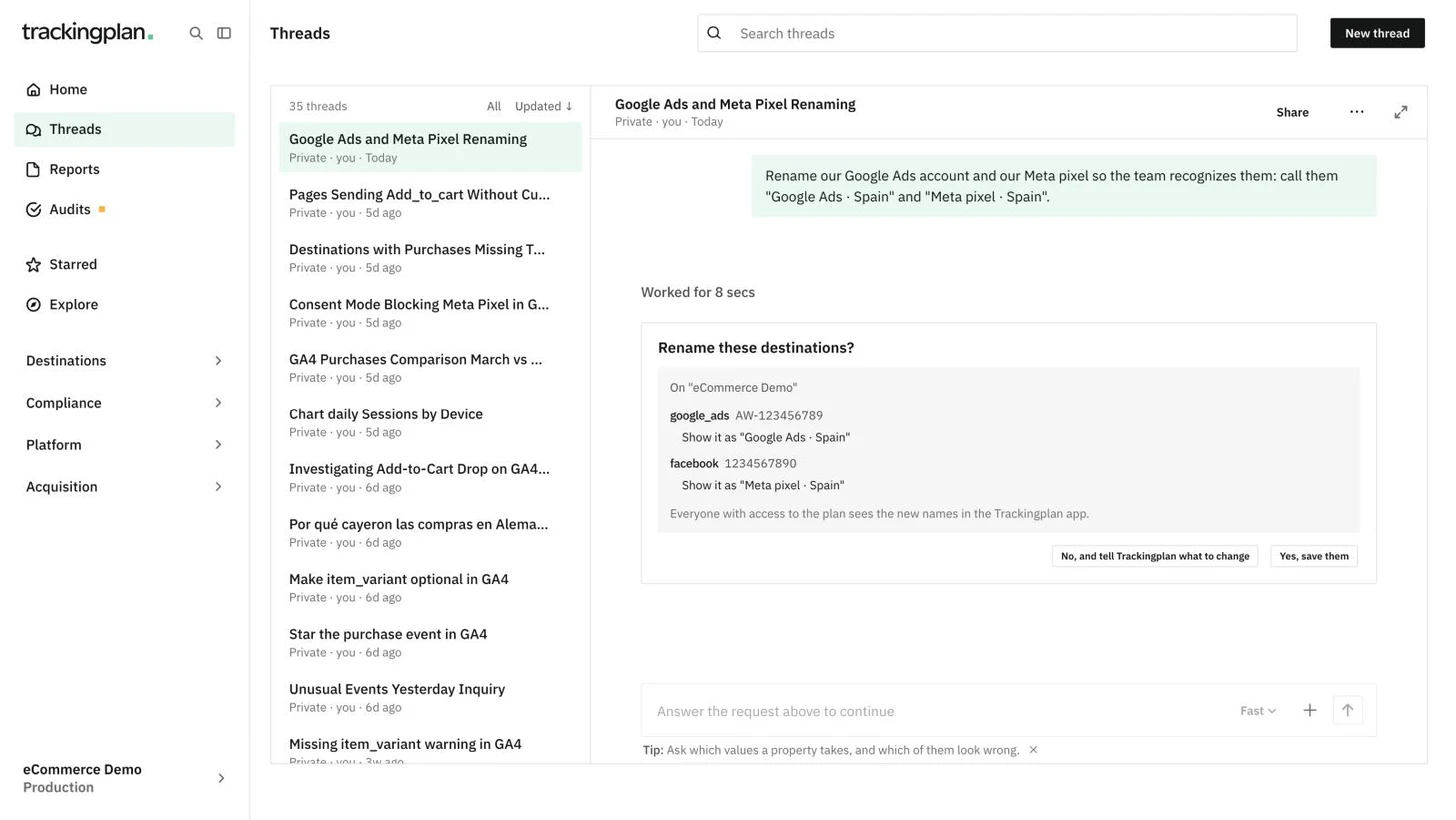
An audit tells you what needs attention. Now you can act on it in the same conversation, without opening another chat.
Ask Trackingplan to update an event's spec, mute a warning, star an event, add a custom metric or create another audit. It shows you the change on a card, and nothing happens until someone approves it.
- Anyone on the team who can see the audit can approve. The change is saved under their name.
- You can't type while a card is waiting for an answer.
You can also ask Trackingplan to rename your accounts, for example to call a Google Ads account or a Meta pixel by the client or market it belongs to. The new names appear in Settings and in your digest emails. Renaming needs editor access.
These changes are made from the panel or your MCP client, not from Slack, Teams or a scheduled audit run.
Who it is for: teams that want to fix what an audit finds in the same place they read it.
Where: an audit's conversation, any chat in the panel, or your MCP client. More: Audits.