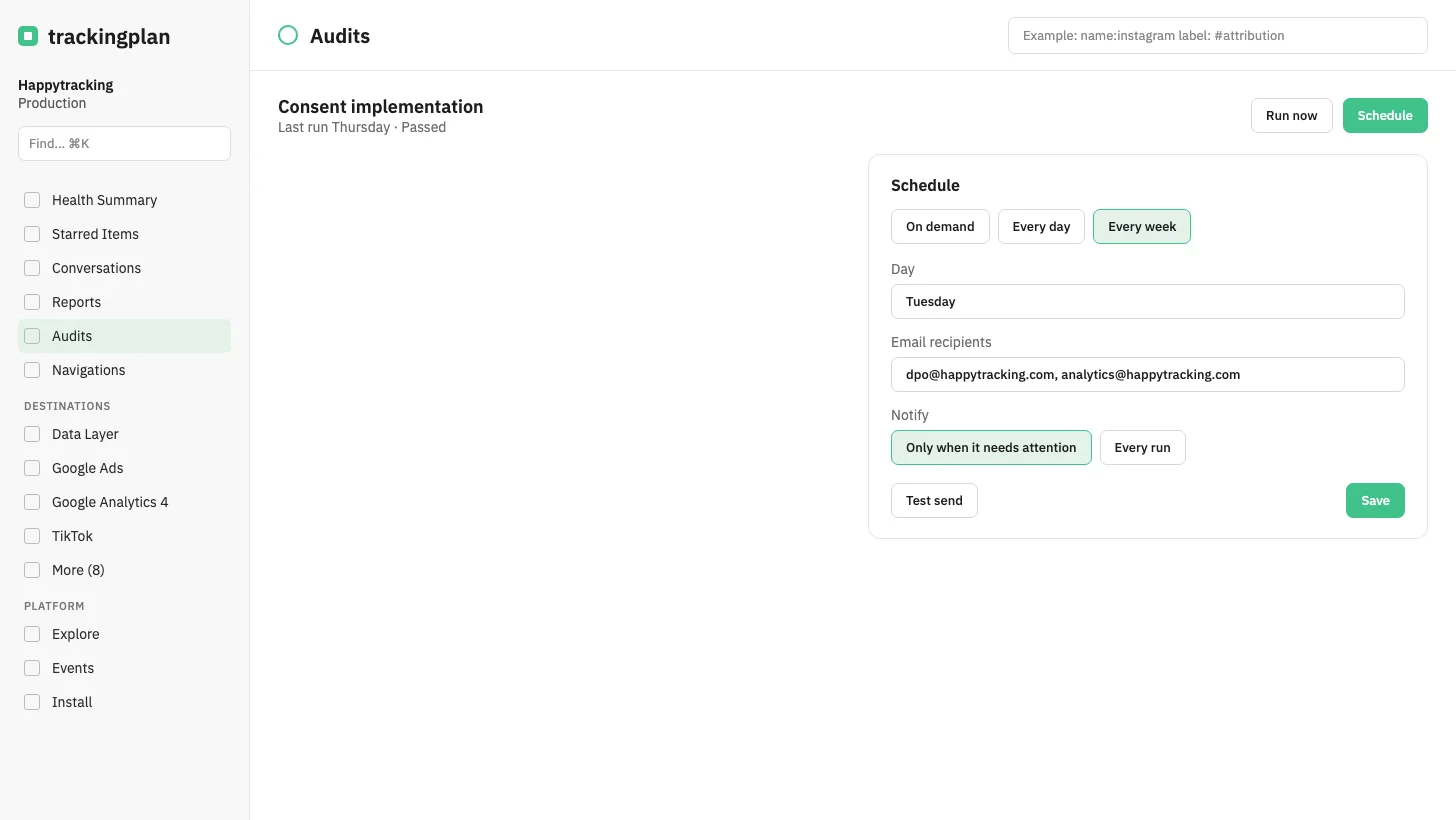
You can now schedule an audit or a report for every day, or once a week on a day you choose. Set it from the audit's header, next to Refresh on a report, or from the chat. A new weekly schedule starts on the next working day, and Monday can still be chosen.
Only a scheduled run is emailed, from noreply@trackingplan.com, with a one-click unsubscribe. On demand sends nothing and keeps the day, the period and the recipients. Test send sends the current version and marks it as a test.
An audit is sent only when it needs attention, or on every run. A report that browses the site can be scheduled too. The Reports and Audits lists show the channel before the cadence.
Who it is for: teams that want the same check or the same numbers in their inbox without asking again.