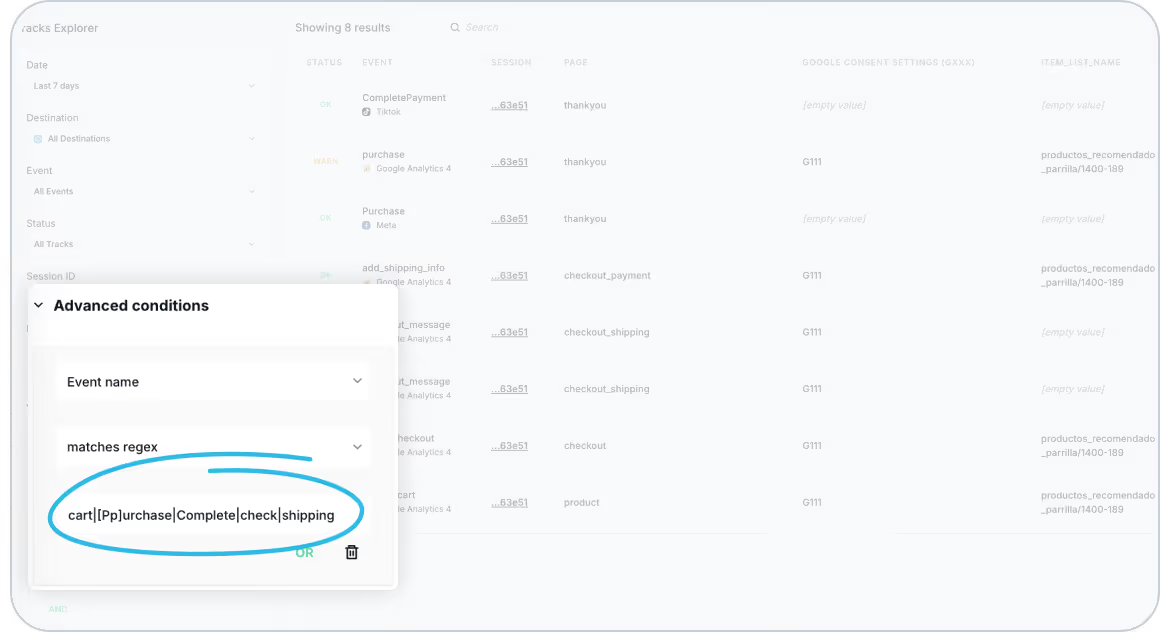
We’re excited to announce a powerful new feature that will help you streamline your event analysis. With our latest update, you can now filter and analyze multiple events across different providers simultaneously, giving you deeper insights into your tracking data.
What’s New?
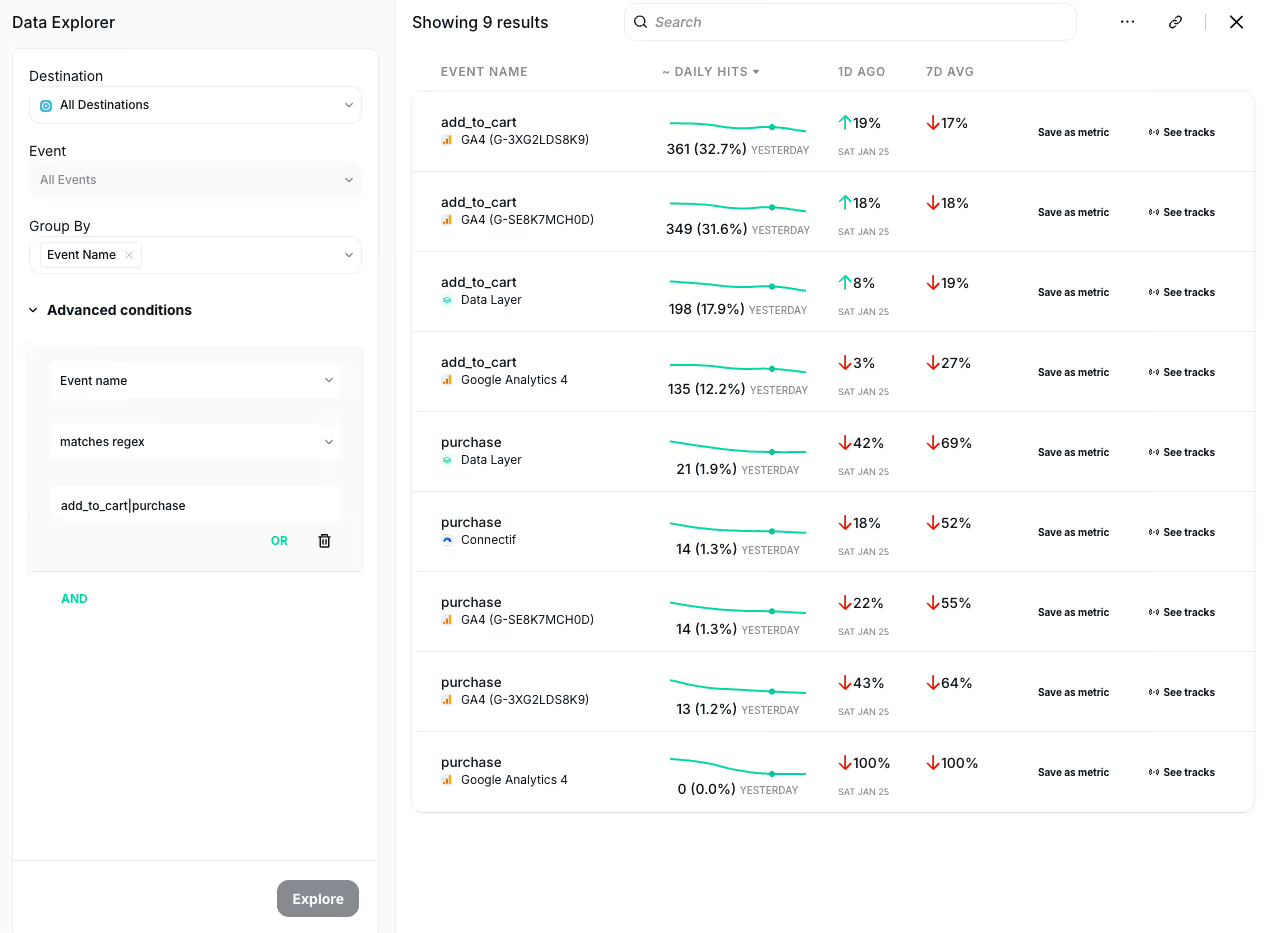
Now using our Advanced conditions not only allows you to filter your data by an exact match. Now you can also use the “Matches Regex” condition to refine your search to a specific set of events or data attributes or to compare similar events across different providers to analyze consistency (e.g., 'Purchase' and 'CompletePayment'). This allows you to:
- Select Multiple Events at Once: No more filtering events one by one. Now, you can analyze multiple events across different analytics providers simultaneously.
- Refine Your Search: Narrow down your results to a specific set of events or data attributes, ensuring you get exactly the information you need.
- Compare Events Across Providers: Effortlessly analyze consistency by comparing similar events (e.g., ‘Purchase’ vs ‘CompletePayment’) across different providers, helping you spot discrepancies or errors in your tracking setup.
For a full overview of how this feature can enhance your workflow, visit our documentation on Tracks Explorer and Data Explorer. Need further assistance? Feel free to reach out to our support team!
Trackingplan is always working to improve how you track and optimize your data. Stay tuned for more updates that will help you maintain perfect tracking accuracy across all your digital channels!