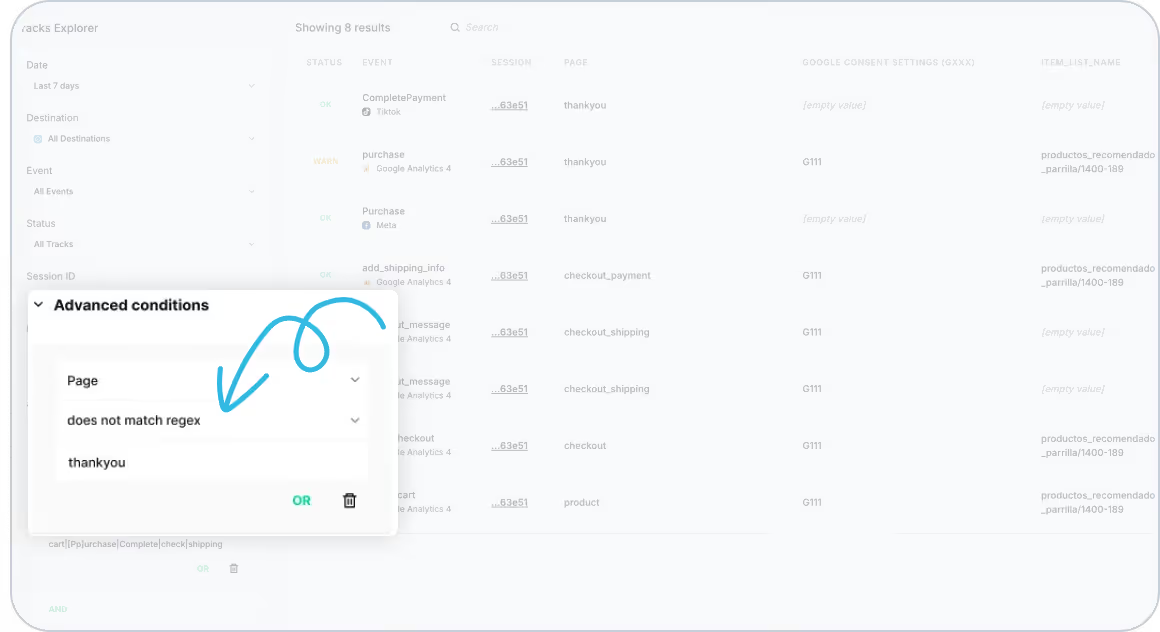
We've just introduced a powerful new filtering condition in Tracks Explorer and Data Explorer: 'Does Not Match Regex'.
This update allows you to filter out specific events or attributes, making it easier than ever to focus on the data that truly matters.
Why This Matters
Trackingplan continuously strives to improve the way you monitor and debug your analytics implementation. With this new filtering option, you can:
- Eliminate noise by excluding unrelated events from your analysis.
- Detect inconsistencies faster without distractions from irrelevant data.
- Isolate specific tracking issues within your event flow to troubleshoot errors efficiently.
How It Works
Using the 'Does Not Match Regex' condition, you can refine your search and quickly pinpoint anomalies. For instance, imagine you're investigating an issue within the purchase event on the checkout page. By applying this filter, you can exclude all unrelated events and zoom in on where the failure occurs, such as a missing thank you page in the purchase flow.
This enhancement helps you streamline your debugging process, making your analytics tracking more accurate and insightful.
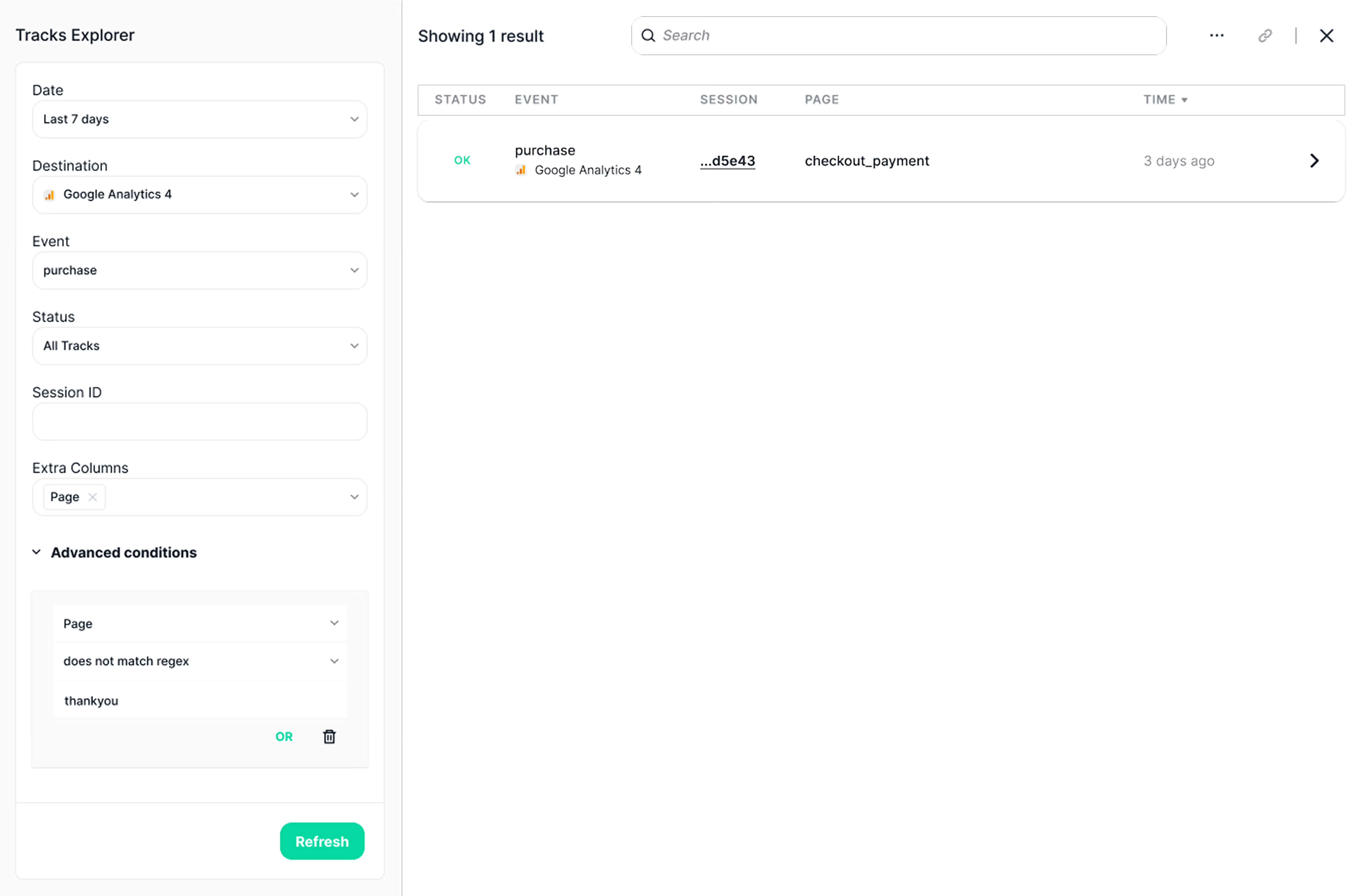
Start using 'Does Not Match Regex' in Tracks Explorer & Data Explorer today
For a full overview of how this feature can enhance your workflow, visit our documentation on Tracks Explorer and Data Explorer. Need further assistance? Feel free to reach out to our support team!
Trackingplan is always working to improve how you track and optimize your data. Stay tuned for more updates that will help you maintain perfect tracking accuracy across all your digital channels!