
The most popular advice about SEO client reporting is to automate a dashboard and send it monthly. That solves delivery, not measurement. A polished report can still repeat duplicate purchases, miss qualified leads, or credit SEO for demand created by another channel.
A useful report connects search visibility to validated business outcomes. It also labels every conclusion observed, inferred or unverified. That distinction lets the client see what changed, what you think caused it, and what still needs checking before anyone changes the plan. For paid media and multi-channel accounts, the general client reporting guide covers the same ground; this one is about search.
The core metrics a client report needs
An SEO report should show what the work changed and what that change produced, not just where rankings moved. Build it around visibility, behaviour and outcomes. Keep those layers separate so a rise in impressions doesn't become an unsupported claim about revenue.
Visibility starts with Google Search Console impressions, clicks and average position. Average position is a blended figure across the queries and devices represented in the report. Use it to describe a pattern, not to claim that a priority keyword holds one fixed position.
Behaviour comes next. Read GA4 organic sessions by landing page rather than relying on the site total. An informational article and a service page can attract different audiences, so combining them can hide a shift away from commercially useful visits.
Core SEO metrics, sources and limits
| Metric | Source | What it shows | What it cannot prove |
|---|---|---|---|
| Impressions and clicks | Google Search Console | Search visibility and click demand | Revenue or lead quality |
| Average position | Google Search Console | Blended position across queries and devices | Position for any single priority term |
| Organic sessions and landing pages | GA4 | Visits after the click, by page | Whether visits became customers |
| Conversions and conversion rate | GA4 or ad platform | Conversions divided by interactions or sessions | Causation from SEO alone |
| Leads and revenue | CRM or ecommerce data | Business outcome after the visit | Which channel earned the credit |
| Branded and non-branded clicks | Search Console query data | Brand demand compared with discovery | What caused the brand demand |
Outcomes need stricter definitions than traffic. A submitted form isn't necessarily a qualified lead, and an analytics purchase event isn't proof that payment settled. Reconcile important actions with CRM or ecommerce records before presenting them as business results.
For lead-generation clients, Bruce and Eddy's guide to tracking qualified leads from organic search provides useful context for connecting search activity to sales qualification. Use that distinction when deciding whether the headline metric should be submissions, accepted leads or closed revenue.
Define the denominator before reporting the rate
Google Ads defines conversion rate as conversions divided by ad interactions, expressed as a percentage, and illustrates it with 100 conversions from 2,000 interactions producing 5%. That's an advertising example, not a reason to use ad interactions as the denominator for organic traffic.
For an organic session-based rate, document the eligible sessions and conversion events. Avoid switching between event counts, converting sessions and qualified leads without explanation. State whether events are deduplicated, imported or recorded directly.
Use this SEO metrics guide to narrow the dashboard, rather than adding every available field. Pick five to seven metrics per client, then agree a one-line definition for each: event name, counting method, date range and attribution window. Complete that agreement before the first report goes out.
Reporting cadence for each audience
Rankings move slowly; a broken purchase tag doesn't. Keep two rhythms apart. Tracking checks run after every site or tag release and in a weekly operations check, for the analyst and developer. Performance reporting goes monthly to the client's marketing lead and quarterly to the executive, who needs decisions on investment and priorities, not a list of tag errors.
Scheduled checks run daily or weekly, so release QA stays an explicit release task rather than waiting for the next run. Name an owner for each report. The full cadence table, with what each report must include, is in the client reporting guide.
Why platform conversion numbers disagree
Different conversion totals aren't automatically evidence of broken tags. Start with timing and definitions. Google's attribution documentation explains that Google Ads can assign a conversion to the ad click date, while Analytics assigns the transaction to the date it occurred, so a purchase seven days after a click can fall into a different reporting period.
Then look for counting faults. Meta's Conversions API documentation describes matching browser and server events through the same event name and a shared event identifier. For offline sales, Google Ads retains a GCLID for 90 days for offline conversion imports and rejects conversions dated before the ad click. Google's enhanced conversions guidance distinguishes the regular conversion from supplemental hashed customer data, so diagnose the base event first.
A correct tag isn't proof that the data reaches the report: one anonymous global enterprise found its paid traffic was invisible to its analytics despite a perfectly implemented tag. Keep a GA4 versus ad-platform discrepancy note beside the relevant metrics, stating the source, model, window, time zone and date basis, and mark unresolved diagnoses unverified.
Client context that changes the reading
Rising rankings with flat qualified leads are weaker evidence of business progress than a smaller set of validated conversions. The report should make that trade-off explicit. Don't let an attractive visibility chart outrank the client's actual objective.
Context determines whether a movement deserves celebration, investigation or patience. Keep it specific to the account rather than attaching a generic disclaimer about attribution.
Account conditions that alter the conclusion
- Seasonality: Compare the same months last year before calling a seasonal increase an SEO result. Note changes in promotions, product availability and trading periods.
- Branded demand: A paid campaign or press mention can increase branded searches. SEO may capture those clicks without having created the demand.
- Sales cycle: B2B leads may close months after their first visit. Review lead cohorts rather than expecting current-month revenue to represent current-month acquisition.
- Offline and CRM gaps: Sales that never reach the reporting platform remain outside its conversion total. Ask the sales operations owner to identify unmatched records.
- Consent restrictions: Some journeys won't be measured in the same way as consented visits. Treat that limitation as a measurement condition, not proof that customer activity stopped.
- Search result changes: New result features can change click behaviour without an equivalent change in demand. Inspect affected queries and pages before prescribing a content rewrite.
Consent deserves a technical check, not just a footnote. Google's Consent Mode guidance explains that tags adjust their behaviour to consent states, including analytics storage and advertising measurement permissions. Confirm that the CMP sends the intended state and that tags follow it.
A missing measured conversion and a missing customer are different problems. The report must distinguish them.
Make uncertainty useful
In 2024, 55% of more than 500 advertising and data experts surveyed by the IAB and BWG Strategy expected it to become harder to track conversions overall, according to the IAB State of Data report. That expectation supports careful qualification, not abandoning outcome reporting.
Write a client context note listing three factors most likely to move that account's numbers. Attach it to every report, and update it when the sales process, channel mix or measurement setup changes. Name the person who can confirm each factor.
How to build the report in seven steps
Use the same production order for every client. A reusable template should expose skipped checks, not just standardize colours and chart sizes. Keep evidence, interpretation and approval together so another analyst can reproduce the conclusion.
The recurring production checklist
-
Check each KPI against the client agreement. Confirm the event name, counting method, date range and attribution window before exporting anything. If a definition changed, record the change and flag the break in comparability.
-
Pull data from each source. Align the time zone and date basis where the systems permit it, and record the export time. Preserve the original exports so a reviewer can separate a later platform update from an analyst's calculation error.
-
Run data-quality checks. Inspect missing UTMs, duplicate events, consent loss and conversion discrepancies between GA4 and each ad platform. Attach a tracking hit, test result or upload error to each material issue so the owner has evidence to investigate.
-
Compare equivalent periods. Review the prior period and the same period last year before describing a movement as improvement or decline. Annotate releases, promotions and incomplete reporting periods so the comparison doesn't hide a change in operating conditions.
-
Label every conclusion. Use observed for a result directly supported by the records, inferred for a plausible explanation, and unverified for a claim that still needs a test. Apply labels to individual statements, because one finding can contain all three confidence levels.
-
Write a short finding with an owner. State what changed, why it probably changed, and what happens next, using a sentence for each. Name the person responsible for the next action and give a due date rather than ending with a vague recommendation to investigate.
-
Hold a human review before sending. Have the approver check material conclusions against the supporting evidence and confirm that recommendations follow from the findings. Record who approved the report and when, then retain that approved version alongside the exports and issue log.
A finding that keeps confidence visible
Say organic clicks rise while qualified leads stay flat. Write: Observed: organic clicks increased, but the CRM shows no increase in qualified leads. Inferred: the landing-page and query mix suggests the extra visits came from branded informational searches.
Finish with: Unverified: the analyst will test the mobile form event with the developer before recommending landing-page changes. That final sentence turns uncertainty into an assigned task rather than a defensive disclaimer.
Keep the checklist in the report's working file, not only in an agency handbook. Reviewers should be able to see an incomplete validation step before the client receives a confident narrative. An unavailable comparison or unresolved tracking fault should remain visible, with its effect on interpretation stated plainly.
Cut manual work without losing control
Automating the narrative before validating the inputs creates two risks. The system can repeat broken tracking as normal performance, or turn correlation into a causal story. A paid push and an organic traffic increase in the same week do not establish that SEO caused the increase.
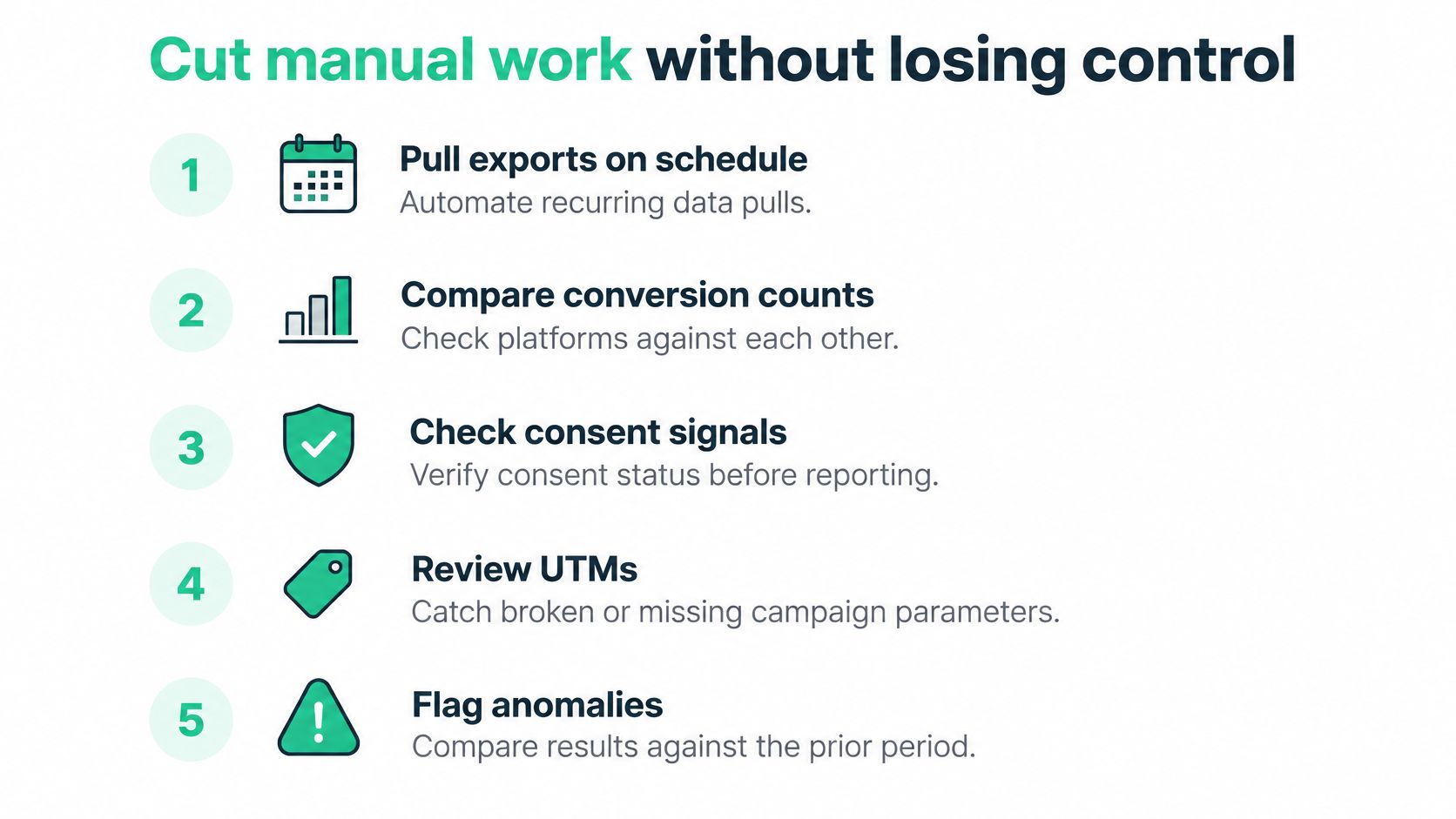
Automate collection, comparison and routing. Leave diagnosis, wording and sign-off with named people.
Assign the machine work and the judgement separately
Automated checklist
- Scheduled checks: Run tag and conversion checks daily or weekly after releases, campaign launches and consent-banner changes.
- Acquisition hygiene: Inspect UTMs, click IDs, campaign naming and consent signals before the report compares channels.
- Count comparisons: Prepare GA4, Google Ads and CRM counts with their definitions attached, so a gap is read as a measurement problem before it is read as performance.
- Actionable alerts: Name the affected event, property, provider and supporting hit, then route it to the owner rather than a shared inbox.
Human checklist
- Diagnosis: Decide whether the alert is a tracking fault or a real business change.
- Interpretation: Write the finding and assign its confidence label.
- Recommendation: Choose the action, confirm the owner and set the next check.
- Approval: Sign off the client-facing report before release.
Google's conversion troubleshooting guidance identifies incorrect tag implementation, inactive conversion actions and missing or incorrect Conversion Linker tags as causes of missing or low counts. Keep those conditions on the monitoring checklist and use Tag Assistant to verify the relevant setup before review.
Use monitoring to support decisions
Trackingplan fits the repetitive part of this work across more than 170 analytics and ad providers, checking requests from websites, iOS and Android apps and server-side endpoints, including conversions, UTMs and consent signals. It makes sure campaigns are optimized on conversion data the team can trust. It does not bid, manage budgets or change campaigns.
It observes only the data the customer's site or app already sends to analytics or marketing tools, and only to monitor tracking quality and detect implementation issues. That boundary matters in a client report: automation can surface a broken trigger or consent breach, but the analyst still decides what it means for revenue.
Use the GA4 reporting automation guide when designing scheduled collection. For the visibility portion of the report, OGTool's comparison of top rank tracking software for 2025 can help frame rank-tracker selection. A ranking export and a monitoring alert both belong in evidence until the approver accepts the reading.
Confirm the reporting setup before the next review
Before choosing a tool, put the reporting agreement in writing. It should contain KPI definitions, report owners, platform discrepancy notes, account context and a named approver. Add one line on how conclusions get labeled: observed, inferred or unverified. Otherwise, the evaluation tests software against an undefined process.
Test a bounded workflow
Pick the client with the highest spend or the most frequent site and tag releases. Sign up, connect that client's site, and let the digital analytics agent learn the specs for 2 days, followed by 7 days of fixing, asking and automating. Then run a release check and a weekly operations check on the account and compare the output with the manual process. Record time spent, discrepancies found and findings that required correction.
- Scope: Confirm that the events in the KPI agreement appear in monitoring and that website and server-side consent signals match banner choices.
- Boundary: Scheduled checks run daily or weekly. The report reflects those checkpoints, so treat it as evidence captured at fixed intervals rather than a live dashboard.
- Acceptance: Extend the workflow only if monitoring catches a real fault and the approver accepts the report, labels included, without rework.
If the evaluation misses that acceptance rule, keep the rollout contained. Adjust the scope or workflow before adding more clients. A smaller process with reliable evidence beats portfolio-wide automation that still needs every finding rewritten.
For agencies, the same bounded test answers an operational question: can one analyst hold more accounts without adding reviewers? That is the difference between managing more clients with the same team and hiring to keep up with reporting.