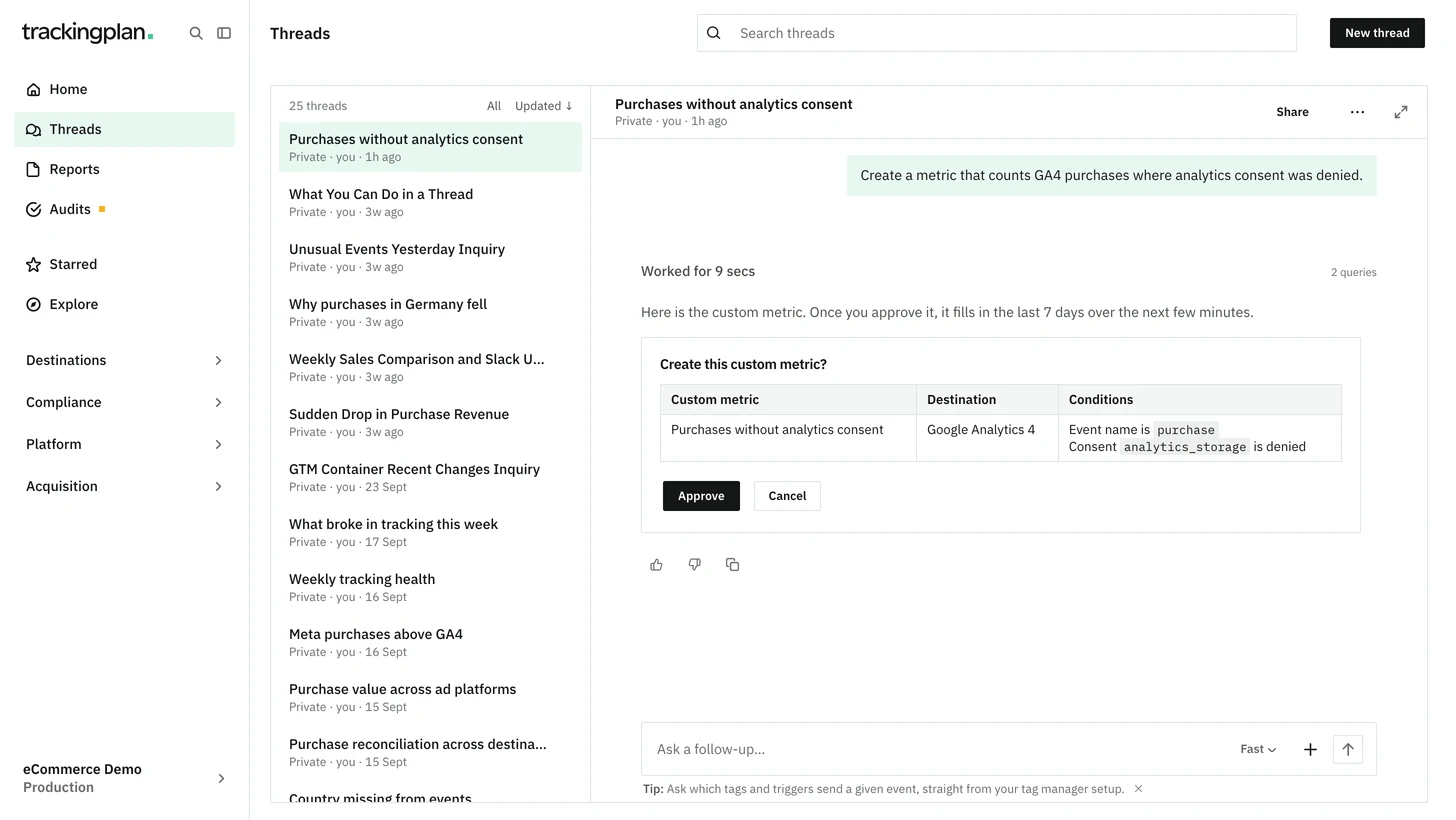
You can now ask Trackingplan to create or delete a custom metric, the same actions as New metric and Delete on the metric's detail.
- A new metric counts hits on a destination the plan already has, with conditions on the event name, a property, an attribution, a consent state, a tag or a data layer key.
- It fills in the last 7 days over the next few minutes.
- Nothing is saved until you approve the card Create this custom metric? or Delete this custom metric?.
A rule is not edited in place: changing one deletes it and creates it again under the same name, so it starts over without its star and warnings. Any custom metric can be deleted, with or without traffic, and a delete cannot be restored. Custom events, and conditions on products, the query string or the POST payload, stay in the panel. Slack, Teams and unattended runs cannot approve it.
Who it is for: teams that follow a slice of their traffic, such as one checkout step or one consent state.
Where: any chat in the panel. More on metrics: Events.