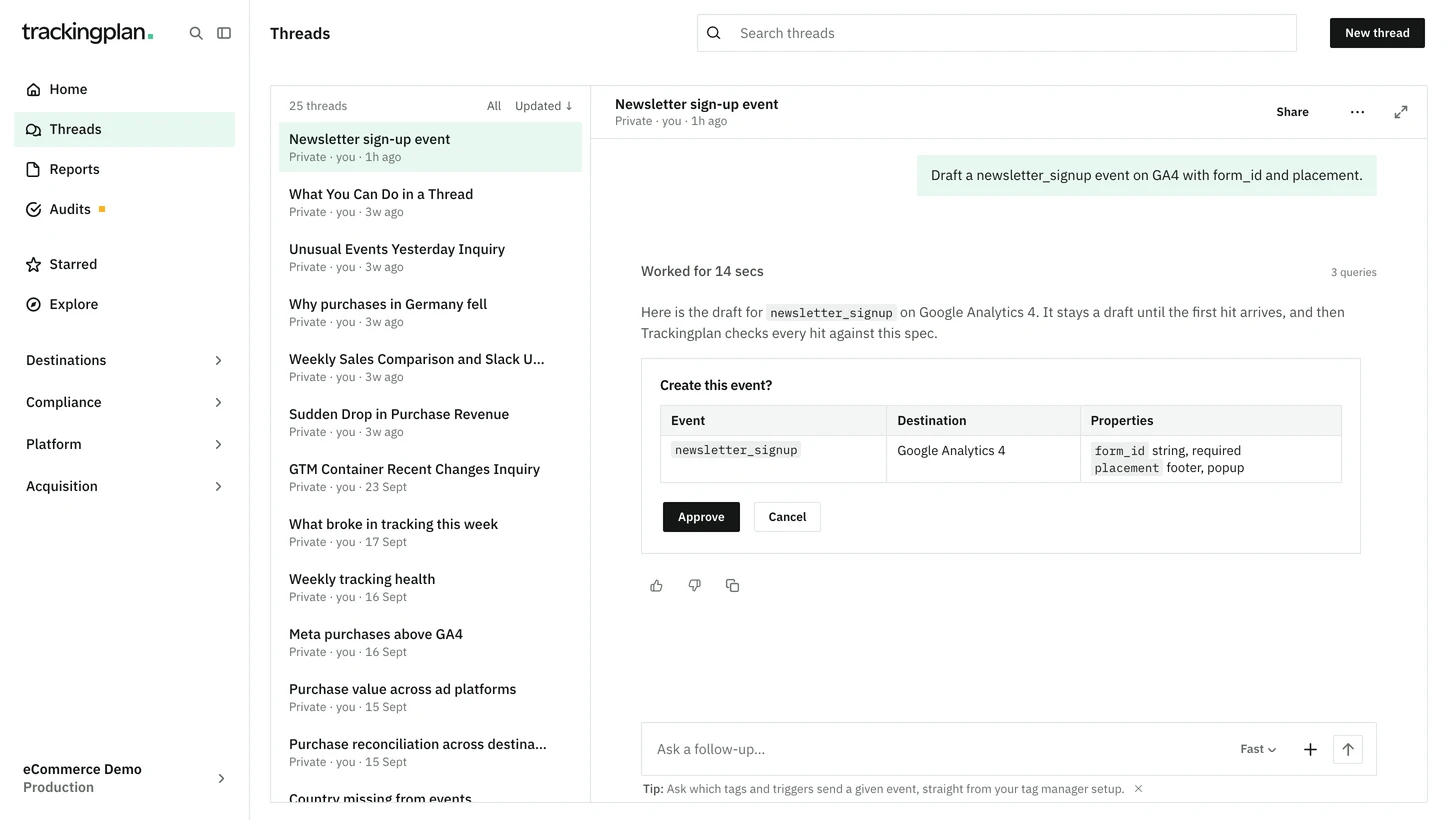
You can now ask Trackingplan to create a draft event on a destination the plan already has, pixels included, or to delete an event that has had no hits in the last 30 days. It works in the panel chat or from a connected MCP client.
- A new event can include its description and properties in the same approval, and a category where the Events page offers one.
- Nothing is saved until you approve the card Create this event? or Delete this event?.
- The Events page updates without a reload, and every change is in the plan's change history under your name.
About 50 new events fit in one approval; for a larger spec, use the JSON Schema import. A delete also removes the event's properties and description, and cannot be undone. Custom events stay in the panel. In Slack, Teams or an audit, Trackingplan describes the change and points you to a chat in the app.
Who it is for: whoever maintains the tracking plan and wants it to match what the team is about to ship.
Where: any chat in the panel, or your MCP client. More on drafts: Events.