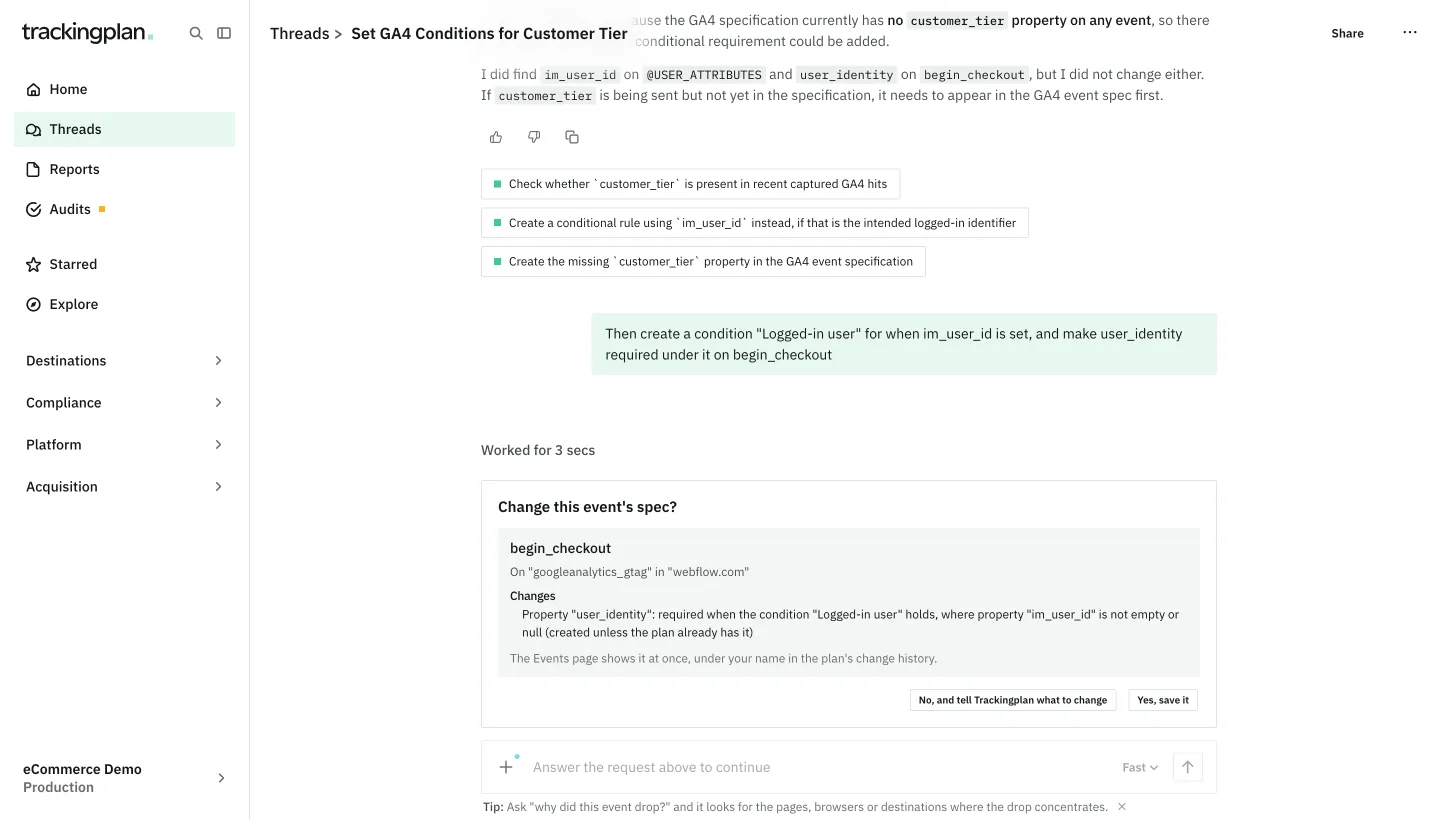
You can now create and edit conditions the way you already do enums and regexes: from a JSON Schema import, or by asking Trackingplan.
From a JSON Schema import. Importing a schema in the panel, or running tp events update, can create a condition, rename it or change its rule in place. A rename keeps the condition's warnings; a new rule hides them. The summary before Import counts the conditions it will create and edit.
By asking. Since November 17, Trackingplan, and tp events edit, can create a condition and make a property required or present under it in one edit. It works for one event or for every event of a destination that has the property. You describe the rule in words, and the approval card spells it out before anything is saved.
Who it is for: whoever keeps the tracking plan up to date, in a JSON Schema or in the chat.
Where: the JSON Schema import in each destination's export menu, the CLI and the chat. More: Export/Import JSON Schemas.