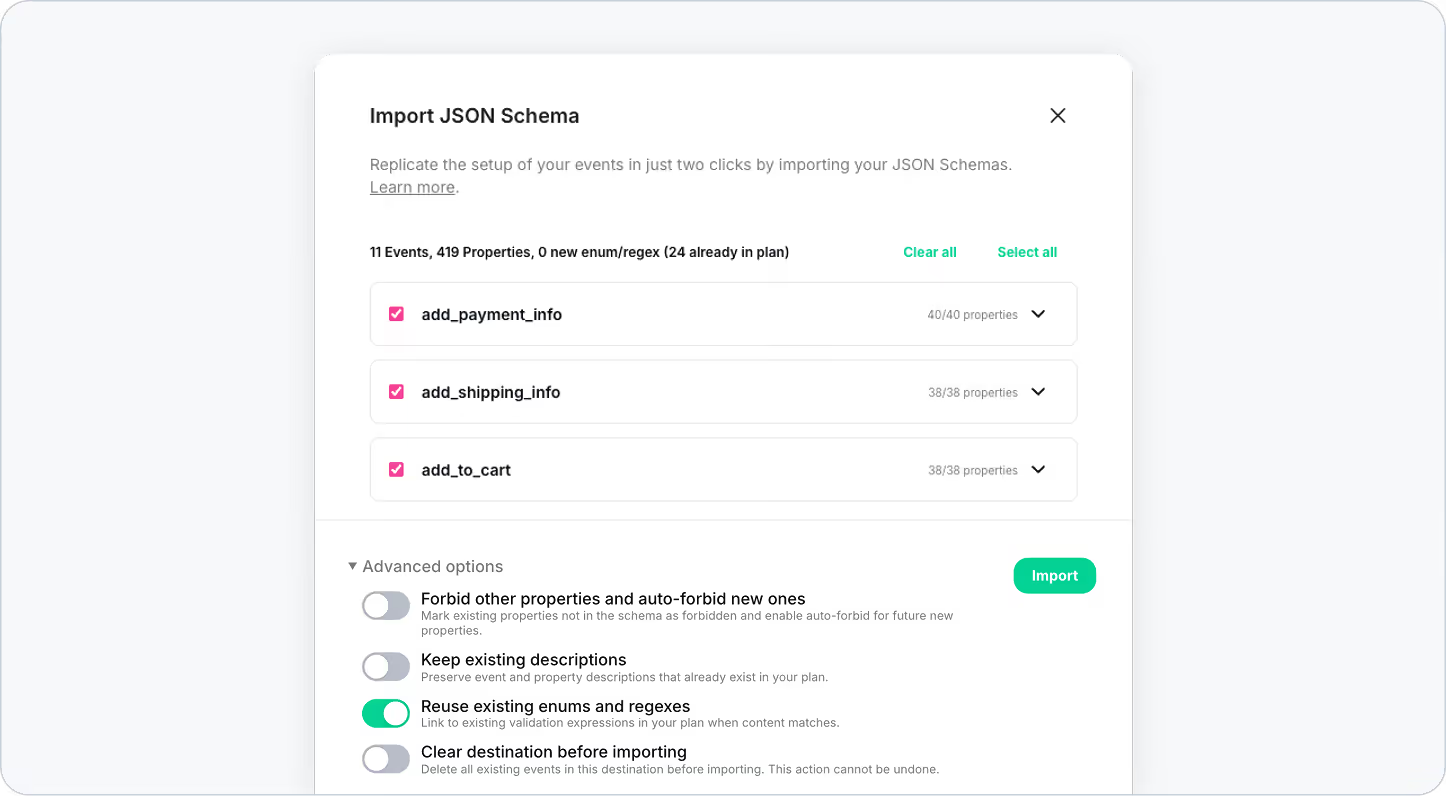
Importing event specs between plans just got a lot more powerful.
We’ve added Advanced options to the JSON Schema import flow, giving you finer control over how schemas are applied when copying event specifications from one plan to another. This means fewer manual adjustments, less cleanup work, and more confidence that your destination plan behaves exactly as expected.
What’s New
When importing a JSON Schema, you’ll now see a new Advanced options step that lets you decide how the imported schema should interact with what already exists in the destination plan.
These options help you:
- Enforce stricter tracking standards
- Preserve existing documentation
- Avoid duplicated rules
- Start fresh when needed
All without leaving the import flow.
Advanced Import Options Explained
Forbid other properties (and auto-forbid new ones)
Ensure that only the properties explicitly defined in your schema are allowed.
Any existing or future properties that don’t match the imported schema will be automatically marked as forbidden.
Why it matters
Perfect for teams that want strict schema enforcement and want to avoid accidental or uncontrolled tracking.
Keep existing descriptions
Preserve event and property descriptions that already exist in the destination plan.
Why it matters
If your plan already includes valuable documentation, notes, or explanations, this option prevents them from being overwritten during import.
Reuse existing enums and regexes
Automatically link imported properties to matching enums or regex validation rules that already exist in your plan.
Why it matters
This avoids duplication and keeps your validation logic consistent across the plan—no more multiple versions of the same rule.
Clear destination before importing
Delete all existing events in the destination plan before applying the new schema.
Why it matters
Ideal when you want to start completely fresh and ensure the destination plan matches the imported schema exactly.
⚠️ Important: This action is irreversible. Use it only if you’re sure you want to wipe the destination events before importing.
Why It Matters
These new advanced options make schema imports:
- Safer, by preventing accidental overrides
- Cleaner, by reducing duplication
- Faster, by cutting down on post-import fixes
- More flexible, adapting to different workflows and maturity levels
Whether you’re syncing environments, rolling out a new tracking standard, or managing multiple plans, you now have full control over how your schemas are applied.
See It in Action
Want a walkthrough of the new import flow and advanced options? See it in action in the video below, or learn more in our documentation.