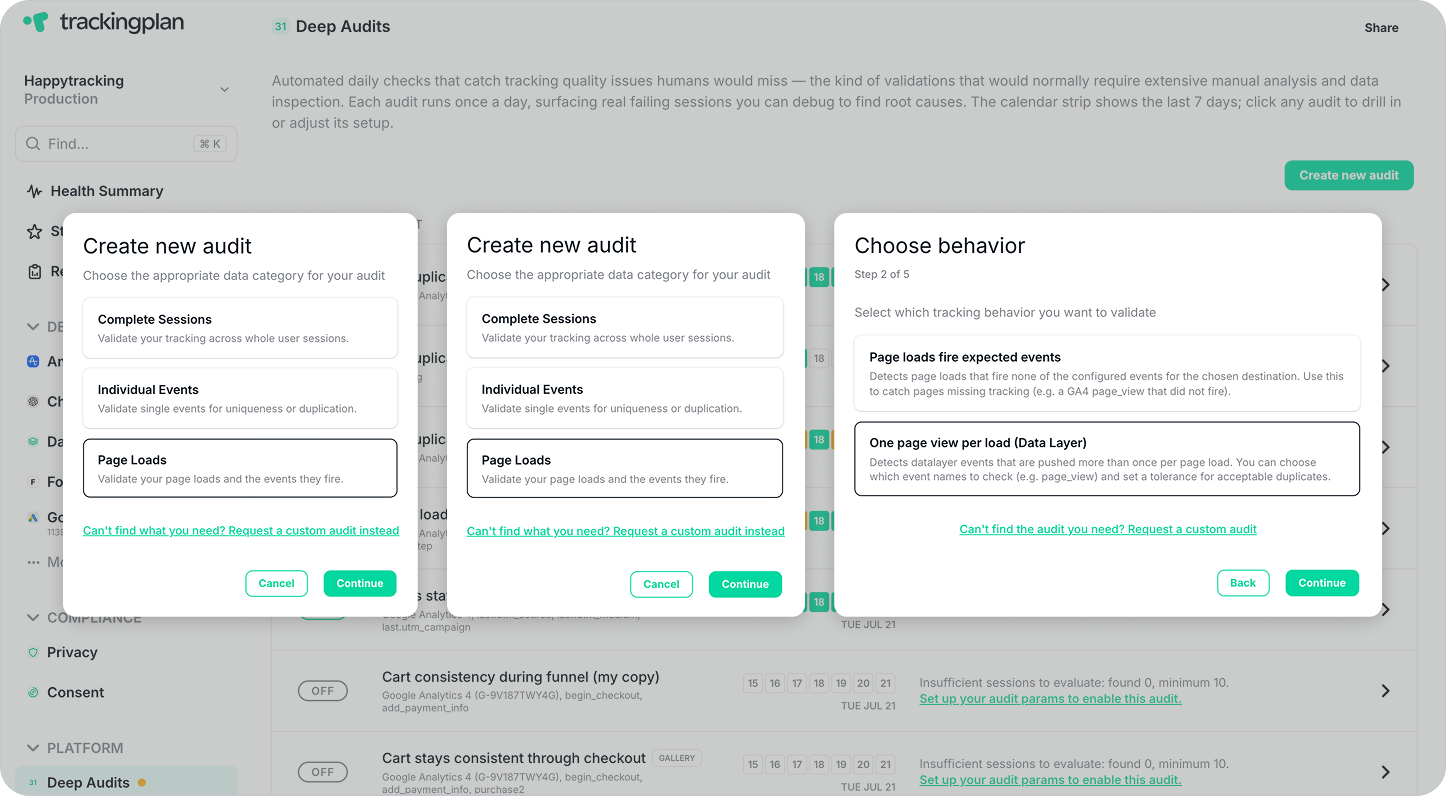
Until now, Deep Audits relied on a small set of predefined templates. Some audits required additional configuration before they could run, and creating a custom audit meant duplicating an existing template and adapting it manually, a process that wasn't always intuitive.
That’s why we've redesigned the Deep Audits experience to make it faster and easier to validate your tracking.
What's Changed
A step-by-step wizard for custom audits
Deep Audits now includes a guided wizard that walks you through creating a custom validation in seconds. Simply tell Trackingplan what you want to validate, which events to check, and how strict the validation should be. Your audit is ready to run immediately; .no manual configuration, no duplication of templates.
- Guided creation: A clear step-by-step flow replaces manual template configuration.
- Ready in seconds: Define your rule, select your events, set your tolerance, and confirm. That's it.
- Same daily schedule: Custom audits run alongside your predefined gallery audits every morning, with results waiting when you open your dashboard.
If the wizard doesn't cover your specific use case, you can still request a new Deep Audit from our support team. Just describe what you need, and we'll configure it for you.
Expanded gallery: 7 → 9 audits
The predefined gallery now includes two new validations, active by default alongside the existing seven:
- Attribution consistency within a session: Validates that key attribution values — such as source, medium, or campaign — remain consistent across all events within the same session. Unexpected attribution changes mid-session can silently corrupt your attribution reporting.
- Duplicate data layer page views: Detects sessions where a data layer page view event fires more than once with identical properties — a common cause of inflated page view counts and skewed engagement metrics.
For a full overview of all available Deep Audits and how to create custom validations, visit our documentation.
Need further assistance? Our support team is here to help! Happy Tracking!