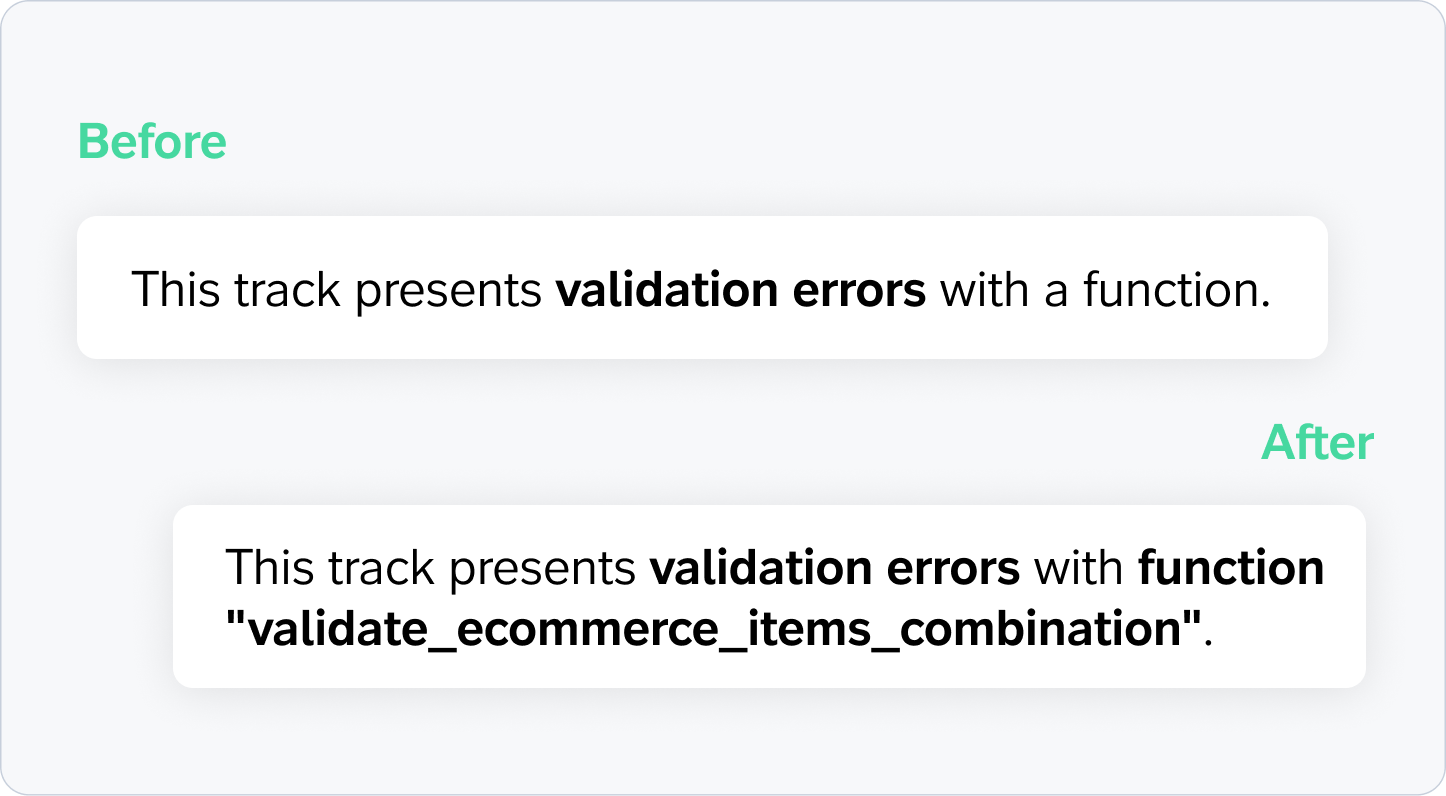
Debugging custom validation issues just got easier. We've improved how Tracks Explorer surfaces errors triggered by custom validation functions. Now, when a custom validation flags a track, you'll see exactly which function is responsible instead of a generic message.
The Challenge: Generic Errors Slow Down Debugging
Teams using custom validation functions could previously see messages like:
"This track presents validation errors with a function."
While this indicated that a custom validation had failed, it didn't specify which one. If multiple custom validation functions were configured, identifying the source of the issue required additional investigation and configuration reviews before troubleshooting could begin.
The Solution: Custom Validation Function Names Are Now Visible
Tracks Explorer now displays the specific custom validation function that triggered the warning.
What's Improved
- See the exact validation function that failed — instead of a generic message, you'll now see the name of the function responsible for the warning.
- Start troubleshooting immediately — the function name provides a clear starting point for investigation, eliminating unnecessary guesswork.
- Keep existing aliases — if you've configured a human-readable alias for the validation function in your plan settings, that alias will continue to be displayed.
How It Works
- Open Tracks Explorer and navigate to a track with a custom validation warning.
- The warning message now displays the validation function identifier directly.
- If an alias has been configured for that function, the alias will be shown instead.
- Use the function name to locate the relevant validation logic and resolve the issue more efficiently.
About Custom Validation Functions
Custom validation functions allow teams to implement project-specific validation logic beyond Trackingplan's standard validation capabilities. This functionality is available upon request and requires configuration by the Trackingplan Support team.
If you're interested in implementing custom validation functions in your plan, please contact us for more information.
Who Benefits
- Digital analysts can identify the source of validation failures more quickly.
- Developers can locate and troubleshoot custom validation logic with less effort.
- Marketing and analytics teams gain faster visibility into tracking issues before they impact reporting and decision-making.
Need further assistance? Our support team is here to help.
Happy Tracking!