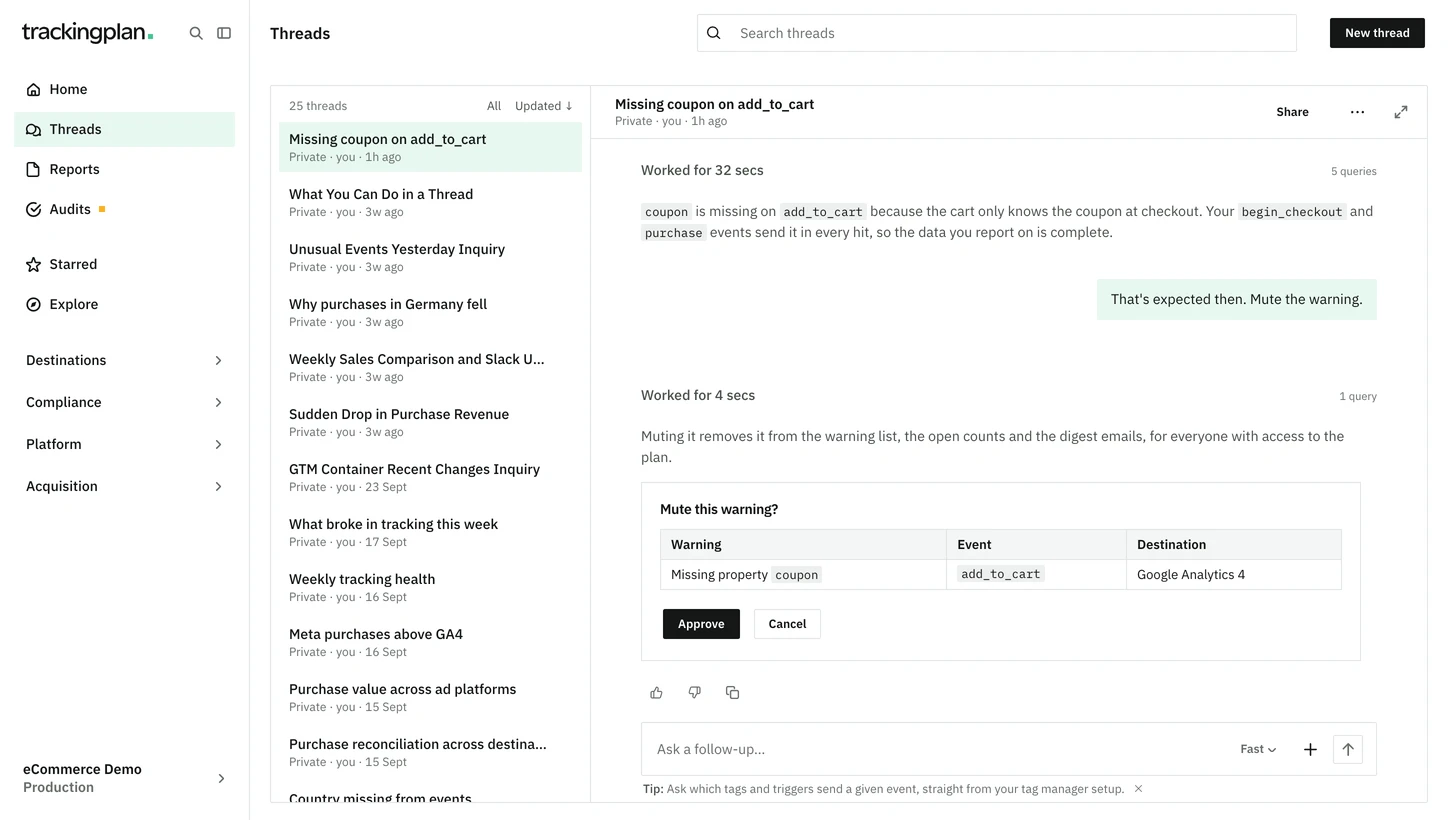
You can now ask Trackingplan to mute or unmute a plan's warnings. Nothing changes until you approve the card Mute this warning? or Unmute this warning? in the panel chat, or confirm it in the conversation over MCP.
- A muted warning leaves the warning list, the open-warning counts and the digest emails.
- The change applies to everyone with access to the plan, and the list updates without a reload.
- It is in the plan's change history under your name.
Warning settings, such as tolerances and which checks run, stay in the panel. In Slack, Teams or an audit's conversation, Trackingplan links the warning instead.
Who it is for: anyone who triages warnings while talking them through.
Where: any chat in the panel, or your MCP client. More: Warnings & Updates.