Trackingplan

fig. bubbles

Monitoring · iOS, Android, backend

Always accurate mobile analytics, even as your apps evolve

Gain full confidence in your app data with 24/7 automated monitoring, real-time alerts, and instant insights.

Start asking your data Book a demo

Ask it

Ask it about every SDK and release

The agent works from your real traffic, investigates before it answers, and shows the evidence. Two threads a mobile developer would open here.

Thread
Trackingplandemo workspace
You · Mobile Developer

Check if the same item ID is sent across all platforms and highlight any discrepancies. If you find one, investigate what’s causing it and send instructions on how to fix it to #implementation_analytics.

compare_property · item_id · ga4, meta, google_ads, tiktok · 7dinspect_hits · tiktok add_to_cartpost · slack #implementation_analytics
Trackingplan

Running. item_id is consistent across GA4, Meta and Google Ads. TikTok sends the variant SKU instead of the parent id on 38% of add_to_cart.

Cause: the TikTok tag reads items[0].variant_id where the others read items[0].item_id. I’ve posted the fix to #implementation_analytics with 20 sample hits.

4 platforms · 3 consistent · tiktok 38% mismatch
Continue this thread with the agentSend
Another thread
Trackingplandemo workspace
You · Mobile Developer

What broke in my tracking this week?

open_warnings · 7danomalies · all providers · 7d
Trackingplan

Two things worth your time, nothing on fire.

1 · TikTok purchase fires twice on mobile web since v87 — inflating TikTok’s signal, GA4 unaffected.
2 · checkout_step lost coupon on web after v95 yesterday.
Everything else — 31 events, 14 providers, consent coverage — matches last week within normal variance.

2 open issues · 0 anomalies · 14 providers healthy
Continue this thread with the agentSend

AI at the core

Analytics intelligence that never sleeps

Replace manual QA workflows with specialized AI agents automating every stage of analytics quality, from discovery to governance.

In the product

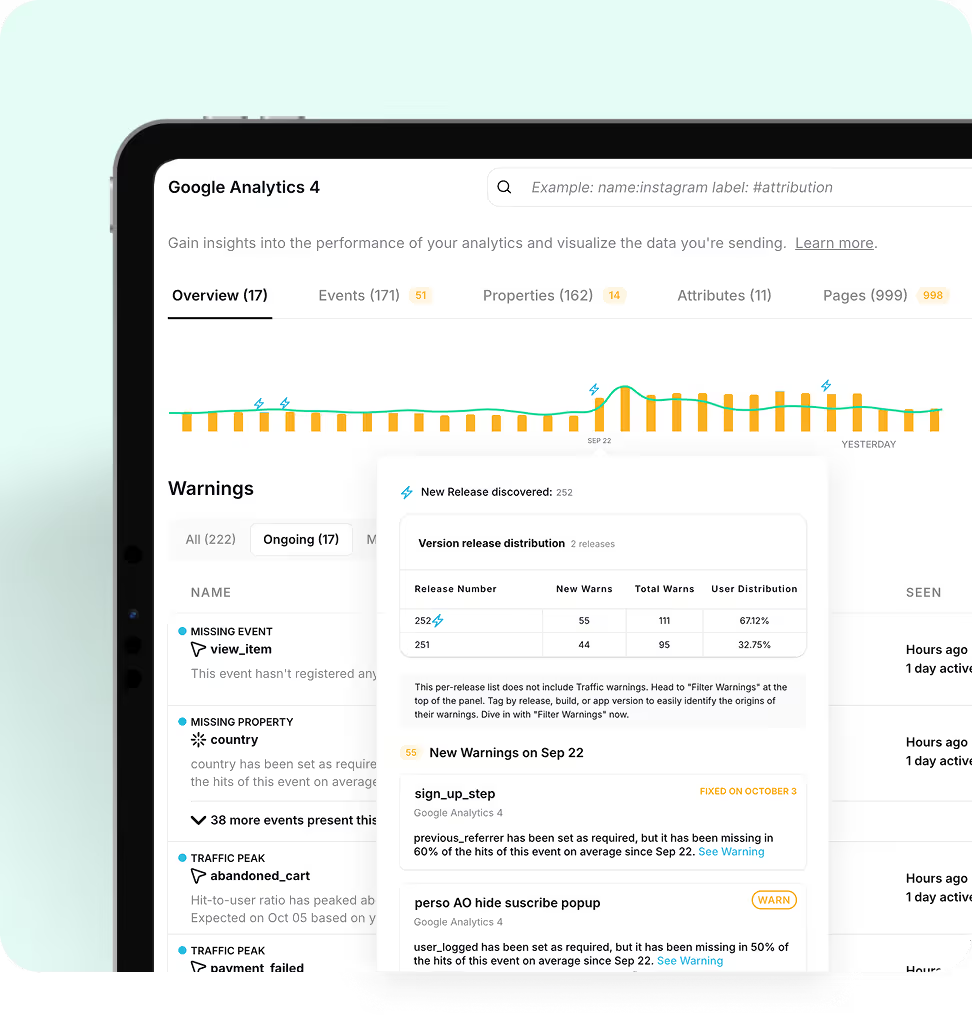
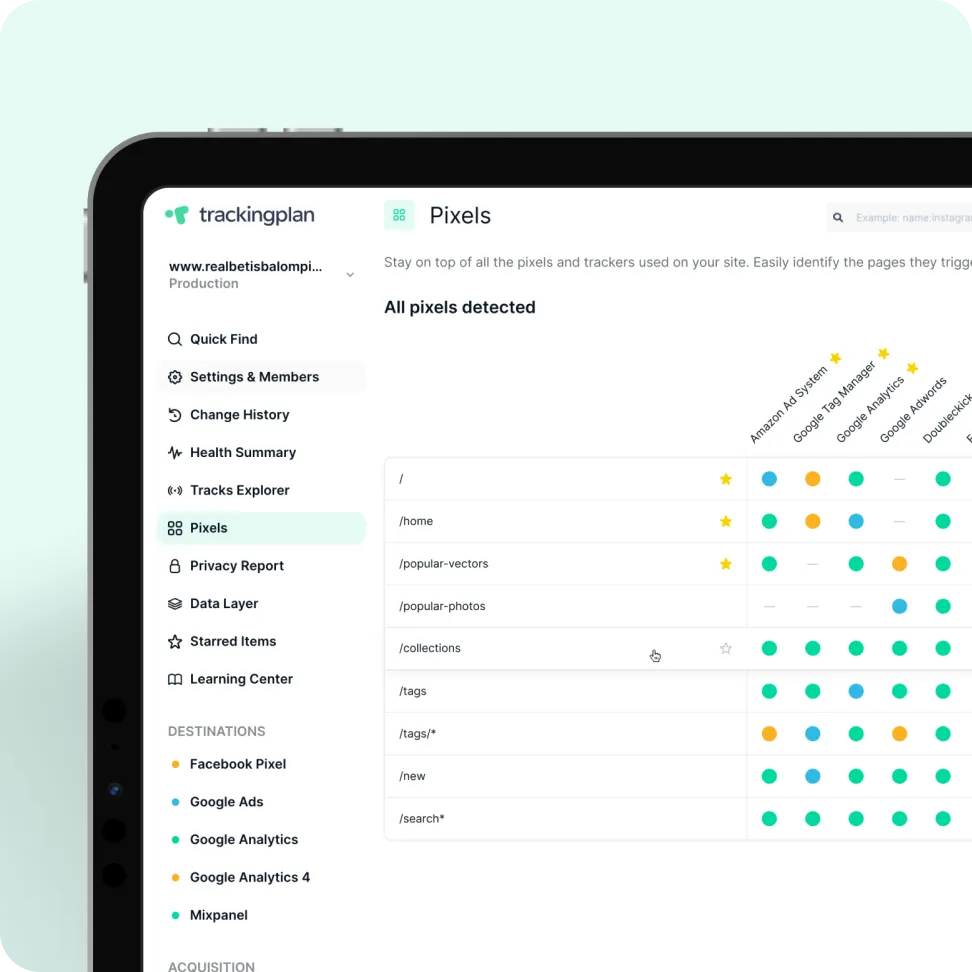
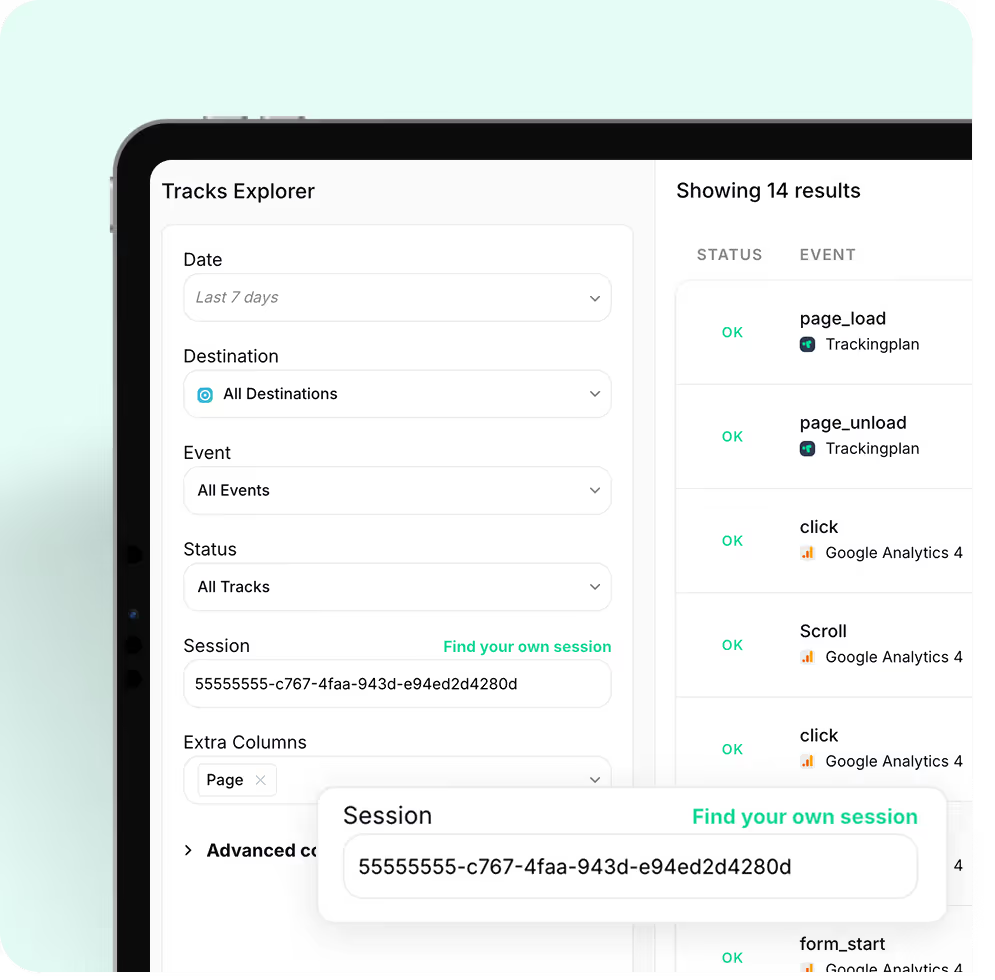
What the app monitoring watches

Book a demo

Let’s see if we’re a match, data-style.

This isn’t a sales call. It’s a chance to understand what matters most to you, discuss any data quality concerns you may have, and share practical ways Trackingplan could support your goals, if it makes sense.

FAQ

Some answers before the answers.

?How long does it take for Trackingplan to work?
tp

Trackingplan starts monitoring your data in real time immediately after installation — no lengthy setup, no code changes to your existing tracking. Depending on your traffic volume, your dashboard can be ready in as little as one hour. For lower-traffic sites, it may take up to a week. You will receive an email notification as soon as enough data has been collected and your dashboard is ready.

?Will Trackingplan affect my site's visitor experience or performance?
tp

Not at all. Trackingplan is designed to have a minimal impact on your site. Our lightweight tag, only 10kb in size, has no significant effect on page load times. Additionally, our SDKs are optimized to ensure that your app's performance remains unaffected.The Trackingplan tag loads asynchronously with the page content, responding in less than 500ms.

This means that it won't slow down your site's loading speed. Furthermore, once the configuration is stored in the browser cache, it won't be reloaded during subsequent page views for a period of 24 hours.With Trackingplan, you can gather the data you need without compromising the visitor experience or your site's performance.

?What are the problems Trackingplan will notify me about?
tp

Trackingplan automatically detects and alerts you about missing or dropped events, unexpected traffic drops or spikes, property type mismatches (e.g. a string where a number is expected), naming convention violations in events and UTMs, broken pixels (Meta, TikTok, Google Ads), consent and PII leaks, schema changes introduced by third-party tools, and regressions between releases. All monitoring runs continuously 24/7 in the background, with no manual checks required.

Moreover, Trackingplan's Digests will notify your team with all you need to know about the state of your data at the beginning of your work day so that you can work on what you do best instead of having to find those errors by yourself.

?How does Trackingplan's AI Debugger identify the root cause of analytics errors?
tp

When Trackingplan detects an anomaly, its AI debugging engine analyzes the affected events, properties, and context to automatically pinpoint the root cause. Instead of a generic alert, you get a structured diagnosis: a plain-language summary of the issue, the most likely root cause hypothesis, recommended actions to fix it, and the conditions under which it occurs - with sample hits to reproduce the problem.

What makes this especially powerful is the Potential Impact analysis. Rather than framing issues as purely technical, Trackingplan estimates the business consequences of leaving them unresolved - such as the effect on ROAS, conversion tracking, campaign attribution, or data reliability. This makes it significantly easier to prioritize fixes and communicate their value to stakeholders, clients, or leadership.

?How do I know if Trackingplan is for me?
tp

Trackingplan is built for digital analysts, developers, and marketing teams who deal with data quality issues. If your team spends time manually auditing tracking implementations, debugging broken events, or discovering data errors after they have already affected reports or ad spend, Trackingplan automates that entire process. It detects errors in real time, so you can focus on insights, not data firefighting. You can get started for free with no credit card required.

?Is there any free trial?
tp

Yes. The Growth plan includes a 14-day free trial with no credit card required. For Enterprise plans, a free Proof of Concept (PoC) period is also available so you can evaluate the solution against your specific business needs before committing.

?How do I get started?
tp

Getting started with Trackingplan takes three simple steps:

1. Create a free account to generate your Trackingplan snippet. Install it via Google Tag Manager, by adding a lightweight code snippet to your site's head section, or via iOS and Android SDKs for apps — no code changes to your existing tracking required.

2. Trackingplan automatically starts discovering and documenting all analytics traffic sent to your integrations. No manual configuration needed.

3. Once your dashboard is ready, explore all events, pixels, UTMs, and campaigns automatically discovered. Invite your team, customize your alerts, and start resolving the issues Trackingplan has already spotted.

More of Trackingplan