Journey explorer · real sessions
Monitor every event and session in real time, review historical snapshots, and catch anomalies in real-time to ensure accurate, trustworthy analytics.
Ask it
The agent works from your real traffic, investigates before it answers, and shows the evidence. Two threads a analyst would open here.
Status of all clients this morning? Standup in 20.
Rolled up 14 active plans over the last 24 h: 1 red · 2 yellow · 11 green.
Red — nike.com. GA4 purchase = 0 since 04:12 UTC, −100% against a baseline of ~340 purchases by 09:00. Container GTM-WX7K2P was published at 04:08 and the new version dropped the Purchase – GA4 trigger; the variable __dataLayer-ecommerce-purchase was renamed. Owner @mike. About 41 transactions lost and counting; the rollback is one click.
Yellow — verizon.com. Meta Pixel value=0 on 31% of AddToCart, up from 4% yesterday, currency missing on the same hits. A new SKU range went live at 22:00 and the price binding for fios-5g looks broken. Owner @josh. Yellow — duke-energy.com. utm_source coverage on Google Ads down to 64%, −22 points: three campaigns changed their tracking template last night and land without it. Owner @megan.
Pattern across the book. 3 of your 14 clients pushed the gtag.js → Consent Mode v2 update in the last 48 h (walmart.com, gap.com, ulta.com). None broke — but the other 11, still on v1, send about 12% fewer ad events than they used to. Worth scheduling before end of quarter. Today across the agency: 9.4M hits, 0 PII alerts, 3 consent-mode warnings queued for the evening digest.
Which countries grew the most in revenue this quarter?
France, by a distance: +34% quarter on quarter, then Italy +21% and Portugal +12%. Spain, your largest market, grew 9%. Germany shows −4%, and that one deserves a footnote.
Since the banner update on the 20th, 9% of German sessions land without a consent state and GA4 drops them; the server-side stream, which doesn’t depend on the banner, has Germany at +3%. Use server-side for DE, or fix the banner and let GA4 catch up.
AI at the core
Replace manual QA workflows with specialized AI agents automating every stage of analytics quality, from discovery to governance.
Maps your entire tracking ecosystem from real user data. No schemas or setup required.
Watches every analytics signal, pixel, and UTM continuously to detect anomalies the moment they happen.
Traces root causes instantly. telling you exactly what broke and how to fix it in plain language.
Enforces naming conventions, UTM standards, and consent compliance across every team automatically.
In the product
01 · Monitoring Agent
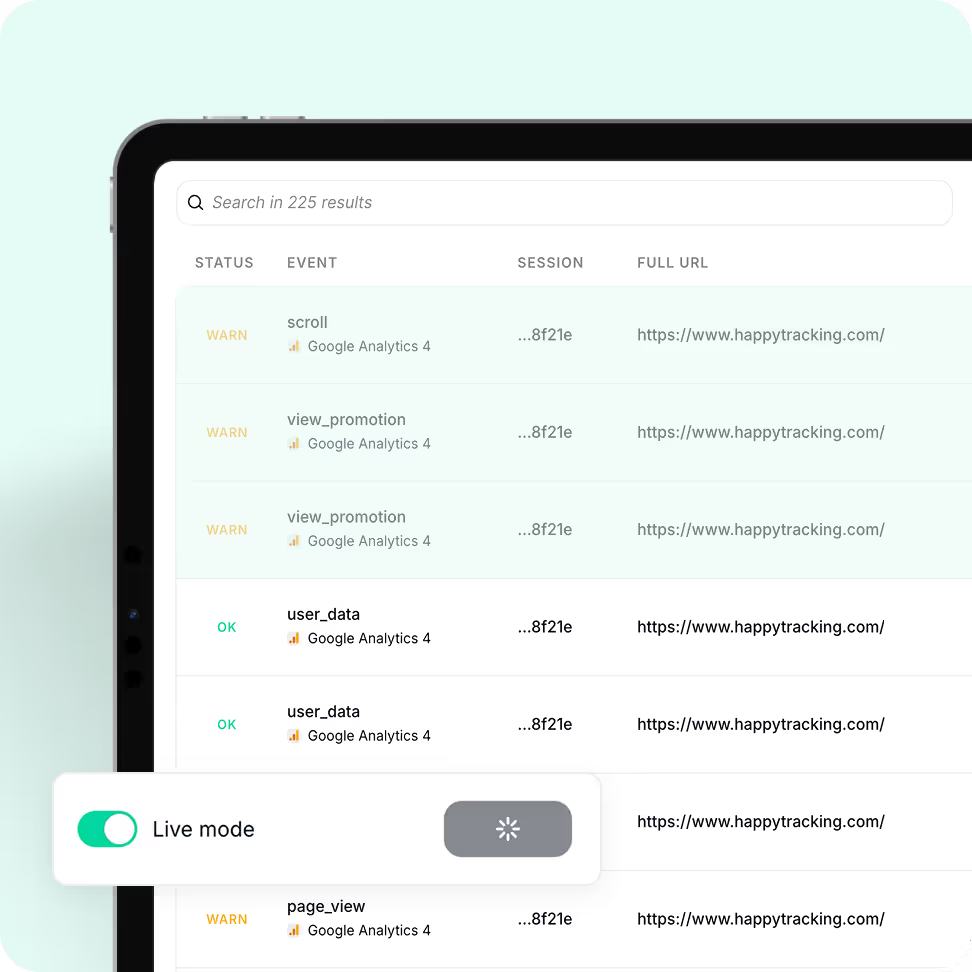
From real sessions to historical snapshots and real-time alerts, Trackingplan gives you full visibility into your data.
02 · Monitoring Agent
Forget about synthetic journeys or pre-configured tests. Trackingplan captures in real time every action your real users take to see exactly how they interact with your site and apps, even for those tricky cases that are impossible to reproduce manually.
03 · Discovery Agent
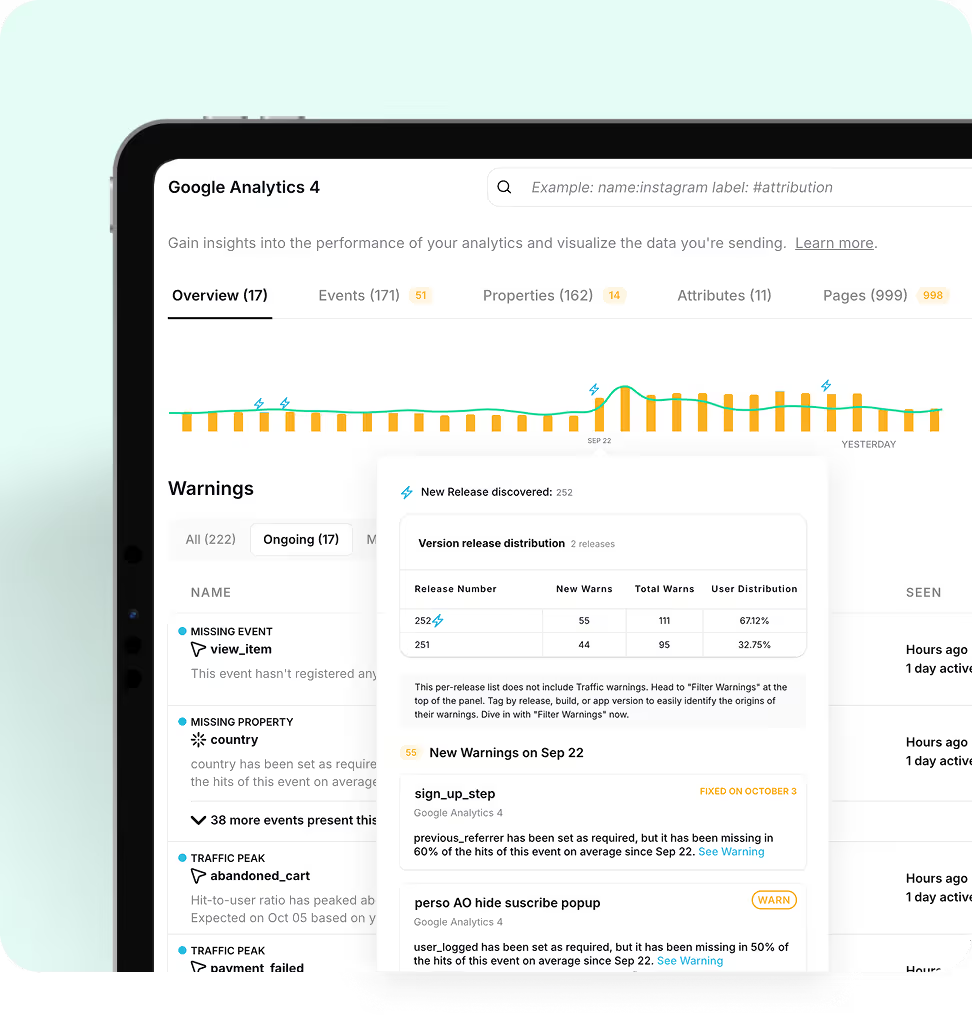
Trackingplan provides a complete, daily snapshot of your DataLayer and events, letting teams review historical states days or weeks later to map incidents to production changes, defend your work with clear evidence, and resolve issues proactively—without getting caught in endless debates over accountability.
04 · Monitoring Agent
Monitor your analytics continuously and get real-time alerts when traffic or spec patterns deviate unexpectedly. React immediately, analyze ongoing trends, and fix issues before they impact your data or decisions.
05 · Debugging Agent
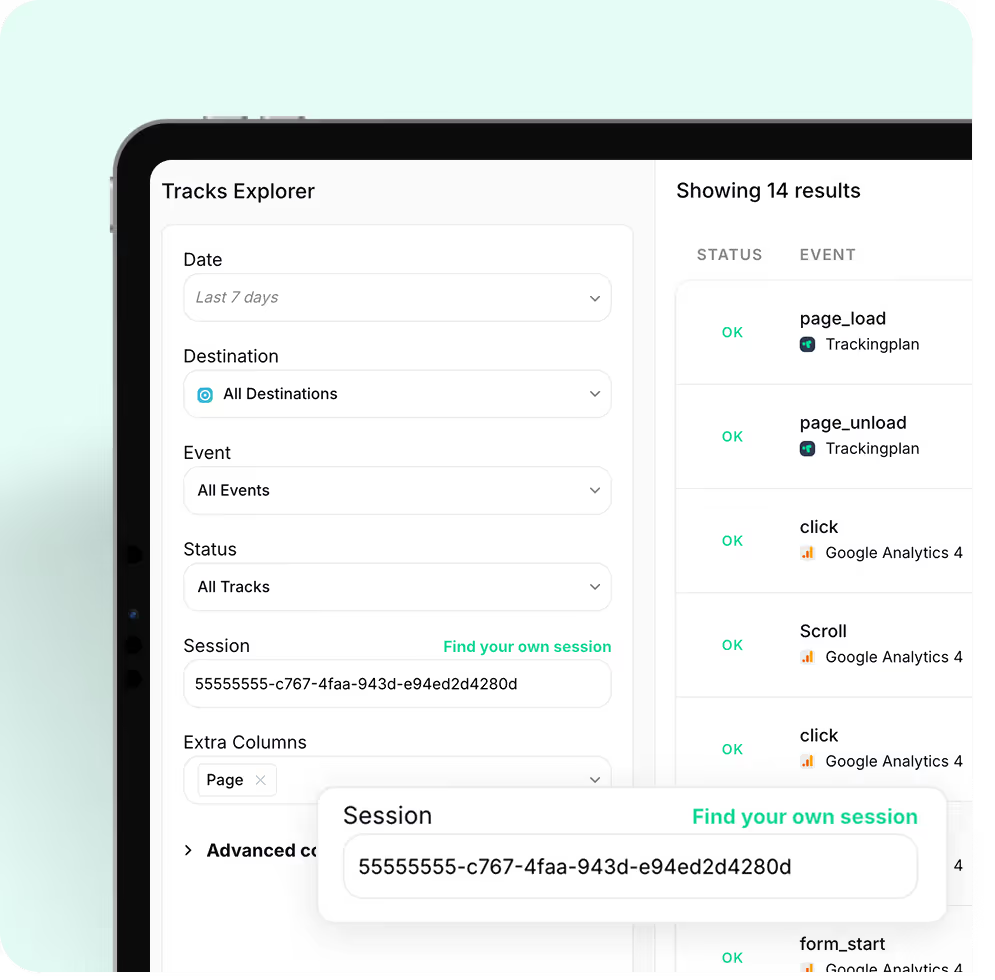
Debugging tracking shouldn’t mean spending hours reproducing issues in the browser. Trackingplan automatically captures every edge-case scenario, letting you explore real user sessions, events, and flows.
Book a demo
This isn’t a sales call. It’s a chance to understand what matters most to you, discuss any data quality concerns you may have, and share practical ways Trackingplan could support your goals, if it makes sense.
FAQ
Trackingplan starts monitoring your data in real time immediately after installation — no lengthy setup, no code changes to your existing tracking. Depending on your traffic volume, your dashboard can be ready in as little as one hour. For lower-traffic sites, it may take up to a week. You will receive an email notification as soon as enough data has been collected and your dashboard is ready.
Not at all. Trackingplan is designed to have a minimal impact on your site. Our lightweight tag, only 10kb in size, has no significant effect on page load times. Additionally, our SDKs are optimized to ensure that your app's performance remains unaffected.The Trackingplan tag loads asynchronously with the page content, responding in less than 500ms.
This means that it won't slow down your site's loading speed. Furthermore, once the configuration is stored in the browser cache, it won't be reloaded during subsequent page views for a period of 24 hours.With Trackingplan, you can gather the data you need without compromising the visitor experience or your site's performance.
Trackingplan automatically detects and alerts you about missing or dropped events, unexpected traffic drops or spikes, property type mismatches (e.g. a string where a number is expected), naming convention violations in events and UTMs, broken pixels (Meta, TikTok, Google Ads), consent and PII leaks, schema changes introduced by third-party tools, and regressions between releases. All monitoring runs continuously 24/7 in the background, with no manual checks required.
Moreover, Trackingplan's Digests will notify your team with all you need to know about the state of your data at the beginning of your work day so that you can work on what you do best instead of having to find those errors by yourself.
When Trackingplan detects an anomaly, its AI debugging engine analyzes the affected events, properties, and context to automatically pinpoint the root cause. Instead of a generic alert, you get a structured diagnosis: a plain-language summary of the issue, the most likely root cause hypothesis, recommended actions to fix it, and the conditions under which it occurs - with sample hits to reproduce the problem.
What makes this especially powerful is the Potential Impact analysis. Rather than framing issues as purely technical, Trackingplan estimates the business consequences of leaving them unresolved - such as the effect on ROAS, conversion tracking, campaign attribution, or data reliability. This makes it significantly easier to prioritize fixes and communicate their value to stakeholders, clients, or leadership.
Trackingplan is built for digital analysts, developers, and marketing teams who deal with data quality issues. If your team spends time manually auditing tracking implementations, debugging broken events, or discovering data errors after they have already affected reports or ad spend, Trackingplan automates that entire process. It detects errors in real time, so you can focus on insights, not data firefighting. You can get started for free with no credit card required.
Yes. The Growth plan includes a 14-day free trial with no credit card required. For Enterprise plans, a free Proof of Concept (PoC) period is also available so you can evaluate the solution against your specific business needs before committing.
Getting started with Trackingplan takes three simple steps:
1. Create a free account to generate your Trackingplan snippet. Install it via Google Tag Manager, by adding a lightweight code snippet to your site's head section, or via iOS and Android SDKs for apps — no code changes to your existing tracking required.
2. Trackingplan automatically starts discovering and documenting all analytics traffic sent to your integrations. No manual configuration needed.
3. Once your dashboard is ready, explore all events, pixels, UTMs, and campaigns automatically discovered. Invite your team, customize your alerts, and start resolving the issues Trackingplan has already spotted.
More of Trackingplan