App Tracking Monitoring

Always accurate mobile analytics, even as your apps evolve

Gain full confidence in your app data with 24/7 automated monitoring, real-time alerts, and instant insights.

AI-powered QA layer for your app tracking, without false positives

Documentation gets outdated. Real-time monitoring doesn’t. Meet the AI agent that automatically discovers your app tracking setup and catches issues the moment an app release breaks your data, without raising false alarms from temporary changes or toggled campaigns.
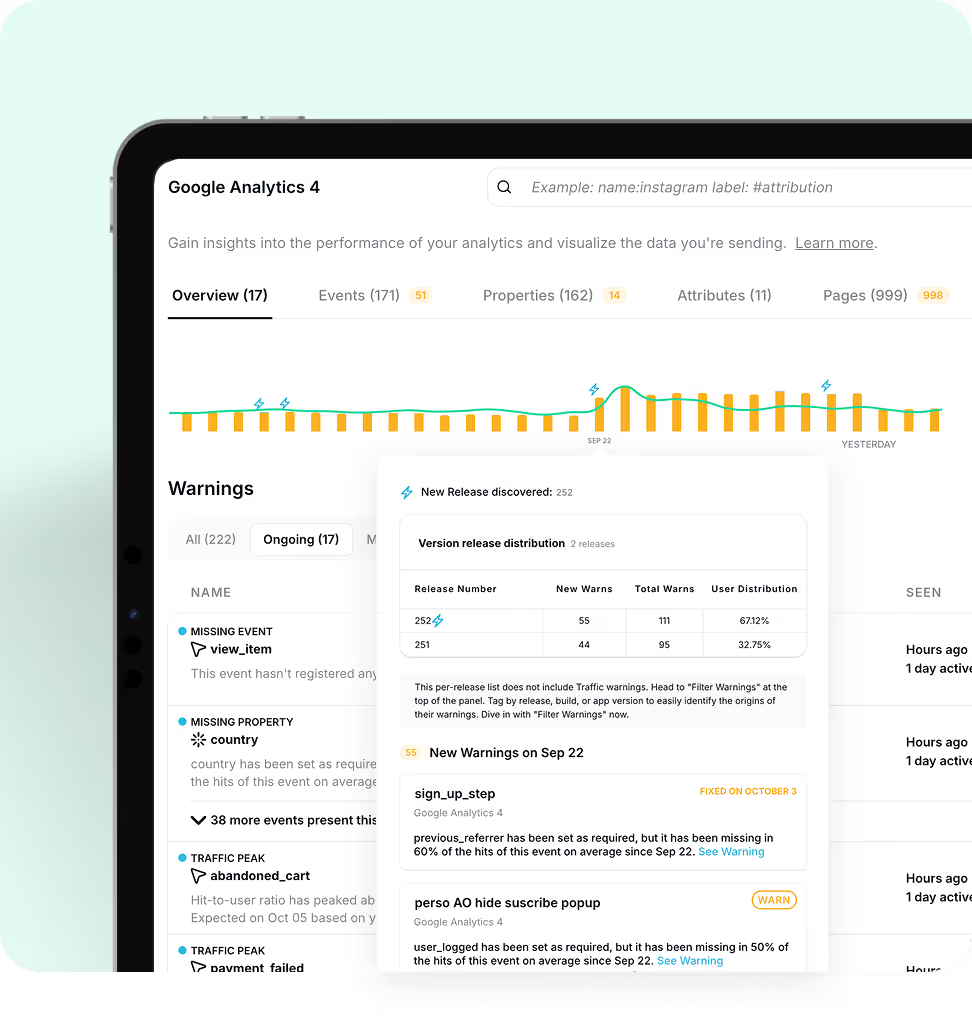
Google Analytics 4 dashboard showing overview, events, properties, attributes, and pages with warnings and release distribution data.

Automatic discovery & understanding of your app tracking

Let Trackingplan automatically learn your tracking schema directly from your app traffic, detecting event patterns, and mapping all events, properties, and destinations without manual input needed.
Smartphone screen showing trackingplan app with warnings for add_to_cart traffic drop, missing ITEM_ID, and META Pixel issues.

Shift from reactive to proactive

Stop waiting for a dashboard to look weird — or for someone to complain — to realize two weeks later that tracking is broken. Trackingplan monitors your implementation 24/7 and alerts you as soon as something stops firing, starts sending unexpected values, or silently disappears.

24/7 app tracking monitoring

With continuous 24/7 monitoring, Trackingplan watches your apps around the clock, continuously keeping an eye on your actual tracking setup — your GTM, conversion pixels, GA4 events, Meta, TikTok, and custom tags — in real time. Think of it as a QA layer that runs 24/7, validating every event automatically, so you don’t have to.
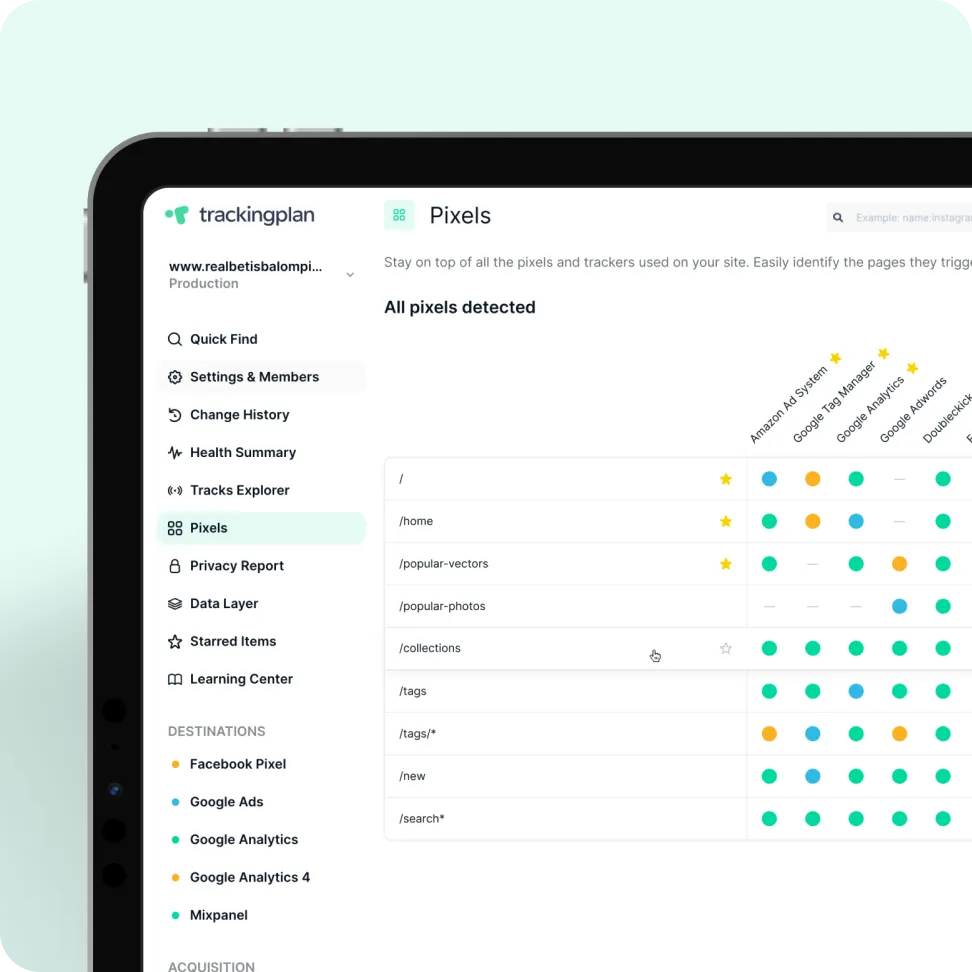
Screenshot of a Trackingplan dashboard showing detected pixels and trackers for different website paths with color-coded dots for various ad systems like Facebook Pixel, Google Ads, and Google Analytics.

Privacy-first tracking you can trust

Trackingplan continuously monitors your tracking setup with privacy and compliance at its core, notifying you if it detects any personal or sensitive data being collected or forwarded to your analytics tools and giving you visibility into cookies and user consent to help you stay compliant with GDPR, CCPA, and other privacy regulations.
Tablet screen showing Trackingplan's Privacy Report with sections on Highly Sensitive Personal Information and Sensitive Personal Information, listing data types like social security number, credit card, and email.
Smartphone screen showing trackingplan app with warnings for add_to_cart traffic drop, missing ITEM_ID, and META Pixel issues.

Real-time alerts for app tracking errors

Stop waiting for dashboards to break, or for someone to notice, only to find out an app release silently broke your tracking - be it a pixel that went offline, a broken cookie banner, a missing event, or anything else.

Full Visibility Into Every Session

Trackingplan automatically captures every scenario, letting you explore real user sessions, events, and flows. No emulators. No manual replication. Just data from real users navigating your site, even for those tricky cases that are impossible to reproduce manually.
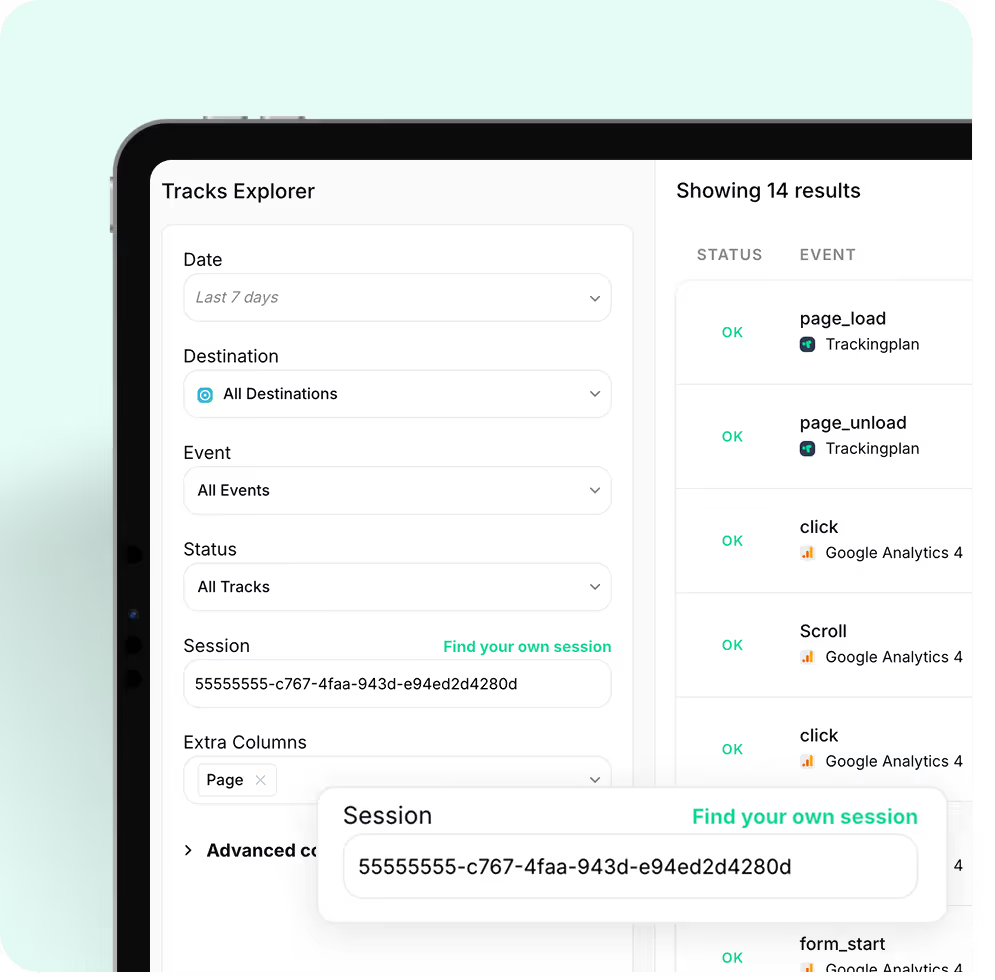
Meet Trackingplan AI-Assisted Debugger
Tracking dashboard interface showing filter options for date, destination, event, status, and session ID with a list of 14 event results on the right.
Screen showing a Tracks Explorer interface with filters for Date, Destination, Event, Status, Session ID, and Extra Columns, and a toggle for Live mode enabled.

Explore real sessions. Skip the browser pain

Debugging tracking shouldn’t mean spending hours trying to reproduce what went wrong in the browser.
Explore real sessions and payloads — from the Data Layer to the destination — with full visibility into what was sent, what wasn’t, and why.
No emulators. No need to replicate the issue or the user’s environment. Just actual data from real users navigating your sites or apps, with all the context you need to fix it fast.

Stop wasting time on manual QA

Forget about checking spreadsheets, debugging in the console, or comparing payloads by hand. Trackingplan continuously monitors your actual tracking setup — your GTM, pixels, GA4 events, Meta, TikTok, and custom tags — in real time, across every environment. Think of it as a QA layer that runs 24/7, validating every event automatically — so you don’t have to.
User interface of Trackingplan showing Google Analytics 4 events with status, names, daily hits, and properties listed.

How it Works

Think of Trackingplan as your always-on AI assistant that makes sure your app tracking and analytics data is always accurate and reliable.
Soft gradient background blending light turquoise and white shades.
Large white number 1 on a black background.

Install it in minutes

Just install or a small SDK to your apps - iOS or Android.

Learn More
Soft gradient background blending light turquoise and white shades.
Large white number 2 on a black background.

It learns from your real app traffic

As soon as it’s installed, Trackingplan starts listening to your real user traffic to understand exactly how your tracking works – identifying patterns, detecting anomalies, and automatically mapping all events, properties, and destinations across tools – without manual input needed.

Learn More
Soft gradient background blending light turquoise and white shades.
Large white number 3 on a transparent background.

Continuous checks, without lifting a finger

With continuous 24/7 monitoring, Trackingplan watches your analytics around the clock, spotting changes and issues the moment they happen — be it a new version update, a tag change, a pixel that went offline, or anything else.

Learn More
Trusted by 485+ data-driven tech leaders
Havas LogoWpromote LogoAwaze LogoThrive Digital LogoBalearia LogoElogia LogoISDIN logoMaking science LogoScandiweb Logo
Feature imageFeature imageFeature imageFeature image

Now, I get a notice when something is falling apart, within 24 hours at most.

Persida Roata
Digital & Analytics Project Manager
Semmántica Logo
Read their story

Let’s see if we’re a match—data-style.

This isn’t a sales call—just a chance to understand what matters most to you, discuss any data quality concerns you may have, and share practical ways Trackingplan could support your goals (if it makes sense).
Any question?
Branded Trackingplan background
By clicking “Accept All Cookies”, you agree to the storing of cookies on your device to enhance site navigation, analyze site usage, and assist in our marketing efforts. View our Privacy Policy for more information.