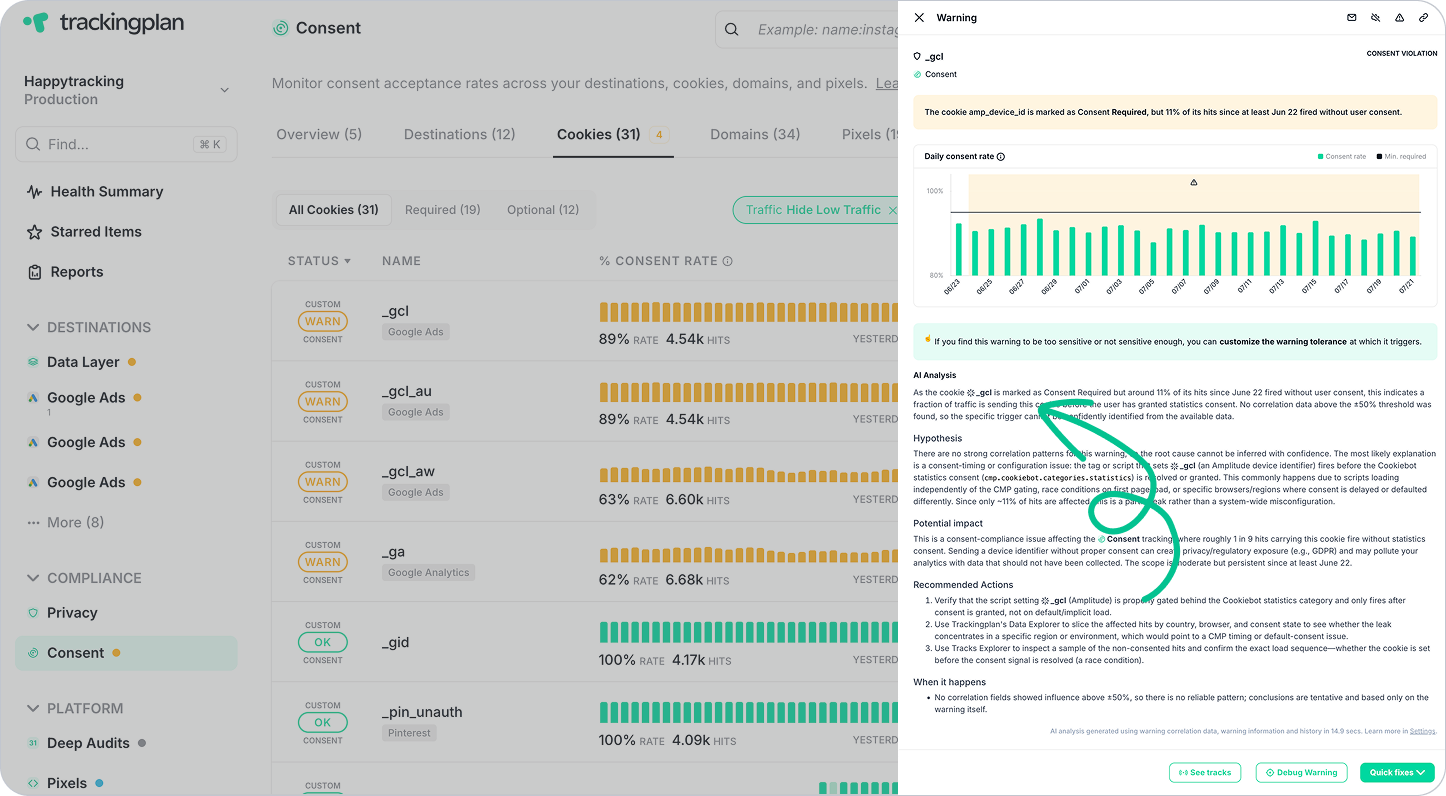
Diagnosing a consent warning used to mean piecing together information manually — cross-referencing consent rates, checking which destinations were affected, and figuring out what changed and when.
That's why Trackingplan's AI Debugger is now available directly inside Consent Warnings, giving you instant context from the moment a consent issue surfaces.
What AI Debugger Provides for Consent Warnings
When a consent warning triggers, open the Warning Analysis panel to get an immediate breakdown of the issue — no manual investigation required:
- Summary: A clear, high-level explanation of what's happening, combining all relevant consent data into one easy-to-understand overview.
- Hypothesis: A plain-language interpretation of the most likely root cause — whether it's a CMP misconfiguration, a broken consent banner, or unexpected pixel behavior.
- Potential Impact: An assessment of how the issue could affect your data quality, attribution accuracy, or compliance posture.
- Recommended Actions: Practical next steps based on the specific patterns detected in your warning data.
- When it Happens: A concise overview of the conditions under which the issue occurs — specific browsers, devices, domains, or user paths.
Who It Helps
Whether you're investigating an unexpected drop in consent acceptance rates, validating a CMP implementation after a change, or trying to understand why a specific destination is firing without consent, Trackingplan's AI Debugger gives you the context to act immediately, without needing to manually query your data or open additional tools.
For a full overview of Consent and Cookie Monitoring, visit our documentation. You can also learn more about Trackingplan's AI Debugger here.
Need further assistance? Contact our support team at support@trackingplan.com.
Happy Tracking!