What's New
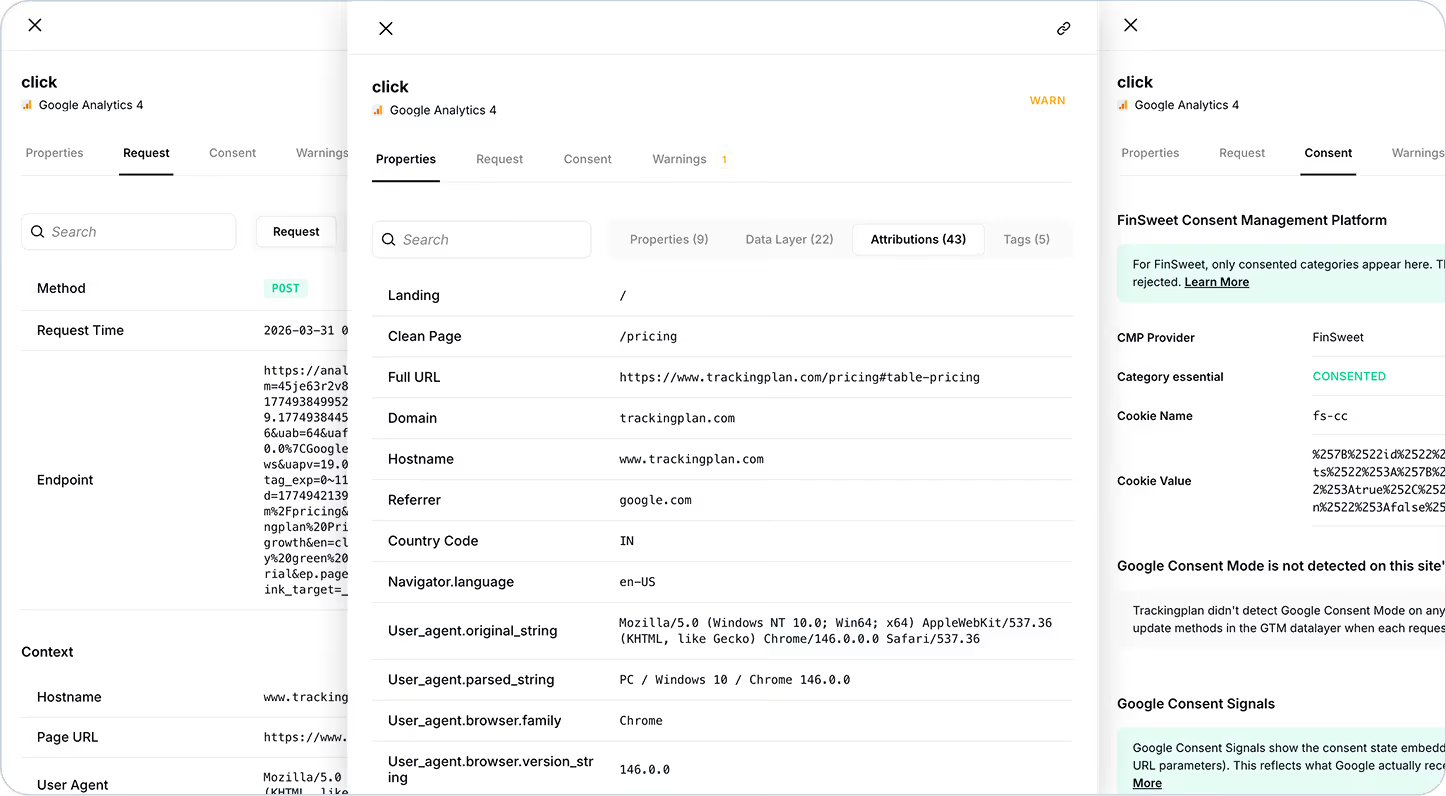
We've completely redesigned the detail panel in Tracks Explorer with dedicated, organized tabs. Now when you click into any track, all the technical context you need to debug, validate, and investigate is right there — structured exactly the way you need it.
What's Inside
The new tabbed interface includes:
- Overview: High-level summary of the event and key properties
- Properties: Full breakdown of all parameters and values sent with the event
- Providers: See which analytics and marketing tools received this event
- Session Context: View the full user session timeline, including all events before and after
- Raw Data: Dive into the technical payload for advanced debugging
- History: Track changes to this event over time
Why It Matters
Debugging shouldn't feel like detective work. When something breaks — or when you need to validate a new implementation — you need answers fast. The old interface required scrolling, expanding, and hunting through dense information.
Now, everything is organized, accessible, and scannable in seconds.
How This Helps You
- Debug faster: Jump straight to the tab you need without sifting through unrelated data
- Understand context: See the full user journey that led to this event with Session Context
- Validate implementations: Quickly compare how the same event is sent across different platforms
- Spot anomalies: Review event history to identify when something changed
- Collaborate better: Share clear, structured data with developers, analysts, or stakeholders
How It Works
Simply click on any event in Tracks Explorer. The detail panel will open on the right, with all information neatly organized into tabs. Click through each tab to explore different dimensions of the event.
Need to compare multiple events? Open them side by side or navigate between sessions to see patterns and outliers.
Pro Tip
Use the Session Context tab to investigate user behavior leading up to conversions, drop-offs, or errors. It's an incredibly powerful way to understand not just what happened, but why.