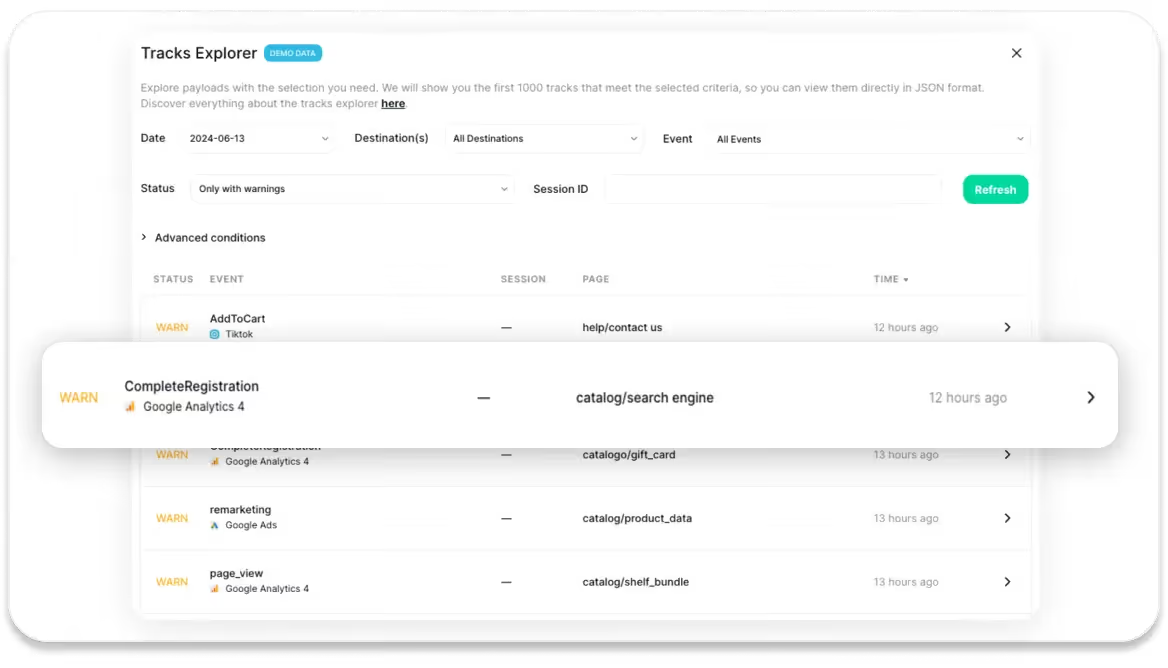
We're excited to unveil Trackingplan's Tracks Explorer! This powerful tool provides you with a comprehensive view of all your tracks in raw, parsed, and data layer format without the need to download them, allowing you to see in real time what has been sent to your servers and analytics providers.
Real-Time Visibility without SQL knowledge
In a simple interface and without the need for SQL knowledge, with Trackingplan's Tracks Explorer you can instantly see which tracks have been sent to your servers and analytics providers.
In it, all the data collected during a real session can be explored and the behavior of the data can be studied without requiring the reproduction of the error or the user's environment (language, browser, device, etc...).
This is particularly useful for troubleshooting issues, as it allows you to Identify and resolve issues by reproducing the exact sequence of user actions that led to an error.
Comprehensive Session Insights
The true advantage of Trackingplan's Tracks Explorer lies in its ability to provide a comprehensive view of user sessions, allowing you to track and analyze each of your events throughout a user's journey or session.
This includes the ability to search for sessions where specific events or properties have occurred (e.g.: sessions where the 'purchase' event has occurred, or searching for sessions with specific property values like "purchase ID XXX").
In-Depth Session Data
Additionally, Trackingplan's Tracks Explorer provides detailed data about the entire user session, form start to finish. This encompasses details such as:
Seamless Navigation
Navigate through your tracking data with ease. Simply click on Tracks Explorer to access a detailed list of all tracks generated in your websites and apps, conveniently sorted by date, destination, events, session ID, or status to refine your search and focus on the information that matters most to you.
Advanced Conditions
Fine-tune your searches further with advanced filtering options, allowing for precise control over your tracking data view. By using the advanced conditions menu, you can swiftly pinpoint specific consent actions, such as those where consent has been denied or is unknown, to facilitate proactive management and compliance with Google’s Consent Mode parameters.
This is particularly useful for monitoring user consent actions and other critical events, ensuring compliance with data policies .
Learn more about Google’s Consent Mode & Trackingplan here.

Accessible Data
With just a click, access the raw, parsed and data layer tracks displayed in JSON format, which you can copy and paste without downloading them.
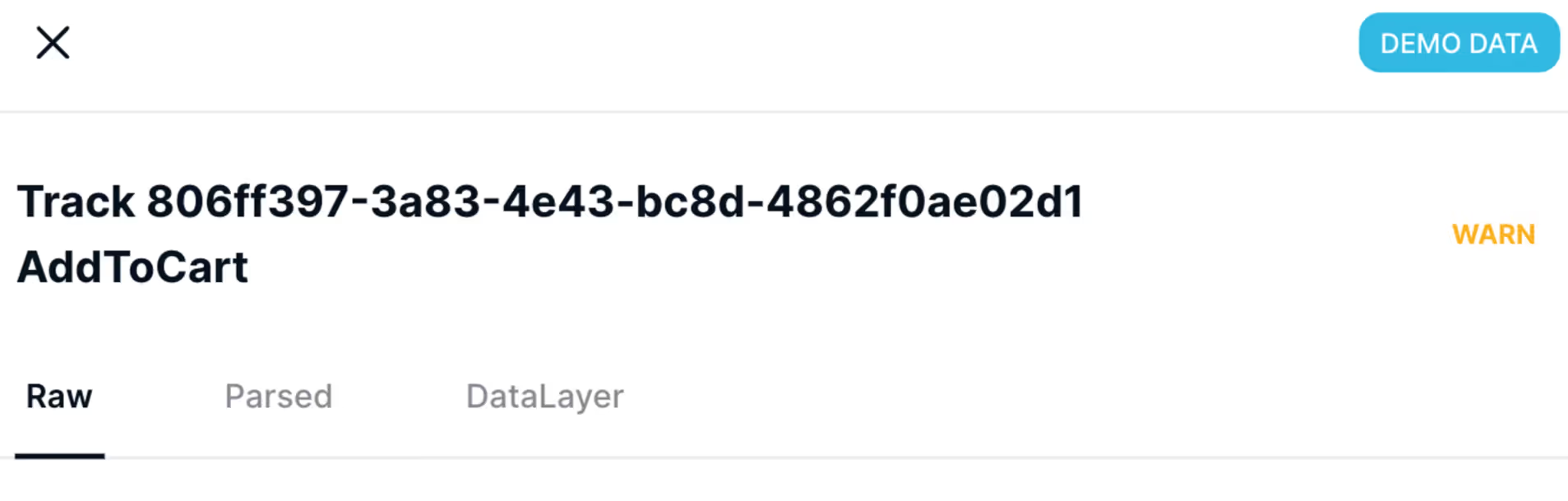
You also have the option to view tracks within your Debug Warning View or in Trackingplan’s Data Explorer.