What's New
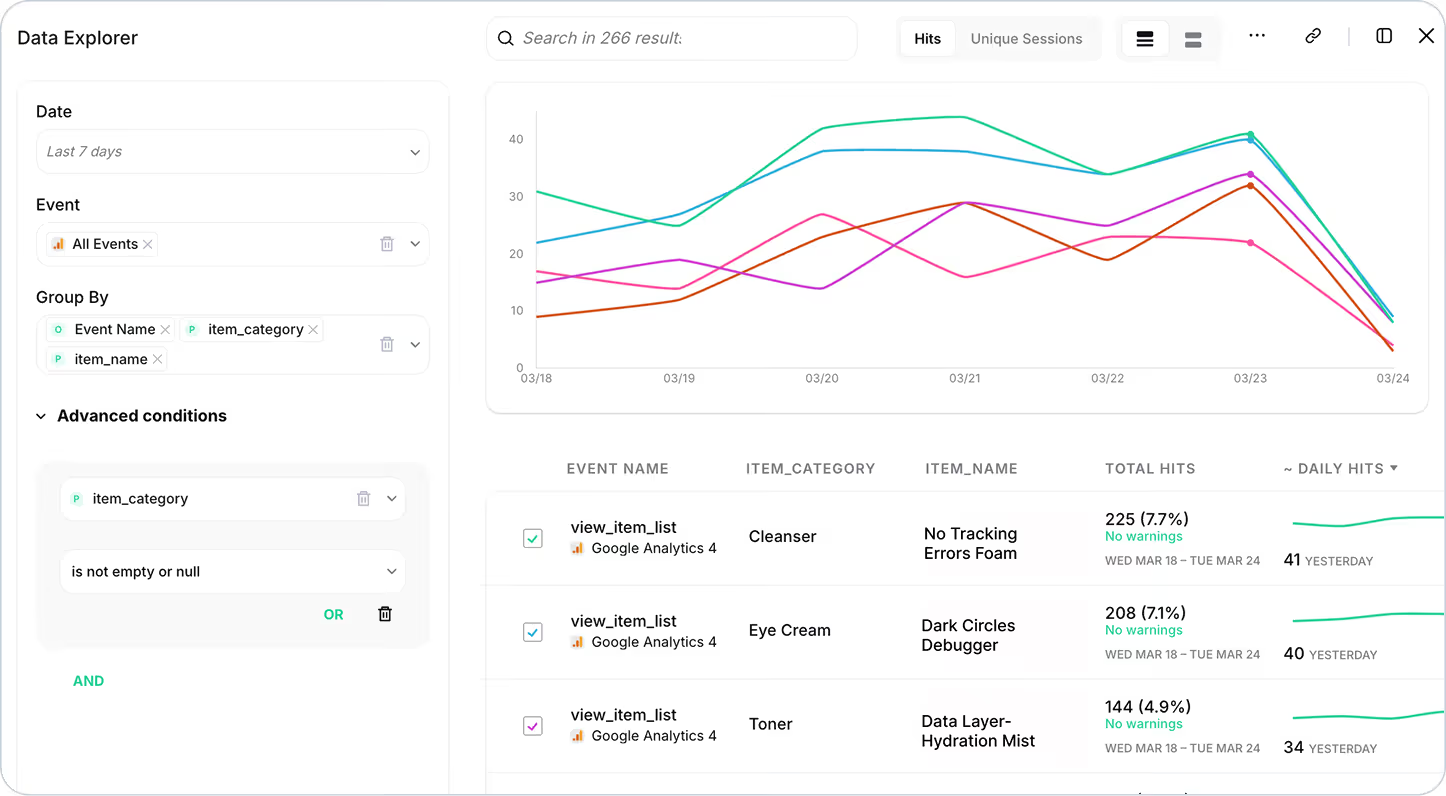
You can now filter, segment, and analyze individual product items from your e-commerce events directly inside Data Explorer and Tracks Explorer.
This works seamlessly across GA4 and 16+ additional providers, giving you unprecedented visibility into your product-level data — down to the individual SKU.
What You Can Do Now
- Filter by item category, product name, or specific item values
- Segment performance data by size, color, variant, or any custom product attribute
- Validate that product data is being sent correctly across all your analytics and marketing platforms
- Compare how the same product is tracked across different providers
- Identify discrepancies in product-level tracking before they impact your reports
Why It Matters
E-commerce teams know that the devil is in the details. A single misconfigured product ID, missing category, or incorrect price can throw off your entire attribution model, merchandising reports, and ad campaign ROI.
But until now, debugging product-level tracking meant exporting raw data, writing SQL queries, or manually inspecting hundreds of events. Not anymore.
With product-level filtering in Trackingplan, you can:
- Troubleshoot faster: Instantly find which products aren't tracking correctly
- Validate at scale: Ensure every SKU, category, and variant is sending the right data
- Optimize smarter: Analyze trends by product type, price range, or any attribute that matters to your business
- Ship with confidence: Verify that new product launches are tracked accurately from day one
How It Works
In both Data Explorer and Tracks Explorer, you'll now see a Products filter option when viewing e-commerce events like add_to_cart, purchase, view_item, and more.
Simply:
- Select an e-commerce event
- Click into the Products filter
- Choose the item property you want to analyze (e.g., item category, item name, item brand...)
- Filter or segment your data instantly
You'll see exactly how each product is being tracked across every connected provider — all in one unified view.
Use Cases
- Validate a product launch: Confirm that new items are being captured with the correct metadata across GA4, Meta, and your data warehouse
- Audit by category: Filter all "Electronics" products to ensure pricing and availability data is consistent
- Debug conversion tracking: Identify which specific products are missing from purchase events
- Monitor variants: Check that size and color options are being sent as expected