
TL;DR Yes, there is an Adobe Analytics MCP server, and Adobe runs it. Two hosted servers,
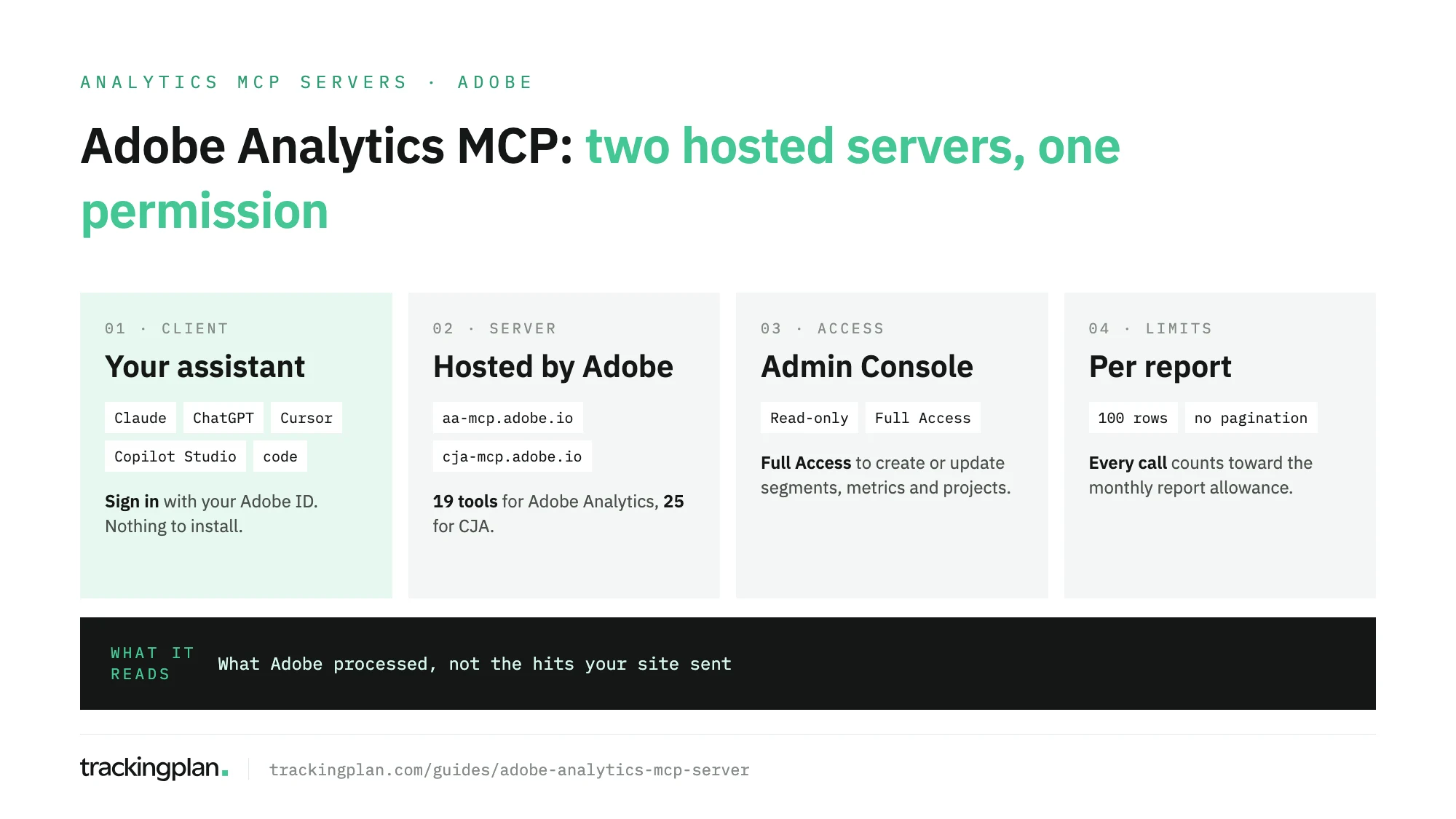
https://aa-mcp.adobe.io/mcpfor Adobe Analytics andhttps://cja-mcp.adobe.io/mcpfor Customer Journey Analytics, connect to Claude, ChatGPT, Cursor or Copilot Studio with your Adobe ID. An MCP permission in the Admin Console decides whether the assistant only reads or can also write, and every report it runs counts toward your monthly report request allowance.
Nothing to install, nothing to host. The servers live on Adobe’s domain, the sign-in is the Adobe ID you already use, and there is no package to keep updated. What decides how useful they are is everything after the connection: which tools exist, who may write, and how many rows come back.
This page is part of our series on analytics MCP servers. It covers the servers themselves: what they expose, who can connect, what needs full access and where they stop. The click-by-click setup in Claude and ChatGPT, with the Admin Console path, is in connect Adobe Analytics to ChatGPT or Claude.
Is there an Adobe Analytics MCP server?
Yes. Adobe publishes hosted MCP servers for Adobe Analytics and for Customer Journey Analytics, documented in Adobe’s Analytics MCP docs. They are official, run by Adobe, and reached over HTTP, so nothing runs on your machine.
| Adobe Analytics | Customer Journey Analytics | |
|---|---|---|
| Server URL | https://aa-mcp.adobe.io/mcp | https://cja-mcp.adobe.io/mcp |
| Reads | Report suites, companies, dimensions, metrics, segments, date ranges | Data views, dimensions, metrics, segments, projects, audiences, date ranges |
| Writes, with MCP Full Access | Segments, calculated metrics, date ranges, Workspace projects | The same, plus audiences |
| Tools | 19 | 25 |
A third server exists for Marketing Campaign Analytics, formerly Mix Modeler, but Adobe says it is “only available through Adobe CX Enterprise Coworker”, not from your own client.
Both sign you in as yourself, with the permissions you already have in Adobe. No API key sits in a config file, and nobody else’s code stands between the model and your report suites.
Which clients can connect
Adobe’s quick start lists a guide for each supported client:
- Claude, through the Connectors menu of the web app.
- ChatGPT, as an app. Adobe’s page says a Plus or Pro subscription is required.
- Cursor, through an
mcp.jsonfile. - Copilot Studio, as a tool you add to an agent.
- Gemini, CLI only, with the guide marked as coming soon.
- Your own code, through OAuth server-to-server credentials, with no chat client in between.
In Cursor, Adobe’s Cursor guide has you open Tools & MCPs, choose Add Custom MCP and add both servers:
{
  "mcpServers": {
    "Customer Journey Analytics": {
      "type": "streamable-http",
      "url": "https://cja-mcp.adobe.io/mcp"
    },
    "Adobe Analytics": {
      "type": "streamable-http",
      "url": "https://aa-mcp.adobe.io/mcp"
    }
  }
}
Select Connect, sign in with your Adobe ID, pick the IMS org if you belong to more than one, and open a new chat.
Every client signs in through the browser. For code, Adobe’s server-to-server guide describes a Developer Console project with OAuth Server-to-Server credentials, a technical account on a product profile with an MCP permission, and four headers on each request (x-global-company-id only for Adobe Analytics). Adobe’s FAQ also says “user tokens are required; service tokens are not supported”, so confirm which applies to your org before you build on it.
The tools each server exposes
Adobe’s Adobe Analytics tool reference lists 19 tools. Grouped by what they do:
| Job | Adobe Analytics tools | Reads or writes |
|---|---|---|
| Discover | findCompanies, findReportSuites, findDimensions, findMetrics, findSegments, findDateRanges | Reads |
| Guidance and usage | listComponentUsage, listFrequentlyUsedWith, listSimilarTo, describeAa | Reads |
| Report | runReport, searchDimensionItems | Reads |
| Session defaults | getDefaultSessionReportSuiteId, setSessionDefaults, clearDefaultSessionReportSuiteId | Session settings only |
| Build components | upsertSegment, upsertCalculatedMetric, upsertProject, createDateRange | Writes, MCP Full Access |
The Customer Journey Analytics tool reference has 25. It swaps report suites for data views (findDataViews, setDefaultSessionDataViewId), adds a describe tool for each component type, lists and describes projects, and adds findAudiences, describeAudience and upsertAudience.
Three details shape the answers you get. findMetrics returns calculated metrics only when you ask for “calculated” or “any” metrics. Hidden components stay out unless the call sets includeHidden=true. And several segments passed to runReport are applied together, as AND filters.
Access: read-only or full
The server enforces two permission items an admin grants in the Admin Console, defined on Adobe’s permissions page:
- MCP Read-only Access: connect, find and describe components, run reports, and set session defaults.
- MCP Full Access: all of that, plus creating and updating segments, calculated metrics, date ranges, Workspace projects and, in CJA, audiences.
Product administrators get full access automatically, and removing the MCP items doesn’t restrict them. For everyone else, permissions combine across product profiles: one profile with full access wins over any number of read-only ones. Your normal Adobe permissions still apply. To create a segment through MCP you need MCP Full Access and the right to create segments.
The assistant sees what you see. A report suite you can’t open in Adobe Analytics doesn’t exist for the model either.
Limits to plan for
From Adobe’s MCP FAQ:
- Cost: no extra charge for Adobe Analytics and CJA customers. Every report call counts toward your existing monthly report request allowance.
- Rows:
runReport“returns up to 100 rows per call and does not expose a pagination parameter”. Narrow the question instead. - No admin: no editing data views or report suites, and no scheduled delivery. Neither tool reference lists a delete tool.
- One org at a time: switching IMS orgs means logging out, disconnecting the connector and reconnecting.
- No model of its own: the servers only call Adobe’s APIs, for Adobe Analytics the same Adobe Analytics API your scripts use. Whether your LLM provider trains on the answers depends on your agreement with that provider.
- Regions: the URLs route each request to the nearest region for your org.
Adobe’s overview adds a warning worth repeating: MCP “can introduce security and reliability risks”, so test in a sandbox first and validate what the model does before you act on it.
What the server can’t see
The server reports what Adobe processed. If an eVar stopped being set after a release, the products string lost its revenue on one checkout path, or a consent change cut a market, runReport returns those numbers, and the model builds its answer on them with the same confidence as on correct ones. Nothing in the response says the collection broke.
That is the part the Trackingplan MCP covers. Trackingplan watches the hits, the dataLayer and the consent state your site sends to Adobe Analytics and the other tools on real traffic, and flags missing properties and duplicate fires as they appear. Its agent answers from that evidence, and every answer shows the queries behind it.
Through the Trackingplan MCP, the same Claude, ChatGPT or Cursor chat that asks Adobe for the number can ask Trackingplan whether the tracking behind it held, together with spend and reported conversions from the ad accounts you connect. Each person signs in with their own account, with no API key. Plan changes made from the chat wait for your approval. For how Adobe’s own agents compare, see AI agents for Adobe Analytics.
FAQ
Is there an Adobe Analytics MCP server?
Yes. Adobe hosts one for Adobe Analytics at https://aa-mcp.adobe.io/mcp and one for Customer Journey Analytics at https://cja-mcp.adobe.io/mcp. You connect them from Claude, ChatGPT, Cursor or Copilot Studio and sign in with your Adobe ID. There is nothing to install.
Is the Adobe Analytics MCP server free?
Adobe’s FAQ says there is no extra cost for Adobe Analytics and Customer Journey Analytics customers. Every report the server runs counts toward your existing monthly report request allowance, and raising that allowance goes through your Adobe account team.
What can’t the Adobe Analytics MCP server do?
It can’t edit admin settings, report suites or data views, schedule reports, or delete anything. runReport returns up to 100 rows per call with no pagination, and only one IMS org is active per connection.
Can the Adobe MCP server change my segments or projects?
Only for users with MCP Full Access, which product administrators get automatically. They can create or update segments, calculated metrics, date ranges and Workspace projects, and audiences in Customer Journey Analytics. Their usual Adobe permissions still apply on top.
Does the Adobe MCP server use an LLM of its own?
No. Adobe’s FAQ says the servers only call the Adobe Analytics and Customer Journey Analytics APIs. The model is whichever client you connect, and whether that provider trains on your data depends on your agreement with it, not with Adobe.