
TL;DR Yes. Adobe runs its own MCP servers:
https://aa-mcp.adobe.io/mcpfor Adobe Analytics andhttps://cja-mcp.adobe.io/mcpfor Customer Journey Analytics. CJA is listed in Claude’s directory and as a ChatGPT plugin; Adobe Analytics you add by URL as a custom connector. Either way, your Adobe admin grants MCP Read-only Access or MCP Full Access in the Admin Console first, and that permission, not the assistant, sets what can change.
Adobe did the part that usually takes longest. The server is hosted, the sign-in is your Adobe ID, and Adobe charges nothing extra for it. What’s left is one admin task in the Admin Console and a few clicks in the assistant.
This guide is part of a series on connecting AI assistants to marketing data. It covers the access, the setup in Claude and ChatGPT, what the tools read and write, and the API for when there is no assistant in the loop.

Pick a route
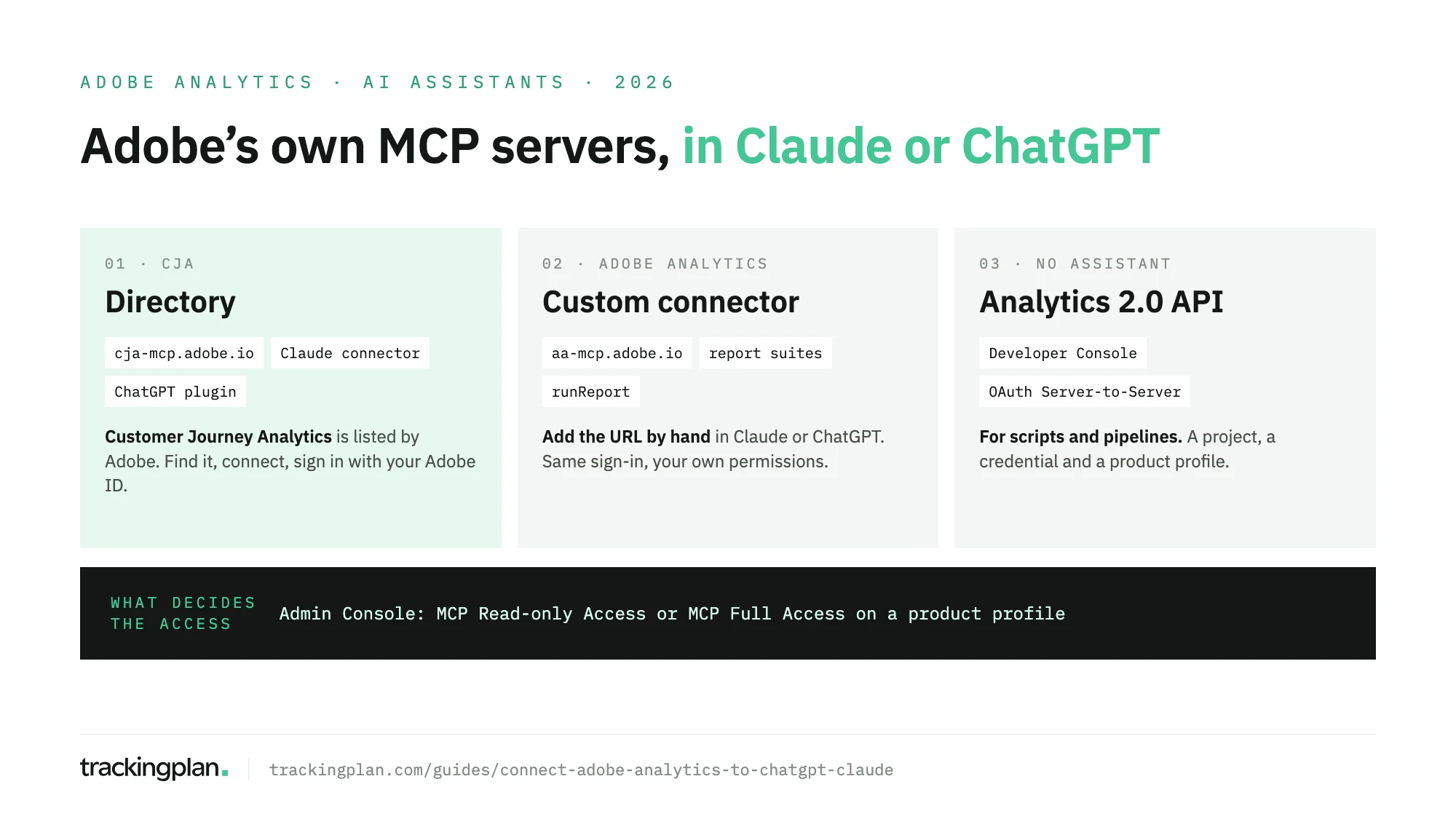
| You use | Claude | ChatGPT |
|---|---|---|
| Adobe Analytics | Custom connector, aa-mcp.adobe.io/mcp | Custom MCP server, same URL |
| Customer Journey Analytics | Directory connector by Adobe | Plugin by Adobe, search CJA |
Adobe also documents the same servers for Cursor and Copilot Studio in Adobe’s developer guides. If you run GA4 next to Adobe, Google’s server works the same way: see connect GA4 to Claude.
First: MCP access in the Admin Console
Nothing works until your account carries an MCP permission. Adobe’s permissions page defines two items:
- MCP Read-only Access: find and describe components, run reports, set session defaults.
- MCP Full Access: all of that, plus creating and updating segments, calculated metrics, date ranges and Workspace projects.
Product administrators get full access automatically. Everyone else needs a product profile. For Adobe Analytics, an admin does this:
- In Adobe Admin Console, go to Products > Adobe Analytics.
- Open a product profile or select New Profile. Each profile covers one login company.
- On Users, add the people who will connect.
- On Permissions, select the pencil next to Analytics Tools.
- Select + next to the MCP item you want, then Save.
For CJA, it’s the same path under Customer Journey Analytics, with the pencil next to Reporting Tools.
Permissions add up. A user in any profile with MCP Full Access has full access, whatever the others say. Product permissions still apply on top: to create a segment through MCP, you also need the right to create segments in Adobe Analytics.
Claude
Anthropic’s custom connector docs and Adobe’s Claude guide together give these steps for Adobe Analytics:
- In claude.ai, open Customize > Connectors > Add > Add custom connector.
- Enter a name, such as Adobe Analytics, and
https://aa-mcp.adobe.io/mcp. Select Continue, then Add. - Select Connect and sign in with your Adobe ID. If you belong to more than one IMS org, pick the one you need.
- Check it with Adobe’s test prompt: “Use the Adobe Analytics tool to show me what report suites are available.”
Custom connectors work on every Claude plan; Free is limited to one. On Team, only Owners and Primary Owners can add them, so members ask an Owner.
For CJA there is no URL to paste. Search Customize > Connectors for Customer Journey Analytics: the Adobe Customer Journey Analytics connector is marked Made by Adobe and Anthropic verified. Select Connect and sign in.
Then open the connector’s Tool permissions. Set the upsert tools to Needs approval, or Blocked if you only want reports.
ChatGPT
OpenAI’s plugin docs describe the current flow for any custom MCP server:
- Go to Plugins in ChatGPT, select the plus button, then Add custom MCP server.
- Enter a name and
https://aa-mcp.adobe.io/mcpas the server URL. - Keep OAuth, confirm I understand and want to continue, and select Create as a plugin.
- Sign in with your Adobe ID.
The plan matters here. OpenAI’s help center lists custom MCP servers for Pro with read and fetch only, and full MCP for Business, Enterprise and Edu, where only admins and owners create and publish them. Adobe’s ChatGPT guide also names Plus and still shows the older Settings > Apps > Developer mode path; if your screen matches neither, follow OpenAI’s.
For CJA, Adobe publishes a plugin: open Plugins, search CJA, select Install plugin and sign in. Call it in a chat with @Customer Journey Analytics.
What the tools read and change
Adobe’s tool reference lists what the Adobe Analytics server exposes.
| Reads (any MCP access) | Writes (MCP Full Access) |
|---|---|
| Report suites, companies, dimensions, metrics, segments, date ranges | upsertSegment updates a segment |
runReport: a ranked report with metrics, segments and allocation | upsertCalculatedMetric creates or updates one |
searchDimensionItems: top items of a dimension | upsertProject creates or updates a Workspace project |
| Component usage and components used together | createDateRange |
What it doesn’t do: real-time reports, Data Warehouse requests, classifications, admin settings, scheduled delivery, or deleting anything. Two limits from Adobe’s FAQ shape every answer: runReport returns up to 100 rows per call with no pagination, and each call counts toward your monthly report request allowance. The server itself costs nothing extra.
The assistant sees what you see. A report suite you can’t open in Adobe Analytics doesn’t exist for Claude or ChatGPT either.
No assistant: the Analytics 2.0 API
For scheduled exports, pipelines or scripts, use the Analytics 2.0 API, set up as Adobe’s API guide describes. An admin adds you on the product profile’s Developers tab. In Adobe Developer Console you select Create new project > Add API > Adobe Analytics, then choose OAuth Server to Server; JWT credentials are deprecated. Our guide to the Adobe Analytics API covers what to build on it.
If you run CJA on Experience Platform, Adobe also offers the Data Insights Agent inside the product. Adobe’s Agent Orchestrator page says access “may require an additional license”.
What to ask once it’s connected
- “What report suites do I have access to? Set the main one as the default for this session.”
- “Top 20 pages by page views for the last 7 days.”
- “Orders and revenue by marketing channel, this month against last month.”
- “Which segments are used most often with Revenue?”
- “Which dimension holds the internal campaign code? Show me its top values.”
- With full access: “Draft a calculated metric for orders per visit. Show me the definition before saving it.”
Before you trust the answers
The MCP server reports what Adobe Analytics processed. It has no view of what your site sent. If an eVar stopped being set after a release, if the products string lost its revenue on one checkout path, or if a consent change cut a market, runReport returns the damaged numbers and the assistant builds its story on them.
Trackingplan watches the hits, the dataLayer and the consent state your site sends to Adobe Analytics and the other tools on real traffic, and flags missing properties and duplicate fires as they appear. An AI agent can only reason about what it can see. Its agent is reachable from Claude or ChatGPT too, as the Ask Trackingplan tool through the MCP endpoint, so the same chat can ask Adobe for the number and Trackingplan whether the tracking behind it held.
FAQ
Can I connect Adobe Analytics to ChatGPT or Claude?
Yes, with Adobe’s own MCP server at https://aa-mcp.adobe.io/mcp. In Claude you add it as a custom connector; in ChatGPT, as a custom MCP server. You sign in with your Adobe ID, and your Adobe admin has to give you MCP access in the Admin Console first.
Does the Adobe Analytics MCP server cost extra?
No. Adobe includes it for all Adobe Analytics and Customer Journey Analytics customers. Each report the assistant runs counts toward your existing monthly report request allowance, so heavy use can reach that limit.
Can ChatGPT or Claude change my Adobe Analytics setup?
Only with MCP Full Access, which product administrators get automatically. Then the assistant can create or update segments, calculated metrics, date ranges and Workspace projects. It can’t change admin settings or delete anything. For read-only, put the user in a profile with MCP Read-only Access and make sure no other profile grants full access.
Is Adobe Analytics in Claude’s connector directory?
Customer Journey Analytics is: Adobe lists the Adobe Customer Journey Analytics connector there. Adobe Analytics isn’t, so you add its server URL by hand as a custom connector. The sign-in and permissions work the same way.