
You changed an instruction to fix one question. Did it break another? Without a test, you find out when a colleague does. With one, you find out in ten minutes.
This guide builds the test set that makes a data agent safe to share: questions with known answers, run after every change, plus a habit of reading what real users ask so the set keeps up with them. It is the last step before the agent goes to people who won’t read its SQL.

Goal of this guide: a test set of twenty questions with known answers, a score for your agent, and a routine to rerun it. You need: the agent from guide 7, with conversation logging on.
What a test case is
A test case has four parts:
| Part | Example |
|---|---|
| Question | “What was revenue by channel in December 2020?” |
| Expected answer | The numbers from your own query, saved |
| Truth SQL | The query you wrote and checked to get them |
| Tolerance | Exact for counts and revenue; a range for rates |
Write the truth SQL yourself, check it with the checklist from guide 2, and save its result. The agent is right when its number matches yours within the tolerance, not when its answer reads well.
Build the first twenty
Take your questions from four places:
- The questions people ask most. Ask the team for their weekly questions. These carry the most weight.
- Every error you have seen. The wrong answers from guide 6, each now a test.
- Your verified queries. One question for each, phrased differently from the stored question, to check that the match works.
- Questions that should not get a number. An ambiguous one, where the right behavior is a clarifying question. One about data the agent doesn’t have, such as refunds or ad spend, where the right answer is “not available”.
Phrase some questions the way a busy person would: “rev by channel dec?” Real users don’t write like test cases.
Run it and score it
Ask the agent each question in a new conversation, so earlier answers don’t steer later ones. Record for each:
- Right: the number matches within tolerance.
- Wrong: it doesn’t.
- Right behavior: a clarifying question or a refusal where that was expected.
The score is the share of right answers. Track it per run, and look at which cases changed, not only the total: a run that fixes two cases and breaks one is not the same as a run that fixes one.
Expect the wording to vary. Google’s FAQ notes that natural-language answers can change between runs while the generated SQL for a question is expected to stay the same. When the number varies too, the question is ambiguous to the agent, and a glossary term or verified query should settle it.
Rerun after every change
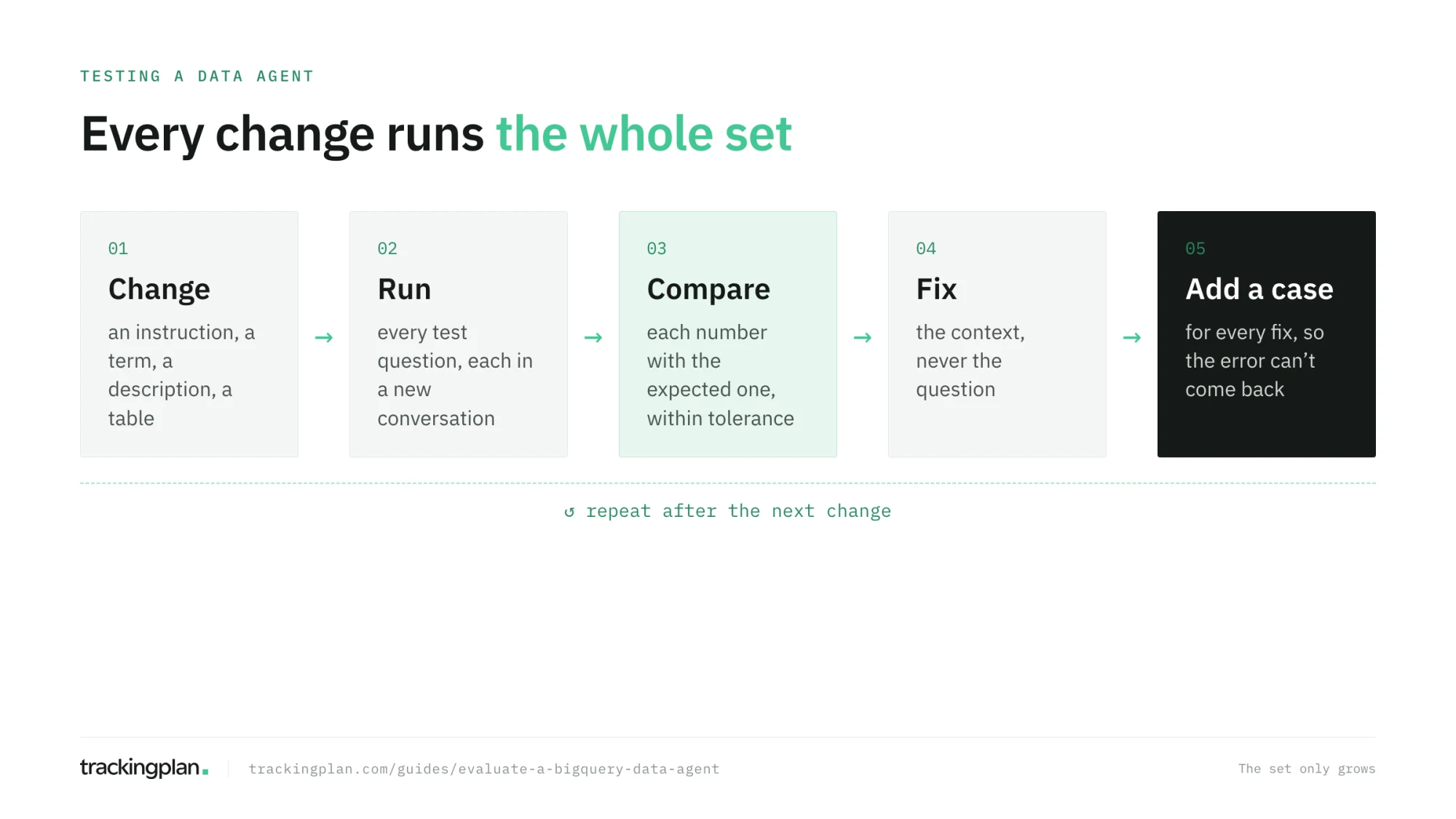
Any change to the agent’s context can change answers you didn’t touch: an instruction, a glossary term, a description, a new table. Rerun the full set after each one, before you publish it. When the set gets long, automate it with the API from guide 11, which also lets you test changes in a staging context before publishing them.
Two tools from Google can do the running and the grading for you:
- Prism, an open-source tool from Google Cloud for evaluating conversational analytics agents. It runs test suites with assertions on the text, the query, the returned rows and row counts, and latency, with an AI judge for the rest, and compares runs side by side. Google says a first-party tool is coming.
- The BigQuery Agent Analytics SDK, with evaluators such as an LLM judge for correctness and hallucination.
How a production agent does it. Trackingplan’s agent runs on the same principle at a larger scale: more than 250 evals, analyst questions with known answers, each graded on the numbers and, where it matters, on the reasoning and the tools the agent used. The suite runs every time the agent’s context changes. Every thumbs-down feeds a weekly review, and every improvement lands together with a new test case, so the same mistake can’t quietly come back (how it works). Twenty cases and a spreadsheet is the same idea, and it is enough to start.
Read what real users ask
Your test set covers the questions you thought of. Conversation logging shows the ones you didn’t. With it on, BigQuery writes every question and answer of the agent’s published conversations to a table you chose, with the assumptions the agent made, the follow-ups it suggested, latency, tokens, and errors. Preview conversations and direct conversations are not logged, and neither is the SQL unless it appears in the answer.
Google’s log analysis page has ready queries, including one that samples a share of questions and answers for review. Make it a weekly habit:
- Sample ten conversations.
- For each one, check the answer as you would in guide 6.
- Turn every wrong answer into a test case, then fix the agent.
- Rerun the set.
The logs don’t record thumbs-up or thumbs-down, so ask the people using the agent to tell you directly when an answer looked wrong. Each report is a free test case.
When the agent is ready to share
There is no universal score. Decide the bar before you run the set, not after, and make it stricter for the questions that drive decisions:
- Every test on the team’s most frequent questions passes.
- No wrong number on revenue, orders, or conversion rate.
- Clarifying questions and refusals behave as expected.
Share the agent with the score and the date of the last run. The people relying on it should know how it was tested.
Exercise
Write twenty test cases on the GA4 sample, at least four of each kind from the list above. Run them against your agent and record the score. Then change one instruction, rerun, and compare: which cases changed?
How to know you got it right
- You have twenty cases, each with an expected answer, its truth SQL, and a tolerance.
- You have a score and a list of which cases failed.
- You rerun the set after every change, before publishing.
- You have a weekly routine to sample real conversations and turn errors into cases.
Resources
- Run evals for conversational analytics agents using Prism, Google Cloud blog, and the Prism code on GitHub.
- Conversation logging and analyze conversation logs, Google Cloud docs.
- BigQuery Agent Analytics, Google Cloud docs: the SDK and its evaluators.
- Building a Conversational Analytics Agent on Top of GA4 BigQuery Data, Semetrical: a known-answer test set rerun on every change, in a client project.
FAQ
How do I test a BigQuery data agent? Write a set of questions whose right answers you know, each with the expected number, a tolerance, and the SQL that produces it. Ask the agent every question, compare its numbers with the expected ones, and record the share it gets right. Rerun the whole set after every change to the agent’s context.
Does Google have an evaluation tool for BigQuery data agents? Not as a built-in screen yet. Google has published Prism, an open-source tool to run test suites against conversational analytics agents, and the BigQuery Agent Analytics SDK includes evaluators such as an LLM judge. Conversation logging records real questions and answers in a BigQuery table you can review.
How many test questions does a data agent need? Start with twenty to thirty: the questions people ask most, the ones that went wrong before, and a few that should be refused or need a clarifying question. Add one every time you fix an error, so the same mistake can’t come back unnoticed.
Why does my data agent give different answers to the same question? The wording of an answer can change between runs, while the SQL for the same question is expected to stay the same. When the number changes too, the question is usually ambiguous enough for the agent to choose differently, which a verified query or a glossary term should settle.
Next: The Data Engineering Agent: pipelines in plain English.