
Data tracking is the practice of recording what visitors do on a website or app, as events with properties, and sending that record to the tools that report on it, attribute it, and bid on it. A page view, a sign-up, and a purchase are each one event. The order ID, the value, and the currency are its properties.
Every number in GA4, every conversion Meta optimizes for, and every audience you retarget starts there. When tracking is wrong, the report still shows a number. It is just not true.
This post covers tracking from the side of the business that collects the data. If you want to stop apps from tracking you, look in your phone’s and your browser’s privacy settings instead.
What data tracking records: events and properties
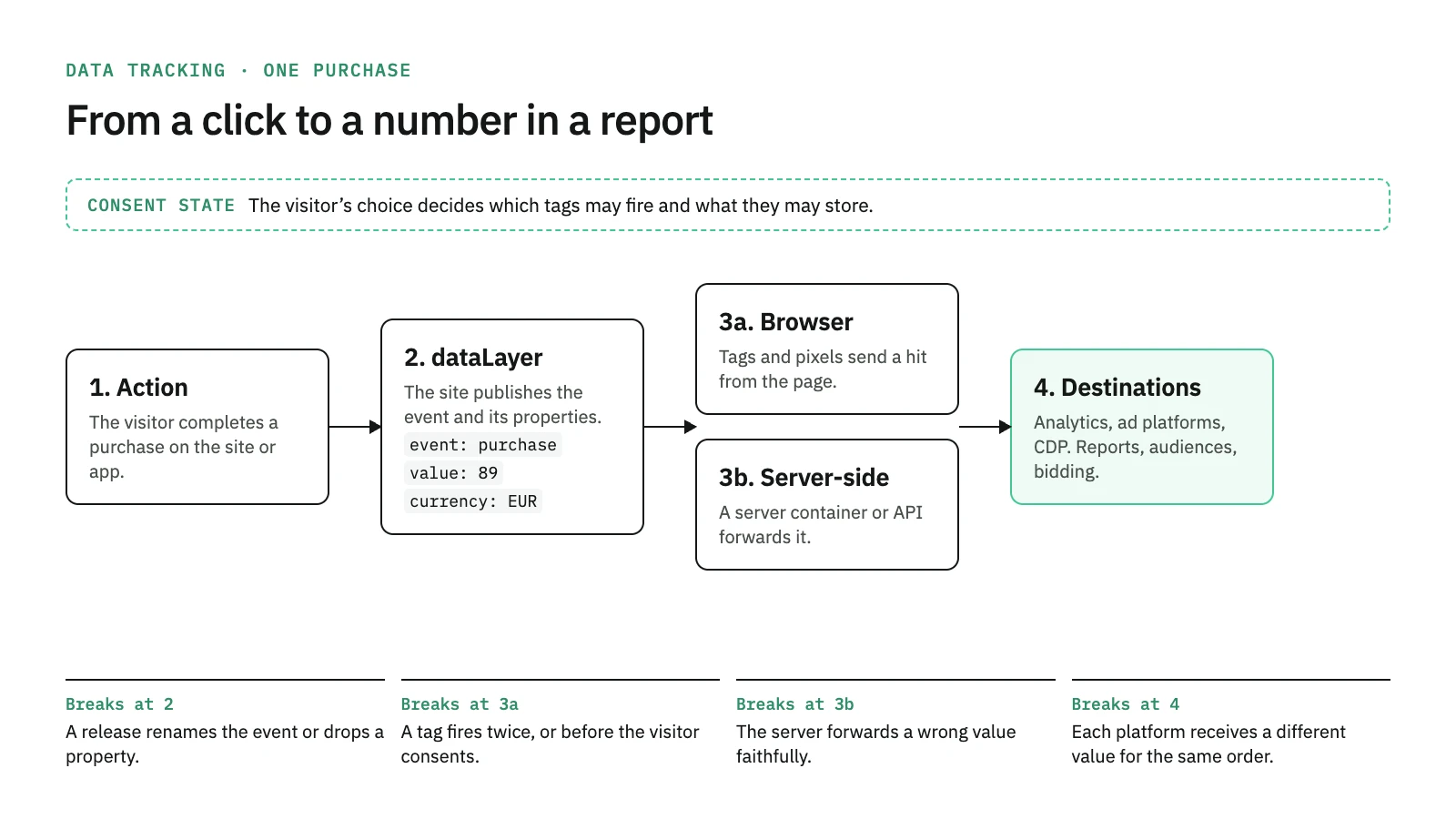
An event is something that happened. A property is a detail about it. A purchase looks like this when the site publishes it:
dataLayer.push({
  event: 'purchase',
  ecommerce: {
    transaction_id: 'T-10482',
    value: 89.00,
    currency: 'EUR',
    items: [{ item_id: 'SKU-221', item_name: 'Trail runner', quantity: 1 }]
  }
});
The event name says what happened. The properties say enough to report it, deduplicate it, and credit the right campaign. Lose transaction_id and the same order can be counted twice. Lose currency and the revenue figure means nothing.
Most teams keep the list of events they intend to track, and what each one carries, in a tracking plan. What production actually sends is another matter, and the gap between the two is where most problems live.
How the data gets collected: tags, pixels, and the dataLayer
Three pieces do the collecting on a website.
The dataLayer is a JavaScript object where the site publishes the values tags need. Google’s documentation describes it as the object Google Tag Manager and gtag.js use to pass information to tags.
Tags are snippets of JavaScript that read the dataLayer, the URL, and cookies, then send a request to a vendor. That request is called a hit.
Pixels are tags that report conversions to an ad platform: the Meta Pixel, the Google Ads tag, the TikTok Pixel. The name comes from the 1×1 image early conversion tags loaded.
A tag manager such as Google Tag Manager, Tealium, or Adobe Tags holds the tags in one container, with the triggers that decide when each one fires. Marketers can then change tracking without a code release. That speed is useful, and it also means tracking can change without anyone shipping code.
Apps work the same way with SDKs instead of tags. The SDK records the event and sends it to the analytics or attribution vendor.
Client-side and server-side tracking
Client-side tracking sends hits from the visitor’s browser. It is simple to set up, and it is exposed to ad blockers, browser privacy limits, and pages that close before a tag finishes.
Server-side tracking moves part of the work to a server you control. The browser sends one stream to your server container, and the server forwards it to each vendor, often through an API such as the Meta Conversions API. You get more control over what each vendor receives and fewer requests lost on the way. Server-side tracking covers the setup and the trade-offs.
What server-side does not do is fix the data at the source. If the dataLayer publishes the wrong value, the server forwards the wrong value, reliably, to every platform.
Where consent fits
On most sites a consent banner asks visitors what they accept, and a consent management platform stores the answer. Every tag is supposed to check that answer before it fires or sets a cookie.
Google’s tags read it through Consent Mode. Google’s Consent Mode overview describes two implementations: basic, which blocks tags until the visitor consents, and advanced, which loads tags with default settings and adjusts what they do to the visitor’s choice.
So consent is a tracking question as much as a legal one. A tag that fires before the visitor answers is a privacy problem. A banner that blocks a tag after the visitor said yes is a data problem. Both are tracking bugs.
How data tracking breaks
Tracking rarely fails loudly. The site works, the visitor notices nothing, and the reports keep filling. These are the usual causes:
- A release drops the purchase event from one checkout step, or renames a property the tags read.
- The event still fires, without the value or the order ID.
- The same order is sent twice, so revenue and ROAS look better than they are.
- Pixels fire before the visitor answers the banner, or keep firing after a rejection.
- A redirect strips
gclidorfbclid, and the ad platform gets no credit for the sale. - GA4, Meta, and Google Ads each receive a different value for the same purchase.
None of this is rare. In our tracking audit benchmark of 10 brands that rank top three in their sectors, four checks failed on all 10 sites: consent choices not respected, campaign source or click IDs lost, events counted twice, and IDs or parameters that do not match.
What hurts is the delay. Bert Reila, Analytics Manager at Rethink, remembers a case where “analytics data was reporting no revenue for a couple of days and the issue only came to light on the 3rd day.”
How to know your tracking still works
There are two ways to check, and they answer different questions.
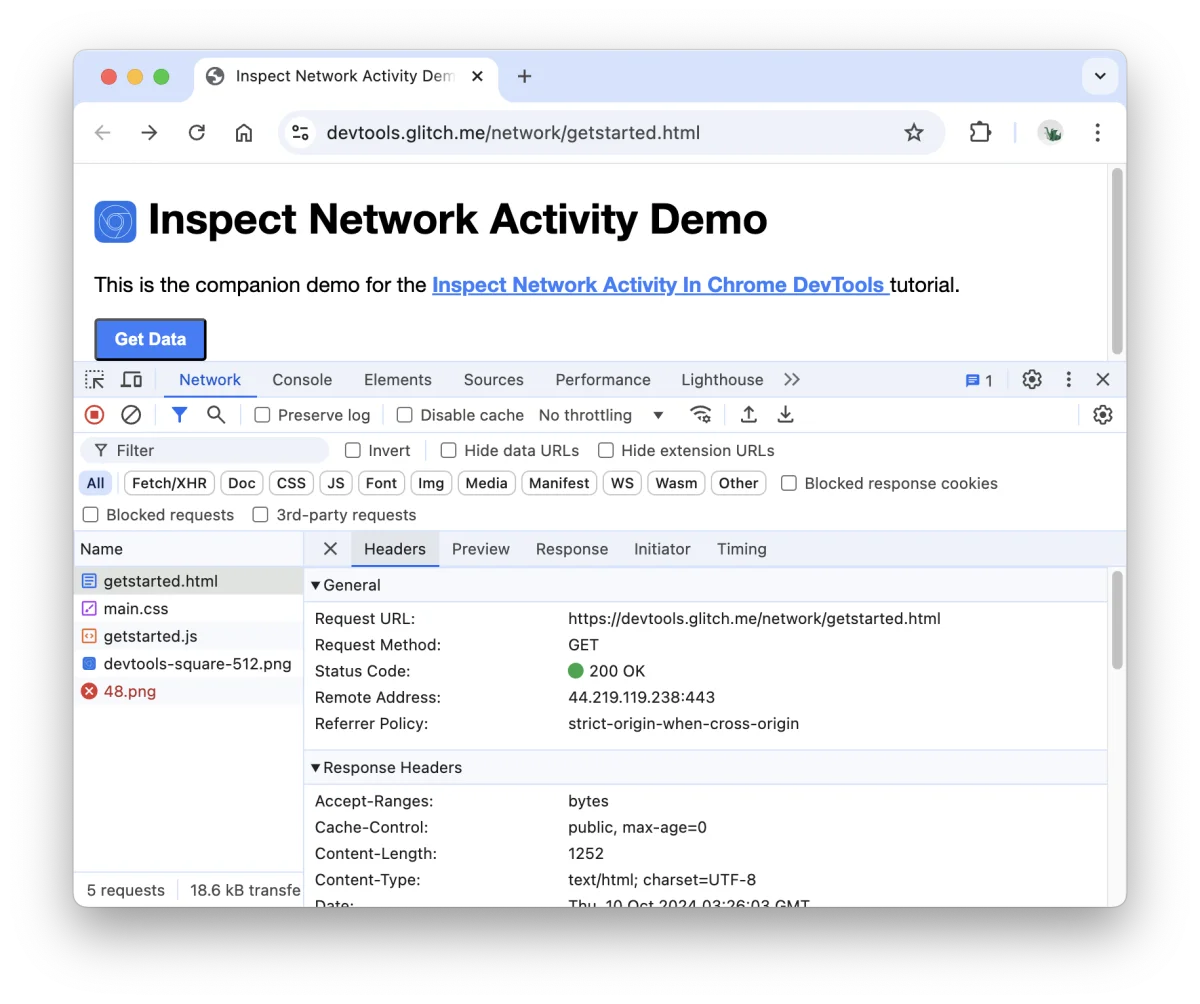
Manual checks tell you what one page sends in one session. Open the browser’s network panel or a tag debugger, run the journey, and read each hit. It is the right tool while you build. It says nothing about what changed after Tuesday’s release.
Monitoring tells you what real visitors send, all the time. Trackingplan works where your data is produced: the hit, the dataLayer, the SDK, the pixel, the CAPI payload, the consent state, the GTM release. It learns the baseline of each event from real traffic, compares every hour against it, and posts only the deltas that matter, with an explanation and links to the affected hits. It catches missing properties, dead tags, duplicate fires, broken triggers, and naming inconsistencies on real traffic. Trackingplan’s monitoring explains how.
The difference shows in timing. After Rethink started using it, Bert put it this way: “we get notifications whenever something is wrong. Sometimes even just a couple of hours after a release.” (The full Rethink story.)
Data tracking is never finished, because sites, tags, and platforms keep changing. What you can choose is whether you hear about a break from an alert or from a report that stopped adding up.
FAQ
What is an example of data tracking?
A visitor buys a pair of shoes. The site records a purchase event with the order ID, the value, and the currency, and sends it to GA4 for reporting and to the Meta Pixel and Google Ads so they can credit the ad that brought the visitor.
What is the difference between data tracking and data analytics?
Tracking collects the data: which events fire, with which properties, sent to which tools. Analytics reads it: reports, funnels, attribution. Analytics can only be as right as the tracking underneath it.
Is data tracking legal?
It depends on what is collected and whether the visitor agreed. Privacy laws such as GDPR in the EU and CCPA in California set rules on consent and personal data. Tracking that keeps running after a visitor says no is the common way to break them.
What tools are used for data tracking?
Analytics platforms such as GA4, Adobe Analytics, and Amplitude; ad pixels such as the Meta Pixel and the Google Ads tag; a tag manager such as Google Tag Manager to deploy them; a consent management platform for the banner; and, more and more, a server-side container.
How do I know my data tracking is working?
Check one session in the browser’s network panel or a tag debugger to see what each tag sends. To know it keeps working after every release, monitor the hits your real visitors send.