
A PPC audit tool is your secret weapon for finding hidden issues, stopping budget waste, and spotting opportunities in your paid ad campaigns. Think of it as a 24/7 diagnostic system for your ad accounts, flagging everything from broken tracking to inefficient bidding before they can do real damage.
Why Your Ad Budget Is Quietly Disappearing
You've done everything right—built the campaigns, set the budgets, and hit launch. So why does it feel like your ad spend is vanishing into thin air? The culprit often isn't your strategy. It's the small, silent technical errors and tracking gaps that add up to a huge financial drain.
It’s like a slow leak in a pipe. A single drop seems harmless, but over time, you end up with a flooded basement. In the world of PPC, a broken conversion pixel on a key landing page, a single typo in a UTM parameter, or an ad group targeting the wrong audience are those drops. Each one might only cost you a few dollars a day, but together, they can absolutely tank your ROI.
The Trouble with Manual Audits
For years, the only way to find these leaks was through painful manual audits. This meant hours spent digging through spreadsheets and navigating one complex ad platform after another. Not only is this process incredibly slow, but it's also a minefield for human error. A marketer could spend days searching for an issue that a dedicated PPC audit tool could find in minutes.
The truth is, manual checks just can't keep pace with the complexity of modern ad accounts. By the time you spot a problem, the money is already gone.
This reactive approach forces marketing teams to constantly play catch-up, wasting valuable time that should be spent on strategy and creative work. It turns marketers into data detectives instead of growth drivers. For a deep, one-time analysis, a professional PPC auditing service is invaluable, but you need automation for the day-to-day grind.
To put it in perspective, here are some of the most common ways your budget gets drained without you even knowing it—and how an audit tool acts as your safety net.
Common PPC Budget Leaks an Audit Tool Prevents
| Budget Leak Area | Typical Impact | How an Audit Tool Fixes It |
|---|---|---|
| Broken Conversion Tracking | Clicks are paid for, but conversions aren't recorded, making profitable campaigns look like failures. | Continuously validates pixel and tag firing on all key pages, alerting you the moment one breaks. |
| Incorrect UTM Parameters | Traffic is misattributed, leading you to cut spending on high-performing channels and invest in poor ones. | Scans all destination URLs to ensure UTMs are present, correctly formatted, and consistent. |
| 404 Errors on Landing Pages | You pay for clicks that send users to dead pages, resulting in 100% wasted spend and a terrible user experience. | Automatically crawls all ad destination URLs and flags any that lead to 404s or other server errors. |
| Misaligned Attribution | Ad platform data (e.g., Google Ads) doesn't match your analytics platform (e.g., GA4), causing reporting chaos. | Compares data between connected platforms to identify and quantify discrepancies in real time. |
| Consent & PII Violations | Tracking fires without user consent, or Personally Identifiable Information (PII) is accidentally collected, risking fines. | Audits dataLayer pushes and network requests to ensure consent rules are followed and no PII is being leaked. |
These are just a handful of the silent budget killers that automated tools are built to eliminate, ensuring your ad spend is actually working for you.
The Financial Stakes of Inaction
The scale of this problem is staggering. Global paid search spending is on track to hit $351.5 billion in 2026. Industry analysis shows that without regular, thorough audits, advertisers can waste as much as 26% of that budget on campaigns suffering from technical glitches and inefficiencies.
Automated audit tools are your first line of defense against this waste. They proactively monitor your accounts around the clock, catching budget leaks, tracking failures, and compliance risks as they happen. This flips the script from reactive firefighting to proactive optimization, protecting your investment and making sure every dollar you spend is pulling its weight.
Your Hands-On PPC Tracking Audit Checklist
To get to the real source of truth in your PPC data, you have to dig a lot deeper than just keywords and ad copy. A proper audit looks past the surface-level metrics to make sure your data is clean, from the very first click all the way to the final conversion.
Here’s our hands-on checklist for a full tracking validation.
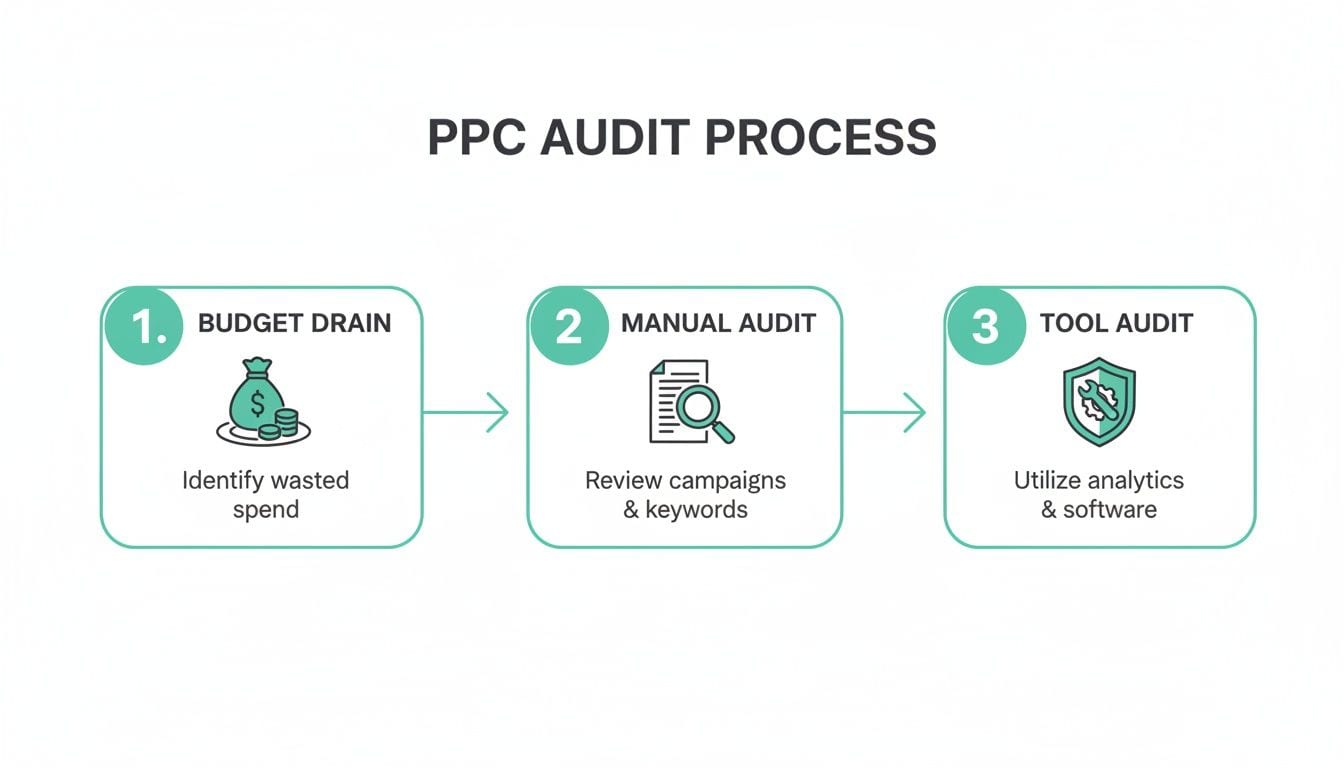
This process shows how campaigns can hemorrhage money, forcing you into reactive audits. While you can catch some things with a manual review, a dedicated PPC audit tool gives you a much stronger, proactive shield against data issues. Relying only on manual checks is like bringing a magnifying glass to a security operation—it's reactive and you'll always miss something.
Validate Your UTM Parameters
Your UTMs are the absolute backbone of campaign attribution. When they’re inconsistent, misspelled, or just plain missing, your traffic gets dumped into that dreaded "(direct) / (none)" bucket in your analytics. This creates "dark traffic" that you can't tie back to any campaign, making your best efforts look like duds.
- Check for Consistency: Make sure
utm_source,utm_medium, andutm_campaignfollow a strict, documented naming convention. Remember,google,Google, andGOOGLEare tracked as three separate sources. - Audit Destination URLs: Use a crawler or an audit tool to check every single ad's final URL. You're looking for broken UTMs or redirect chains that strip your parameters away before the user even lands on the page.
Verify Ad Pixel and Conversion Event Accuracy
"My ads are getting clicks, but no conversions." It's a classic complaint. More often than not, the problem isn't your ad creative—it's a broken pixel. A simple website update or a change in your GTM container can easily cause your Google and Meta pixels to stop firing, leaving your campaigns completely blind.
A broken conversion pixel is the digital equivalent of a cashier walking away from the register. Customers are ready to buy, but you have no way of ringing them up. This silent failure can cost you thousands before you even notice.
Your audit needs to confirm that pixels are firing on all the key pages—think product pages, add-to-cart, and checkout. It also needs to verify that conversion events like purchase, lead, or sign_up are firing accurately. A good tool can spot if a purchase event fired but the revenue was recorded as $0, a dead giveaway that something is seriously wrong.
Align Attribution Models and Inspect the DataLayer
The constant discrepancies between Google Ads conversion data and your GA4 reports are a real headache. A common culprit is a mismatch in attribution models. Google Ads often defaults to a data-driven model for its own reporting, but your GA4 property might be set to last-click, which naturally leads to reporting chaos.
You also need to get your hands dirty and inspect the dataLayer. Think of it as the central nervous system that feeds information to all your marketing tags. If the dataLayer is sending inconsistent or incorrectly formatted data—like product prices as text strings instead of numbers—every tool it feeds will report flawed information.
For a deep dive into reducing wasted spend and boosting conversions, getting an expert Google Ads audit can pinpoint these exact misalignments. This is where an automated PPC audit tool really shines, as it can compare data across platforms in real time to flag these issues, saving you from hours of manual cross-referencing.
How to Choose the Right PPC Audit Tool
Picking a PPC audit tool can feel overwhelming. The market is packed with options, and it’s easy to get lost in feature lists and aggressive sales pitches. The secret is to ignore the marketing fluff and focus on what you actually need the tool to do.
First, you need to be honest about where your problems lie. Are you mostly worried about what’s happening inside your ad accounts—things like ad copy, keyword performance, and account structure? Or are your biggest headaches coming from broken tracking, like misfiring pixels, attribution gaps, and messy conversion data? Some tools are great at one but completely blind to the other.
Evaluate Core Features and Integrations
Once you know your focus, it's time to look at integrations. A PPC audit tool is useless if it doesn't play nice with your entire ad and analytics stack. We're not just talking about Google Ads and Microsoft Ads. It needs to connect with GA4, Adobe Analytics, and whatever other platforms you use to run campaigns and measure what matters.
Beyond just connecting the dots, look for features built for modern marketing chaos:
- Real-Time Alerting: Problems don't wait for your weekly report. A tool that only flags issues from last Tuesday is showing you old news. You need a platform that sends instant alerts to Slack, email, or Microsoft Teams the second a pixel breaks or a campaign goes off the rails.
- DataLayer Monitoring: Most audit tools never look past the ad account itself. But the best tools dig deeper. A platform that can actually monitor your website's dataLayer gives you a true root-cause analysis, showing you if a tracking error is caused by bad data being sent from your site in the first place.
- Consent Management Validation: In today's privacy-first world, this is non-negotiable. You have to be sure your tracking tags respect user consent choices. An advanced tool can validate that your consent management platform (CMP) is working as it should and that no tags fire before you have permission.
When you're in a demo, don't just ask if a tool has a feature. Ask them to show you how it solves a specific problem you're facing, like a persistent discrepancy between your Meta Ads and GA4 conversion data.
Beyond Your Own Account Performance
But don't stop at auditing your own accounts. The right PPC audit tool should also give you a peek at what your competitors are doing. These competitive intelligence features can uncover massive opportunities.
For instance, data shows that top performers who audit their campaigns quarterly can see up to a 28% edge in ROAS over rivals who don't. In tight niches, tools that reveal a competitor's top keywords and landing pages have helped brands capture 15% more market share simply by spotting high-converting, long-tail terms their opponents were neglecting.
Whether you're an agency juggling dozens of accounts or an in-house team managing one complex brand, the goal is the same: you need a single source of truth for your data. As you weigh your options, be sure to check out our guide on choosing a Google Ads audit tool to get a deeper understanding of which features really move the needle.
Solving Common PPC Tracking Nightmares
Running a PPC audit tool and finding a problem is just the start. The real win comes when you fix the issue, stop wasting money, and get your data straight. Let's dig into some of the most frequent tracking headaches I see and how to get them sorted out.
These aren't just hypotheticals. They’re expensive, real-world issues that automated tools are built to sniff out, helping you get to a solution much faster than you could on your own.
Broken Conversion Pixels After a Site Update
This is a classic. The dev team rolls out a website update, and your conversion tracking just flatlines. Your campaigns suddenly look like they're tanking, but the truth is, the pixels simply stopped firing.
- What It Looks Like: You'll see a sudden, stomach-dropping fall in conversions in your Google or Meta dashboards, even though your clicks and ad spend are holding steady. Over in GA4, you can see traffic hitting the confirmation page, but there are no matching
purchaseevents to be found. - How to Fix It: The old-school way involves digging through browser developer tools and tag assistants to inspect the network requests on your thank-you page. But with a PPC audit tool, you get an immediate alert that a pixel is missing or broken. It shows you the exact page, saving you hours of frantic guesswork.
Misconfigured Attribution in GA4
You're celebrating what looks like a wildly successful Meta Ads campaign, but when you check GA4, it's giving all the credit to 'Direct' traffic. This kind of attribution mismatch happens all the time and leads to some seriously flawed budget decisions.
Misaligned attribution is like having two different scorekeepers for the same game. You can’t declare a winner because you have two conflicting versions of the truth, leaving you to guess which channel truly drove the conversion.
This often happens because GA4 might be on a last-click model while your ad platforms are using a more complex, data-driven approach. The fix is to align these models where possible, but more importantly, you have to get your UTM parameters absolutely perfect so GA4 can correctly attribute the session data in the first place.
Rogue Marketing Tags Firing Without Consent
One of the sneakiest—and most dangerous—problems is a marketing tag firing before a user actually gives their consent. This can happen if a tag was hardcoded directly onto the site or misconfigured in Google Tag Manager, creating a major privacy compliance headache.
- What It Looks Like: You won't spot this in your standard analytics reports. This kind of issue usually surfaces during a deep technical audit or, worse, when a privacy-conscious user complains.
- How to Fix It: A modern PPC audit tool can watch the network requests and cross-reference them with your consent management platform (CMP). It will automatically flag any tag that fires before or against a user’s consent choice, giving you a clear, actionable trail to show developers exactly which script needs to be reined in.
Fixing these issues is more critical than ever, especially as advertising costs keep going up. With Cost-Per-Click (CPC) rates climbing 12% year-over-year in 2025, every single dollar has to be accountable. Without regular audits, as much as 40% of ad spend can leak to irrelevant searches. However, tools that analyze campaign data can slash that waste by up to 25%, as detailed in this post about PPC analysis on cometly.com.
Moving From Audits to Continuous Monitoring
A traditional PPC audit gives you a snapshot in time. It’s a fantastic way to find out what’s broken right now, but the digital world doesn’t stand still. What happens the day after your audit? A new site deployment or a tiny tweak in a GTM container can undo all that hard work, and you’re right back where you started.
This is where we need to think beyond one-off checks and move toward continuous, automated observability. Instead of running a PPC audit tool once a quarter and hoping for the best, you need a system that’s always on—a watchdog for your analytics that works 24/7.
From Snapshot to Live Feed
This is where a platform like Trackingplan completely changes the game. It moves past the limits of periodic audits by providing constant surveillance over your entire marketing and analytics stack. We’re not just talking about ad accounts; this is about monitoring the whole data journey, from end to end.
Here’s how it works:
- Automatic Discovery: The system automatically finds every single marketing and analytics tag on your site, from your Google and Meta pixels to every last GA4 event.
- Real-Time Monitoring: It then watches them around the clock, validating everything from the dataLayer events to the pixels they’re supposed to feed.
- Instant Alerts: The second something goes wrong—a pixel stops firing, a campaign’s UTMs get corrupted, or an event starts sending garbage data—you get an alert.
This means you find out about a broken purchase event in minutes. Not weeks later when you're staring at a disastrous monthly report wondering what happened to your revenue numbers.
Trusting Your Numbers Again
This constant vigilance gets right to the heart of why we even run audits in the first place. It provides a single source of truth that your entire organization can actually rely on.
By moving to continuous monitoring, you’re not just fixing problems faster; you're building a foundation of data integrity. Your team can finally stop questioning the numbers and start making confident, data-driven decisions.
Take a look at the Trackingplan dashboard. It gives you an immediate visual on the health of your entire analytics setup.
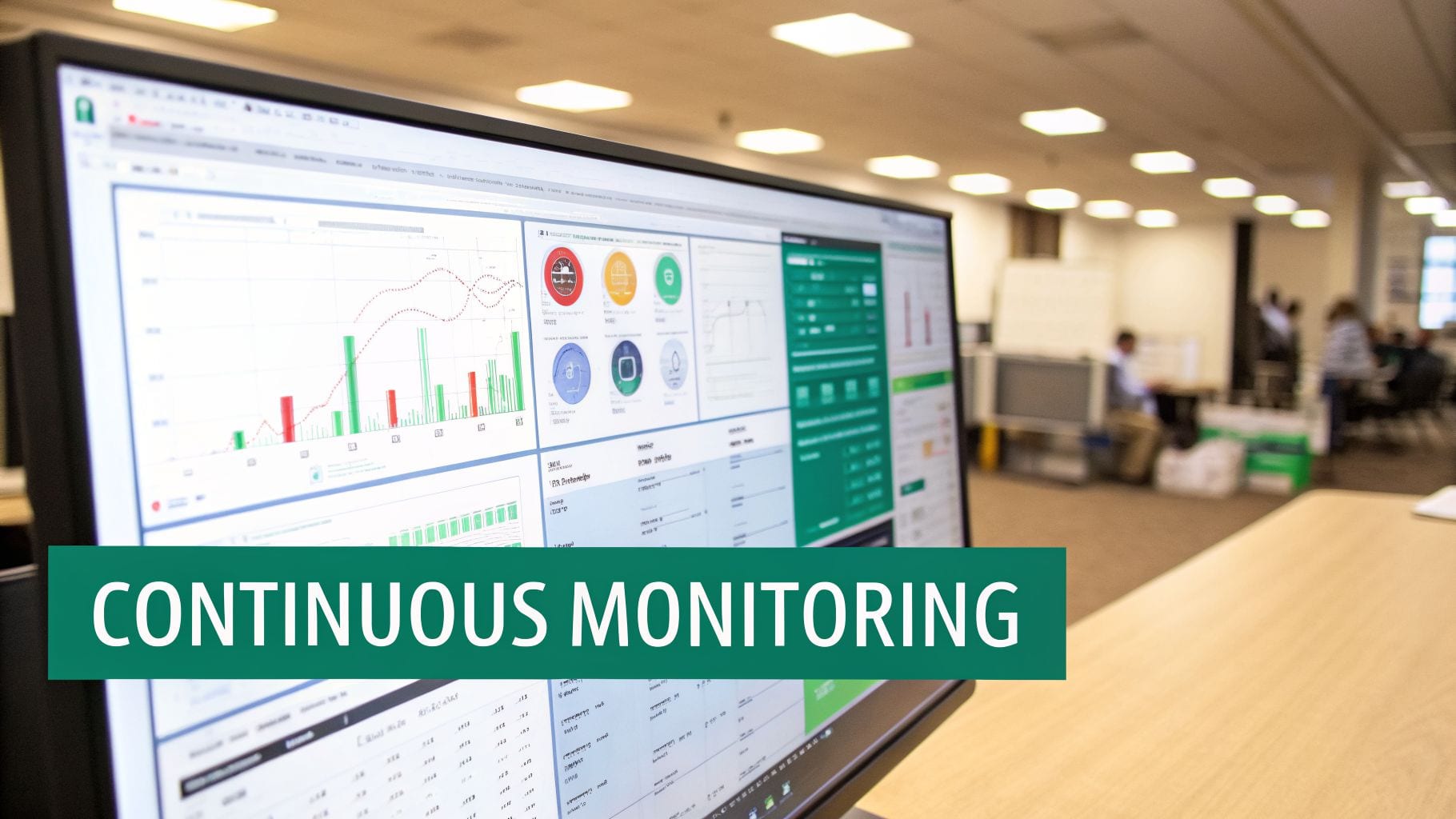
This kind of overview is a game-changer for managing data quality. It immediately flags where errors are happening, showing you which tags are firing correctly and which are failing. You can finally pinpoint issues without spending hours on manual checks. If you want to dive deeper into this, check out our guide on campaign monitoring best practices for optimizing tracking accuracy.
Ultimately, this approach solves the critical problems we’ve been talking about. It helps you maintain data quality, ensures privacy compliance by spotting rogue tags, and empowers your team to trust their dashboards without spending half their time just trying to validate them.
Your PPC Audit Questions Answered
Even with a solid plan, a few questions always pop up when you're deciding on a new tool. Let's tackle some of the most common ones I hear about PPC audit tools so you can move forward with confidence.
How Often Should I Audit My PPC Accounts?
The old-school advice was to run a deep audit quarterly or maybe twice a year. In today's market, that’s just not frequent enough. A small tracking issue left unchecked for three months can easily burn through thousands in ad spend.
While a deep, strategic audit is still valuable every quarter, you should be doing tactical checks weekly. But here's the real answer: the best approach is to use a tool that audits continuously. Problems with tracking pixels, campaign settings, or broken landing pages don't wait for your calendar. A system offering 24/7 monitoring is the only way to catch and fix issues the moment they happen, not weeks or months down the line.
Can an Audit Tool Improve My Quality Score?
Yes, but it's an indirect relationship. A PPC audit tool won't magically boost your Quality Score with the push of a button. What it will do is pinpoint the exact root causes dragging your score down and give you a clear roadmap for fixing them.
For example, an audit might uncover that a high-volume keyword is pointing to a landing page with a slow load time or, even worse, a 404 error. It can also flag ad groups where your ad copy has low relevance to the keywords—a major factor in how Google calculates Quality Score. By flagging these specific problems, the tool gives you an actionable checklist to improve the very components that feed into your score.
What's the Difference Between a Basic PPC Audit Tool and Continuous Monitoring?
This is a crucial distinction to make. A basic PPC audit tool almost always focuses on what’s inside your ad account. It looks at campaign structure, keyword performance, ad copy, and budget pacing. It’s essentially taking a snapshot of your account's health at a single moment in time.
A continuous monitoring platform, on the other hand, sees the entire picture. It doesn't just look at the ad account; it monitors your website, your analytics implementation, and the dataLayer that connects everything.
This means it goes way beyond simple account checks to validate the entire data flow—from the ad click to the website interaction and the final conversion event. It’s the difference between checking if your ads are running and confirming they're actually producing reliable, accurate results across your whole tech stack.
Ready to stop chasing data errors and start trusting your numbers? Trackingplan offers continuous, automated observability to ensure your entire analytics setup is accurate and reliable.