
Selecting the right campaign monitoring best practices can feel overwhelming when you’re managing multiple platforms, tight budgets, and demanding stakeholders. Digital marketers face a constant challenge: which monitoring approaches actually deliver accurate tracking and measurable ROI improvements? This article cuts through the noise by presenting proven best practices grounded in expert insights and real-world benchmarks. You’ll discover how to align goals with business outcomes, standardize tracking parameters, leverage automation for real-time alerts, conduct effective audits, and use advanced attribution models to transform your campaign performance.
Table of Contents
- Key takeaways
- Set clear goals and KPIs aligned with business outcomes
- Standardize UTM parameters for accurate attribution
- Implement real-time monitoring dashboards and anomaly detection
- Conduct regular audits and adopt advanced attribution models
- Benchmark key campaign performance metrics for optimization
- Track your campaigns accurately with Trackingplan
- Frequently asked questions
Key Takeaways
| Point | Details |
|---|---|
| SMART KPI alignment | Set goals and KPIs aligned with business outcomes using SMART criteria to guide tracking decisions and drive measurable value. |
| Standardize UTM tagging | Implement consistent core UTM parameters with strict naming to ensure accurate attribution across channels and reduce data fragmentation. |
| Real time alerts | Automate monitoring to trigger real time alerts for anomalies and performance issues so you can respond quickly. |
| Tracking data audits | Regularly audit tracking setup and data for accuracy and privacy compliance to maintain trustworthy measurements. |
| Multi touch attribution | Adopt multi touch attribution and monitor benchmarks to optimize campaign performance. |
Set clear goals and KPIs aligned with business outcomes
Effective campaign monitoring starts with knowing exactly what success looks like. Before launching any campaign, establish clear goals and KPIs aligned with business objectives using the SMART framework. This approach ensures every tracking decision supports measurable business value rather than vanity metrics.
Your goals must tie directly to revenue growth, user acquisition, customer lifetime value, or other strategic priorities. A vague goal like “increase brand awareness” becomes actionable when reframed as “generate 5,000 qualified leads with a cost per acquisition under $45 by Q3 2026.” This specificity guides which KPIs matter most and which tracking investments deliver returns.
Apply SMART criteria rigorously. Specific goals identify precise outcomes. Measurable goals use quantifiable metrics like conversion rates, click-through rates, return on ad spend, or cost per acquisition. Achievable goals reflect realistic resource constraints. Relevant goals connect to broader business strategy. Time-bound goals create urgency and enable performance evaluation at defined intervals.
Select KPIs that illuminate campaign health at a glance. For performance campaigns, track ROAS, CPA, and conversion rate. For awareness campaigns, monitor reach, impressions, and engagement rate. For retention campaigns, focus on repeat purchase rate and customer lifetime value. Each KPI should answer a specific business question and trigger clear optimization actions when thresholds are crossed.
Pro Tip: Document your KPI definitions, calculation methods, and target ranges in a shared team resource. This prevents confusion when different platforms report metrics differently and ensures everyone interprets performance consistently.
Clearly defined goals transform monitoring from passive observation into active optimization. When you know your target CPA is $45, a dashboard showing $52 immediately signals the need for bid adjustments, creative refresh, or audience refinement. Without that clarity, you’re just watching numbers move.
Standardize UTM parameters for accurate attribution
Nothing undermines campaign tracking faster than inconsistent tagging. Implement consistent UTM parameters with standardized naming conventions to ensure accurate attribution across platforms. Poor UTM hygiene creates data fragmentation that makes cross-channel analysis nearly impossible.
Use the five core UTM parameters systematically. The utm_source identifies traffic origin like google, facebook, or newsletter. The utm_medium specifies channel type such as cpc, email, or social. The utm_campaign names the specific initiative like spring_sale or product_launch. The utm_term captures paid search keywords. The utm_content differentiates ad variations or link placements within the same campaign.
Adopt strict UTM naming conventions and enforce them across your team. Choose lowercase only or title case, but never mix both. A campaign tagged “Spring_Sale” in one channel and “spring_sale” in another creates two separate data streams in analytics platforms. Use underscores or hyphens consistently as word separators. Avoid spaces, special characters, or dynamic values that change unpredictably.
Tag decay and mistagging corrupt up to 20% of campaign data in organizations without governance. A single typo in utm_source turns “facebook” into “facbook,” splitting your Facebook traffic across two line items in reports. Multiply that across dozens of campaigns and hundreds of links, and attribution becomes guesswork.
Consistency supports accurate multi-channel attribution and performance insight. When every link follows the same structure, you can confidently compare performance across sources, mediums, and campaigns. You can build automated reports that aggregate data correctly. You can identify which channels drive the highest-quality traffic and allocate budget accordingly.
Pro Tip: Build a UTM parameter generator spreadsheet or tool that enforces your naming conventions automatically. Include dropdown menus for approved values and validation rules that prevent common errors before links go live.
Standardized UTM parameters are the foundation of reliable attribution. Without them, even the most sophisticated analytics setup produces unreliable insights that lead to poor budget allocation and missed optimization opportunities.
Implement real-time monitoring dashboards and anomaly detection
Manual campaign checks once or twice daily miss critical issues that waste budget and damage performance. Set up real-time dashboards, automated alerts, and anomaly detection for proactive monitoring of spend pacing, performance drops, and tracking failures. Automation catches problems before they compound into expensive mistakes.
Configure dashboards that refresh every 15 to 60 minutes for high-spend campaigns. Display key metrics like current spend versus daily budget, conversion rate trends, cost per acquisition movement, and click-through rate changes. Visual indicators should highlight when metrics drift outside acceptable ranges, enabling quick intervention without constant manual monitoring.

Set automated alerts for critical scenarios. Spend pacing alerts notify you when daily spend reaches 80% of budget by noon, signaling potential overspend. Performance alerts trigger when CTR drops more than 25% hour over hour, indicating creative fatigue or audience saturation. Tracking failure alerts fire when conversion events stop flowing despite continued traffic, revealing broken pixels or implementation errors.
Use anomaly detection to catch issues 3 to 7 days earlier than manual checks. Machine learning algorithms identify unusual patterns like sudden traffic spikes, unexpected geographic distribution shifts, or device mix changes that might indicate bot traffic, tracking errors, or campaign misconfigurations. Early detection prevents small problems from becoming budget disasters.
Proactive alerts help avoid budget waste and maximize campaign ROI. A broken conversion pixel that goes undetected for three days on a $5,000 daily budget campaign wastes $15,000 in untracked spend. An automated alert catching that failure within hours limits waste to hundreds rather than thousands of dollars while preserving attribution data quality.
Pro Tip: Integrate your monitoring platform with automated marketing observability tools that provide root-cause analysis alongside alerts. Knowing conversion tracking failed is helpful, but knowing exactly which pixel broke and on which pages saves hours of diagnostic work.
Real-time monitoring transforms campaign management from reactive firefighting into proactive optimization. You fix issues before they impact results, maintain consistent performance, and free up time for strategic improvements rather than crisis management.
Conduct regular audits and adopt advanced attribution models
Even well-maintained tracking setups drift over time as websites change, new campaigns launch, and team members come and go. Conduct regular audits for tracking errors, schema mismatches, data discrepancies, and privacy compliance. Quarterly reviews catch accumulated issues before they undermine decision-making.
Schedule comprehensive audits every three months minimum. Check for broken pixels that stopped firing after site updates. Verify UTM parameters aren’t being overwritten by redirects or platform-specific tracking. Confirm attribution model settings align with your analysis approach. Test that events flow correctly from all traffic sources into your analytics platform. Document findings and assign remediation tasks with clear deadlines.
Verify compliance with privacy regulations like GDPR, CCPA, and emerging frameworks. Audit consent management implementations to ensure tracking only fires for users who opted in. Review data retention policies and confirm you’re not storing personal information longer than necessary. Check that your privacy policy accurately describes all tracking technologies in use. Non-compliance risks fines and reputational damage that far exceed campaign budgets.
Prefer multi-touch attribution models over last-click for more comprehensive impact measurement. Last-click attribution credits 100% of conversion value to the final touchpoint, systematically undervaluing awareness and consideration channels. Multi-touch models like linear, time-decay, or position-based distribute credit across the customer journey, revealing which channels work together to drive conversions.
Consider incrementality tests to confirm true campaign lift and ROI. Attribution models show correlation between touchpoints and conversions, but incrementality testing uses holdout groups to prove causation. Run geo-based or audience-based experiments where one group sees your campaign and a control group doesn’t. The performance difference isolates genuine campaign impact from baseline conversions that would have happened anyway.
Pro Tip: Create an audit checklist that covers technical implementation, data accuracy, privacy compliance, and attribution model validation. Assign specific team members to each section and track completion status to ensure nothing gets overlooked.
| Attribution model | Best use case | Credit distribution |
|---|---|---|
| Last-click | Direct response only | 100% to final touch |
| First-click | Awareness focus | 100% to initial touch |
| Linear | Equal channel value | Even across all touches |
| Time-decay | Recent impact priority | More to recent touches |
| Position-based | Awareness and conversion | 40% first, 40% last, 20% middle |
Regular audits combined with advanced attribution provide the foundation for confident optimization decisions. You trust your data because you’ve verified its accuracy, and you optimize attribution tracking to reflect true channel contribution rather than oversimplified last-click models.
Benchmark key campaign performance metrics for optimization
Knowing your current metrics is useful, but understanding how they compare to realistic targets transforms monitoring into optimization. Monitor key benchmarks: ROAS 2-4x, CPA variance under 20%, budget utilization 95-100%, pacing variance under 15%. These thresholds help identify when performance requires intervention versus normal fluctuation.
Typical ROAS ranges from 2x to 4x depending on industry, product margins, and campaign maturity. A 2x ROAS means you generate $2 in revenue for every $1 spent, while 4x represents strong performance in most contexts. Below 2x signals the need for audience refinement, creative testing, or bid strategy adjustment. Above 4x might indicate you’re underspending and missing scale opportunities.
CPA variance should stay below 20% for consistency. If your target CPA is $50, daily fluctuations between $40 and $60 are normal. Variance exceeding 20% suggests unstable performance driven by audience saturation, competitive pressure, or tracking issues. Investigate sudden CPA spikes immediately, as they often indicate problems rather than natural market dynamics.
Budget utilization targets sit at 95% to 100% with pacing variance under 15%. Spending only 70% of budget means you’re leaving performance on the table. Spending 120% by mid-month creates budget shortfalls later. Pacing variance measures how evenly spend distributes across the budget period. Variance above 15% indicates poor pacing control that can cause you to exhaust budgets prematurely or underspend during high-value periods.
AI-managed campaigns outperform manual management significantly. AI-driven campaigns achieve 3.8x ROAS compared to 2.1x for manual management. Click-through rates reach 4.2% with AI versus 1.8% manually. These performance gaps highlight the value of automated bid optimization, dynamic creative testing, and predictive budget allocation that human managers struggle to execute at scale.
| Metric | Target range | Action threshold |
|---|---|---|
| ROAS | 2-4x | Below 2x: optimize |
| CPA variance | Under 20% | Above 20%: investigate |
| Budget utilization | 95-100% | Below 95%: increase bids |
| Pacing variance | Under 15% | Above 15%: adjust schedule |
| CTR | Industry-specific | 30% drop: refresh creative |
Use these benchmarks as monitoring thresholds in your marketing performance watchdog setup. Configure alerts that trigger when metrics drift outside target ranges. Document which optimization actions correspond to which threshold violations. This structured approach transforms monitoring data into clear action plans that improve performance systematically.
Pro Tip: Track your historical performance trends to establish personalized benchmarks over time. Industry averages provide useful context, but your own performance history reveals seasonal patterns, audience behavior shifts, and optimization impact more accurately than generic benchmarks.
Benchmarking converts abstract metrics into actionable insights. You know when performance is strong, acceptable, or requiring immediate attention. You can confidently allocate budget to high-performing campaigns and pause or optimize underperformers based on objective criteria rather than gut feel.
Track your campaigns accurately with Trackingplan
Implementing these best practices manually across multiple campaigns and platforms demands significant time and technical expertise. Trackingplan automates the heavy lifting so you can focus on optimization rather than troubleshooting. The platform provides seamless integration with digital analytics tools to ensure data quality across your entire stack, catching tracking errors before they corrupt your insights.
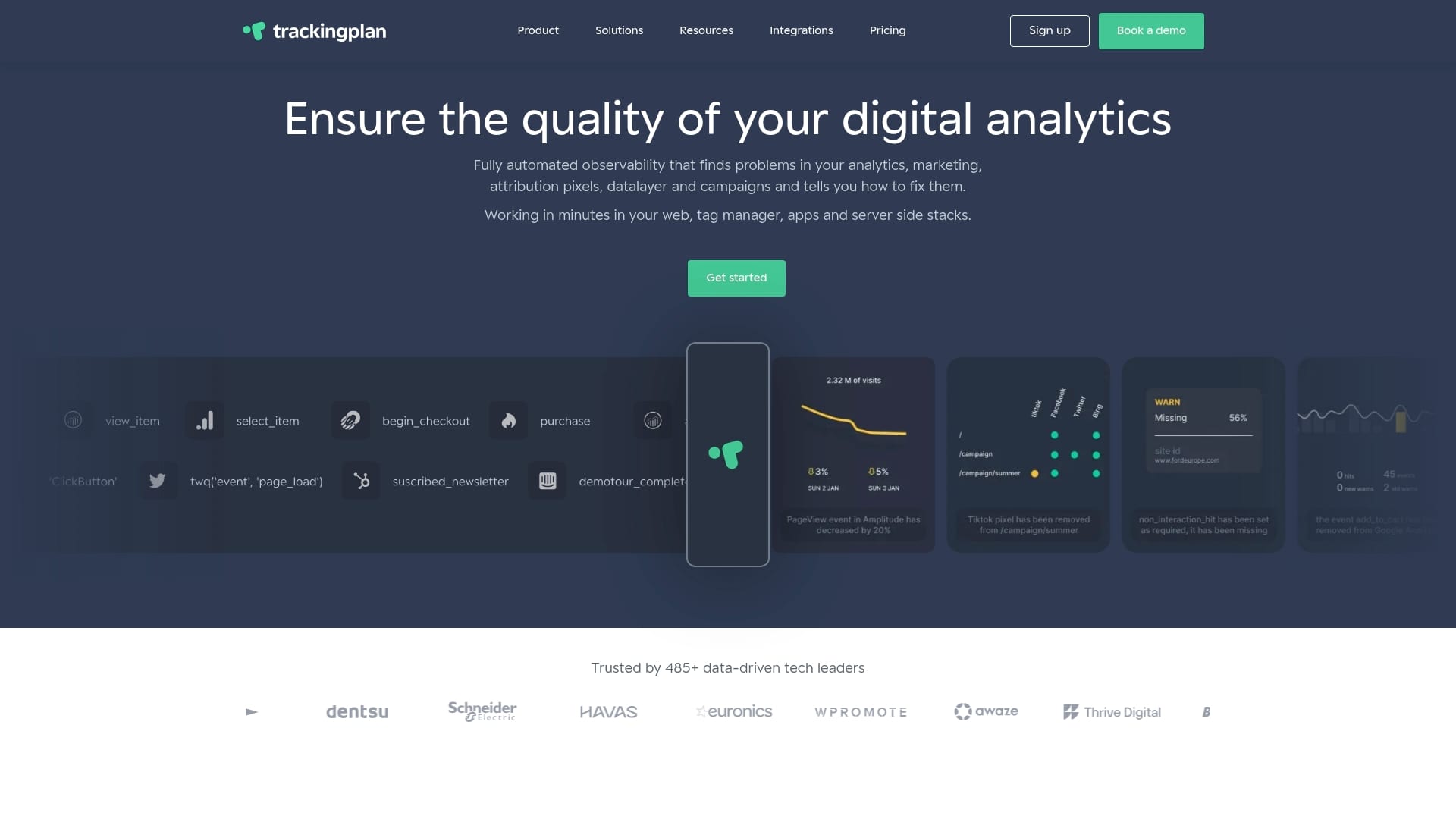
The privacy hub simplifies compliance management by monitoring consent implementations, identifying unauthorized tracking, and ensuring your setup aligns with GDPR, CCPA, and other regulations. Automated alerts notify you immediately when privacy violations occur, protecting your organization from regulatory risk while maintaining user trust.
Real-time monitoring features detect anomalies, broken pixels, UTM overwrites, and schema mismatches the moment they happen. Instead of discovering tracking failures during quarterly audits, you receive instant notifications via email, Slack, or Teams that enable immediate remediation. This proactive approach prevents data loss and budget waste while maintaining the tracking accuracy that powers confident decision-making. Discover how Trackingplan transforms campaign monitoring from a manual burden into an automated advantage.
Frequently asked questions
What are the biggest challenges in campaign monitoring?
Inconsistent UTM parameters create data fragmentation that prevents accurate cross-channel analysis. Tracking failures from broken pixels or implementation errors waste budget on unattributed conversions. Manual monitoring misses issues until significant damage occurs. Privacy compliance requirements add complexity to tracking setup and data retention.
How often should I audit my campaign tracking setup?
Conduct comprehensive audits quarterly to detect accumulated errors, schema mismatches, and compliance gaps. For high-spend campaigns or frequent site changes, increase audit frequency to monthly. Between formal audits, use automated monitoring to catch critical failures immediately rather than waiting for scheduled reviews.
Why is standardizing UTM parameters important?
Standardization prevents case sensitivity errors and naming inconsistencies that corrupt up to 20% of campaign data. Accurate UTM usage ensures reliable tracking across platforms and enables meaningful performance comparisons. Without standards, attribution becomes unreliable and optimization decisions rest on flawed data.
What attribution model should I use for better campaign insights?
Multi-touch attribution offers a fuller picture of campaign impact than last-click by crediting all touchpoints in the customer journey. Position-based models work well for most scenarios, giving 40% credit to first and last touches and distributing 20% across middle interactions. Validate attribution insights with incrementality tests that prove causal impact through holdout experiments.
Recommended
- 8 Essential UTM Parameter Best Practices for Flawless Tracking in 2026 | Trackingplan
- Ways to optimize attribution tracking for digital accuracy | Trackingplan
- 6 Steps to a Reliable Campaign Tracking Checklist | Trackingplan
- Effective Monitoring of UTM Naming Conventions: Best Tracking Practices | Trackingplan