
A Microsoft Ads audit has two halves: the ads account, and the data the account learns from. Plenty of people still search for it as a Bing Ads audit, and Microsoft’s own API still carries the Bing Ads name. This post covers both under one checklist, and it starts with the data. Every number you judge a campaign on comes from the UET tag, and from the Conversions API if you use it.
If those are wrong, the rest of the audit is measured on bad data.
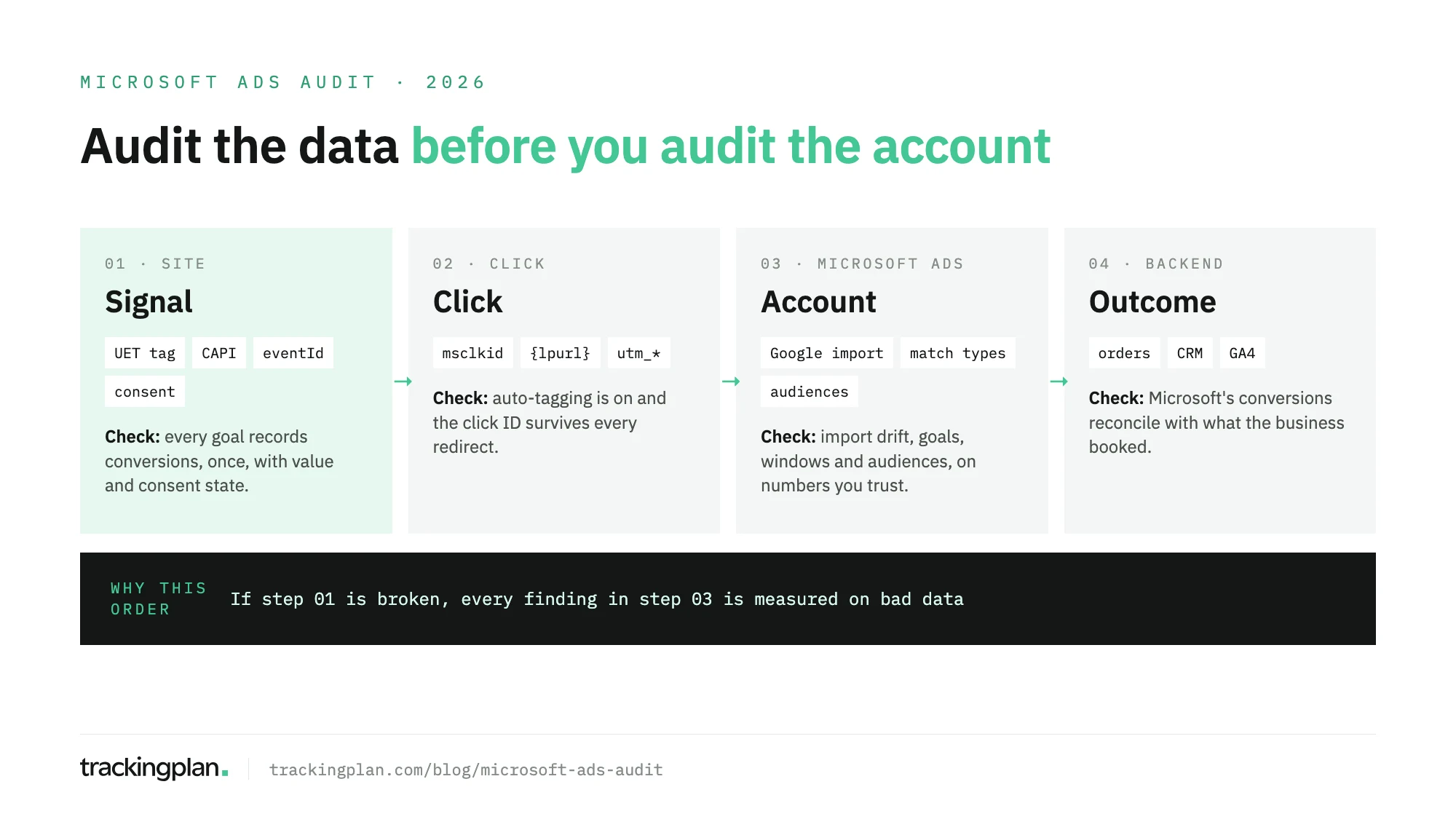
The checklist runs in this order: the signal on the site, the click that brings people there, the account settings, and a reconciliation with the backend.

What a Microsoft Ads audit covers
A Microsoft Ads audit reviews four layers, each checked against the next.
| Layer | What you check | Where you look |
|---|---|---|
| Signal | UET tag and Conversions API events record each goal once, with value and consent state | Conversion goals, UET tag status, the site’s network requests |
| Click | The ad click reaches the site with msclkid and UTMs intact | Auto-tagging, tracking templates, final URL suffixes, landing pages |
| Account | Google import drift, goal settings, match types, and audiences | Microsoft Advertising |
| Outcome | Microsoft’s conversions reconcile with orders, leads, or GA4 | Backend, CRM, and GA4 |
Step 1: audit the signal
Microsoft Advertising counts a conversion when the activity the UET tag reports matches a conversion goal. If the tag is missing from checkout, the campaign optimizes without its purchases.
- The tag is on every page. Microsoft’s developer guide asks for one tag on the whole site. Confirm it fires on the checkout and the thank-you page.
- Every goal is recording. Each conversion goal has a system status: an unverified tag, no recent conversions, or recording conversions. A goal on “no recent conversions” while orders keep coming in needs a look today.
- Goals count the right way. Each goal counts all conversions after a click, or one per click. Unique suits leads, all suits sales. A lead goal set to all counts every lead from the same click.
- Revenue is right. Compare the variable revenue on a test order with the order total, and check the currency.
- Each conversion is counted once. If you also send events through the Conversions API, Microsoft’s Learn documentation asks for the same UET tag ID, the same
eventId, and a compatibleeventNameon both copies. Without them, the purchase counts twice. The same guide recommends hashed email and phone, which feed enhanced conversions, and rejects events older than 90 days. - Consent reaches the tag. UET reads consent from an
ad_storagesetting. Microsoft’s help center says that in the European Economic Area, the UK, and Switzerland the default is denied, so if the banner never passes “granted” after a visitor accepts, conversions are lost. Outside those regions the default is granted. Our Microsoft Consent Mode guide covers the setup.
Step 2: audit the click
The msclkid ties a conversion to the ad click, and offline conversion goals for leads use it. When it gets lost on the way to the site, Microsoft still bills the click.
- Auto-tagging is on. Microsoft’s API reference says auto-tagging appends
msclkidto the landing page URL, one unique ID per click. It’s on by default for new accounts, and adding a conversion goal turns it on again. Someone can still switch it off, so check it. - The click ID survives the trip. Click a live ad and follow it through any redirect. The
msclkidmust be on the final URL. The UET tag then keeps it in the_uetmsclkidfirst-party cookie for 90 days, so check that cookie too. - Tracking templates resolve. A tracking template must include
{lpurl}or a variant. Microsoft doesn’t check that custom parameters exist, so an undefined one ships in the final URL as a literal placeholder. Look for braces in your landing page logs. - UTMs say Bing. Check
utm_sourceand the final URL suffix on every campaign. If they still say Google, GA4 credits Microsoft traffic to Google.
Step 3: audit the account
Only now do the account findings mean something.
- Check what the Google import changed. Many accounts are imported from Google Ads, and Microsoft’s list of what gets imported explains the drift. Only online, tag-based, destination URL goals created in Google Ads come over, not goals from Google Analytics or Search Ads 360. Data-driven attribution arrives as last click. Imported goals record nothing until a UET tag sends them events. Re-imports can overwrite bids, budgets, and settings you changed in Microsoft Advertising, and they replace a
utm_sourceof google with bing. - Match types are current. A keyword’s match type is imported the first time only; later imports don’t update it. Broad match modifier keywords now serve as broad match.
- Attribution settings are known. Each goal has its own conversion window, up to 90 days, and an attribution model: data-driven, last touch, or last click. View-through conversions need an account setting and their own window.
- Bidding uses the right goals. A goal left out of “Conversions” still shows in “All conversions”, but automated bidding ignores it. Check that the goals bidding uses are the ones you validated in Step 1.
- Audiences can serve. A remarketing list needs 1,000 users before remarketed ads start serving, and audience targets live at the campaign or the ad group level, not both. Check that customer lists matched after upload.
Step 4: reconcile with the backend
Pull conversions from Microsoft Advertising, GA4, and your order system or CRM for the same date range.
Some gap is normal. Microsoft counts conversions within each goal’s window, credits them to its own clicks, and can include view-through conversions. GA4 attributes by its own model and shares credit with other channels. Our post on GA4 versus ad platform conversions lists the usual reasons.
What isn’t normal: more purchases than orders, a gap that jumps from one week to the next, or revenue that differs from the order total. Those go back to Step 1.
Keeping it true after the audit
An audit describes one day. The next release can drop the UET tag from checkout or strip msclkid in a redirect, and a scheduled import can rewrite the account overnight. Microsoft Advertising won’t flag the tracking side, and the campaign keeps bidding on the broken signal.
Trackingplan watches that signal on real traffic. Its JavaScript SDK captures the Microsoft Ads hits sent to bat.bing.net, and for Bing it checks conversions, values, click IDs, and match keys against GA4 and the other ad platforms. When a server-side Google Tag Manager container forwards a conversion to Bing, it reads the consent state the container copied from the browser.
It also reads spend, campaigns, and platform-reported conversions from Microsoft Ads and ten other ad networks. That is how it flags clicks that arrive without UTMs, conversions Microsoft counts that the site never sent, and campaigns that spend without traffic.
Gaps come quantified in money and go to whoever owns the tag. Trackingplan doesn’t bid or change campaigns; it checks the data the bidding learns from. The pixel checker shows which pixels fire on real traffic, and the Bing integration lists what it reads.
FAQ
What is a Microsoft Ads audit?
A Microsoft Ads audit, still called a Bing Ads audit by many, is a structured review of a Microsoft Advertising account and the conversion data it learns from. It checks the UET tag and the Conversions API, the msclkid click ID, the account settings and any campaigns imported from Google Ads, and whether Microsoft’s conversions reconcile with real orders or leads.
How does Microsoft deduplicate UET and Conversions API events?
Send the same conversion from the UET tag and the Conversions API with the same UET tag ID, the same eventId, and a compatible eventName. Microsoft uses the shared eventId to recognize the duplicate and count the conversion once. A missing or different eventId on one side counts it twice.
Does a Google Ads import copy conversion tracking to Microsoft Ads?
Only part of it. The import brings over online, tag-based Google Ads goals of the destination URL type, not goals created in Google Analytics or Search Ads 360. Data-driven attribution is imported as last click, and the imported goals record nothing until a UET tag on the site sends them events.
Why does Microsoft Ads report more conversions than GA4?
Microsoft counts conversions within each goal’s conversion window, can include view-through conversions, and credits them to its own clicks. GA4 uses its own attribution and shares credit with other channels. A gap that jumps suddenly, or more purchases than real orders, points to duplicates or a broken tag.