
A TikTok audit can mean two things. For a creator or a social team, it’s a review of the organic profile: posting cadence, reach, and engagement. For an advertiser, it’s a review of the ads account and of the data the account learns from. This post covers the second.
Start with the data, not the creative. Every number you use to judge a TikTok campaign comes from the TikTok Pixel and the Events API. If those are wrong, the rest of the audit is measured on bad data.
The checklist runs in this order: the signal on the site, the click that brings people there, the account settings, and a reconciliation with the backend.

What a TikTok ads audit covers
A TikTok ads audit reviews four layers, each checked against the next.
| Layer | What you check | Where you look |
|---|---|---|
| Signal | Pixel and Events API events fire once, with value, currency, products, and customer data | Events Manager, the TikTok Pixel Helper, and the site’s network requests |
| Click | The ad click reaches the site with ttclid and UTMs intact | Ad URLs, redirects, and landing pages |
| Account | Attribution setting, ad group structure, audiences, and creative | TikTok Ads Manager |
| Outcome | TikTok’s conversions reconcile with orders, leads, or GA4 | Backend, CRM, and GA4 |
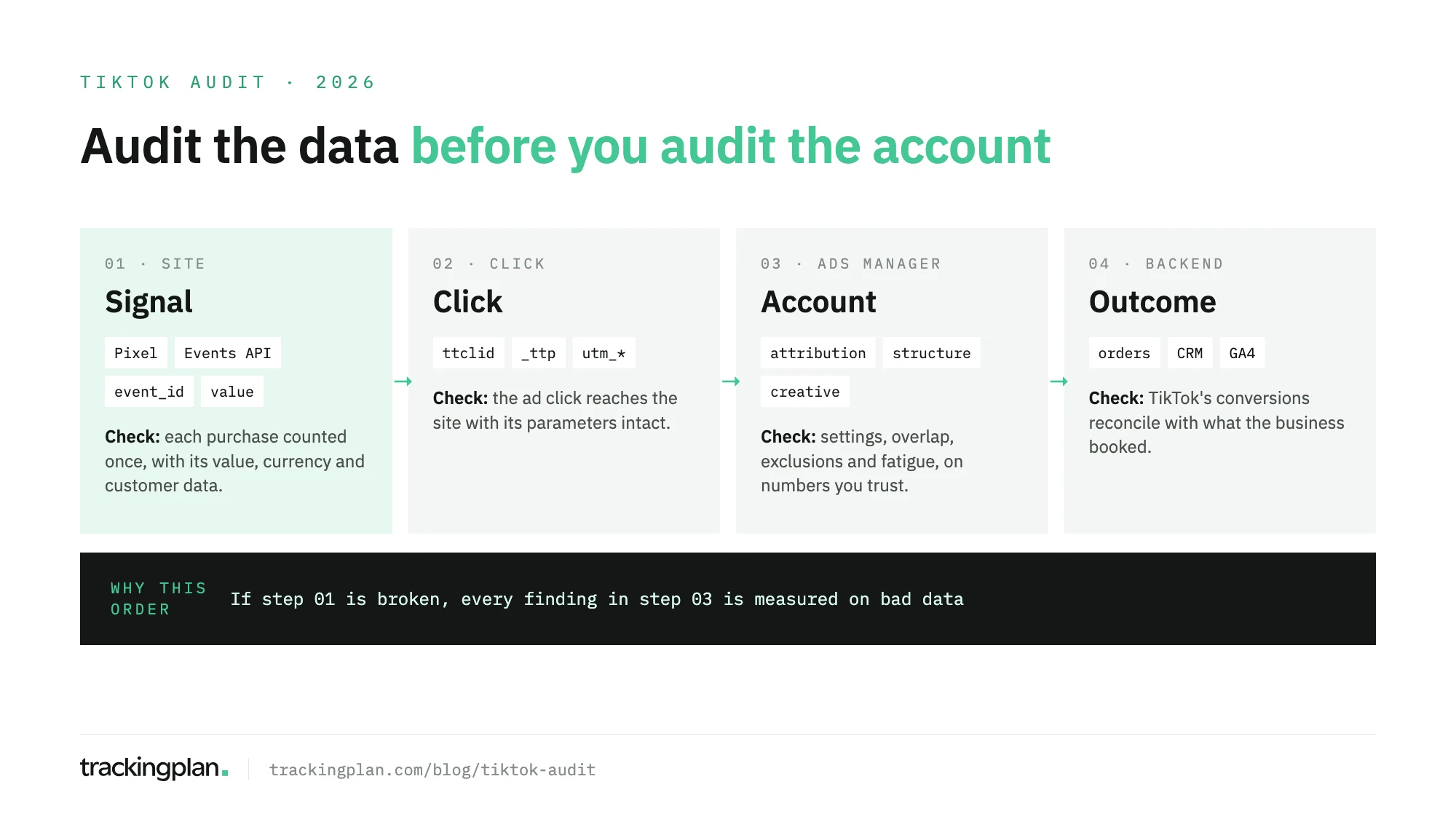
If you only have an hour, spend it on the first layer. A campaign that “stopped converting” is often a purchase event that stopped firing.
Step 1: audit the signal
TikTok’s delivery system optimizes on the conversions you send. A missing purchase, a duplicate, or an empty value teaches the campaign the wrong lesson, and the budget follows.
- Every key event fires. Walk the funnel:
ViewContent,AddToCart,InitiateCheckout, and the purchase or lead event. The TikTok Pixel Helper shows the browser side, and Events Manager shows what arrived from the server. - Each conversion is counted once. If you run the Pixel and the Events API together, both copies need the same event name and the same
event_id, sent to the same pixel. TikTok’s help center explains the deduplication rule: it keeps the first event it receives and merges or drops matching copies that arrive within 48 hours. A different or missingevent_idon one side, and the purchase counts twice. - Value, currency, and products are right. Compare
valueon a test order with the order total, and check thatcurrencyis set on every purchase. For catalog and shopping campaigns, checkcontentsorcontent_ids: the product IDs must match the catalog, or TikTok can’t tie the sale to the product. - Customer data is sent and hashed. Hashed email and phone,
external_id, thettclid, and the_ttpcookie are the match keys. TikTok’s Events Manager guide explains that the Event Match Quality score is a weighted average of your match key coverage. Missing keys on the purchase event cost the most. - Consent is respected. Events should follow the visitor’s choice in your consent banner, on the browser and on the server. Firing the Pixel before consent is a compliance problem. Blocking the server event after consent is granted is a measurement problem.
For the setup side of this layer, see this guide to the TikTok Pixel and Events API. If the server events go through a server-side container, this guide to server-side tagging for Meta, Google Ads, and TikTok covers the forwarding.
Step 2: audit the click
When parameters get lost between the ad and the landing page, TikTok still counts the click. Your analytics files the visit as direct or referral, and the server event loses its ttclid.
- Open every active ad URL. Follow it through any redirect and confirm
ttclidand the UTMs arrive on the final page. Link shorteners, consent walls, and country redirects are the usual culprits. - Check UTM naming.
utm_source=tiktok,TikTok, andtiktok.comare three sources in GA4. Agree on one convention and check every new campaign against it. - Check the landing pages. TikTok is a phone app, so most clicks land on a phone. A page that is slow or broken on a phone wastes the click before any event can fire.
Step 3: audit the account
Only now do the account findings mean something. An ad group that looks unprofitable on a broken signal may be fine, and the reverse.
- Attribution windows match. In TikTok’s help center, attribution is set per ad group: a click window of 1, 7, 14, or 28 days and a view window of off, 1, or 7 days, and it can’t be changed once the ad group is published. Ad groups on different windows can’t be compared directly.
- Ad groups don’t compete for the same audience. Overlapping ad groups split the learning and raise costs. Each ad group needs enough conversions to leave the learning phase.
- Each ad group optimizes for the validated event. The optimization event should be the one you checked in Step 1, not a proxy that fires more often.
- Exclusions and audiences are current. Buyers excluded from prospecting, website audiences still filling, and custom audiences built from a clean list.
- Creative is judged on real purchases. TikTok creative wears out fast. Watch frequency, falling click-through rate, and rising cost per real purchase, not platform-reported ROAS alone.
- Spend paces to plan. Compare spend against plan per campaign, and look for campaigns that spend with no traffic reaching the site.
Step 4: reconcile with the backend
Pull purchases or leads from TikTok, GA4, and your order system or CRM for the same date range.
Some gap is normal. TikTok counts view-through conversions and credits them by its own attribution window. GA4 doesn’t count TikTok ad views, and it credits each purchase by its own model, often to another channel.
What isn’t normal: TikTok reporting more purchases than you have orders, a gap that jumps from one week to the next, or a purchase value that differs from the order total. Those go back to Step 1.
Keeping it true after the audit
An audit describes one day. The next release can drop the event_id, empty the product list, or remove the Pixel from checkout. TikTok Ads Manager won’t flag it, and the campaign keeps optimizing on the broken signal.
Trackingplan watches that signal on real traffic. It checks that the same purchase is counted once, with the same value, across the TikTok Pixel, the Events API, GA4, and the other ad platforms. It watches click IDs, match keys, and UTMs, and lists the products in each TikTok pixel event’s contents or content_ids.
It also reads spend, campaigns, and platform-reported conversions from TikTok Ads and ten other ad networks. That is how it flags clicks that arrive without UTMs, conversions TikTok counts that the site never sent, and campaigns that spend without traffic.
Gaps come quantified in money and go to whoever owns the tag. Scheduled checks run daily or weekly. Trackingplan doesn’t bid or change campaigns; it checks the data the bidding learns from. The pixel checker shows which pixels and server events fire on real traffic, and the TikTok integration lists what it reads.
FAQ
What is a TikTok audit?
For advertisers, a TikTok audit is a structured review of a TikTok Ads account and the conversion data it learns from: the TikTok Pixel and the Events API, the ad click as it reaches the site, the account settings, and whether TikTok’s conversions reconcile with real orders or leads. An audit of an organic TikTok profile is a different exercise.
How does TikTok deduplicate Pixel and Events API events?
Both copies need the same event name and the same event_id, sent to the same pixel. TikTok keeps the first event it receives and merges or drops matching copies that arrive within 48 hours of it. If the event_id differs or is missing on one side, the conversion counts twice.
How does TikTok’s attribution window work?
TikTok sets attribution per ad group, with a click window of 1, 7, 14, or 28 days and a view window of off, 1, or 7 days, and the setting can’t be changed after the ad group is published. Check which window each ad group uses before comparing results across ad groups or against GA4.
How often should I audit TikTok ads?
Run a full audit when you take over an account, before a large budget change, and after a site migration or a major release. Between audits, check the conversion signal continuously or at least weekly, because a tag can break on any deploy.