
So far every agent in this series lived in the BigQuery console. Your users don’t. They live in Slack, in a product, in Claude or ChatGPT, in a notebook. This guide covers the three ways to take BigQuery agents there: the Conversational Analytics API, for your own code; the Agent Development Kit (ADK), for agents you build; and MCP, for assistants you already use.
They are not interchangeable, and the difference is the same one this series keeps coming back to: how much of your context travels with the connection.

Goal of this guide: call your data agent from Python, give an ADK agent BigQuery tools, and connect an assistant over MCP, knowing what each one carries. You need: the agent from guides 5 to 8, Python, and the Google Cloud CLI.
Three ways in, compared
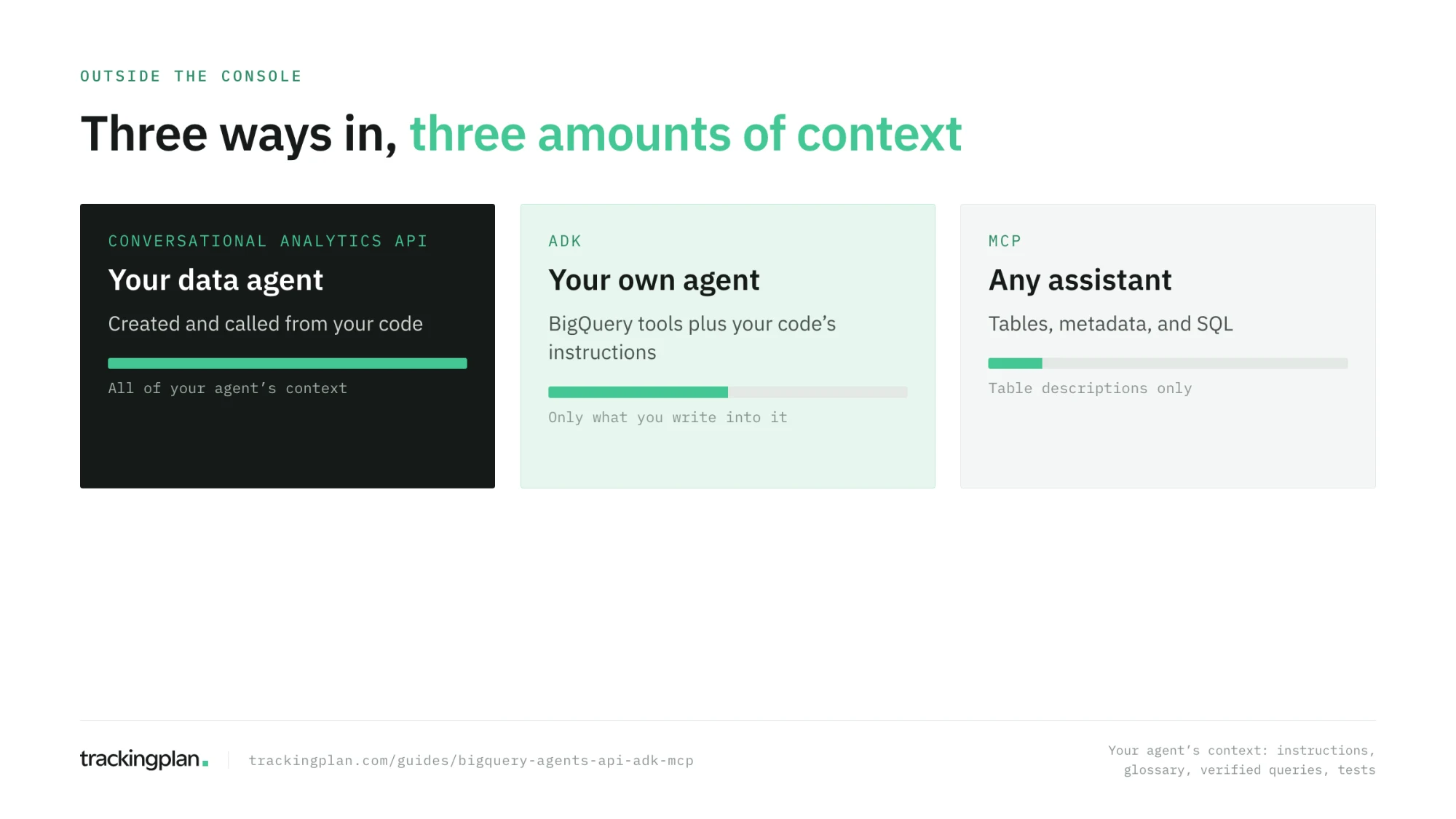
| Conversational Analytics API | ADK with BigQuery tools | MCP | |
|---|---|---|---|
| What you get | Your data agent, with its context | Tools for an agent you write | Tables and SQL for any MCP client |
| Your instructions, glossary, verified queries | Yes | Only what you put in the ADK agent | No |
| Best for | Answers inside your product or workflow | Custom multi-step agents | Exploration from Claude, ChatGPT, Gemini |
The Conversational Analytics API
The Conversational Analytics API (geminidataanalytics.googleapis.com) is what the BigQuery Agents page uses underneath. It works with BigQuery, Looker, Data Studio, and several databases, and Google provides a Python client and a Node.js client.
The flow has two clients: one to manage agents, one to chat. This sketch follows Google’s SDK page, which links a complete notebook; check it for the current version, since the Python client is still v1beta.
from google.cloud import geminidataanalytics

PROJECT = "your-project"
PARENT = f"projects/{PROJECT}/locations/global"

agents = geminidataanalytics.DataAgentServiceClient()
chat = geminidataanalytics.DataChatServiceClient()

# 1. The sources and context of the agent
tables = []
for table_id in ["sessions", "purchases", "purchase_items", "page_views"]:
    ref = geminidataanalytics.BigQueryTableReference()
    ref.project_id, ref.dataset_id, ref.table_id = PROJECT, "agent_layer", table_id
    tables.append(ref)

context = geminidataanalytics.Context()
context.system_instruction = open("instructions.yaml").read()
context.datasource_references.bq.table_references = tables

agent = geminidataanalytics.DataAgent()
agent.data_analytics_agent.published_context = context

agents.create_data_agent_sync(request=geminidataanalytics.CreateDataAgentRequest(
    parent=PARENT, data_agent_id="ga4-store", data_agent=agent))
Then open a conversation and stream an answer:
conversation = geminidataanalytics.Conversation()
conversation.agents = [f"{PARENT}/dataAgents/ga4-store"]
conversation = chat.create_conversation(request=geminidataanalytics.CreateConversationRequest(
    parent=PARENT, conversation_id="weekly-review", conversation=conversation))

message = geminidataanalytics.Message()
message.user_message.text = "Revenue by channel in January 2021"

request = geminidataanalytics.ChatRequest(parent=PARENT, messages=[message])
request.conversation_reference.conversation = conversation.name
request.conversation_reference.data_agent_context.data_agent = f"{PARENT}/dataAgents/ga4-store"

for chunk in chat.chat(request=request, timeout=300):
    print(chunk)
Three things to know before you build on it:
- Stateful or stateless. A conversation keeps history and context between questions, and Google recommends it. A stateless call sends the context with each request and keeps no history; it suits single questions.
- Context as code. The
system_instructionis a YAML string where you can write tables, relationships, glossary terms, and descriptions. Keep it in version control and rerun your tests from guide 8 on every change, ideally in CI. - Limits. The chat method has its own quota, lower than the rest of the API; check the quotas page before you put it behind a busy product. You can cap bytes per query with
big_query_max_billed_bytes.
The ADK: BigQuery tools for your own agent
The Agent Development Kit is Google’s framework for building agents in Python. Its BigQuery integration gives an agent a toolset: list datasets and tables, read their metadata, run SQL, forecast, analyze contributions, detect anomalies, search the catalog, and ask_data_insights, which answers a question in natural language over tables.
import google.auth
from google.adk.agents import Agent
from google.adk.integrations.bigquery import BigQueryToolset, BigQueryCredentialsConfig
from google.adk.integrations.bigquery.config import BigQueryToolConfig, WriteMode

credentials, _ = google.auth.default()
bigquery = BigQueryToolset(
    credentials_config=BigQueryCredentialsConfig(credentials=credentials),
    bigquery_tool_config=BigQueryToolConfig(write_mode=WriteMode.BLOCKED),
)

analyst = Agent(
    name="ga4_analyst",
    model=MODEL,  # a current Gemini model
    instruction=open("instructions.md").read(),
    tools=[bigquery],
)
WriteMode.BLOCKED keeps the agent from writing anything. Note what this agent has: the tools, and the instructions you gave it in code. It doesn’t have your data agent’s glossary or verified queries unless you write them into the instruction, or call your data agent as a tool through the API, which is what the ADK tools for Conversational Analytics are for.
MCP: BigQuery in Claude, ChatGPT, and Gemini
The Model Context Protocol lets an assistant you already use call tools on a server. BigQuery has two MCP servers.
The remote server, run by Google. The endpoint is https://bigquery.googleapis.com/mcp, over Streamable HTTP, with OAuth 2.0 and IAM (setup). In your client, add a remote MCP server with that URL and sign in with Google. Its tools list datasets and tables, read their metadata, and run SQL. The identity needs MCP Tool User (roles/mcp.toolUser), BigQuery Job User, and BigQuery Data Viewer. Results are capped at 3,000 rows, and queries time out after three minutes by default.
MCP Toolbox for Databases, run by you. An open-source server with prebuilt BigQuery tools, which Google documents as the local option (setup). Set BIGQUERY_PROJECT and run it over stdio:
{
  "mcpServers": {
    "bigquery": {
      "command": "./PATH/TO/toolbox",
      "args": ["--prebuilt", "bigquery", "--stdio"],
      "env": { "BIGQUERY_PROJECT": "your-project" }
    }
  }
}
Its tools add forecasting, contribution analysis, catalog search, and ask_data_insights to the basics, and Google lists conversational analytics tools among those it wraps.
Make it read-only. Use a separate identity for the assistant, as Google recommends, with read roles only. Prefer the execute_sql_readonly tool, which rejects DML and DDL, and block execute_sql with an IAM deny policy if you don’t need it.
How a production agent does it. MCP is a channel, not an agent. Connect a general-purpose assistant to analytics data through an MCP server and it sees the numbers, with none of the context that makes them right. Trackingplan ships an MCP too, but behind its Ask Trackingplan tool in Claude, ChatGPT, or Cursor is the whole agent: its data, its context, and its standard of evidence (how it works). The same design works for BigQuery: expose your tested data agent as the tool, rather than raw SQL access, and the assistant inherits everything you built in guides 4 to 8.
Which one to use
- A question answered inside your product, Slack bot, or workflow: the Conversational Analytics API, calling your published data agent.
- An agent that does more than answer, such as a weekly report that queries, checks, and writes a summary: the ADK, with your instructions and, ideally, your data agent as one of its tools.
- Exploration by an analyst in their own assistant: MCP, read-only, knowing it skips your agent’s context.
Exercise
Create your agent through the API from a YAML file in a repository, ask it the five questions from guide 5, and compare the answers with the console agent. Then connect an MCP client to BigQuery with a read-only identity, ask the same five questions, and write down which ones it got wrong that your agent got right.
How to know you got it right
- Your agent’s context lives in a file under version control.
- You can open a conversation and stream an answer from Python.
- Your MCP connection can’t write, and you have checked that it can’t.
- You can say what context each of the three ways carries.
Resources
- Conversational Analytics API overview and build an agent with the Python SDK, Google Cloud docs.
- Introduction to the Conversational Analytics API, Google Codelabs: the API end to end with the Python SDK, including streamed answers with charts.
- Chat With Your Data using BigQuery Agents & Antigravity IDE, Google Codelabs: data agents from an IDE.
- BigQuery in the ADK, ADK docs, and Using GCP Conversational Analytics from ADK tools, Neil Kolban: calling a data agent as a tool.
- Use the BigQuery MCP server and MCP Toolbox for Databases.
FAQ
What is the Conversational Analytics API? Google Cloud’s API for building data agents and chatting with them from your own code. It covers BigQuery, Looker, Data Studio, and several databases. With it you create an agent with its sources and context, open conversations, and stream answers into your own application.
Is there an MCP server for BigQuery? Yes, two. Google runs a remote BigQuery MCP server at https://bigquery.googleapis.com/mcp, with OAuth and IAM, and tools to list datasets and tables and run SQL. MCP Toolbox for Databases is an open-source server you run locally, with prebuilt BigQuery tools that include forecasting and conversational analytics.
Should I connect Claude or ChatGPT to BigQuery over MCP, or build a data agent? MCP gives an assistant access to the tables, not the context you built: descriptions it reads, but not your instructions, glossary, verified queries, or tests. For one-off exploration, MCP is enough. For answers a team relies on, call your data agent, from the API or through a tool that wraps it.
How do I make an MCP connection to BigQuery read-only? Give the identity only BigQuery Data Viewer and Job User, and use the execute_sql_readonly tool, which rejects DML and DDL. You can also block the write-capable execute_sql tool with an IAM deny policy. Google recommends a separate identity for agents.
Next: Run it in production: cost, access, and data you can trust.