
TL;DR The PostHog MCP is PostHog’s own server, hosted at
https://mcp.posthog.com/mcp. In Claude Code it’s one command,claude mcp add --transport http posthog https://mcp.posthog.com/mcp -s user, and a browser sign-in. It reads and writes: insights, dashboards, flags, experiments, SQL. Add?readonly=truebefore you hand it to anyone. And remember what it can’t see: whether the events it queries were tracked right.
PostHog publishes one MCP server, hosts it, and keeps a setup page for each client. The install takes a minute. The decision that takes longer is how much of PostHog the model should be allowed to touch.
This guide is part of our series on analytics MCP servers. It covers the setup in each client, the tools, the switches that make it safer, and the limit no server fixes.
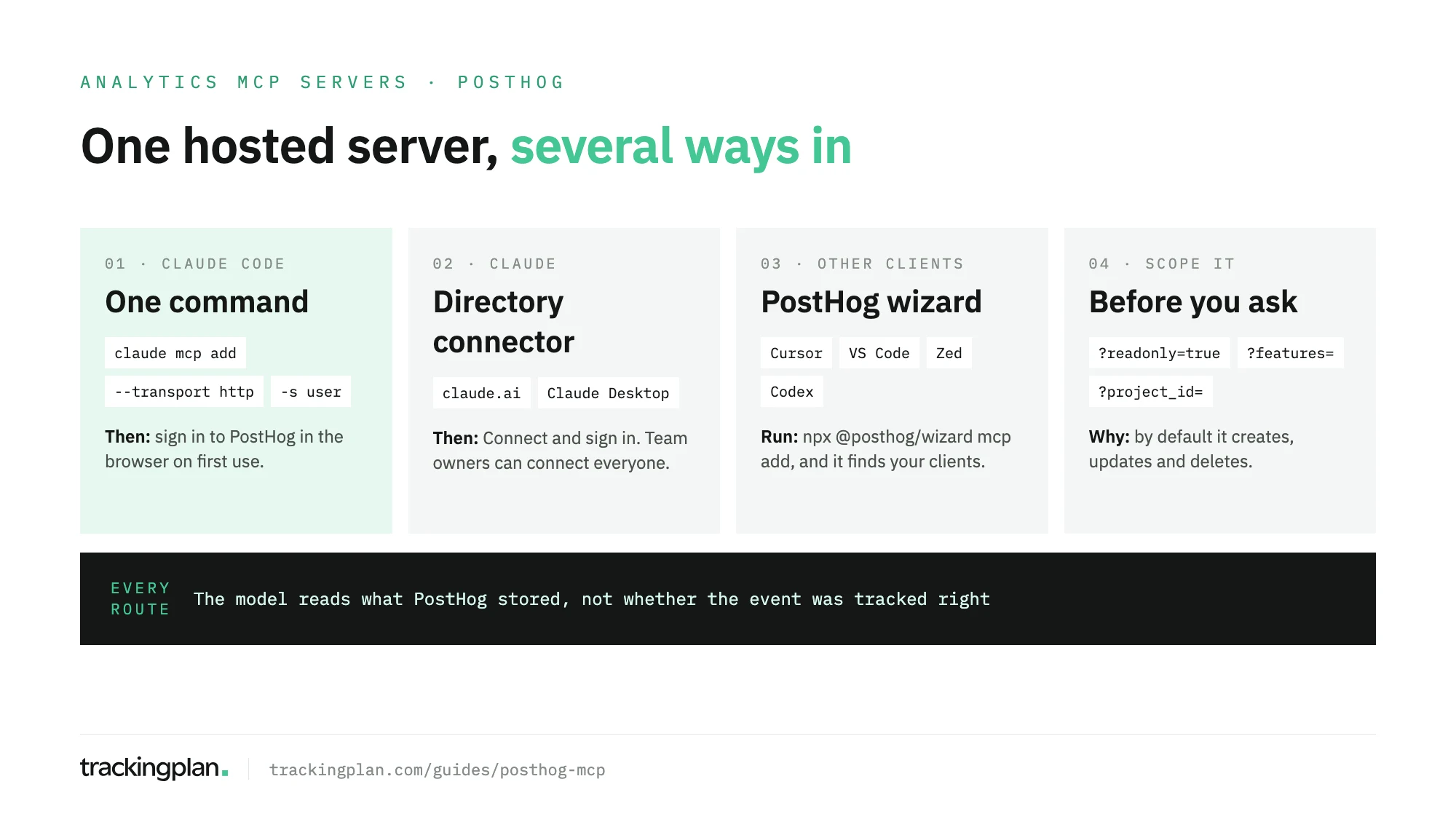
What the PostHog MCP server is
It’s an official, remote MCP server that PostHog runs. You don’t install code; your client connects over HTTP to https://mcp.posthog.com/mcp and you sign in with your PostHog account.
Three facts from PostHog’s docs worth knowing before you start:
- One URL for both regions. The sign-in routes you to US or EU based on your account. An account in each region needs its own connection.
- It’s a proxy. PostHog’s FAQ says the server doesn’t store analytics data; it calls PostHog for you.
- The old repo is archived. The
github.com/posthog/mcprepository was archived on 19 January 2026. The code moved to the PostHog monorepo, underservices/mcp. Guides that tell you to clone the old repo are out of date.
How to use the PostHog MCP with Claude Code
Run one command, then sign in. In a terminal:
claude mcp add --transport http posthog https://mcp.posthog.com/mcp -s user
The first time Claude Code calls PostHog, it asks you to log in through the browser. -s user makes the server available in every project on your machine.
PostHog’s Claude Code page lists two alternatives:
- The wizard.
npx @posthog/wizard mcp adddetects your clients and installs the server in each. - The plugin.
claude plugin install posthogadds the same tools plus slash commands such as/posthog:flags,/posthog:insights,/posthog:errorsand/posthog:experiments. Run/mcpafterwards to log in.
Claude Code is the better fit when the answer feeds code: a funnel that explains why a feature flag should stay off, an error that points at a file in the same repository.
Claude, Cursor and the other clients
| Client | How PostHog documents it |
|---|---|
| Claude (web and desktop) | The PostHog connector in Claude’s directory: Connect, then sign in |
| Claude Desktop, manual | npx -y mcp-remote@latest https://mcp.posthog.com/mcp in claude_desktop_config.json |
| Cursor, VS Code, Zed, Codex | npx @posthog/wizard mcp add, or each client’s own page |
| Windsurf, PostHog Desktop | Their own setup pages in PostHog’s docs |
On Claude Team or Enterprise, an organization owner can set up enterprise-managed authorization, so members don’t sign in one by one. If your client can’t do OAuth, PostHog’s FAQ describes a personal API key with the MCP Server preset, scoped to one project and sent as Authorization: Bearer. OAuth is the route PostHog recommends.
What it can read and change
A lot. PostHog’s tools reference groups the tools into more than 70 categories, from product analytics and SQL to feature flags, experiments, surveys, session replay, error tracking and the data warehouse. These are the ones an analyst reaches for first, from PostHog’s product analytics MCP page:
| Tool | Reads or writes | What it does |
|---|---|---|
query-trends, query-funnel, query-retention | Reads | Run a trends, funnel or retention query |
query-paths, query-stickiness, query-lifecycle | Reads | Run paths, stickiness and lifecycle queries |
query-funnel-actors and the other -actors tools | Reads | List the persons behind a data point |
execute-sql | Reads | Run SQL against events and warehouse data |
read-data-schema | Reads | List tables, columns, events and properties |
insight-create, insight-update, insight-delete | Writes | Save, change or delete an insight |
dashboard-create, dashboard-update, dashboard-delete | Writes | Build, change or delete a dashboard |
dashboards-bulk-delete | Writes | Delete up to 100 dashboards in one request |
feature-flag-enable, feature-flag-disable | Writes | Turn a flag on or off |
experiment-launch | Writes | Launch an experiment |
Read that last third again. With default settings, a model that misreads a request can disable a flag in production or delete a hundred dashboards.
Lock it down before the first question
PostHog gives you three switches, all set on the URL or as headers. From PostHog’s FAQ:
- Read-only.
https://mcp.posthog.com/mcp?readonly=true, or the headerx-posthog-read-only: true. Every tool that creates, updates or deletes data drops out. - Only the features you need.
?features=insights,dashboards,sqlkeeps those categories;?tools=execute-sql,dashboard-getkeeps exact tools. Used together, you get the union of both. - One project.
?project_id=(ororganization_id) pins the connection, and the switch-project tools go away. One connection is one account and one active project; add separate entries for others.
PostHog’s own warning is the right one: “Be mindful of prompt injection”. Review tool calls before they run. In Claude, set any write tools you keep to Needs approval.
Limits and cost
- Price. Connecting and calling tools is free. Standard PostHog usage applies to the data your queries read. Some tools use an LLM internally, count as PostHog AI spend, and only work when AI data processing is on in your organization settings.
- Rate limits. 480 requests a minute and 4,800 an hour per OAuth token or API key. Opening a session and listing tools count. Over the limit you get a
429withRetry-After. - Data first. The analytics tools need a PostHog SDK already capturing events. The server reads what’s there; it doesn’t install anything.
What to ask once it’s connected
- “Where do users drop between
user_signed_upandproject_createdthis month?” (query-funnel) - “Which persons dropped at step two? List ten.” (
query-funnel-actors) - “Run SQL for the ten most active users by event count this month.” (
execute-sql) - “Which events and properties exist for checkout?” (
read-data-schema)
Ask the model to show the query it ran. In PostHog, the same question can be a trends insight or a SQL query, and the two can count differently.
Before you trust the answers
The PostHog MCP hands the model whatever PostHog stored. If a release renamed checkout_completed, if the event fires twice on a slow confirmation page, or if plan arrives as an empty string on iOS, execute-sql sums the damage and the model explains it as fluently as a correct number. It can’t tell. Nothing in the data says the event was wrong.
So validate the tracking before you give the data to an agent. Trackingplan watches the events your site and apps send to PostHog on real traffic, along with the dataLayer and the consent signals, and catches missing properties, duplicate fires and broken triggers as they appear (PostHog in Trackingplan).
Trackingplan MCP brings that context into the same assistant: what fires, what’s broken, the consent state, attribution, and ad spend from connected ad accounts, next to what PostHog returns. You sign in as yourself, with no API key, and any change it proposes to the tracking plan waits for your approval. The MCP endpoint docs have the setup.
If you’re choosing between servers, our PostHog vs Mixpanel vs Amplitude MCP comparison puts them side by side, and the Mixpanel MCP guide covers the closest alternative.
FAQ
How do I use the PostHog MCP with Claude Code?
Run claude mcp add --transport http posthog https://mcp.posthog.com/mcp -s user in a terminal, then sign in to PostHog in the browser the first time Claude Code calls it. PostHog also offers npx @posthog/wizard mcp add and a Claude Code plugin, installed with claude plugin install posthog, that adds slash commands.
Is the PostHog MCP server official?
Yes. PostHog builds and hosts it at mcp.posthog.com and documents it in its own docs. The old github.com/posthog/mcp repository was archived in January 2026; the code now lives in the PostHog monorepo.
Can the PostHog MCP change or delete things?
Yes, unless you turn that off. Its tools create, update and delete insights, dashboards, feature flags, experiments and more. Add ?readonly=true to the server URL, or send the x-posthog-read-only header, and the tools that create, update or delete data disappear.
Does the PostHog MCP cost anything?
Connecting and calling tools is free, according to PostHog’s FAQ. Normal PostHog usage still applies to the data your queries read, and a few tools that use an LLM internally can count as PostHog AI spend.
Does the PostHog MCP work for EU accounts?
Yes. The same URL routes you to the US or EU region based on the account you sign in with. An account in each region needs its own connection.