
TL;DR There’s no single best one: each server reads only its own platform, so the right MCP is the one for the tool that holds your data. All three are official, hosted by the vendor, added by URL and signed in with OAuth, and all three can write. They differ in what they reach beyond product analytics (PostHog), in how admins control writes (Amplitude), and in how changes are audited (Mixpanel). And all three hand the assistant the data as the platform stored it, broken events included.
This guide is part of our series on analytics MCP servers. It puts the three product analytics servers side by side, using only each vendor’s own docs, read on November 16, 2026. For the setup of each one in detail, see the guides to the PostHog MCP, the Mixpanel MCP and the Amplitude MCP.
PostHog MCP vs Mixpanel MCP vs Amplitude MCP: which is best?
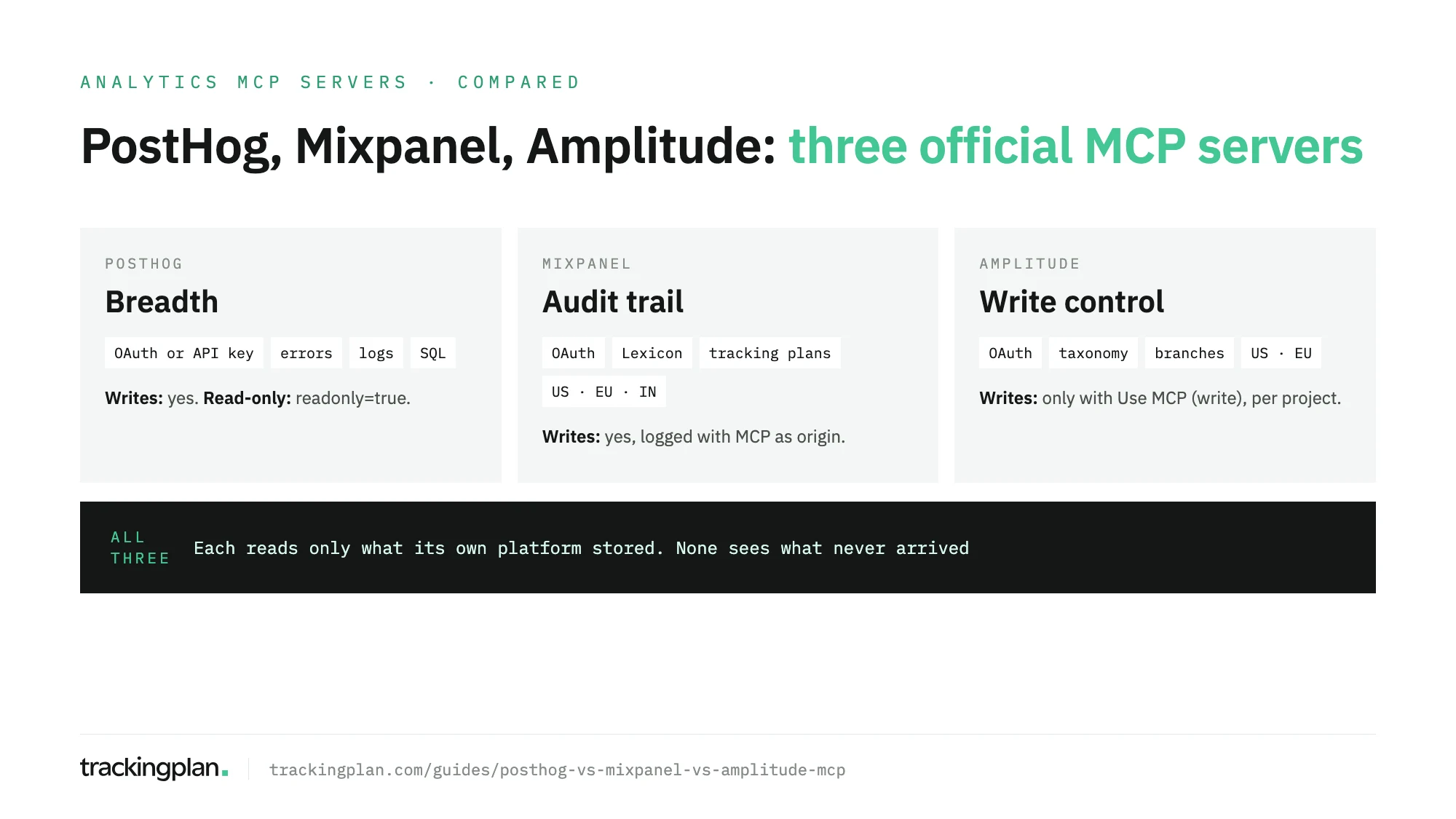
The best one is the one for the platform that already holds your data, because none of them reads another vendor’s projects. Pick by job only when you’re still choosing the platform, or when your team runs more than one.
By job, the short version:
- Product questions in plain language (funnels, retention, segments): all three do it well. Use the one where the events live.
- Debugging from the editor: PostHog. Its server reaches error tracking, logs, session replay and SQL, next to the analytics.
- Tight control over what an agent can change: Amplitude. Read and write are separate role actions, set project by project.
- An audit trail of what the assistant changed: Mixpanel. Every change made through MCP lands in the audit log with MCP as its origin.
- Cleaning up the event taxonomy: Amplitude and Mixpanel both edit the tracking plan from a prompt; Mixpanel also finds duplicate event names and lists data quality issues.
The three servers side by side
| PostHog MCP | Mixpanel MCP | Amplitude MCP | |
|---|---|---|---|
| Publisher | PostHog | Mixpanel | Amplitude |
| Official? | Yes | Yes | Yes |
| Transport | Remote, HTTP | Remote, streamable HTTP | Remote, streamable HTTP |
| URL | https://mcp.posthog.com/mcp, routed to US or EU by your account | https://mcp.mixpanel.com/mcp; EU and India have their own URLs | https://mcp.amplitude.com/mcp; EU has its own URL |
| Auth | OAuth; personal API key with the MCP Server preset if the client can’t do OAuth | OAuth; service accounts (beta) | OAuth; service accounts (Enterprise, or a Plus add-on) |
| Reads | Analytics, dashboards, SQL, errors, logs, replays, flags, experiments, surveys, data warehouse, and more | Insights, funnels, flows, retention, reports, Lexicon, cohorts, experiments, flags, a user’s replays | Charts, dashboards, notebooks, cohorts, experiments, flags, taxonomy, user profiles, replays |
| Writes | Yes, across products | Yes: dashboards, Lexicon, cohorts, tracking plans, experiments, flags | Yes: content, cohorts, experiments, flags, metrics, tracking plan |
| Read-only option | readonly=true parameter or header | Not documented | Role without Use MCP (write) |
| Who enables it | Free to connect; tools that use LLMs need AI data processing on | An org admin, except on Free and Growth accounts created since August 1, 2026 | On by default; admins can block it |
| Documented limits | 480 requests a minute, 4,800 an hour per credential | 600 requests an hour per user | No rate limit published |
Sources: PostHog’s docs, Mixpanel’s docs and Amplitude’s docs.
Setup: one command each in Claude Code
All three are hosted, so setup is the same shape: add a URL, then sign in through the browser. In Claude Code, the commands each vendor documents are:
claude mcp add --transport http posthog https://mcp.posthog.com/mcp -s user
claude mcp add --transport http mixpanel https://mcp.mixpanel.com/mcp
claude mcp add --transport http --scope user Amplitude https://mcp.amplitude.com/mcp
Run /mcp inside Claude Code afterwards to finish each OAuth flow. PostHog also offers npx @posthog/wizard mcp add, which installs the server into several editors at once. In Claude on the web or desktop, Mixpanel and Amplitude are listed connectors in the directory; for Mixpanel’s EU or India regions you add the regional URL as a custom connector instead.
Where each one is stronger
Breadth: PostHog
PostHog’s server exposes PostHog’s whole product, not only analytics: feature flags, experiments, error tracking, logs, SQL, CDP destinations, surveys, support tickets and more. PostHog says the server has hundreds of tools. To keep that from filling the model’s context, most clients get a CLI mode by default, a single exec tool that finds and calls the others on demand. Cursor gets the full list. The features and tools parameters narrow what the session sees.
If the person asking is an engineer who wants the stack trace, the replay and the funnel in the same conversation, this is the server built for that.
Control: Amplitude
Amplitude splits MCP access into two role actions, Use MCP (read) and Use MCP (write), applied per project. An agent running as someone whose role lacks the write action can’t change that project, even if that person is an org admin. Deletes are two-step: the first call lists what would go and the client asks you to confirm. Cohort syncs preview the export before sending it.
Amplitude also has the deepest tracking plan tooling of the three: branches you create, review and merge from a prompt, and deletes that only reach ingestion when the branch is merged into main.
Accountability: Mixpanel
Mixpanel says plainly that a connected assistant can both read and write. What it adds is the trail: every change made through MCP goes into the same audit log as changes made in the app, attributed to the connected account, with MCP as its origin. An org admin can ask about it through the Get-Audit-Log tool (“who deleted a board yesterday?”).
Its Lexicon tools are the most hands-on of the three for taxonomy cleanup: bulk edits of up to 50 events or properties, duplicate-name detection and merging, PII classification, and data quality issues you can list and dismiss. Its documented gaps: Run-Query can’t filter or break down by cohort, doesn’t support profile history (SCD) properties, and doesn’t work with saved metrics. The experiment and flag tools are in open beta.
Context, cost and rate limits
All three let you give the model your definitions before it answers. Amplitude’s get_amplitude_context returns the AI Context your team wrote; Mixpanel’s Get-Business-Context returns business context and vocabulary per org and project; PostHog can run governed metrics from its semantic layer, so “what’s our MRR?” gets one definition every time.
On cost: PostHog says connecting and calling tools is free, though some tools use LLMs internally and are billed as PostHog AI spend. Mixpanel notes that Free plans can hit Query API limits. Amplitude says any existing customer can use its server. On rate limits, PostHog allows 480 requests a minute and 4,800 an hour per credential, Mixpanel 600 an hour per user, and Amplitude publishes no figure.
One practical difference for teams with several projects: a PostHog connection holds one active project, which the agent switches with a tool or you pin per connection, while Amplitude’s tools take a project ID in each call, so you name the project in your prompts.
What none of them can tell you
Each server answers from what its platform stored. That’s where they all stop.
Each one checks some of its own data. Mixpanel lists data quality issues and duplicate names. PostHog runs data quality checks and lists health issues such as outdated SDKs. Amplitude shows unexpected events that reached your project. All of that works on events that arrived. None of it shows the event that stopped firing after a release, a purchase your app sent twice and the platform counted twice, or the same purchase reaching your ad platforms with a different value. The model gets the number, and it has no way to tell a real drop from a broken tag.
So validate the data before you hand it to an agent. Trackingplan watches the requests your website and your iOS and Android apps send to analytics and ad platforms, PostHog, Mixpanel and Amplitude among them, with the dataLayer and the consent signals, on real traffic. Missing properties, dead tags, duplicate fires and orphan events surface as they appear, sent to whoever owns the tag. Its agent answers from that evidence, shows the queries behind each answer, and adds a data quality note when an open issue changes the number.
Trackingplan MCP puts that next to whichever of the three you use, in the same client. Ask the product analytics server for the funnel; ask Trackingplan whether the events behind it fired correctly that week, on every platform, and what the connected ad accounts spent. Each person signs in as themselves, with no API key (setup in the docs), and any change to the plan waits for approval. For the longer argument, see warehouse agents vs tracking agents.
FAQ
Which is best: the PostHog, Mixpanel or Amplitude MCP?
The one for the platform that already holds your data, because each server reads only its own vendor’s projects. If you’re choosing a platform partly for its MCP, PostHog’s covers the most ground beyond analytics (errors, logs, SQL), Amplitude’s gives admins per-project read and write control, and Mixpanel’s logs every change the assistant makes in the audit log.
Are the PostHog, Mixpanel and Amplitude MCP servers official?
Yes. All three are published and hosted by the vendor itself. You connect to a remote URL on the vendor’s domain over HTTP and sign in with your own account through OAuth. The server runs on the vendor’s side, not on your machine.
Can I connect all three MCP servers at once?
Yes. They’re separate servers, so a client such as Claude Code or Cursor can have all three connected, each signed in with its own account. Each one only sees its own platform: the model compares the numbers, but nothing reconciles them for you.
Which of them can be made read-only?
PostHog has a readonly parameter that hides every tool that creates, updates or deletes. Amplitude does it with roles: without the Use MCP (write) action, write calls fail on that project. Mixpanel’s docs describe no read-only mode; the assistant can read and write within the user’s project permissions, and its changes are logged.
Do these MCP servers check that my tracking is correct?
Only partly, and only inside their own platform. Mixpanel can list data quality issues, PostHog can run data quality checks and list health issues such as outdated SDKs, and Amplitude can show unexpected events. None of them sees what your app sent to other platforms, or an event that never arrived.