
Hire an agency or consultant for a Google Analytics audit when the setup itself is in doubt and you need judgment, a plan and someone to fix it. Use a tool when the setup is sound and you need to know the day it breaks.
If revenue or ad spend depends on GA4, you need both: one audit by a person, then checks that keep running after they leave. The Google Analytics audit explains what the audit itself covers; this page is about who should run it.

What a Google Analytics audit service gives you
An audit service is a person or a team who reviews your GA4 property and the tracking behind it, then tells you what is wrong and what to do about it.
What you get back is usually a document. The findings, their priority, the evidence behind each one, and a plan. Some services include the fixes; others hand the plan to your developers.
The value is judgment. A good consultant asks what the business needs to measure before checking whether it is measured. They notice that the lead event fires on every form, including the newsletter, and that the sales team counts only demo requests. No checklist catches that, because the event works exactly as built.
The limit is time. The document describes the setup on the days the audit ran. The next release, the next consent banner update or the next campaign without UTMs starts changing it the following week.
What a GA4 audit tool gives you
A tool checks the implementation for you. There are two kinds, and the difference matters more than any feature list.
- Scanners visit the pages and journeys you define and record what fires. They are fast, and they see only the paths you scripted, in the browser they ran.
- Tools that read real traffic check the hits your visitors actually send, on every browser, market and consent choice. They see the edge cases nobody scripted.
Either way, a tool is good at repetition. It runs the same checks after every release, which is the part people skip. It is bad at deciding what you should measure in the first place.
The GA4 audit tools comparison covers twelve of them, from one-off property checks to continuous monitoring.
When to hire an agency or consultant
A person is worth the cost when the question is about design, not about whether a tag fired.
- You inherited a property and nobody can say why it is built the way it is.
- A migration or redesign is coming, and the tracking plan has to survive it.
- There is no analyst in-house, so nobody can read the findings of a tool and act on them.
- The numbers disagree across GA4, the CRM and the ad platforms, and the cause could be anywhere from the dataLayer to the attribution settings.
- The business changed: a new product, a new market, a new funnel, and the key events no longer match what leadership reports.
- You need a plan agreed by several teams, and an outside voice helps get it signed.
In every one of these, the deliverable is a decision. A tool can supply the evidence; someone still has to make the call.
When a tool is enough
A tool is enough when the design is settled and the risk is drift.
- The tracking plan exists and the team agrees with it.
- Someone in-house can read a finding and fix it in GTM or the dataLayer.
- The site ships often, so the setup changes faster than anyone audits it.
- What you need is to hear about a broken key event the day after the release, not at the next quarterly review.
Here a consultant would charge you to repeat checks a tool can run every day.
When you need both
Most teams with revenue on the line end up here. A one-off audit and continuous monitoring answer different questions.
| One-off audit by a person | Continuous checks by a tool | |
|---|---|---|
| Question it answers | Is the setup right? | Did it change? |
| When | Once, or before a big change | Every day, on real traffic |
| Output | A document and a plan | Findings with the hits behind them |
| Strength | Judgment, context, the business | Coverage, repetition, speed |
| Blind spot | Everything after the last day of the audit | What the business should measure |
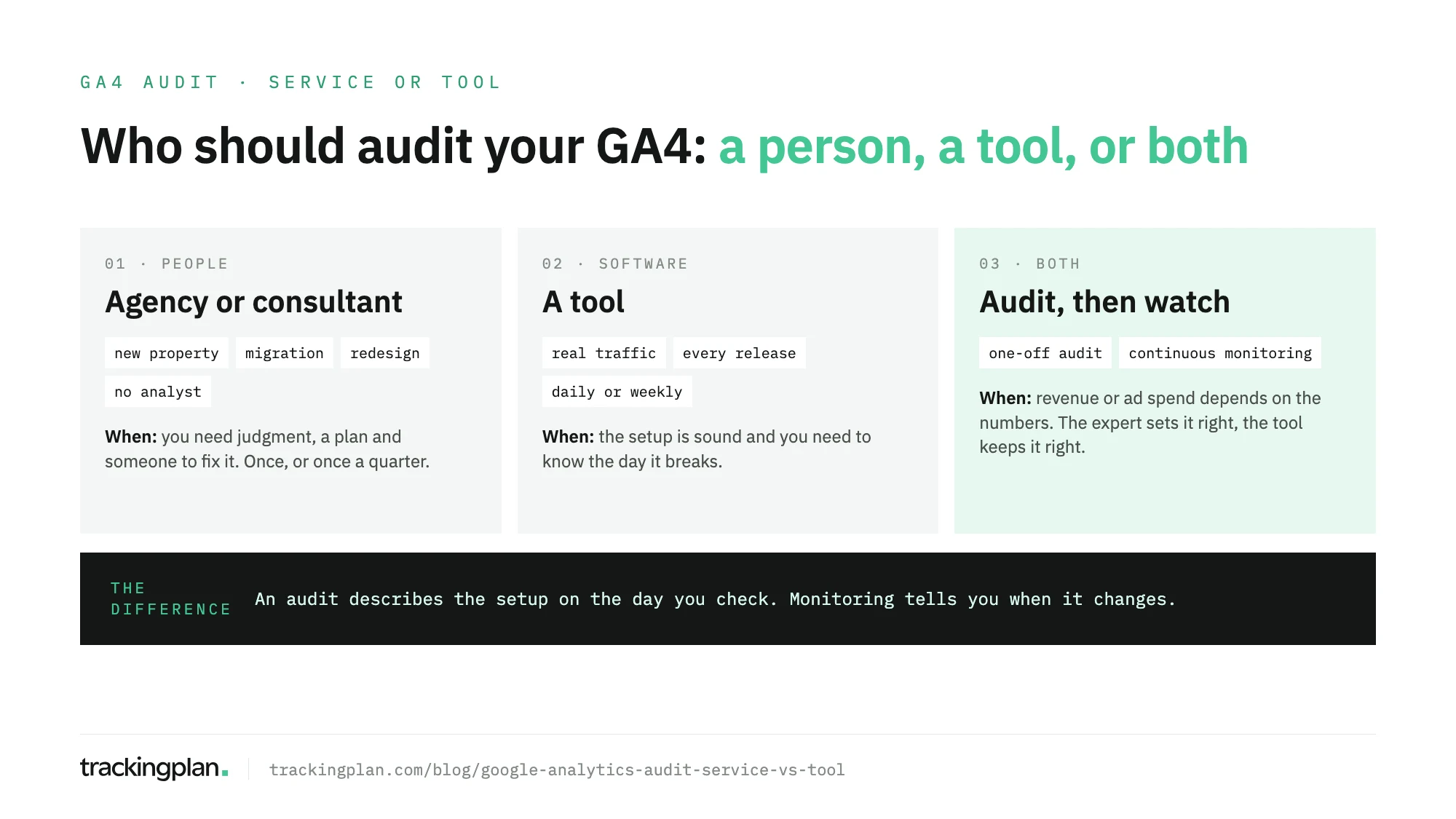
The sequence that works: the expert audits and fixes the setup, writes the plan down, and the tool checks every release against it. When the tool finds something it can’t explain, the expert comes back with evidence instead of starting from zero.
The GA4 audit template is a good handover between the two: the rows the expert agreed with your team are the checks the tool should keep running.
How agencies use a tool to audit their clients
The line between service and tool is blurrier than it looks, because many analytics agencies already use a tool to run the repetitive part of their audits. The stories they tell about it are similar.
The audit used to happen once. Elogia had its own audit methodology for every new client, but the process was manual and ran once, usually at the start of a project or after a major website change. Their story puts the saving from automating that work at 12 hours a month.
The checks ran once or twice a month. At On Top Media, each project got five to six hours of manual data quality checks and debugging. With Trackingplan, the team saves 25 to 30 hours a month.
Some checks were impossible by hand. Fact manages more than 35 client setups, and its founder says checking every scenario manually “could easily take more than 200 hours”. MicroAnalytics says it saves around 4 hours a week across the team.
None of them stopped selling expertise. The tool took the checks nobody wanted to bill for, and the consultants kept the work that needs a consultant. If you run an agency, Trackingplan for agencies shows how that looks across a client portfolio.
What the tool side looks like in Trackingplan
Trackingplan is the tool half of this decision. It reads the hits your real visitors send, learns your GA4, GTM and pixel setup from them, and monitors every event and property from then on.
On top of that, an audit is a conversation with a verdict: OK, Needs attention or Inconclusive. You pick a check from the audit library (important events, consent implementation, the cookie banner, the dataLayer, the UTM naming convention and more) and run it on demand or schedule it daily or weekly.
When something needs attention, the agent investigates before it answers. It names a cause only when two independent pieces of evidence agree, shows the queries behind every answer, and guides the fix in GTM. You can ask it from Claude, ChatGPT or Cursor through Trackingplan MCP.
To try it on your own property, the free GA4 audit runs for 9 days: 2 days learning your setup from real traffic, then 7 days to audit it, with no credit card.
Questions to ask before you hire an audit service
If you do hire a person, these questions separate an audit from a slide deck.
- What evidence will each finding carry? A request, a screenshot, a report link. “Looks misconfigured” is not a finding.
- Which traffic will you check? Your own browser in Preview mode, scripted journeys, or what real visitors send.
- How will you check consent? Across markets and banner answers, or only with everything accepted.
- Are the fixes included? If not, who writes the tickets, and who checks them after the release?
- What happens after the last day? The answer tells you whether you also need a tool.
A good service will answer the last one without getting defensive.
FAQ
Should I hire a Google Analytics audit agency or use a tool?
Hire an agency or consultant when the setup itself is in doubt and you need judgment, a plan and someone to fix it. Use a tool when the setup is sound and you need to know the day it breaks. If revenue or ad spend depends on GA4, you need both.
What does a Google Analytics audit service deliver?
Usually a document: the findings, their priority, the evidence and a plan to fix them, sometimes with the fixes included. It describes the setup on the days the audit ran.
Can a tool replace a GA4 audit agency?
Not for the decisions. A tool can check the implementation on real traffic every day; it can’t decide what your business should measure or agree a tracking plan with your team. It replaces the repetitive checks, not the judgment.
Do agencies use tools to audit their clients’ GA4?
Many do. Agencies such as Elogia, On Top Media, Fact and MicroAnalytics use Trackingplan to check their clients’ tracking continuously, instead of by hand at the start of a project or once or twice a month.