
A LinkedIn Ads audit has two halves: the ads account, and the data it learns from. Most pages on the topic are agencies offering to run one for you. This is the checklist to run it yourself, starting with the data, because every cost per lead comes from the Insight Tag and the Conversions API.
If those are wrong, the rest of the audit is measured on bad data.
The checklist runs in this order: the signal on the site, the click that brings people there, the account in Campaign Manager, and a reconciliation with the CRM.
What a LinkedIn Ads audit covers
A LinkedIn Ads audit reviews four layers, each checked against the next.
| Layer | What you check | Where you look |
|---|---|---|
| Signal | Insight Tag and Conversions API events count once, by rules tied to the right campaigns | Campaign Manager’s conversion breakdown, the site’s network requests, your server logs |
| Click | The ad click reaches the site and the form with li_fat_id and UTMs intact | Ad URLs, URL tracking parameters, landing pages, hidden form fields |
| Account | Structure, objectives, audiences, and attribution windows | Campaign Manager |
| Outcome | LinkedIn’s leads reconcile with the CRM | CRM, Lead Gen Form exports, GA4 |
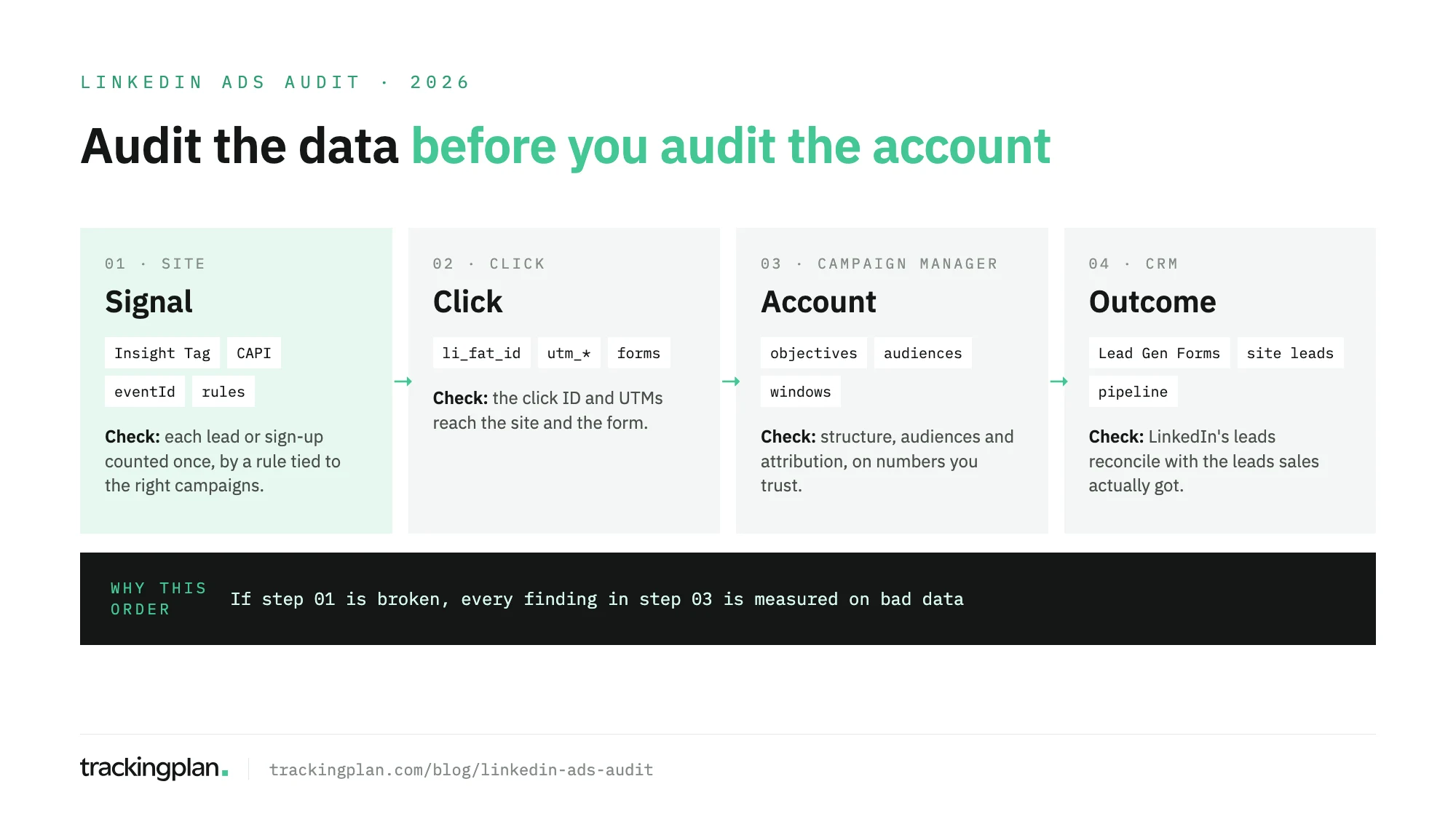
If you only have an hour, spend it on the first layer. A campaign that “stopped generating leads” is often a form that stopped firing its conversion.
Step 1: audit the signal
LinkedIn reports and bids on the conversions you send it. A missing sign-up or a duplicate changes the cost per lead you see.
- Every conversion rule still fires. Trigger each active rule on the live site: demo request, sign-up, download. The LinkedIn Pixel Helper shows the browser side. A rule silent for weeks usually means a rebuilt form or a moved page.
- Each conversion is counted once. If you send the same event through the Insight Tag and the Conversions API, LinkedIn’s documentation on Microsoft Learn asks for one conversion rule per source and the same
eventIdon both copies. When both arrive from the same account with the sameeventId, LinkedIn discards the server event and counts the Insight Tag one. In the conversion breakdown, the Insight Tag conversion should show the higher count; if it doesn’t, check the IDs. - Server events arrive with match keys. LinkedIn’s developer FAQ requires at least one user identifier and recommends sending both a SHA-256 hashed email, lowercased before hashing, and the
li_fat_idclick ID. Only matched events count for attribution. Complete data can take up to 72 hours to reach reports, so don’t audit yesterday’s numbers. - The tag lives only where it should. LinkedIn keeps a list of the domains the Insight Tag has fired on and lets you block unrecognized ones. An unknown domain in that list is a copied tag or a staging site sending data.
- Consent is respected. Browser and server events should follow the visitor’s choice in your consent banner.
Step 2: audit the click
B2B buyers click, leave, and come back days later. The click data has to survive that trip, or the lead reaches the CRM with no source.
- Enhanced conversion tracking is on. With it enabled, LinkedIn’s developer docs say LinkedIn appends
li_fat_idto the landing page URL on every ad click, and the Insight Tag keeps it in a cookie for 30 days from the latest click. It’s on by default for recently created tags, so check it on older ones. The setting is under Measure, Signals manager, Insight Tag. - The click ID reaches the form. Open each active ad, follow it through any redirect, and confirm
li_fat_idand the UTMs are on the final URL. Then check that the form storesli_fat_idin a hidden field, so the server can send it with the conversion. - UTMs aren’t doubled. If Campaign Manager appends URL tracking parameters and the ad URL also carries static UTMs, both end up in the URL. Conversation Ads and Message Ads don’t support the dynamic parameters, so tag their links by hand. A broader UTM tracking audit covers naming across channels.
Step 3: audit the account
Only now do the account findings mean something.
- Read the structure with the current names. LinkedIn’s help center explains that campaign groups were renamed campaigns, and campaigns were renamed ad sets. Reports built on the old names may mislabel levels.
- Objectives match the goal. LinkedIn groups objectives into brand awareness, consideration, and conversions. An ad set chasing demo requests on a website visits objective optimizes for the wrong thing. Duplicating a legacy ad set keeps the old objectives.
- Conversion rules are attached. A conversion rule only reports on the campaigns associated with it. A new ad set that isn’t attached to the rule shows spend and no conversions.
- Attribution windows match. LinkedIn’s Marketing API reference sets each rule’s defaults at 30 days after a click and 7 after a view, with 1, 7, or 30 allowed. By default a conversion counts once for each campaign it can be attributed to, so campaign totals can exceed real leads.
- Audiences are populated. Website retargeting segments need at least 300 members before a campaign using them starts serving. A segment stuck below that often points to a tag that stopped firing.
Step 4: reconcile with the CRM
Pull leads from Campaign Manager, GA4, and the CRM for the same date range, and split them into two kinds.
Lead Gen Form leads are submitted on LinkedIn, prefilled from the member’s profile. They don’t pass through your site, so the Insight Tag and GA4 don’t see them, and they reach the CRM only through a sync or a CSV export. A gap between Campaign Manager’s form leads and the CRM means the sync is broken.
Website leads go through the tag, the click ID, and the attribution window. Some gap is normal: LinkedIn counts view-through conversions and credits each campaign, and GA4 does neither. What isn’t normal is LinkedIn reporting more leads than the CRM received, or a gap that jumps from one week to the next. Those go back to Step 1.
Close the loop the other way too: the Conversions API accepts the Lead Gen Form response as an identifier and has qualified, marketing qualified, and sales qualified lead conversion types, so the CRM can tell LinkedIn which leads became pipeline.
Keeping it true after the audit
An audit describes one day. The next release can rebuild the form, drop the hidden li_fat_id field, or remove the Insight Tag from the thank-you page. Campaign Manager won’t flag it, and the campaign keeps bidding on the broken signal.
Trackingplan watches that signal on real traffic. For LinkedIn, it checks conversions, values, click IDs, and match keys, and it compares the same conversion across the Insight Tag, GA4, and the other ad platforms. When a server-side Google Tag Manager container forwards a conversion to LinkedIn, it reads the consent state the container copied from the browser.
It also reads spend, campaigns, and platform-reported conversions from LinkedIn Ads and ten other ad networks. That is how it flags clicks that arrive without UTMs, conversions LinkedIn counts that the site never sent, and campaigns that spend without traffic.
Gaps come quantified in money and go to whoever owns the tag. Trackingplan doesn’t bid or change campaigns; it checks the data the bidding learns from. The pixel checker shows which pixels fire on real traffic, and the LinkedIn integration lists what it reads.
FAQ
What is a LinkedIn Ads audit?
A LinkedIn Ads audit is a structured review of a LinkedIn Ads account and the conversion data it learns from. It checks the Insight Tag and the Conversions API, the ad click as it reaches the site, the account structure, audiences and attribution settings, and whether LinkedIn’s leads reconcile with the leads in your CRM.
How does LinkedIn deduplicate Insight Tag and Conversions API events?
You create one conversion rule per source, browser and server, and send the same eventId with both copies of the event. When LinkedIn receives both from the same account with the same eventId, it discards the Conversions API event and counts the Insight Tag one.
What is li_fat_id?
li_fat_id is LinkedIn’s first-party click ID. With enhanced conversion tracking on, LinkedIn adds it to the landing page URL on every ad click, and the Insight Tag keeps it in a cookie for 30 days from the latest click. Sent through the Conversions API, it helps LinkedIn match the conversion to the member.
Why don’t LinkedIn leads match my CRM?
Lead Gen Form leads are submitted on LinkedIn, so they never reach your site or its tags, and they land in the CRM only if a sync or a CSV import puts them there. Website leads depend on the tag and the attribution window. Compare the two kinds separately.