
Your PPC campaigns can look healthy inside Google Ads and still be leaking money underneath. Poor account structure alone can drive up to 30 to 50% wasted ad spend in disorganized campaigns, according to PPC Geeks’ 2025 checklist findings, which also note better-structured accounts tend to show Quality Scores around 7/10 or higher instead of 4 to 5/10 in weaker setups, often with 20 to 40% lower CPC (PPC Geeks PPC audit checklist). But structure is only part of the problem.
The bigger issue is that many teams keep optimizing what they can see, while significant damage sits in tracking, attribution, consent handling, and data quality. Embryo’s PPC audit guidance reports inaccurate conversion tracking shows up in 70 to 80% of audited accounts, and revenue discrepancies between ad platforms and CRM data exceed 20% in 65% of audits (Embryo PPC audit guide). If your inputs are broken, your bidding strategy is not smart. It is just automated guesswork.
That is why a useful ppc audit checklist cannot stop at bids, keywords, and ad copy. It has to inspect the data infrastructure underneath the campaigns. Broken pixels, corrupted UTMs, missing offline conversions, consent errors, and schema drift do not always create obvious failures. Often, they subtly distort decision-making. Teams keep scaling, dashboards keep updating, and no one notices that the numbers are no longer trustworthy.
This checklist focuses on the silent ROI killers that standard campaign reviews often miss. It is built for analysts, performance marketers, agencies, and engineering teams who need to know whether paid media data can support optimization. If the answer is no, everything downstream gets weaker. Budgets get misallocated. Automation learns from bad signals. Reporting becomes harder to defend.
1. Campaign Tagging and UTM Parameter Validation
Campaign data breaks long before anyone notices a dashboard problem. It usually starts with a small naming inconsistency. One manager uses utm_medium=cpc, another uses paid-search, and LinkedIn traffic lands under a different convention entirely.
That creates messy attribution, fractured channel reporting, and poor platform comparisons. In practice, teams then start arguing over which report is right instead of fixing the source of the problem.

What to inspect
Audit every active PPC destination URL and exported landing page list. Check for:
- Consistent source values: Google, Microsoft, LinkedIn, and Meta should follow one naming logic.
- Stable medium rules: If paid search is
cpc, keep itcpceverywhere. - Clean campaign names: Use one documented pattern so campaign names can be grouped and filtered reliably.
- Case discipline: Uppercase and lowercase splits create unnecessary reporting duplicates.
- Redirect safety: Confirm the final URL preserves campaign parameters after redirects.
A lot of teams think this is housekeeping. It is not. BigLinden notes that unstandardized UTM parameters and disabled auto-tagging are common causes of conversion discrepancies, while healthier accounts keep data gaps below 10% when implementation is aligned (BigLinden PPC audit checklist).
One practical standard is simple: lowercase only, underscores instead of spaces, and one naming format such as product_channel_offer_period. If you need a framework, Trackingplan’s guide to UTM parameter best practices is useful because it pushes teams toward validation, not just documentation.
What works in practice
Document the convention in one place and make campaign launch depend on it. Spreadsheets help at the start, but they fail once agencies, regional teams, and paid social managers all touch URLs.
The fastest fix is not another cleanup project. It is a naming rule that catches bad UTMs before traffic goes live.
A common scenario involves a SaaS team running Google Ads, Microsoft Ads, and LinkedIn with slightly different medium and campaign labels. Nothing looks broken in-platform, but blended reporting becomes unreliable, and assisted conversion analysis turns into manual cleanup. That is exactly the kind of quiet failure this ppc audit checklist should catch early.
2. Conversion Pixel Integrity and Missing Pixel Detection
A conversion tag that fires incorrectly is often worse than a missing tag. Missing data usually creates a visible drop. Bad data feeds the bidding system false wins, and the account starts optimizing toward noise.
I audit pixel integrity at three levels. Does the event fire at the right moment. Does it send the right payload. Does the ad platform record the same conversion the site intended to send. If any of those fail, reported CPA and ROAS stop reflecting reality.
Where pixel checks break down
A quick browser test catches only the obvious failures. It does not confirm whether the event was tied to the right trigger, whether deduplication works, or whether the platform accepted and attributed the conversion correctly.
Recent implementation changes deserve extra scrutiny. GTM container edits, checkout rebuilds, consent manager updates, form vendor swaps, and single-page app routing changes are common causes of silent pixel loss. The tag may still appear in the page source while the conversion event stops firing on the essential success state.
Use a process that compares all three layers: browser event, tag manager logic, and platform receipt. Trackingplan lays out a solid workflow in its guide on how to audit marketing pixels for accurate analytics.
What to verify in a real audit
Check these failure modes first:
- Missing fires: No conversion request is sent after a valid form submit, purchase, or booked demo.
- Wrong triggers: The event fires on button click, field focus, page load, or intermediate steps instead of the confirmed success action.
- Duplicate fires: Refreshes, SPA route changes, multiple containers, or thank-you page reloads create extra conversions.
- Payload gaps: Value, currency, transaction ID, event ID, or consent signals are blank or malformed.
- Platform mismatch: GA4 shows the event, but Google Ads, Meta, or LinkedIn never records it, or records a different count.
For lead generation accounts, I also check whether the conversion action matches business acceptance criteria. A raw form submit is often tracked as a primary conversion even when half the leads are spam, duplicates, or unqualified. That is a measurement problem first, and a media problem second.
A common failure looks like this. A team moves from hardcoded tags to GTM, preserves pageview tracking, but loses the lead completion trigger tied to the thank-you state. Spend continues, lead volume in platform reporting drops, and the paid team starts changing bids and audiences to solve what is a broken implementation.
How disciplined teams validate pixels
Start with controlled test conversions. Submit known test leads, complete a low-value purchase if possible, and log the exact timestamp, source, and expected event details. Then verify the event in the browser, in GTM preview, in GA4 or the data layer, and inside the ad platform interface. The counts do not need to match instantly, but the event path should be explainable at every step.
For B2B and SaaS programs, offline conversion tracking deserves its own check. If CRM stages, qualified lead events, or closed-won outcomes never make it back to Google Ads or Meta, automated bidding is optimizing on shallow signals. That usually inflates lead volume while sales quality falls.
Pixel audits also have a compliance angle. Conversion payloads can expose form inputs, internal identifiers, or other sensitive values if event parameters are poorly configured. Stakeholders who need the business case for tighter controls can use the cost of a data breach and prevention tips to frame the risk beyond marketing.
The practical standard is simple. Treat every conversion tag as part of your data infrastructure, not as a campaign setting. If the event cannot be tested, reconciled, and trusted, it should not be feeding optimization.
3. PII and Sensitive Data Exposure Audit
PII leaks break more than compliance. They contaminate attribution data, create legal exposure, and push bad data into the systems bidding on your media.
This is one of the quiet failures that standard PPC audit checklists miss. An account can show healthy conversion volume while email addresses, phone numbers, customer IDs, or other sensitive values are being passed through URLs, event payloads, or third-party tags. Once that data reaches ad platforms or analytics tools, cleanup gets slow and expensive.
A proper audit starts with data flow, not campaign settings. Check what enters the browser, what gets written into the data layer, what tags transmit, and what each platform stores.
Where PII leaks usually happen
The common failure points are predictable:
- URL parameters: Lead forms, redirects, and thank-you pages often expose email addresses, phone numbers, or internal record IDs in the query string.
- Event properties: Developers send raw form values for testing, then those values stay in production events.
- Data layer pushes: Lead and checkout events can include fields that are useful to internal systems but inappropriate for analytics and ad tools.
- Third-party scripts: Chat widgets, embedded forms, session replay tools, and heatmap vendors can capture data your paid team never intended to share.
I see one pattern repeatedly in lead generation accounts. A form submission redirects users to a confirmation page that includes the customer email in the URL. Google Ads still records the conversion. Meta still receives the event. Reporting looks fine until legal, security, or a platform policy review finds the leak.
What to check in the audit
Review live page URLs during test submissions. Inspect the network requests for Google Ads, GA4, Meta, LinkedIn, and any call tracking or CRM scripts. Read the data layer objects directly instead of trusting a tag manager summary. Then confirm that custom dimensions, event parameters, and offline upload files are not carrying raw identifiers.
The standard I use is simple. Allow only the fields that are required for measurement and activation. Everything else gets excluded by default.
That means raw email addresses, phone numbers, payment details, health data, and government identifiers should not pass into ad platforms or standard analytics fields unless there is a specific, documented, compliant reason and an approved implementation path.
Consent matters here too, but the bigger operational issue is governance. Teams often check whether tags fire and stop there. They do not inspect the payload itself. That is how a tracking setup can look functional while the underlying data pipeline is unsafe and unreliable.
If you need a broader business argument for prioritizing this work, this explainer on the cost of a data breach and prevention tips is a useful non-technical reference for stakeholders outside analytics.
If your PPC data looks accurate only because nobody inspected the payloads, you do not have a clean implementation. You have an an unverified one.
The trade-off is real. More granular data can help debugging and audience building. It also increases the chance that someone passes data the platform should never receive. Strong teams choose narrower, cleaner payloads because they protect both performance and control.
4. Traffic Anomaly and Pattern Detection
Traffic anomalies destroy PPC efficiency faster than bid changes do, because bad traffic trains the platform on the wrong signals before anyone notices.
This part of the audit is about data integrity, not just performance monitoring. Spend can look healthy while the traffic mix degrades, sessions stop matching clicks, or a redirect change sends paid users into a broken path. By the time ROAS drops in the dashboard, the underlying issue has often been live for days.
The review starts below campaign totals. Segment by device, geography, campaign, landing page, hour, and network. Those cuts expose whether the problem is isolated or systemic. A click spike from one region with no engagement points to routing, fraud, or targeting drift. A conversion-rate collapse on one landing page usually points to page changes, broken events, or consent interference, not bidding.
I look for patterns like these:
- Clicks rise while engaged sessions stay flat or fall
- One geography or placement starts spending with no downstream conversion activity
- Traffic shifts toward after-hours windows with behavior that does not look human
- Conversion rate drops immediately after a release, redirect update, or CMP change
- Branded campaigns start pulling low-intent search terms or irrelevant placements
- A single device category shows abnormal bounce rate, session depth, or event completion
The point is not to collect anomalies. It is to isolate the failure mode fast.
That requires a response playbook. If traffic increases but engagement does not, verify final URLs, redirect chains, landing page uptime, and analytics session starts before touching bids. If one segment spends with no conversions, check search terms, placements, geo settings, and exclusion lists. If conversion rate falls after a site change, compare the pre-release and post-release path, including page speed, form behavior, consent logic, and event firing.
A common failure looks like a media problem but is an infrastructure problem. A retail advertiser changes URL mapping during a site update. Ads keep serving. Clicks still arrive. Sessions still appear in analytics. Purchase rate drops because paid users are landing on a variant page with a weaker checkout flow and a missing purchase event. The platform now sees lower-quality traffic and starts optimizing against corrupted feedback.
This is why anomaly detection belongs in a PPC audit checklist. It catches the silent ROI killers that standard account reviews miss. If you only audit settings inside Google Ads or Meta Ads, you will miss the traffic quality shifts and tracking breaks that poison optimization upstream.
5. Event Schema and Data Property Validation
Broken event schema poisons PPC optimization even when conversions still appear to be tracking.
Paid media teams usually catch missing tags. They miss the quieter failure. Events keep firing, but the payload changes just enough to corrupt revenue reporting, audience logic, and bidding signals. Purchase hits arrive without value. Lead events pass a new field name that no downstream report expects. Currency formatting shifts by market and turns clean revenue into unusable text.
This belongs in a PPC audit because campaign settings cannot compensate for bad input data. If Google Ads, Meta, or your BI layer receives inconsistent event properties, automated bidding keeps optimizing against partial truth.
Validate the payload, not just the event name
A purchase event is only useful if the attached properties are complete, correctly typed, and stable across devices, templates, and releases. The same rule applies to lead generation. A generate_lead event with no lead type, no form identifier, or no qualification flag gives the platform a weak signal and gives analysts very little to segment later.
The audit should check four things first:
- Required properties are always present. Common examples include order ID, value, currency, product or service category, lead type, and form ID.
- Data types stay fixed. Revenue should remain numeric. IDs should remain strings if downstream tools expect strings.
- Accepted values stay normalized.
USD,usd, and$should not all appear for the same currency field. - Property names do not drift after releases. A renamed parameter can break reporting for weeks if nobody compares the old and new payloads.
Version control matters here. Keep an event dictionary with event names, required properties, allowed values, data types, and destination mappings. Then test live traffic against that spec after every release, checkout change, CMS update, or app-web handoff update.
Where schema drift hurts PPC most
The highest-risk fields are the ones platforms use to make optimization decisions. Revenue is obvious, but it is not the only one. Lead score, product category, subscription term, quote value, customer type, and transaction ID all affect how performance is interpreted.
A common failure looks small in the tag debugger and expensive in the ad account. Desktop purchase events send value. Mobile purchase events send revenue_amount after a frontend update. Conversions still show up, but only part of the account carries usable value. ROAS bidding starts favoring the wrong traffic because the input is incomplete, not because the campaign structure is wrong.
That is the silent killer this checklist is built to catch.
What to review in practice
A useful schema review is not a giant governance exercise. It is a short set of checks tied to business outcomes:
- Compare payloads across desktop, mobile web, app webviews, and key browsers.
- Test high-value events at each critical step, such as product view, add to cart, lead start, lead submit, checkout, and purchase.
- Confirm transaction IDs are unique and consistently passed to every destination that uses deduplication.
- Check whether value, currency, and quantity persist through promo flows, localization, and one-click payment methods.
- Verify custom dimensions and event parameters still map correctly inside analytics and ad platforms.
- Review release logs for renamed fields, deprecated parameters, or newly optional properties.
If the account depends on value-based bidding, schema validation is not optional. It is the control that keeps automation pointed at business value instead of malformed event data.
This is one of the least glamorous items in a ppc audit checklist. It is also one of the fastest ways to stop bad data from distorting spend decisions.
6. Ad Platform Pixel Sync and Data Loss Detection
A PPC account can have clean on-site tracking and still feed weak signals into Google Ads or Meta. That failure sits below the campaign layer, but it changes bidding behavior fast. If the platform receives partial value data, delayed conversions, or the wrong event mix, automation optimizes against a distorted version of the business.
The audit here is simple in principle. Reconcile what the site, CRM, and ad platform each believe happened for the same click paths and time periods. For ecommerce, compare orders and revenue captured on-site against the conversions and values received by each ad platform. For lead gen, compare raw form fills, qualified leads, and any offline outcomes imported back for bidding. The point is not perfect parity. The point is to find where signal loss starts and whether that loss is large enough to change spend decisions.
What to check first
Start with the mechanics that create drift between systems:
- Conversion windows and attribution settings
- Consent filtering differences between analytics, tag manager, and ad platforms
- Client-side events firing without their server-side counterpart, or the reverse
- Revenue or lead value reaching analytics but not the bidding platform
- Offline conversions stuck in the CRM and never sent back to Google Ads or Meta
- Deduplication failures caused by missing transaction IDs or event IDs
- Timezone and currency mismatches that make totals look wrong even when counts match
These are infrastructure issues, not reporting quirks. They decide which users the platform goes after next.
A common failure pattern shows up in B2B accounts. Marketing records every form submit as a conversion. Sales qualifies only a fraction of them in the CRM. No qualification status or pipeline value is sent back to the ad platform. Bidding then chases the cheapest form fills, because that is the only success signal it can see. Spend rises, lead quality falls, and the root cause gets misdiagnosed as targeting or ad copy.
How to detect real data loss
Pull a recent sample of conversions and trace them end to end. Pick a period with stable spend. Match platform-reported conversions against source-of-truth records from the site or CRM. Then break the gap down by device, browser, geography, landing page type, and consent state.
Patterns matter more than account-wide averages. If iOS Safari is underreporting, if imported offline conversions lag by a week, or if one checkout flow drops purchase value on mobile, the account will not fail evenly. It will bias automation toward the parts of traffic that still send complete data.
A practical threshold is consistency, not perfection. Small variance is normal. Unexplained gaps that cluster around specific devices, flows, or event types need action.
What good remediation looks like
Fixes usually involve infrastructure, not campaign settings:
- Align primary conversion definitions across analytics, CRM, and ad platforms.
- Pass stable transaction IDs and event IDs for deduplication.
- Confirm value and currency are included in every purchase or qualified lead event sent to bidding platforms.
- Shorten offline conversion import delays where possible.
- Validate consent behavior so one system is not suppressing events that another still counts.
- Monitor browser and domain-level loss rates after releases, payment changes, or CMP updates.
This section is where a ppc audit checklist should stop acting like a media checklist and start acting like a data reliability audit. Pixel sync problems rarely announce themselves with obvious errors. They show up as rising CPA, unstable ROAS, and bidding systems learning from incomplete feedback. Catch that early, and the rest of the account becomes easier to trust.
7. Cross-Domain Tracking and Redirect Verification
Cross-domain breaks are one of the fastest ways to poison PPC reporting without triggering an obvious alert. Spend, clicks, and even conversions can still appear in the interface. What fails is the identity chain that ties the ad click to the final conversion.
This usually shows up after a handoff. A shopper lands on the marketing site, moves to a checkout on another domain, opens a booking widget hosted by a vendor, or submits a lead form inside an embedded tool. If client IDs, click IDs, or session parameters do not survive that transition, attribution gets rewritten mid-journey.
Audit the full paid path, not just the landing page:
- Landing page domain and subdomain
- All redirects before the page loads
- Checkout, scheduler, form, or app host
- Confirmation page domain
- URL parameter retention across each step
- Referral exclusions and cross-domain linker configuration
The test itself needs to be manual at least once. Click a live ad or use a tagged URL. Go through the exact redirect sequence a user sees. Then inspect the browser, analytics debugger, and network requests to confirm that UTM parameters, gclid or wbraid, client identifiers, and session state persist from first click through conversion.
A common failure pattern is www.brand.com sending paid traffic to app.brand.com or a third-party checkout. The conversion event still fires, so the problem gets missed. Analytics starts a new session, self-referrals appear, or the conversion is attributed to direct traffic instead of paid search.
Redirects deserve their own check because they often strip the very parameters bidding systems need. JavaScript redirects, link shorteners, payment gateways, and geo-routing tools can all interfere with click IDs. If you care about calculating marketing ROI, this is not a reporting detail. It determines whether revenue is credited to the campaigns that produced it.
I treat any self-referral from a checkout, app, or form domain as a hard warning. It usually means the infrastructure is splitting the journey into separate sessions. Paid media teams see weaker ROAS, analysts see source inflation, and engineering sees a working page because the page still loads.
Good remediation is technical and specific:
- Add cross-domain measurement between every owned domain involved in the conversion path.
- Preserve UTM parameters and ad click IDs through server-side and client-side redirects.
- Configure referral exclusions only after validating linker behavior.
- Test embedded tools and hosted checkout providers after any release or vendor change.
- Confirm the thank-you page receives the same identifiers that existed on the first paid click.
This part of a ppc audit checklist catches silent ROI loss. Campaign settings do not fix a broken handoff. Clean attribution starts with a click path that stays intact from ad to conversion.
8. Campaign Performance Dashboard and KPI Calculation Audit
Bad KPI logic can make a healthy account look broken, or hide the underlying reason ROI is slipping. By the time a dashboard issue shows up in a budget meeting, the underlying problem has usually been live for weeks.
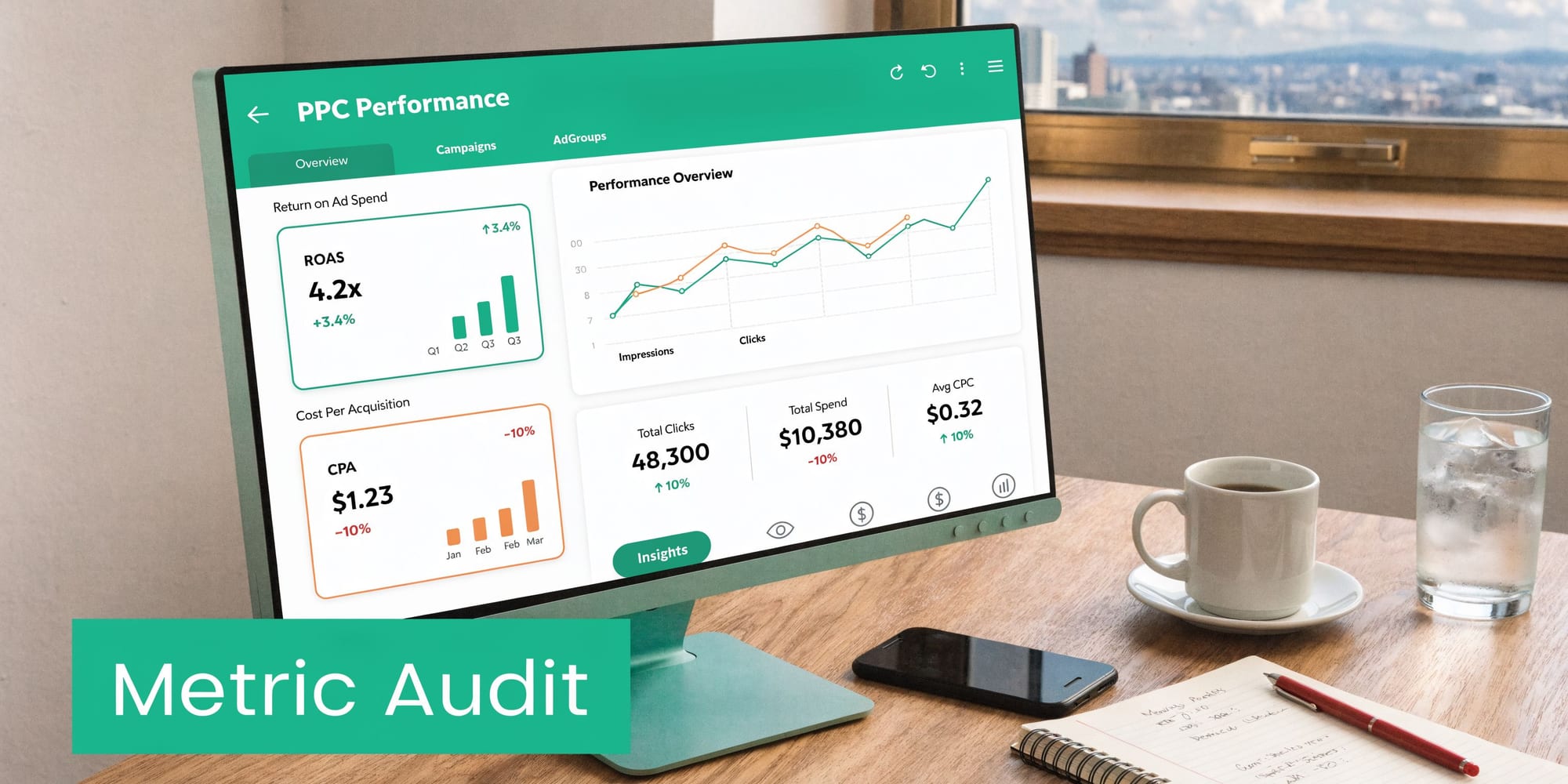
This audit is not about chart design. It is about whether the numbers are built from the right inputs, with the right formulas, under the right attribution rules.
I see the same failure pattern in paid media audits. Google Ads revenue is pulled into one dashboard, GA4 purchase revenue into another, and CRM opportunity value into a third. All three get labeled ROAS. Then teams argue about performance when the core issue is metric definition drift.
Start with the KPIs that drive spend decisions:
- ROAS
- CPA or CPL
- Conversion rate
- CTR
- Revenue by campaign
- Qualified lead rate when CRM data is involved
For each one, document four things: the source system, the formula, the attribution model, and the owner. If one of those is unclear, the KPI is not ready for decision-making.
Then test the math. Compare dashboard output against native platform reporting and against analytics or CRM totals for the same date range, conversion action, and attribution setting. Small gaps can be normal. Unexplained gaps are not. A dashboard that blends click-date cost with conversion-date revenue will distort efficiency. A report that divides spend by all leads while sales only accepts a subset will understate acquisition cost at the stage the business cares about.
Here, the data infrastructure angle matters. Dashboard errors often start upstream. A renamed event breaks a Looker Studio field. A currency mismatch inflates revenue after a market expansion. A deleted custom definition turns qualified lead rate into null values, and the chart still renders so no one notices. The interface looks polished while the decision layer is compromised.
One common example is a DTC brand reporting blended ROAS in a BI dashboard from analytics revenue while the paid team manages bids against platform-attributed conversion value. Both views can be valid. They are not interchangeable. Use one for operational bidding, one for business reporting, and label them clearly.
If stakeholders need a plain-language reference for formula logic, this piece on calculating marketing ROI is a useful baseline.
My rule is simple. A dashboard is a model, not evidence. Audit the inputs, definitions, and calculations before you trust the conclusion.
9. Consent and Cookie Configuration Compliance Audit
Consent configuration affects bidding, attribution, audience building, and legal risk. If that layer is wrong, the account can look healthy while the measurement behind it is compromised.
Audit consent on the live site, in the browser, and by region. A tag manager preview is not enough. The essential test is what fires on page load, what changes after acceptance, what stays blocked after rejection, and what happens when a user withdraws consent later.
Review these points first:
- Do non-essential tags stay blocked until consent is granted
- Does the consent state pass correctly to Google tags and other ad platforms
- Does site behavior change by geography where it should
- Can a visitor revoke consent and stop future tracking
- Do server-side events follow the same consent status as browser-side tags
The failure pattern is usually messy, not obvious. I often see a CMP banner that looks fine to a marketer, while analytics cookies still drop on first pageview, remarketing tags fire before action, or server-side purchase events continue even after opt-out. The UI says one thing. The network calls say another.
That gap matters because consent errors create two different problems at once. First, they expose the business to compliance risk. Second, they pollute performance data. If platform tags fire without aligned consent signals, modeled conversions, audience eligibility, and attribution logic become harder to trust.
A strict setup will usually reduce observable user-level data in some markets. Accept that trade-off. Clean, governed measurement is more useful than inflated numbers collected through broken consent logic.
One recurring case is an international retailer running one CMP across multiple domains with uneven implementation. EU visitors get partial blocking, US visitors get a different default state, and backend event forwarding ignores both. The result is not just a legal concern. It creates regional reporting bias, weakens audience consistency, and makes performance swings harder to explain.
The audit standard is simple. Consent status must control every collection path, not just the banner experience users see.
10. Third-Party Tag Management and Tag Loading Audit
Tag bloat breaks PPC measurement long before anyone notices a reporting issue.
A landing page can load analytics, ad pixels, chat tools, testing scripts, session replay, affiliate code, review widgets, and form vendors in the first few seconds. Each one competes for browser time, network priority, and execution order. The result is rarely a full outage. It is quieter than that. A conversion event fires late, a form submit listener misses, a pixel loads after the redirect, or a vendor script blocks the main thread long enough to distort page behavior and attribution.
This audit is less about marketing tooling and more about data infrastructure. Third-party tags often become the silent killers of ROI because they introduce latency, race conditions, and duplicate collection paths that standard PPC checklists never inspect.
Build a tag inventory that answers operational questions
Start with the tag manager container, then verify against the network requests in the browser. Those two views often do not match. Hardcoded scripts, plugin-injected tags, and legacy pixels commonly sit outside GTM or Adobe Launch and keep firing after the team assumes they were retired.
For each tag, document five fields:
- Business purpose: What decision or workflow depends on this tag
- Owner: Which team approves changes and validates output
- Load method: Tag manager, hardcoded, plugin, or vendor-managed
- Trigger and timing: Pageview, DOM ready, window loaded, click, submit, custom event
- Failure risk: Can it delay forms, duplicate events, overwrite dataLayer values, or break attribution
Ownership matters because unused tags rarely look obviously broken. They just keep collecting, slow down the page, and create noise in debugging.
Check load order, not just tag presence
A tag can exist and still be wrong.
The practical test is sequence. Verify which scripts load before the conversion action, which depend on consent state, which write to the dataLayer, and which attach listeners to the same button or form. If two vendors hook into the same interaction, the later script may overwrite parameters, delay navigation, or suppress the event needed.
Common failure patterns include:
- A chat widget loading before the primary form and shifting mobile layout
- A session replay tool capturing heavy DOM changes and delaying interaction events
- An affiliate or call-tracking script rewriting URLs and stripping campaign parameters
- A legacy remarketing pixel firing on every page with outdated rules
- Two analytics libraries sending the same conversion under different event names
These are implementation problems, not media problems. If the page infrastructure is unstable, bid strategy and creative testing sit on top of bad inputs.
Remove tags that no longer earn their place
The first cleanup wins are usually old remarketing tags, expired vendor pixels, duplicate analytics helpers, and tools added for one test that never got removed. Every extra script adds a cost. Sometimes it is page weight. Sometimes it is event conflict. Sometimes it is a legal and procurement issue because a vendor still receives user data with no current business need.
I treat tag removal like budget reallocation. If a script does not support reporting, experimentation, audience building, or a live business process, remove it and confirm the network call is gone.
A common example is a lead-gen page where a chatbot loads early, steals focus on mobile, and interferes with form completion timing. Paid performance drops. The account team starts changing bids and copy. The core issue sits in the browser waterfall.
A clean tag stack gives the PPC team something more valuable than extra tooling. It gives them measurement they can trust.
10-Point PPC Audit Checklist Comparison
| Title | Implementation Complexity | Resource Requirements | Expected Outcomes | Ideal Use Cases | Key Advantages |
|---|---|---|---|---|---|
| Campaign Tagging & UTM Parameter Validation | Low–Medium; policy + validation rules | Naming standards, validation tooling, stakeholder alignment | Consistent attribution; fewer tagging errors | Multi-channel PPC, agencies, large campaign inventories | Prevents data fragmentation; improves attribution accuracy |
| Conversion Pixel Integrity & Missing Pixel Detection | Medium; tag-level access and testing | Pixel access, staging environment, monitoring tools | Detects broken/misfiring pixels; accurate conversion counts | E‑commerce and lead-gen with multiple conversion tags | Rapid failure detection; prevents lost/underreported conversions |
| PII & Sensitive Data Exposure Audit | Medium–High; pattern detection & compliance checks | PII scanners, legal/compliance input, consent integration | Blocks sensitive leaks; regulatory compliance evidence | Healthcare, finance, regulated industries | Reduces fines and reputational risk; protects customer data |
| Traffic Anomaly & Pattern Detection | Medium–High; ML baselines and tuning | Historical data, anomaly detection models, alerting | Early detection of fraud/technical issues; budget protection | High-traffic accounts, large ad spend environments | Detects click fraud quickly; enables rapid response |
| Event Schema & Data Property Validation | Medium; schema design & enforcement | Schema registry, developer effort, versioning tooling | Consistent event payloads; reliable dashboards | Event-driven analytics, complex tracking implementations | Prevents pipeline failures; ensures data consistency |
| Ad Platform Pixel Sync & Data Loss Detection | Medium–High; cross-platform reconciliation | Ad platform API access, reconciliation reports, monitoring | Reduced sync gaps; correct conversion values sent to platforms | Multi-platform advertisers using automated bidding | Ensures conversion sync; improves bidding/ML accuracy |
| Cross-Domain Tracking & Redirect Verification | High; session persistence across domains | Server-side work, cookie/config changes, end-to-end testing | Preserved sessions; accurate cross-domain attribution | Multi-domain flows, third-party checkout or subdomains | Prevents attribution loss; improves funnel accuracy |
| Campaign Performance Dashboard & KPI Calculation Audit | Medium; formula validation and reconciliation | BI tools, access to source data, analyst time | Accurate KPI calculations; consistent stakeholder reporting | Teams relying on dashboards for budget/optimization decisions | Prevents misallocation; ensures metric consistency |
| Consent & Cookie Configuration Compliance Audit | Medium; CMP integration and policy mapping | CMP, legal review, ongoing CMP management | Compliance with GDPR/CCPA; documented consent signals | Global audiences, privacy-sensitive businesses | Avoids regulatory fines; preserves user trust |
| Third-Party Tag Management & Tag Loading Audit | Medium; dependency mapping and performance tuning | Tag inventory tools, performance monitoring, dev resources | Reduced page slowdown; fewer tag conflicts | Pages with many vendor tags; performance-sensitive sites | Improves page speed; removes redundant or conflicting tags |
From Audit to Automation Building a Resilient PPC Engine
A strong ppc audit checklist does more than clean up campaigns. It establishes whether your paid media system deserves trust.
That distinction matters. Most PPC teams do not struggle because they forgot to test ad copy or review search terms. They struggle because the technical foundation underneath the account drifts faster than their review process can catch it. UTMs become inconsistent. Pixels break after releases. Consent logic changes. Schema fields mutate. Cross-domain flows reset sessions. Dashboards keep updating, but confidence declines.
Traditional audits catch some of that. They do not catch enough of it, often enough. For this reason, the best audit process shifts from periodic review to continuous verification. Manual audits still matter. They force prioritization, expose hidden dependencies, and give teams a structured remediation plan. But manual reviews are snapshots. Paid media infrastructure changes every time marketing launches a new campaign, product updates a checkout flow, engineering modifies a data layer, or legal adjusts consent logic.
The practical goal is not to create a perfect audit spreadsheet. The goal is to reduce the time between failure and detection.
That is especially important in accounts using automation aggressively. Smart bidding, value-based optimization, and audience expansion all assume the underlying conversion signals are stable. When those signals are wrong, the platform still optimizes. It just optimizes toward the wrong outcome. That is how budget leaks become systemic. The account does not crash. It learns bad behavior.
Teams that operate well usually do three things consistently.
First, they treat tracking as production infrastructure, not marketing admin work. That means change control, validation, and ownership.
Second, they reconcile systems instead of trusting one source by default. Ad platform data, analytics data, and CRM data each show part of the truth. The audit process should explain the gaps between them.
Third, they automate monitoring wherever the cost of failure is ongoing. Missing events, rogue properties, broken UTMs, consent regressions, and pixel drops should not wait for a monthly report to get discovered.
A platform like Trackingplan can fit naturally here. Based on the product information provided, it continuously discovers implementations, monitors pixels and analytics signals, checks UTM conventions, detects schema mismatches, flags traffic anomalies, and alerts teams through tools like Slack or email. That kind of observability is useful because it turns the checklist from a one-time diagnostic into an operating layer.
The deeper point is simple. Reliable PPC performance depends on reliable PPC data. If you do not trust the signals, you should not trust the optimization. If you cannot explain the discrepancies, you should not scale spend confidently. And if no one is watching for tracking regressions, you are depending on luck more than process.
Run this checklist manually. Fix what is broken. Then build a system that keeps watching after the audit ends. That is how you stop chasing reporting ghosts and start managing paid media with confidence grounded in evidence.
If your team wants fewer manual PPC tracking audits and faster visibility into broken pixels, corrupted UTMs, schema changes, consent issues, or attribution gaps, take a look at Trackingplan. It is built to monitor analytics and marketing tracking quality across web, app, and server-side setups so teams can catch issues before they distort campaign performance.