
TL;DR To connect GA4 to ChatGPT, add Google’s Google Analytics MCP server as a custom MCP server. ChatGPT only talks to remote servers, so you host Google’s server over HTTPS or reach it through a Secure MCP Tunnel; full MCP needs Business, Enterprise or Edu, and Pro gets read and fetch. If you can’t host anything, query GA4’s BigQuery export with ChatGPT’s BigQuery plugin, or upload a report.
Looking for the other “GA4 and ChatGPT” question, how many visits ChatGPT sends to your site? That’s measured inside GA4, not connected: see how to track ChatGPT and AI traffic in GA4.
This guide is about the connection: ChatGPT reading your GA4 data and answering questions about it. The catch is where the server runs. Google built its GA4 server to run on your machine, and its developer docs list Claude, Cursor and Google’s Antigravity as clients, not ChatGPT. OpenAI’s help center documents Google apps for Gmail, Drive, Calendar, Contacts and BigQuery, and none for Google Analytics. The GA4 plugins you’ll come across are built by connector services, which hold your Google token for you.
It’s part of our series on connecting AI assistants to marketing data.

Three routes, and what each one costs
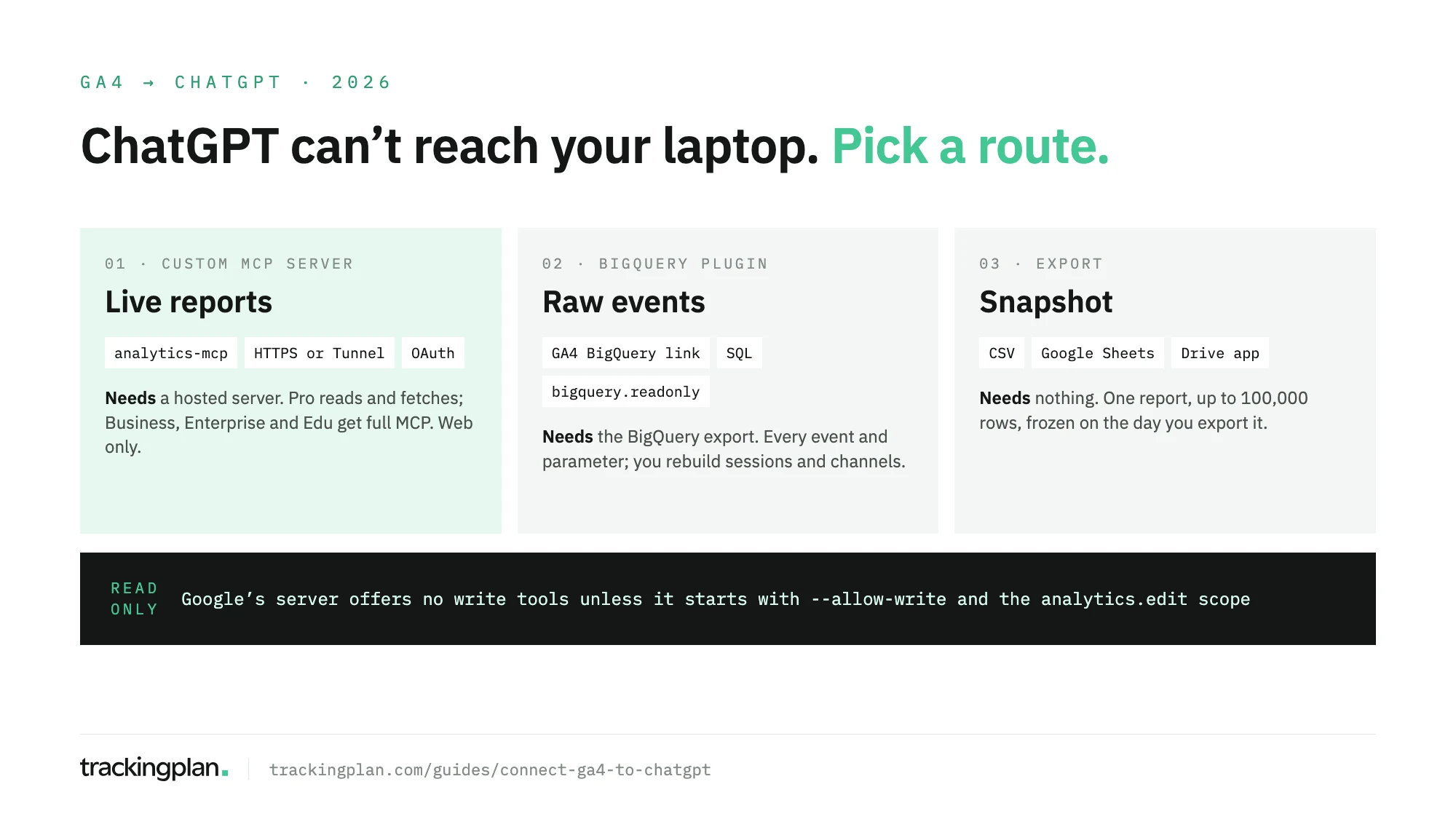
| Route | Data | Setup | Plan |
|---|---|---|---|
| Google’s MCP server as a custom MCP server | GA4 reports, live | A hosted server and an OAuth client | Pro (read and fetch), Business, Enterprise, Edu |
| BigQuery export + BigQuery plugin | Raw events, through SQL | A BigQuery link in GA4 | Depends on the plugin and workspace |
| CSV or Google Sheets export | One report, frozen | None | Any |
Who can add a custom MCP server
OpenAI’s help center sets the rules for custom MCP servers, and they depend on the plan:
- On Pro, you can connect custom MCP servers “with read/fetch permissions”. Google’s server, as installed, only reads.
- On Business, only admins and owners create and publish them for the workspace.
- On Enterprise and Edu, admins grant the permission Create plugins with MCPs through role-based access; only admins and owners publish.
- Custom MCP servers are web only: you can’t add one from the mobile app.
- Plus, Go and Free aren’t named in that article.
ChatGPT doesn’t connect to local servers directly. A server on a private network or a laptop goes through Secure MCP Tunnel; anything else needs a public HTTPS endpoint.
Route 1: host Google’s server and add it to ChatGPT
Prepare Google Cloud. Per Google’s setup page: enable the Google Analytics Admin API and the Google Analytics Data API in a project, and give the signing-in accounts at least the Viewer role on the property. Create an OAuth web client for the server.
Run it over HTTP. Google’s repository documents a multi-tenant mode: --transport http with --oauth turns on a built-in OAuth 2.1 server, so each person signs in with their own Google account and sees only their own properties. The README includes a Dockerfile and a Cloud Run deploy. Three details from it:
- Set
ANALYTICS_MCP_ISSUER_URLto the public URL, and add<SERVICE_URL>/oauth/callbackto the client’s authorized redirect URIs. - Keep it to one instance (
--max-instances 1): the OAuth state lives in memory, and a restart signs everyone out. - Store the client secret in Secret Manager, not in the image.
Add it in ChatGPT. From the current Plugins screen, with no need to turn on Developer Mode:
- Go to Plugins, select +, then Add custom MCP server.
- Enter a name and, optionally, a description.
- Under Connection, enter the server’s HTTPS URL, or select Tunnel.
- Configure authentication.
- Tick I understand and want to continue.
- Select Create as a plugin, then review the tools it found.
To test it, start a chat, type @ and pick the plugin. In a Business workspace, an admin then publishes it so others can use it.
One more thing: ChatGPT keeps a frozen snapshot of the server’s tools. When Google adds a tool, nothing changes until an admin refreshes the tool list.
Read-only, or not
Google’s docs and its code seem to disagree, so here is the precise answer.
- Google’s setup page says the server “is available for read requests only”.
- The README lists three write tools:
create_property_annotation,create_custom_dimensionandcreate_key_event. They need the--allow-writeflag and theanalytics.editscope; custom dimensions also need Editor on the property, key events Marketer or Editor. --allow-writedefaults tofalse. Started as Google’s docs show, the server offers no write tools.
On the ChatGPT side, three settings back that up. Keep the plugin’s permission on Always ask or Allow read actions, so ChatGPT asks before any change. Deep research uses custom apps for read and fetch only. On Enterprise and Edu, Configure Actions lets an admin leave write tools off, and new actions arrive disabled.
Route 2: GA4’s BigQuery export and the BigQuery plugin
If your property already exports to BigQuery, ChatGPT can query the raw events without any MCP hosting. OpenAI lists a BigQuery plugin, developed by OpenAI, to explore datasets and generate and review SQL; its listing shows Interactive, Read and Write, and some connections need admin approval. Its Google scopes include bigquery.readonly.
To link the property, in GA4 go to Admin > Product links > BigQuery links, select Link, choose the project, pick the streams and Daily, Streaming or both. You need Editor on the property and Owner on the project. Per Google’s export help, standard properties have a limit of 1 million events a day on the daily export; streaming has no event limit.
The tradeoff is SQL. You get every event and parameter, and ChatGPT writes the query, but sessions, channels and key events are yours to rebuild. Our GA4 BigQuery export schema guide explains the tables it will be reading.
Route 3: export a report
The no-setup route, on any plan:
- Open the report from Reports and select Share this report > Download File.
- Choose Download CSV, or Export to Google Sheets. Google caps both at 100,000 rows.
- Upload the CSV to the chat, or connect ChatGPT’s Google Drive app, which covers Sheets, and point it at the sheet.
It answers what’s in the file and nothing else. A new date range means a new export.
What to ask once it’s connected
With the MCP server:
- “List my GA4 properties, then show sessions and key events by default channel group for the last 28 days in the main one.”
- “Compare conversion rate by device this month and last month, and tell me which dimensions you used.”
- “Show ROAS by Google Ads campaign for the last 30 days.”
- “Which custom dimensions are registered, and which events are marked as key events?”
With the BigQuery plugin:
- “Write SQL that counts
purchaseevents bytraffic_source.sourcefor the last 7 daily tables, and explain the logic before running it.” - “Find events from yesterday where
transaction_idis missing.”
Ask for the query or the dimensions behind each number. You’ll catch a wrong date range faster than a wrong conclusion.
Before you trust the answers
Each route gives ChatGPT what GA4 stored. None of them shows how it got there. A purchase tag that stopped firing after a release, a thank-you page that sends the event twice, a consent banner that drops the signal: GA4 records the result, and ChatGPT summarises it with the same confidence as clean data. Duplicate events are the classic case; our guide to duplicate events in GA4 shows how they inflate counts.
Trackingplan sits upstream of the report. It watches the hits your site sends to GA4, the dataLayer behind them and the consent state, on real traffic, and flags missing properties and duplicate fires as they appear. As our home page puts it, an AI agent can only reason about what it can see. Its agent answers inside ChatGPT too, as the Ask Trackingplan tool, through the plan’s MCP endpoint.
FAQ
Is there an official Google Analytics app in ChatGPT?
Not one built by Google. OpenAI’s help center documents Google apps for Gmail, Drive, Calendar, Contacts and BigQuery, and Google’s MCP page doesn’t list ChatGPT among its clients. The official route is Google’s Analytics MCP server, which you host and add as a custom MCP server.
Can I connect GA4 to ChatGPT on a Plus plan?
OpenAI’s article on custom MCP servers names Pro, with read and fetch permissions, and Business, Enterprise and Edu, with full MCP. It doesn’t list Plus. On any plan, you can still upload a GA4 export or use the Google Drive app with a sheet.
Can ChatGPT change my GA4 property?
Not with Google’s server as installed: it is read-only. Three write tools, for annotations, custom dimensions and key events, exist only when the server is started with --allow-write and the credentials carry the analytics.edit scope.
How do I see traffic from ChatGPT in GA4?
That is a different question from connecting the two. GA4’s default channel group has an AI Assistant channel that picks up ChatGPT referrals. Our guide to tracking ChatGPT and AI traffic in GA4 covers what it includes and what lands in Direct.