
TL;DR Not directly. The Gemini app’s Connected Apps don’t include Google Analytics, and Microsoft’s connector catalog has no Google Analytics connector. Inside Google Analytics, Ask Advisor (beta, built on Gemini) answers questions about one property, in English-language properties only. For more than that, use Google’s Analytics MCP server in an MCP client, or add it as a tool to an agent in Copilot Studio.
People search for this expecting a button: open Gemini or Copilot, pick Google Analytics, sign in. That button doesn’t exist yet in either app. What does exist is a Gemini-powered assistant inside GA itself, and an official MCP server that gives AI clients read access to your properties.
This guide is part of a series on connecting AI assistants to marketing data. It covers what works with Gemini and Copilot today, what doesn’t, and how to set up each route.

What exists and what doesn’t
| Route | Gemini | Copilot |
|---|---|---|
| Built-in connector in the chat app | No. Not in the Gemini app’s Connected Apps | No. Not in Microsoft’s connector reference |
| AI inside Google Analytics | Ask Advisor, beta, English-language properties | Not applicable |
| Google’s Analytics MCP server | Runs in Antigravity, Google’s MCP client | Can be added as an MCP tool in Copilot Studio, which Google doesn’t list as a client |
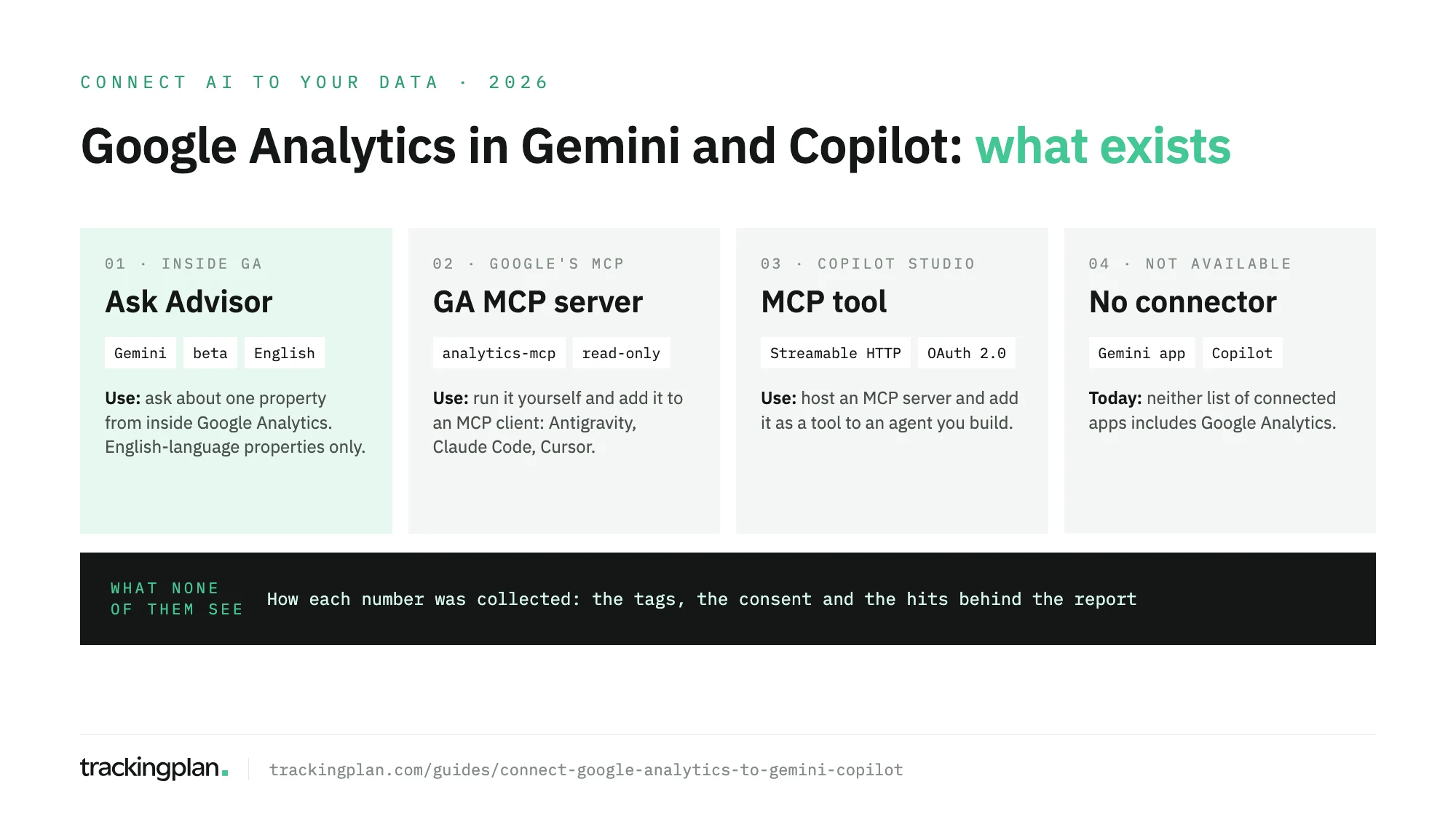
Ask Advisor: Gemini inside Google Analytics
If what you want is to ask questions about one property without leaving GA, this is the route. Google’s help center describes it as an “agentic conversational experience in Google Analytics” powered by Gemini models.
You need an eligible account, which Google doesn’t define further, and a property whose language is set to English. Google says other languages are planned. To open it:
- Open your property in Google Analytics.
- Click the Ask Advisor icon at the top right, or click the Search box and select Ask Advisor.
- Type your question in the panel that opens on the right.
- From a chart card on the Home page or in a report, hover over the card, click its Ask Advisor icon and pick one of the suggested questions.
It answers performance summaries, trends in a metric or dimension, “why” questions about a drop or a spike, how-to questions such as building an audience, and configuration lookups such as your measurement ID. It also suggests next steps.
It can’t answer about anything outside that one property. It doesn’t appear while you’re customizing a report. And Google’s page warns that it can make mistakes.
Developers can reach the same assistant through the chat method of the Data API. It’s in v1alpha and uses the scope analytics.chatbot.read, per Google’s developer guide.
The Gemini app has no Google Analytics connection
Google’s availability table for Connected Apps lists Google Ads, for personal accounts in English, and Google Business Profile. Google Analytics and Search Console aren’t on it.
Gemini Enterprise’s connectors page offers BigQuery and the option to connect a custom MCP server. It has no Google Analytics connector either. If your GA4 property already exports to BigQuery, the BigQuery route is open: the BigQuery guide in this series covers it, and our guide to the GA4 BigQuery export schema explains the tables you’ll be querying.
Google’s Analytics MCP server, in a Gemini client
Google publishes an official MCP server for Google Analytics. Google’s developer docs lists Antigravity CLI and Antigravity IDE, Claude Desktop, Claude Code and Cursor as clients. It marks Gemini CLI as deprecated and points to a migration guide for Antigravity. So the Gemini-powered way to use it today is Antigravity.
It suits anyone comfortable editing a config file and running a Python package locally. It reads account and property details, Google Ads links, annotations, custom dimensions and metrics, and reports through the Data API: standard, realtime, funnel and conversions. Google’s page says it’s “available for read requests only”. Google’s repository now adds three optional write tools, for annotations, custom dimensions and key events. They only load with the --allow-write flag and the analytics.edit scope.
The setup, from Google’s page:
- Install Python 3.10 or later, plus
pipxoruv. - In your Google Cloud project, enable the Google Analytics Admin API and the Google Analytics Data API.
- Give the user or service account the Viewer role on the GA4 property.
- Set up Application Default Credentials with the scope
https://www.googleapis.com/auth/analytics.readonly, either withgcloud auth application-default loginor a service account key inGOOGLE_APPLICATION_CREDENTIALS. - Add the server to your client’s MCP config with the command
pipx run analytics-mcpand the variablesGOOGLE_APPLICATION_CREDENTIALSandGOOGLE_CLOUD_PROJECT. - Verify the connection in your client: the server’s tools should be listed.
The same server works in Claude and, through a different setup, in ChatGPT. Those steps are in the guides for Claude and ChatGPT.
Copilot: add an MCP tool in Copilot Studio
Microsoft has no Google Analytics connector. The Power Platform connector reference, which Copilot Studio uses, has Google Calendar, Contacts, Drive, Sheets and Tasks, plus some independent-publisher connectors. Google Analytics isn’t among them.
What Copilot Studio does support is MCP. An agent you build there can call an MCP server as a tool. Two conditions from Microsoft’s MCP guide for Copilot Studio:
- The server must be reachable over the Streamable transport. Copilot Studio dropped SSE after August 2025.
- Data policies apply. MCP access goes through Power Platform connectors, so a policy that governs connectors also governs your server.
Google’s Analytics server can run as an HTTP server (--transport http) with its own OAuth sign-in (--oauth), according to the repository. Google doesn’t list Copilot Studio as a client, so test it before you share the agent. Then:
- Open your agent’s Tools page and select Add a tool.
- Select New tool, then Model Context Protocol.
- Fill in Server name, Server description and Server URL. The orchestrator reads the description to decide when to call the server, so say what it covers.
- Choose the authentication: None, API key or OAuth 2.0.
- Select Create, then Create a new connection and Add to agent.
What to ask once it’s connected
These work through the MCP server, and most of them in Ask Advisor too:
- “How did sessions and key events change last week compared with the week before, by default channel group?”
- “Why did purchases drop on Tuesday? Check device, country and landing page.”
- “Which landing pages bring the most organic sessions, and how engaged are those sessions?”
- “List the custom dimensions on this property and which events use each one.”
- “Which Google Ads accounts are linked to this property?”
Before you trust the answers
Ask Advisor and the MCP server read what GA4 reported. Neither sees how a number got there. If a tag stopped firing after a release, a purchase is sent twice, or consent signals are lost on one market, GA4 reports the result and the assistant explains it with the same confidence as a correct one. Trackingplan watches the hits, the dataLayer and the consent signals on your real traffic, so a broken event shows up as an issue before it turns into a confident chart. An AI agent can only reason about what it can see, and GA4 never shows it the hits.
If your team also works in Claude, ChatGPT or Cursor, Trackingplan answers there as the Ask Trackingplan tool, through its MCP endpoint.
And if what you want to measure is visits from Gemini and Copilot to your site, that’s a different job: see how to track ChatGPT and AI traffic in GA4.
FAQ
Can I connect Google Analytics to Gemini?
Not in the Gemini app: Google’s list of Connected Apps includes Google Ads and Google Business Profile, but not Google Analytics. Gemini reaches your GA4 data in two other ways: Ask Advisor, a beta assistant inside Google Analytics for English-language properties, and Google’s Analytics MCP server, which runs in MCP clients such as Antigravity.
Can I connect Google Analytics to Microsoft Copilot?
Not with a built-in connector: Microsoft’s connector reference has no Google Analytics entry. The documented route is Copilot Studio, where an agent can call an MCP server you host. Google doesn’t list Copilot Studio as a client of its Analytics MCP server, so you set it up and test it yourself.
What is Ask Advisor in Google Analytics?
A conversational assistant inside Google Analytics, powered by Gemini models and still in beta. You open it from the Ask Advisor icon at the top right of a property. It answers from that property’s data only, and today it works in properties whose language is English.
Is the Google Analytics MCP server read-only?
By default, yes. Google’s documentation describes it as available for read requests only. The repository adds three optional write tools, for annotations, custom dimensions and key events, which only load with the allow-write flag and the analytics.edit scope.