
Trackingplan auto-discovers your stack, monitors every signal 24/7, and resolves issues before they corrupt your data.
Six steps. One autonomous AI layer. No ongoing maintenance required.
Copy a lightweight snippet into your Tag Manager — or embed the SDK directly. Works with web, iOS, Android, and server-side stacks. Zero impact on performance.
→ Google Tag Manager or direct JS embed
→ Native iOS & Android SDKs available
→ Server-side and API ingestion supported
→ GDPR-safe by design — no PII collected
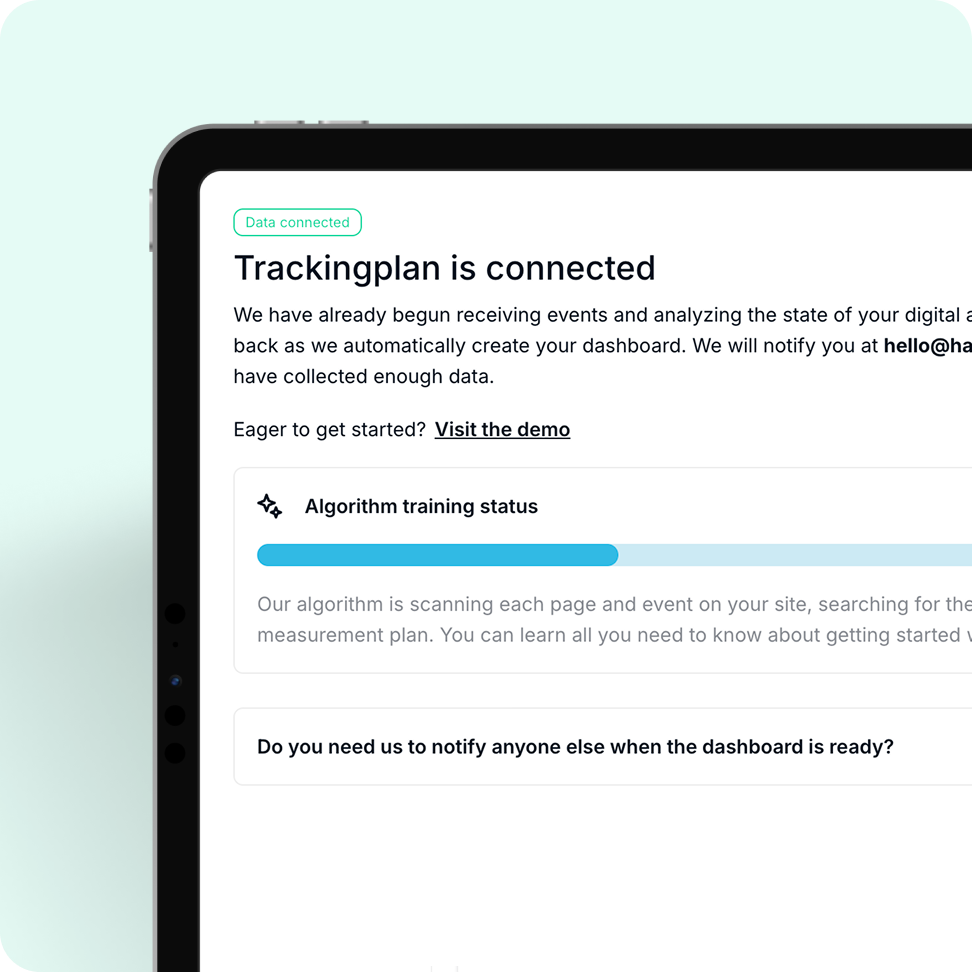
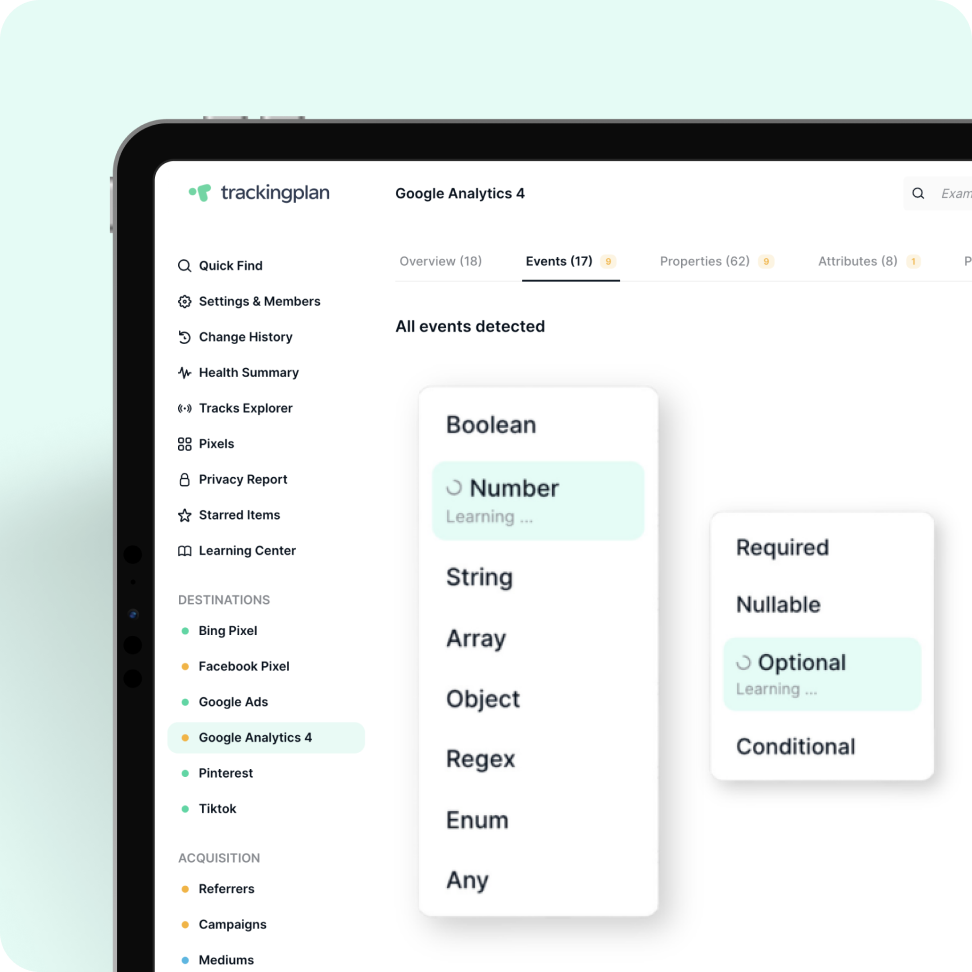
Instead of relying on synthetic tests where only what is defined gets monitored, Trackingplan builds a living tracking plan based entirely on real user data, discovering every event, property, pixel, UTM pattern, and attribution signal from real traffic. No manual setup or schema definition required.
→ Analytics p`roviders, events & properties (GA4, Adobe, Mixpanel, Segment…)
→ Marketing pixels (Meta, Google Ads, TikTok…)
→ UTM parameters & campaign attribution patterns
→ DataLayer structures and custom properties
→ Consent signals & privacy configurations

Documentation gets outdated, real-time monitoring doesn't. Trackingplan AI learns what "normal" looks like for your stack and continuously compares incoming data against those patterns.
→ Missing or broken events and properties
→ Sudden drops and spikes in event volume
→ Pixel firing issues across all ad networks
→ UTM inconsistencies and attribution gaps
→ Consent and privacy configuration drifts
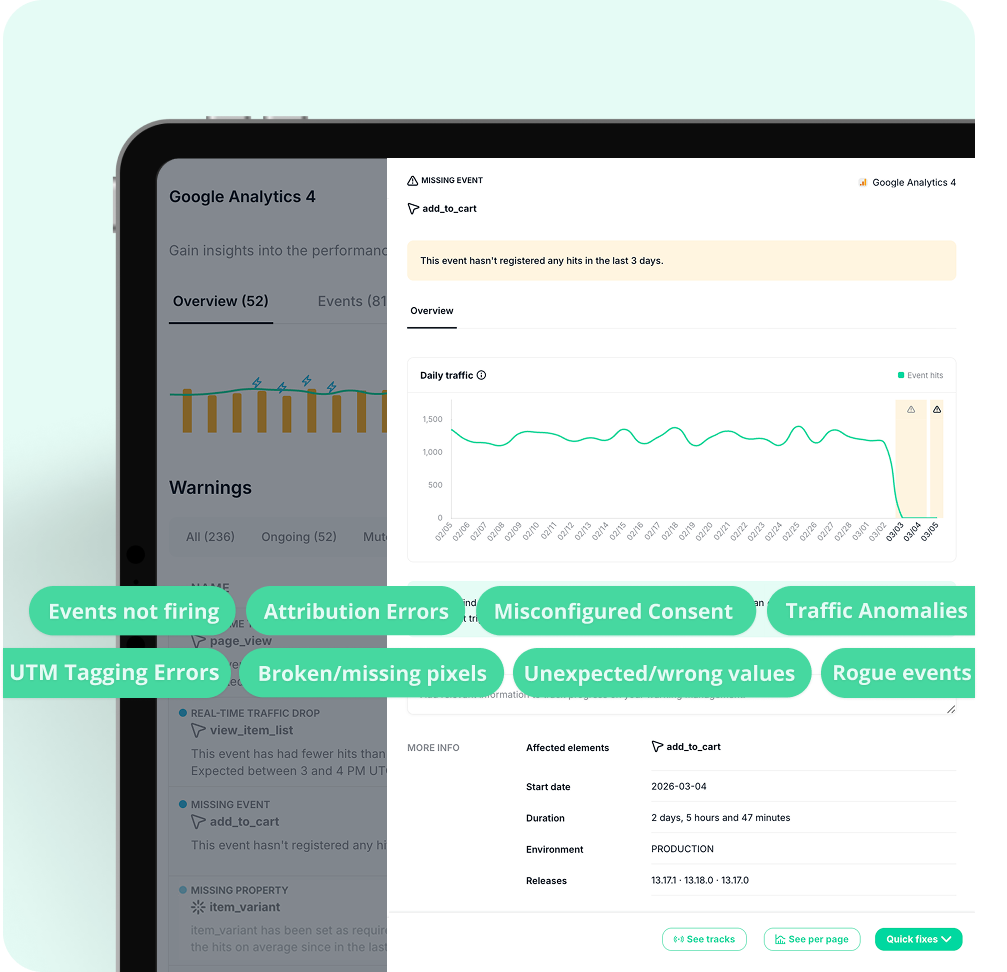
Go beyond reactive monitoring with real-time automated alerts that surface issues the moment they appear.
→ Smart thresholds – automatically learned from your traffic to avoid noisy false positives from temporary changes or toggled campaigns.
→ Alerts based on real data deviations, not synthetic tests.
→ Real-time monitoring alerts your teams instantly to unexpected deviations, so issues are caught and fixed immediately, avoiding delays from next-day reporting.
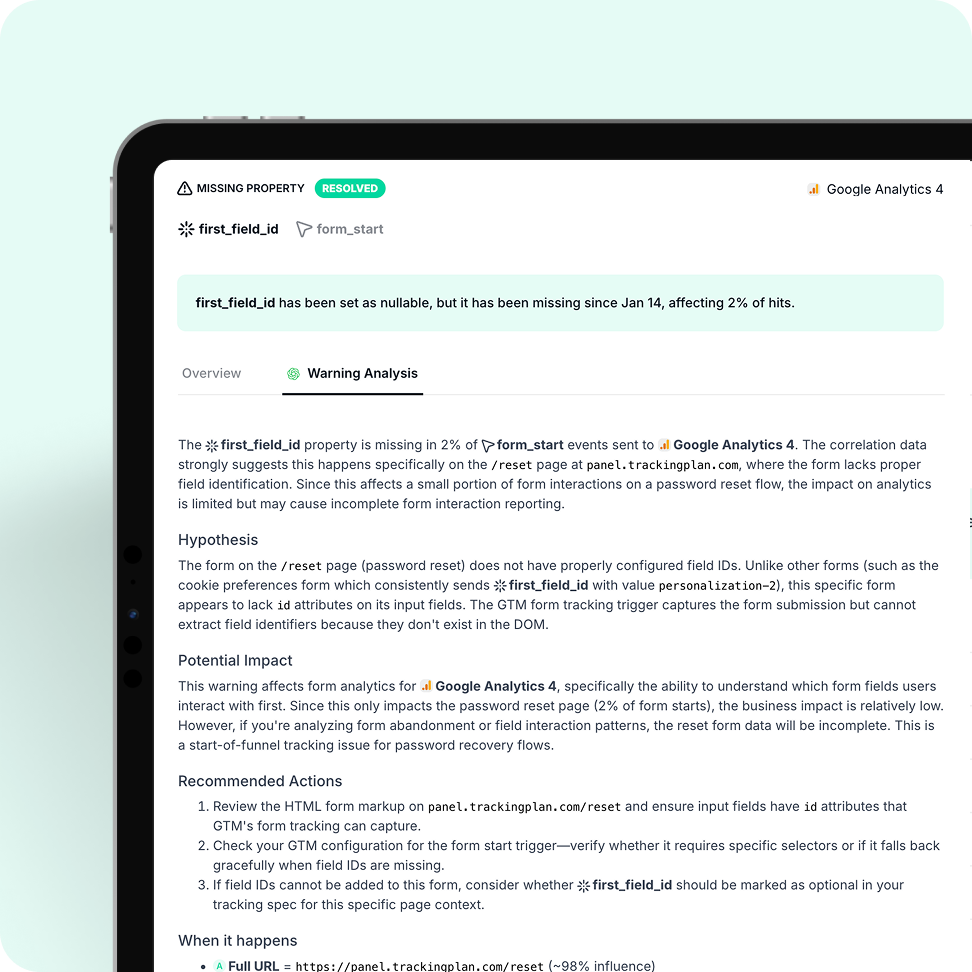
No more digging through GTM, GA4, or deployment logs. Trackingplan's AI correlates anomalies with deployments, tag changes, and campaigns, giving you step-by-step instuctions on how to fix them.
→ Correlates with Tag Manager container changes
→ Correlates with code deployment timestamps
→ Correlates with consent config updates
→ Correlates with campaign and pixel launches
→ Step-by-step fix instructions, in plain language
From real sessions to historical snapshots, Trackingplan captures in real time every action your real users take to see exactly how they interact with your site and apps, even for those tricky cases that are impossible to reproduce manually.
→ Complete, daily snapshot of your DataLayer and events, letting teams review historical states days or weeks later to map incidents to production changes
→ Explore real sessions, skip the browser pain. Stop spending hours reproducing issues in the browser. Trackingplan automatically captures every edge-case scenario, letting you explore real user sessions, events, and flows.
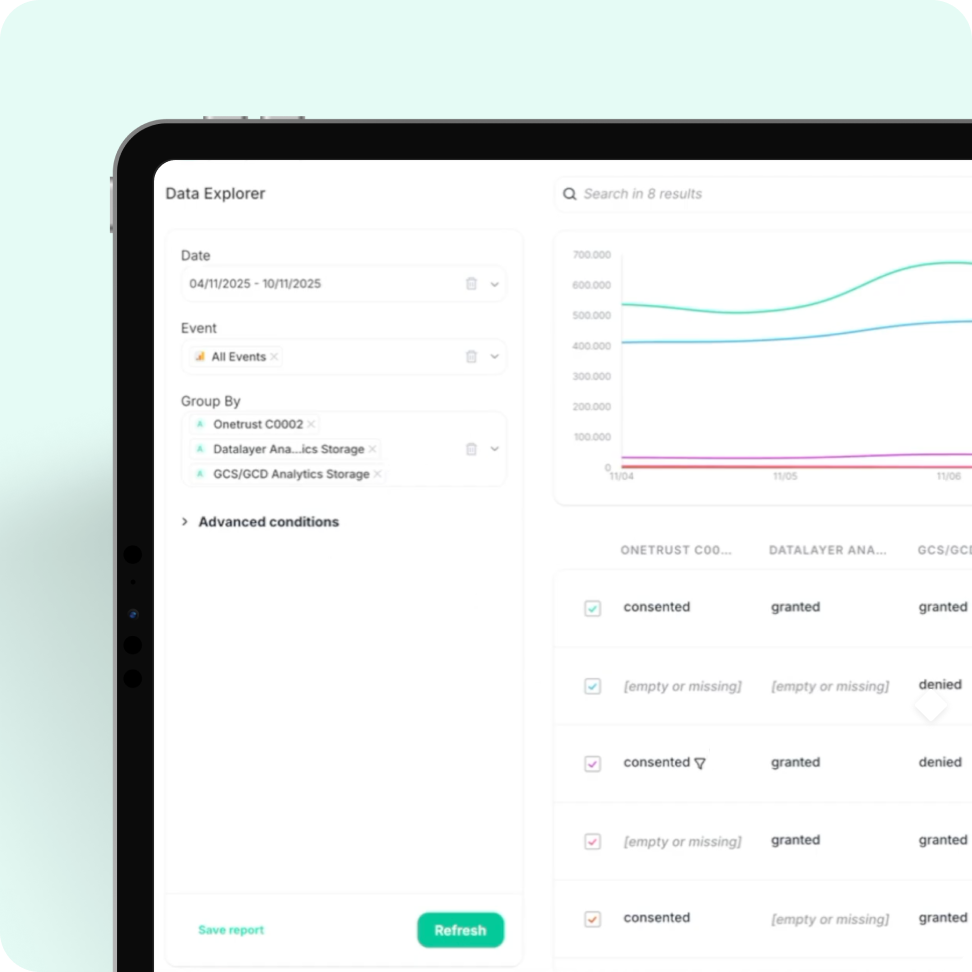
As new events, campaigns, and team changes happen, Trackingplan adapts automatically. Your tracking plan stays current, without anyone having to do a thing.
→New events auto-discovered as they appear in production
→ Auto-dicovery of releases, pixels, and properties.
→ Seasonal and campaign baselines updated continuously
→ Zero ongoing configuration or manual updates needed
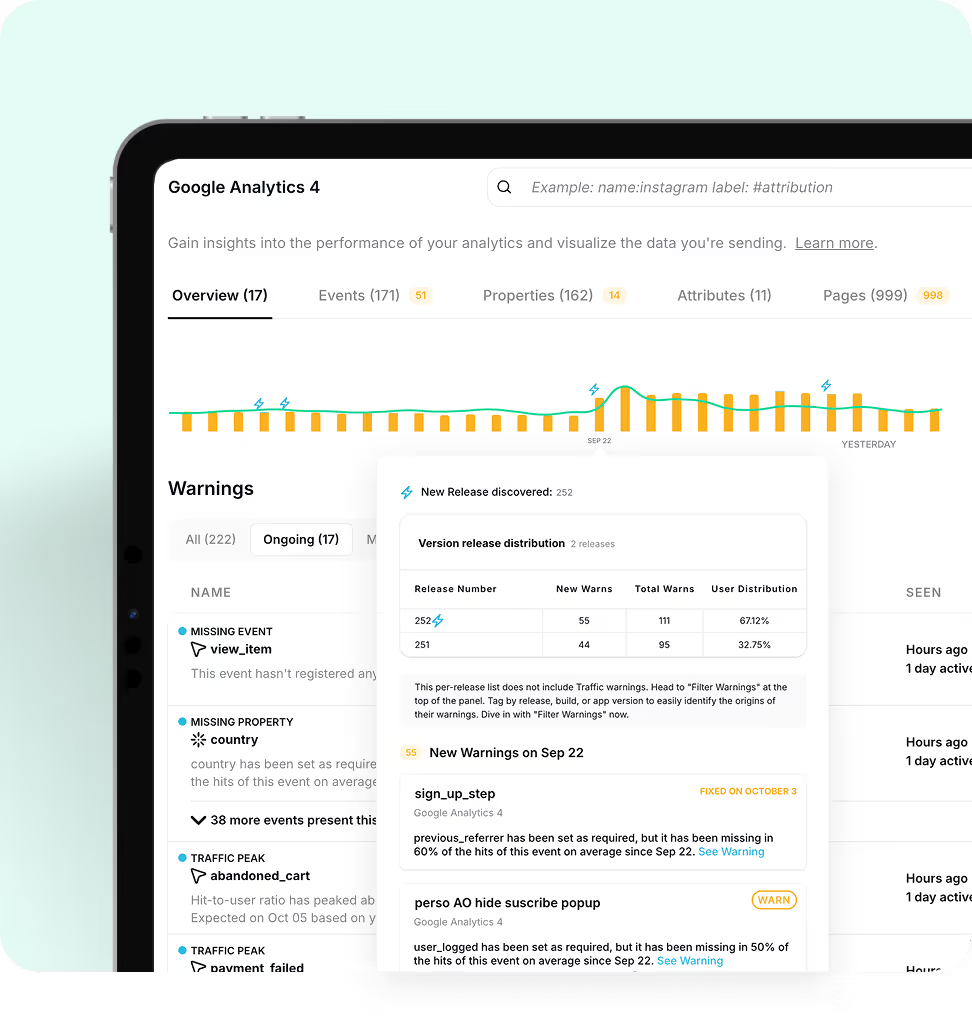
Automated observability across tags, pixels, events, consent, and attribution — all in one place.
Every event and property monitored in real time across all analytics platforms.
Validate every ad pixel fires correctly — protect your attribution and ROAS.
Catch UTM inconsistencies before they corrupt campaign attribution and reporting.
Monitor consent signals and cookie configurations — stay GDPR and CCPA compliant.
Native SDKs for iOS and Android bring always-on coverage to your mobile stack.
Detect tag firing issues and container changes before they impact your data.
Replace manual QA workflows with specialized AI agents automating every stage of analytics quality — from discovery to governance.
Maps your entire tracking ecosystem from real user data. No schemas or setup required.
Watches every analytics signal, pixel, and UTM continuously to detect anomalies the moment they happen.
Traces root causes instantly. telling you exactly what broke and how to fix it in plain language.
Enforces naming conventions, UTM standards, and consent compliance across every team automatically.
Automate data quality checks so you can focus on insights you can trust, not defending reports you can’t confidently stand behind.
Every hour chasing broken tags is an hour your team should be spending on what actually matters.
— Manual QA checklist before every release
— Hours debugging broken events in GTM & GA4
— Chasing teams about UTM mistakes
— Data drops discovered days after the fact
— Tracking documentation going stale immediately
— No visibility into pixel or attribution health
→ AI monitors everything, continuously and automatically
→ Issues detected instantly, before they reach reports
→ Root cause explained in plain language
→ Fixes suggested without digging through logs
→ Living tracking plan maintained autonomously
→ Full-stack visibility: events, pixels, UTMs, consent
Not at all. Trackingplan is designed to have a minimal impact on your site. Our lightweight tag, only 10kb in size, has no significant effect on page load times. Additionally, our SDKs are optimized to ensure that your app's performance remains unaffected.The Trackingplan tag loads asynchronously with the page content, responding in less than 500ms.
This means that it won't slow down your site's loading speed. Furthermore, once the configuration is stored in the browser cache, it won't be reloaded during subsequent page views for a period of 24 hours.With Trackingplan, you can gather the data you need without compromising the visitor experience or your site's performance.
Trackingplan automatically detects: missing or dropped events, unexpected traffic drops or spikes, property type mismatches (e.g., a string where a number is expected), naming convention violations in events and UTMs, broken pixels (Meta, TikTok, Google Ads), consent and PII leaks, schema changes introduced by third-party tools, and regressions between releases. All of this runs continuously in the background, 24/7, with no manual checks required.
Moreover, Trackingplan's Digests will notify your team with all you need to know about the state of your data at the beginning of your work day so that you can work on what you do best instead of having to find those errors by yourself.
Trackingplan installs in under 10 minutes with no code changes required to your existing tracking. You can add it via Google Tag Manager (no-code), by pasting a lightweight snippet in your site's <head>, or as a destination in Segment or Amplitude.
For app monitoring, iOS and Android SDKs are also available. Once installed, Trackingplan automatically starts listening to all data your site or app sends to third-party tools and automatically begins discovering and documenting your entire analytics stack, without manual configuration required.
See step-by-step installation instructions in our documentation.
Unlike other SaaS with setups that take between weeks and months or even force you to change how you code your analytics, Trackingplan starts listening in real-time to all the data your sites and apps are sending to your third-party services right after its installation.
From that moment on, Trackingplan will automatically start creating your dashboard. Depending on your traffic, an hour can be enough to recollect the necessary data. However, for companies with small traffic, this process might take up to a week, so don’t worry if you enter Trackingplan’s dashboard after installing it and you don’t see anything! We will send you a message once we have collected enough data.
During this time, all teams involved in the data collection process teams will be able to keep working as they used to, without causing any company disruption.
When Trackingplan detects an anomaly, its AI debugging engine analyzes the affected events, properties, and context to automatically pinpoint the root cause. Instead of a generic alert, you get a structured diagnosis: a plain-language summary of the issue, the most likely root cause hypothesis, recommended actions to fix it, and the conditions under which it occurs - with sample hits to reproduce the problem.
What makes this especially powerful is the Potential Impact analysis. Rather than framing issues as purely technical, Trackingplan estimates the business consequences of leaving them unresolved - such as the effect on ROAS, conversion tracking, campaign attribution, or data reliability. This makes it significantly easier to prioritize fixes and communicate their value to stakeholders, clients, or leadership.
Trackingplan's auto-discovery engine works by passively listening to all outbound network requests from your site or app. Without any manual schema definition or configuration, it automatically identifies every analytics tool you're sending data to - including event trackers, pixels, CDPs, and ad platforms.
With it, it builds a live inventory of all events, properties, UTMs, and campaigns being collected.
This process starts immediately after installation and requires zero input from your team.
Trackingplan comes with predefined alerts based on your business type, but every rule is fully customizable. You can configure tolerance thresholds, show or hide specific warning types (missing events, traffic drops, type mismatches, naming convention violations), and set per-event or global rules. This means you only get notified when conditions that actually matter to you are met, without generating alert fatigue
Yes, Trackingplan monitors both websites and mobile apps.
Once installed – via Google Tag Manager, a <head> snippet, or mobile SDKs for iOS and Android – Trackingplan automatically discovers and monitors all analytics tools you're sending data to, including GA4, Adobe Analytics, Meta Pixel, TikTok Ads, Google Ads, Mixpanel, Amplitude, Segment, HubSpot, Adjust, Braze, and any custom in-house collector. No manual configuration required.
For further information, you can always read our documentation to get step-by-step instructions about each installation method.
Yes, Trackingplan’s automated Analytics QA solution is designed to protect the integrity of your data by detecting errors before they affect your reporting or decision-making.
It continuously monitors your analytics events and validates them against your specifications, ensuring that the data collected is accurate, consistent, and reliable. Any discrepancies are automatically flagged, helping your team quickly address issues and maintain trustworthy analytics across all implementations.
Think of it as a QA layer that runs 24/7, validating every event automatically — so you don’t have to.