
You launch a feature, the dashboard looks clean, and the first report says everything's fine. Then a marketer notices attribution falling apart, an analyst sees missing events, and someone in QA finds the new release only works in the happy path. That's the moment iterative testing earns its keep, because the team that waits until the end to validate data usually learns too late that the release already polluted reporting, experiments, and decisions.
The strongest teams don't treat tracking, campaign changes, or product updates as one big leap. They make small changes, validate them against a baseline, and keep tightening the loop until the output is trustworthy enough to ship. That discipline matters even more when a campaign workflow is involved, because something as ordinary as a tag change can break downstream measurement, and a useful personalized email campaign guide is only as good as the data feeding it. For teams trying to keep releases safe, change management has to sit close to the work, not somewhere off to the side in a spreadsheet, and that's exactly why analytics change management becomes a practical operating habit instead of a nice-to-have.
Why One-Shot Releases Keep Breaking Your Data
The most common failure mode I've seen is simple. A team ships a new checkout flow, a campaign refactor, or a tracking update in one pass, then discovers the damage after the data has already hit dashboards, exports, and stakeholder reports. By the time someone asks why conversions fell or a funnel step went missing, the release has mixed good and bad signals together, which makes root cause analysis slow and messy.
That's why one-shot releases are so dangerous for analytics and marketing stacks. A single unvalidated change can create broken attribution, missing events, schema drift, or duplicate firing, and the team now has to separate the true business signal from the instrumentation problem. If the change affects a customer journey, you also lose confidence in every report built on top of it.
Iterative testing gives you a different operating model. Instead of trusting one big release, you validate small changes against a known baseline, then decide whether to expand, adjust, or stop. That approach is especially useful when the change touches tracking or campaign logic, because it reduces the blast radius before the issue spreads across every chart and every channel.
Practical rule: if a change can alter measurement, treat it like a controlled experiment first, not a final launch.
In practice, that means fewer “we'll fix it after launch” conversations and more disciplined rollout habits. It also changes how teams think about supporting material. A well-built hypothesis testing explained resource helps people reason about evidence, but the win comes when the product, analytics, and marketing teams use that logic before a release contaminates their data.
Understanding Iterative Testing as a Closed-Loop Process
Iterative testing is a formalized approach where teams run repeated cycles of experiment, measurement, and refinement rather than making one large change at the end of a project. In product and analytics work, that makes it a closed-loop validation process, teams make a small change, compare it against a predefined baseline, inspect the delta, and use that result to decide the next move. The loop matters because it turns uncertainty into evidence instead of opinion.
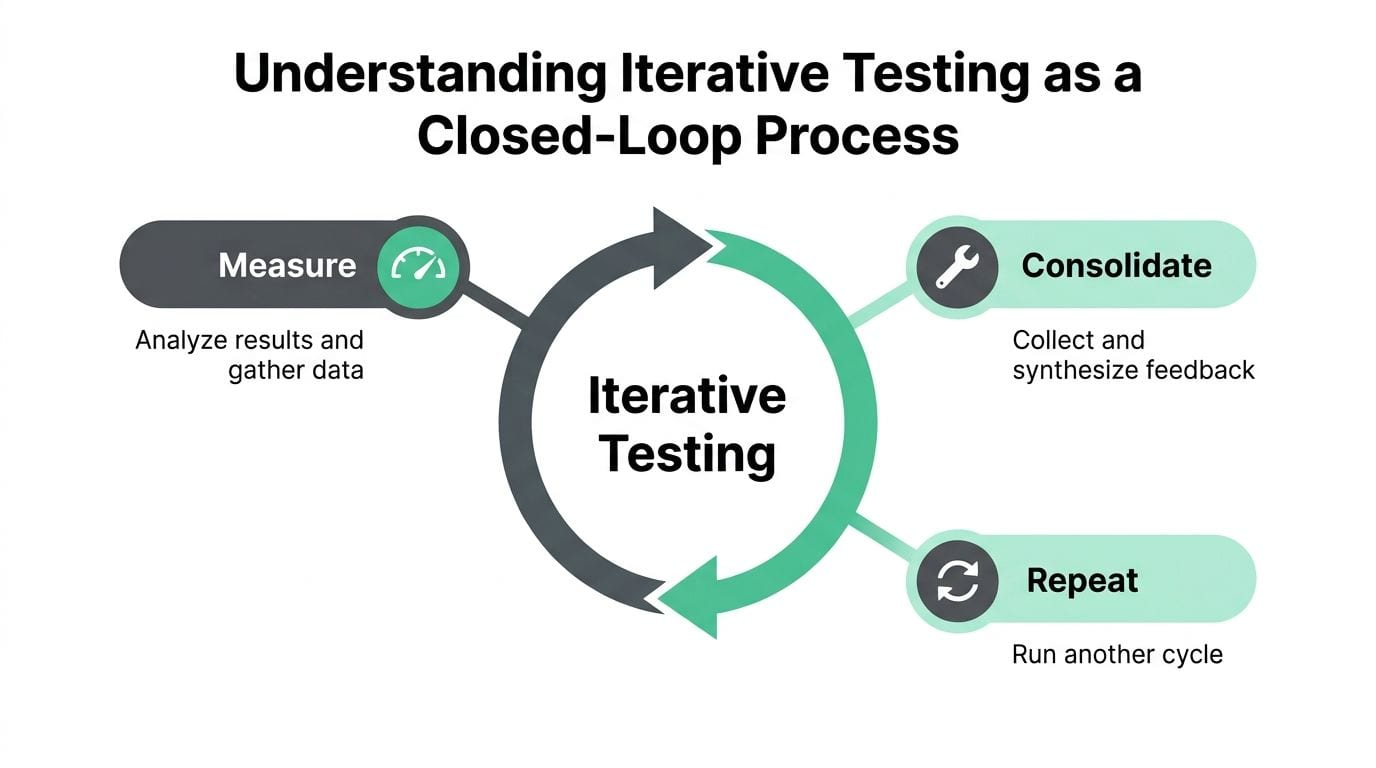
The difference between iterative testing and a simple A/B test is scope and cadence. An A/B test usually compares two variants at a point in time, while iterative testing repeats the comparison across multiple cycles so each version informs the next one. Continuous experimentation is broader still, it's an organizational practice that makes testing part of normal decision-making, not just a single method.
Why the loop works
The reason this approach is so effective is visible in user-interface research. In case studies from Nielsen Norman Group, the median improvement in overall usability across iterations was 165%, with a median improvement of 38% per iteration, and the authors recommend iterating through at least three versions because some usability metrics can temporarily decline while others improve. That last detail matters in real work, because teams often panic after one metric dips without realizing the system is still moving in the right direction. Nielsen Norman Group's iterative design research is a good reminder that the loop is doing more than “trying again.”
How the mechanics differ from vague trial and error
A real iterative test is not random tinkering. Teams define what baseline they're comparing against, what metric defines success, and what change will count as a meaningful improvement. Then they measure the result and decide whether the next cycle should refine the same idea or replace it with a different one.
Key point: if the next change isn't based on the previous result, you're not iterating, you're improvising.
A lot of guides stop at that basic definition, but that leaves out the operational discipline. There's a difference between “we ran another test” and “we used the last result to choose the next experiment.” The second version is the one that closes the loop, and that's the one teams can trust when they're managing analytics, marketing, or QA risk. For a related framing of how validation fits into the stack, what is data observability gives useful context on why the feedback loop needs a reliable monitoring layer.
The Iterative Testing Lifecycle From Hypothesis to Decision
A useful iterative test starts with a question, not a dashboard. If the team can't state the hypothesis in plain language, the rest of the cycle tends to blur into random measurement and post-hoc justification. The strongest versions of this process keep each phase explicit so the decision at the end is defensible.
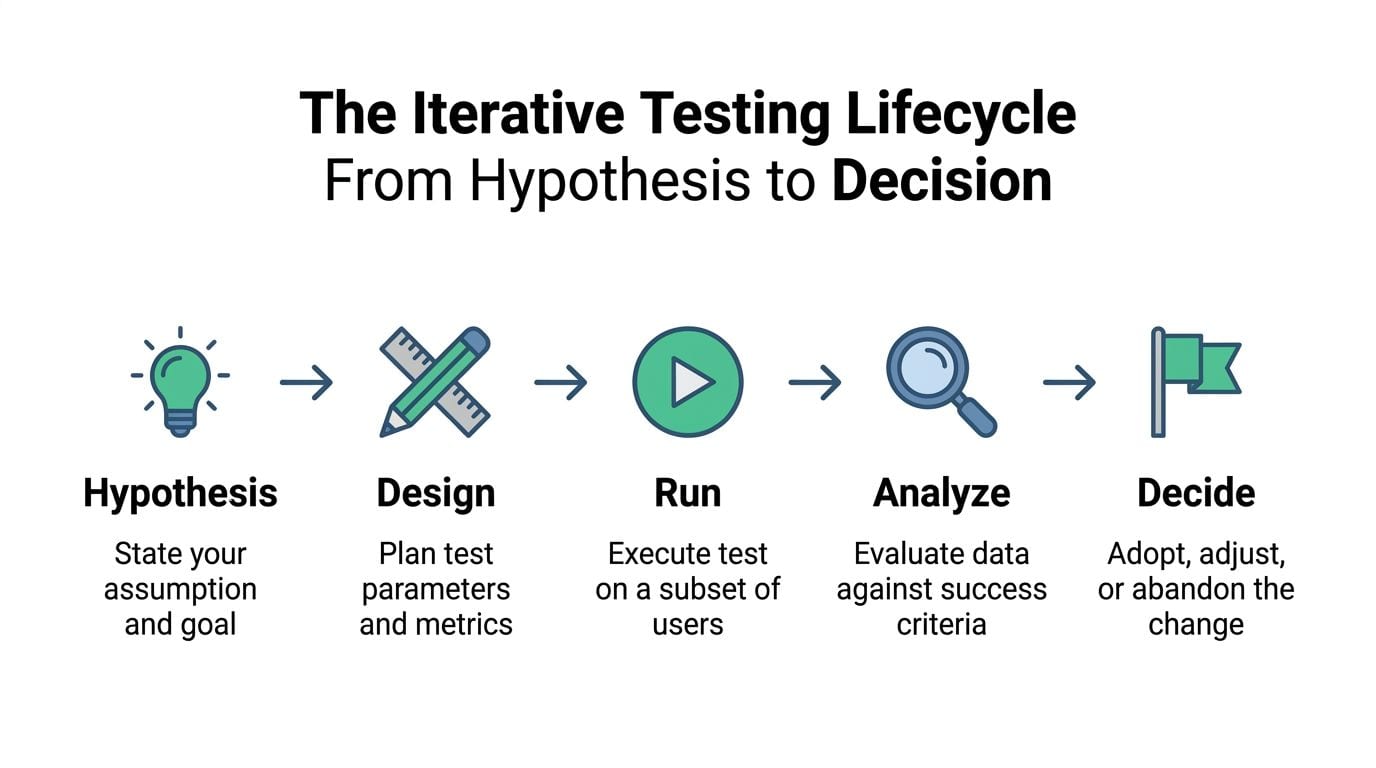
1. State the hypothesis
Start with the assumption you're trying to prove or disprove. Good hypotheses are tied to a measurable outcome, not just a vague hope that “things will improve.” In practice, teams should define the business reason, the user behavior they expect to change, and the metric that will tell them whether they were right.
2. Design the test
The guardrails get written by choosing the subset of users, defining the baseline metric, deciding the observation window, and agreeing on the success threshold before any traffic goes live. ProductSchool's guidance on iterative testing specifically points teams toward small test groups or subsets of users, and it also uses measurable OKRs such as increasing user engagement by 10% as an example of a concrete target rather than open-ended feedback. See ProductSchool's iterative testing example for that framing.
3. Run the test
At this stage, consistency matters more than speed. The test should run long enough to capture timing effects and user variation, not just early noise. In experimentation guidance, teams are often advised to aim for at least 100-200 conversions per variant and to run tests for 1-2 weeks so the result isn't distorted by a narrow slice of behavior. That discipline comes from controlled experimentation practice, and it's why Trustworthy Online Controlled Experiments is still a strong reference for timing and sample-size thinking.
4. Analyze and gather insights
The result isn't just “won” or “lost.” Look at the primary metric, check for side effects, and inspect whether one segment behaved differently from the rest. If the test touched tracking or marketing logic, a clean lift in one slice can still hide a regression elsewhere, so the analysis needs to be broader than a single green number.
5. Decide whether to iterate again
This is the step a lot of teams skip. If the evidence is strong enough, ship. If the pattern is promising but incomplete, refine and run another cycle. If the signal is weak or the cost of another round is too high, stop and move on.
Decision rule: every cycle should end with a named next action, adopt, adjust, or abandon.
When teams want a statistical frame for that decision, explain statistical power is a useful companion because it helps distinguish a weak result from an underpowered one. That distinction keeps teams from over-reading noise and under-investing in decisions that need more data.
Real-World Examples Across Analytics Marketing and QA
A schema change is often the first place analytics teams feel iterative testing fail or succeed. A field gets renamed, a source starts sending partial payloads, or an event fires in the wrong step of the funnel, and the dashboard still loads even though the numbers no longer mean what they used to mean. Iterative testing catches that by validating the new implementation in small increments before bad data spreads into every report.
Marketing teams run into a related problem. Campaign tagging changes can look harmless in the UI, yet a small UTM convention error can split attribution across channels and make performance look weaker or stronger than it really is. A tight test cycle catches that early, because the team can compare the tagged variant against a baseline before the full campaign structure goes live.
QA and engineering teams already work this way, even if they use different language. In software engineering, iterative testing is often embedded inside each development cycle, with requirements analysis, design, coding, and testing happening in sequence, and early cycles emphasizing unit, component, and integration testing before final system integration and acceptance testing. That structure shortens feedback loops and makes defect correction cheaper because failures are found closer to the code change that caused them. The source paper on Testing in Iterative Development describes that pattern directly.
A useful way to separate the roles is straightforward.
- Analysts validate whether the data model still reflects reality.
- Marketers validate whether campaign logic still preserves attribution.
- Engineers and QA validate whether the release still behaves correctly in the product.
The same loop applies across all three. The inputs differ, but the discipline is the same, small change, known baseline, measured result, next decision. That is what keeps iterative testing useful in analytics and marketing stacks, where a clean result can still hide a blind spot if observability is weak or the feedback loop is broken.
Teams that want a practical testing mindset beyond analytics alone can also look at hypothesis testing explained. It reinforces the habit of making assumptions explicit before running anything, which matters when multiple stakeholders want speed but only one team will own the fallout if tracking breaks.
Tooling and Integrations That Close the Feedback Loop
Iterative testing gets fragile when the feedback loop depends on manual audits. A person can check dashboards, sample events, and compare exports, but they can't watch every implementation path, every pixel, and every consent state at once. That's where observability and analytics QA platforms change the game, because they turn monitoring into a continuous validation step instead of an occasional cleanup exercise.
Trackingplan is one option in that category. It continuously discovers Martech implementations, monitors analytics, marketing, and attribution pixels, and flags issues like missing events, schema mismatches, broken pixels, consent misconfigurations, and traffic anomalies through alerts in email, Slack, or Microsoft Teams. It also integrates with tools such as Google Analytics, Adobe Analytics, Amplitude, Mixpanel, Segment, and Snowplow, which matters when a team needs one source of truth across product, growth, and QA workflows. The platform's ab test platform context is relevant here because iterative testing works better when the baseline is always visible.
Why observability matters in the loop
A test cycle only helps if the measurement layer is trustworthy. If the event stream is broken, the campaign tags are inconsistent, or the consent logic is off, the team can end up iterating on corrupted data and drawing the wrong conclusion with confidence. Automated monitoring closes that gap by catching regressions while the test is still running, not after the release has already spread.
That's also where agency and operations teams benefit. A marketing automation agency team often has to manage multiple client stacks at once, and they need a way to validate changes without relying on a human to inspect every destination manually. The same is true for internal teams that inherit a messy stack and need a repeatable way to prove that a change didn't break the loop.
If the monitoring layer is manual, the testing loop is always one step behind the release.
The practical payoff is clearer decision-making. When the platform can surface a missing event, a rogue property, or a pixel issue in real time, the team spends less energy hunting for symptoms and more energy choosing the next iteration. That's what closes the loop in a real environment.
When to Stop Iterating and Common Pitfalls to Avoid
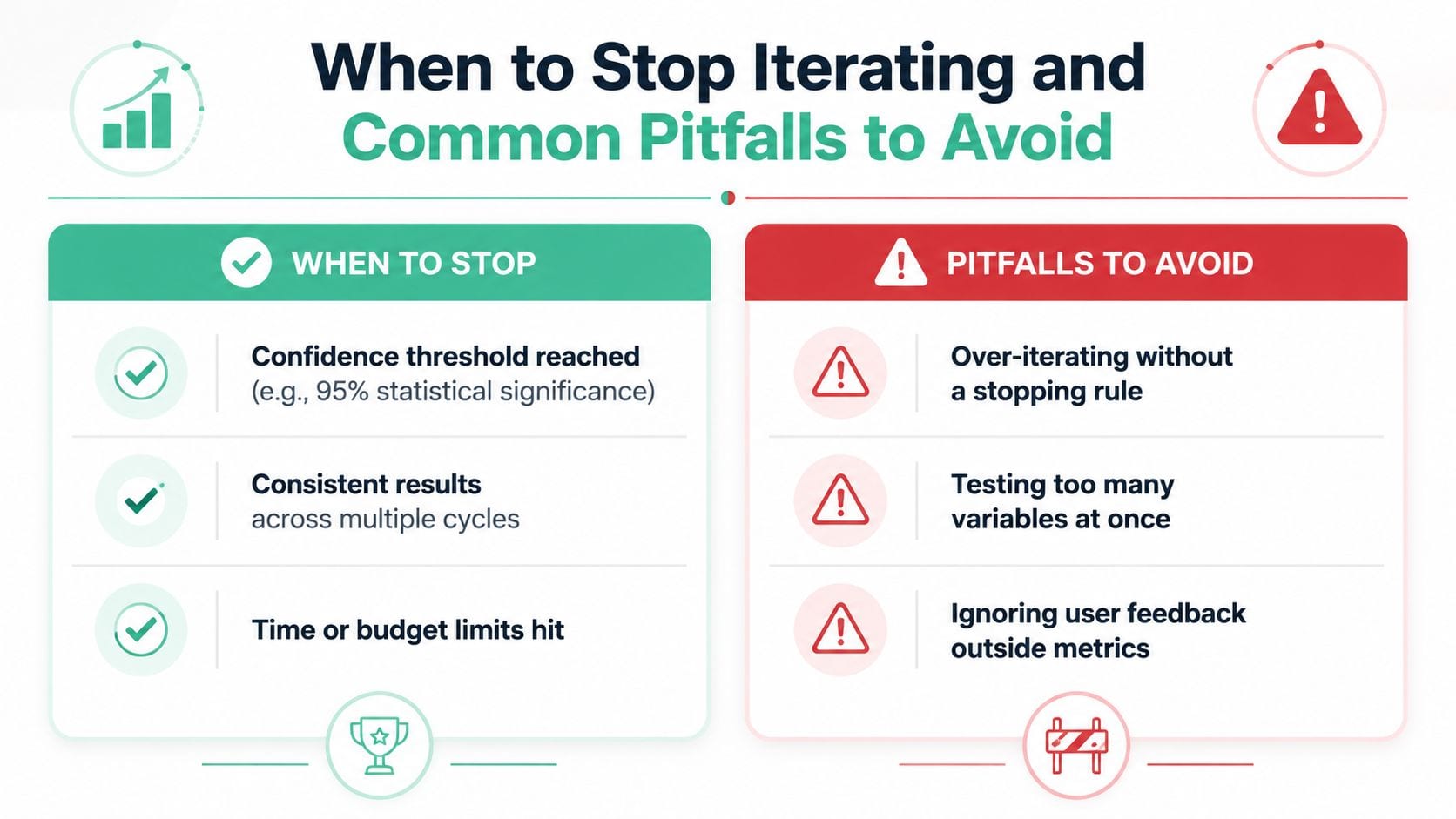
The hardest part of iterative testing is not running the next cycle, it's knowing when to stop. Teams are comfortable with “plan, test, learn, improve,” but they leave out the stopping rule, which means the work can drift into endless refinement or premature shipping. A good policy starts with confidence, time, and opportunity cost.
When to stop
A common statistical threshold in online experimentation is a p-value below 0.05, which means a true null effect would incorrectly appear significant about 5% of the time. That benchmark matters because iterative testing depends on comparing versions repeatedly without chasing false positives. It also explains why teams are often told to use predefined metrics, enough sample size, and sensible timing before declaring a winner.
The other stopping signals are less statistical and more operational. If the result is consistent across multiple cycles, the evidence is probably strong enough to act. If time or budget limits are about to choke the next round, the better decision may be to ship the improvement you already trust instead of waiting for a theoretically cleaner result.
Pitfalls to avoid
- Over-iterating without a stopping rule. This turns a disciplined loop into a permanent science project.
- Testing too many variables at once. When everything changes, nothing gets learned cleanly.
- Ignoring user feedback outside metrics. A clean dashboard can still hide a frustrating experience.
- Running tests on too small a sample. The data may be too noisy to support a decision.
- Forgetting opportunity cost. Every extra cycle delays value, and that delay has a real business cost even when no spreadsheet names it directly.
The most subtle trap is the one introduced earlier in the guide. Some usability metrics can temporarily decline while others improve, so a single dip is not always a reason to stop. The better approach is to compare the pattern against the hypothesis and the baseline, then decide whether another iteration is still likely to produce useful learning.
Your Iterative Testing Checklist for the Next Cycle
A useful checklist keeps the process from collapsing into habit. Before the next release, define the hypothesis, the baseline, and the success threshold so everyone knows what “better” means. Then make sure the tracking, campaign logic, or product instrumentation is ready before a single user sees the change.
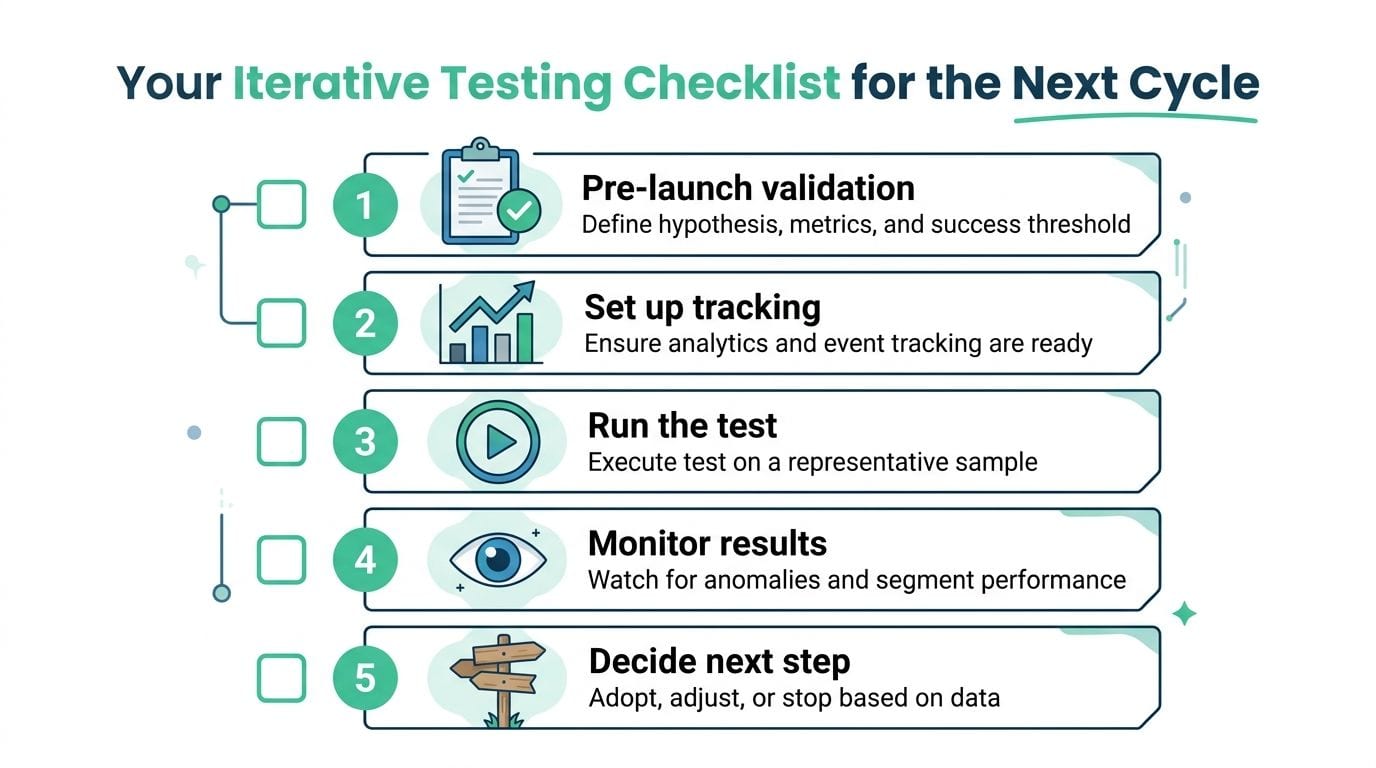
Use this sequence
- Pre-launch validation. Confirm the hypothesis, the metric, and the stop condition.
- Set up tracking. Verify events, tags, properties, and destinations before rollout.
- Run the test. Use a representative subset, not the whole audience by default.
- Monitor results. Watch for anomalies, segment drift, and regressions during the cycle.
- Decide the next step. Adopt, adjust, or stop based on the evidence.
Analysts should verify data integrity and baseline consistency. Marketers should check campaign tagging, UTM conventions, and attribution paths. Developers should confirm that the implementation behaves as expected across the code path that changed, not just in one successful test case.
Document the result before starting the next cycle. That record becomes the baseline for the next iteration, and it keeps the team from arguing about memory instead of evidence.
If you want to keep iterative testing from breaking down at the measurement layer, visit Trackingplan and see how automated observability can validate analytics, marketing, and attribution changes before they contaminate your reporting. It's a practical way to keep the loop closed, catch issues in real time, and ship with more confidence the next time your team changes the stack.