← Support

Support · Category4 questions

Settings & Members

Find answers to the most commonly asked questions about Trackingplan's settings and members to learn in what ways we can help you foster seamless collaboration.

Get Support

Reach out to our support team for assistance with any questions or issues.

support@trackingplan.com →

Chat to Sales

Talk to our sales team to learn how Trackingplan can help your business.

sales@trackingplan.com →

Visit our Learning Center

Explore our detailed documentation to get the most from Trackingplan's features.

Explore our documentation →

04 4 questions

?Can I share my tracking plan with my other team members?
tp

Yes, you can share your tracking plan with other members within and across your team with a permalink.

If a user accesses your tracking plan via a permalink, they will be identified automatically as a Viewer. This is helpful if you want to share your tracking plan with developers or other people in your organization without making them register as new users while ensuring they will not edit any specs in your events and properties.

However, if you only need to share a specific event, you can also click on the share icon on the bottom right of that specific event. There, you will be able to share the link to that event or copy the event specifications to a clipboard in text format.

Open this answer →

?How can I add more users?
tp

You can always add more members to your Trackingplan account. For it, just click on Settings & Members and copy and paste the emails of the users you want to add.
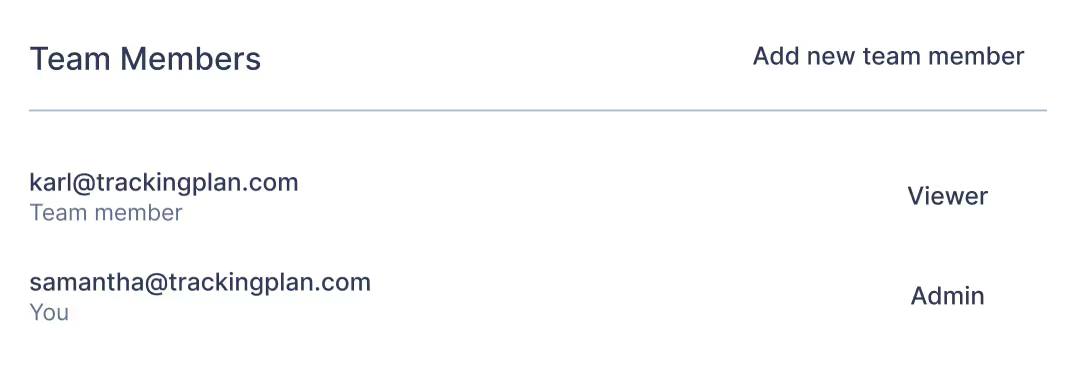
You can also specify the roles of these new users. Specifically, there are three different roles that allow users varying permissions in your Trackingplan account:

  • The Admin role allows team members to make changes to the workspace settings and preferences, invite new members, and edit the tracking plan. Admins are also the only members who can remove other members from the team.
  • The Editor role allows team members to make edits to the tracking plan but does not allow them to edit the workspace settings and preferences. Editors also cannot invite new members to the workspace.
  • The Viewer role allows team members to view the tracking plan only. They can’t make any edits or invite new members.

Open this answer →

?My password expired and I can’t log in. How can I reset it?
tp

To reset your password, click on “Forgot your password?” or directly click on this link: https://app.trackingplan.com/reset.

There, just add the email you used to log in to Trackingplan. You should receive an email in this account with the next steps to reset your password.

In case this procedure doesn’t work, contact us at support@trackingplan.com and we will help.

Open this answer →

?How does Trackingplan foster cross-team collaboration?
tp

Trackingplan provides an always-updated single source of truth about the status of your digital analytics to ensure all teams involved in the data collection process are on the same page.

Moreover, you can also add descriptions to your events and properties to enhance cross-team interactions and ensure every member is aligned with your specs.

Open this answer →

Support

Do you have any questions?

Your questions are important to us. If there's anything on your mind that hasn't been addressed, reach out to us.

Let's talk →

Trackingplan

See everything. Miss nothing.

Your implementations audited around the clock with real-time, real-user data. Real-time alerts about errors or changes in your data, campaigns, pixels, privacy and consent. Let AI flag issues before they cost you.