12 29 questions
?Getting started with Adobe Analytics: What do I need?
When getting started with Adobe Analytics, the first step is creating an Adobe Experience Cloud account. Adobe Analytics plays a crucial role in business strategy and decision-making, providing digital analysts with valuable insights into user behavior and website performance. These insights help businesses stay competitive, thanks to Adobe Analytics' versatility, reliability, and precision.
To begin your journey, our comprehensive Adobe Analytics guide tailored for beginners covers everything from signing up to configuring the platform. You'll learn the essentials of interface navigation and how to create impactful basic reports. These key skills are essential for any Adobe Analytics beginner, enabling you to track website and app data effectively. By mastering basic reporting and navigation, you'll build a strong foundation for mastering Adobe Analytics to its full potential.
?SGTM meaning: server-side Google Tag Manager, explained
SGTM is server-side Google Tag Manager: a tag management system developed by Google that processes analytics and marketing tracking requests on a server instead of in the user's browser. The browser sends one request to a server container you control, and that container decides what reaches Google Analytics 4, Google Ads, Meta, and the other vendors. You will also see it written as sGTM, ssGTM, or server-side tagging. The "SGMT" spelling is a common typo for the same thing.
Outside analytics, SGTM has a second meaning: in chat, email and code review it is short for "sounds good to me", a quick way to say yes. If the message mentions containers, tags or GA4, it is the server-side one, and that is what the rest of this answer covers.
With browser restrictions, ad blockers, and privacy regulation, server-side tracking through server-side tagging has become the way many teams keep their tracking accurate without exposing every vendor to the visitor's browser. This answer covers how it works, when it is worth it, what changes for consent and ad platforms, and how to keep an eye on it once it runs.
How server-side GTM works
Classic Google Tag Manager runs in the browser. Each tag (GA4, Google Ads, Meta Pixel) builds its own request and sends it straight to its vendor, so the visitor's browser talks to every platform you use.
Server-side GTM adds a second container that runs on a server, typically on Google Cloud, but any host that runs the container image works. The flow has three steps:
- The browser sends one request to your server container. Usually the GA4 web tag, pointed at your own subdomain (for example
gtm.yourdomain.com), so the request is first-party. - A client in the server container reads that request and turns it into an event the container understands.
- Server tags forward the event to each vendor, after whatever you decide: drop a parameter, hash an email for the Conversions API, add a value from your backend, or send nothing to a vendor the visitor did not accept.
The web container stays. It collects the data and sends it to the server; the server container replaces the vendor tags that used to run in the browser.
What changes when tags move to the server
- Less data leaves the browser. Vendors receive what the server forwards, not everything the page knows. IP addresses and user agents can be trimmed before they go out.
- Requests are first-party. A tracking endpoint on your own domain is less affected by ad blockers and by browser rules on third-party cookies, and the cookies it sets can live longer.
- Lighter pages. One request from the browser instead of one per vendor.
- One place to enrich and validate. Server-side is where enhanced conversions, Meta's Conversions API (CAPI), and other server integrations get their hashed identifiers and their event ids for deduplication.
The cost is that you now run infrastructure: a container to host, update, and pay for, and tags that nobody can inspect from the browser's developer tools. A browser extension shows you the single request to your server, not what the server forwarded to each vendor.
When sGTM is worth it
Server-side GTM pays off when you rely on ad platforms for attribution (CAPI, enhanced conversions, offline conversions), when a meaningful share of your traffic blocks third-party requests, or when privacy review asks you to control what each vendor receives. A small site with GA4 and one pixel rarely needs it. The guide to server-side tagging for data accuracy and compliance goes through the decision in more detail, and Google sGTM unpacked covers the architecture and a migration roadmap.
Consent and server-side tagging
Moving tags to the server does not make consent automatic. The server only knows the consent state the browser sends with each hit, usually through Consent Mode, and each server tag still has to respect it. Two things to check in any sGTM setup:
- Consent signals reach the server. The GA4 client forwards the Consent Mode parameters; a custom client may not.
- Server tags honour them. A tag on the server that fires for every event, whatever the consent, is a leak nobody sees in the browser, because the vendor request never passes through it.
The same applies to cookieless tracking: the server can collect less, but only if the tags are configured to.
How to monitor an sGTM setup
Because the vendor requests leave from the server, the usual way to check tracking (open the browser, watch the network tab) only shows the first hop. To know what each vendor actually received, you need visibility on the server side. Trackingplan installs in the server container as a tag and sees the hits the container forwards to each vendor, so missing parameters, PII, and tags firing without consent show up there the same way they do on the web and in apps. The setup is in Installing Trackingplan for ssGTM.
?What is a tag?
A tag is a small piece of code –often written in JavaScript– added to a website or mobile app to collect information, trigger actions, or enable specific functionalities. Tags play a key role in digital marketing and analytics by tracking user behavior, measuring conversions, integrating third-party services, or launching remarketing campaigns.
In practice, tags can record page views, button clicks, form submissions, purchases, and other user interactions. They are widely used in analytics (e.g., Google Analytics tag), advertising (e.g., Facebook Pixel, Google Ads conversion tag), and personalization tools.
Properly implemented tags ensure that your data is accurate, complete, and ready to power business decisions. This is why managing tags effectively is crucial, as poorly configured tags can cause duplicate tracking, missed conversions, or even privacy compliance issues.
Trackingplan automatically monitors all your tags and tracking scripts, detecting broken or missing implementations, and alerting you when something changes unexpectedly. With Trackingplan, you can ensure your tags are firing correctly, your data stays trustworthy, and your marketing stack runs smoothly without manual checks.
To learn more about how to manage tags effectively for better data accuracy and marketing performance, see our FAQ on Tag Management.
?What is website tagging?
Website tagging is the process of adding, managing, and monitoring small snippets of code—known as tags—on a website to collect data, track user interactions, and connect the site with analytics, marketing, and advertising platforms. These tags can capture valuable information about visitor behavior, such as page views, clicks, form submissions, video plays, and purchase activity, sending it to tools like Google Analytics, Adobe Analytics, Facebook Pixel, or marketing automation software.
By implementing website tagging correctly, businesses can measure campaign performance, identify high-performing traffic sources, personalize user experiences, and make data-driven decisions. Website tagging is also essential for conversion tracking, remarketing campaigns, A/B testing, and compliance with privacy regulations like GDPR and CCPA.
Yet, relying on manual supervision or manual monitoring of tags can lead to significant challenges. Manual processes are prone to human error and delays in identifying broken or misfiring tags, which can cause data inaccuracies, wasted resources, and missed business opportunities. Mistakes like duplicate tags, missing tracking codes, or unauthorized changes often go unnoticed without automated systems, resulting in unreliable analytics data.
Trackingplan helps businesses overcome these issues by automating the monitoring and auditing of all website tags and tracking events. It detects errors, unexpected changes, or gaps in tagging before they affect your data quality, saving you time and money while ensuring your analytics and marketing tools work as they should. This proactive approach eliminates the need for costly, time-consuming manual checks and reduces the risk of bugs and manual errors.
What a tag looks like, the request it sends, and how web tags differ from meta and HTML tags: web tags and how website tagging works.
?What is a tag management system?
A tag management system (TMS) is a specialized tool designed to help marketers, analysts, and developers efficiently manage and deploy website tags without directly modifying site code. Popular examples of TMS platforms include Google Tag Manager, Adobe Launch, and Tealium iQ.
By using a Tag Management System, you can quickly add, update, or remove analytics, advertising, and tracking tags across your website or app from a centralized interface. This simplifies tag deployment, reduces the risk of coding errors, and improves site performance by controlling when and how tags fire. Additionally, many tag management systems provide built-in testing and debugging features to validate changes before going live.
Despite these advantages, managing tags manually—even through a TMS—can still lead to errors, duplicate tags, or compliance issues if not monitored carefully. This is where Trackingplan complements your tag management system by automatically auditing your tags and tracking events to detect problems early and maintain high data quality.
For a thorough guide to picking the right tag management system, dive into our tag management system comparison, which breaks down the most popular TMS options on the market to help you make an informed decision based on your business needs, technical requirements, and budget.
?What is a datalayer?
In digital analytics and tag management, a data layer (also called a digital data layer) is a structured JavaScript object or array embedded in your website or mobile app. Data‑analytics expert Justin Cutroni defines it as a “JavaScript variable or object that holds all the information you want to collect in some other tool” . Piwik PRO explains that this data structure lives on your site and “holds the information you want to process and sends it to other applications, like a tag management system”. Essentially, the data layer standardizes and organizes information about user interactions—such as page views, clicks, product IDs and prices—so that tools like Google Tag Manager, analytics platforms and advertising pixels can access it consistently .
Implementing a data layer offers several benefits for marketers and developers:
- Standardizes data across platforms – The data layer uses key–value pairs to define events and variables, ensuring that every analytics or advertising tool receives the same information .
- Improves performance and reliability – Centralizing data in one layer eliminates the need for each vendor’s tag to scrape data from the page, reducing redundant code and speeding up page load times .
- Enables richer tracking and personalization – By capturing detailed user actions and metadata (e.g., product names, transaction IDs, cart values) , the data layer allows for advanced reporting, retargeting campaigns and personalized user experiences.
- Supports compliance and data governance – A centralized data layer helps manage what information is collected, aiding compliance with regulations like GDPR and CCPA .
Typically, developers initialize a data layer with window.dataLayer = [] and then “push” events into this array. For example, after a purchase, the site might push an object like { event: 'purchase', transactionId: '12345', value: 99.99 } . Tag management systems listen for these pushes and trigger tags accordingly. Because the data layer is vendor‑agnostic and sits between your website’s front‑end and your marketing tools , it remains stable even as the site’s design changes, providing a reliable foundation for accurate analytics.
In summary, a data layer is a structured, centralized way to collect and manage user‑interaction data. By acting as a bridge between your site and all your marketing technologies, it ensures that data flows smoothly, accurately and compliantly across your digital ecosystem.
?How do I see the data layer in the console?
The data layer is a JavaScript array (often called dataLayer) that holds information your website passes to analytics and advertising tools . Viewing it through the browser’s built‑in developer tools lets you verify that events and variables are being pushed correctly. Here’s how to inspect the data layer in Chrome, Firefox or Edge:
- Open your browser’s developer tools – Right‑click anywhere on your webpage and select “Inspect” (or press Ctrl+Shift+I on Windows/Linux, Cmd+Option+I on macOS) to open DevTools .
- Switch to the Console tab – At the top of DevTools, click the Console tab to open the JavaScript console .
- Type the data layer object name – Enter dataLayer (or the custom object name used on your site, such as digitalData or utag_data) and press Enter . The console displays the current state of the data layer array; you can click the small arrows to expand each object and see the values of variables like event names, product IDs or transaction totals .
- Interact with the data layer (optional) – If you need to test pushing custom variables, you can do so in the console. For instance, dataLayer.push({'userType':'returningCustomer'}) adds a userType variable, and typing dataLayer.userType will show its value . This is useful for verifying that your marketing tags and triggers respond to the data correctly.
Tips for smoother debugging:
- Refresh after actions – The console shows the data layer at the moment you run the command. If you navigate to a new page or click a button, re‑type dataLayer to see the latest pushes.
- Use Chrome extensions – For real‑time monitoring, tools like Data Layer Checker or Taglab’s Analytics Debugger display updates without manually re‑typing commands .
- Validate naming conventions – While dataLayer is the default name for Google Tag Manager, some sites use custom names. If nothing appears in the console, check your tag manager configuration for the correct object name .
Following these steps ensures you can easily inspect your data layer, confirm that events fire correctly and troubleshoot issues before deploying tags to production.
?dataLayer checker: in Chrome and across real traffic
A dataLayer checker answers two questions: what did the page push, and was it what the tags expected? The Chrome console answers the first for your own session, in the five steps below. Trackingplan's dataLayer checker answers both on real traffic: it lists every dataLayer push of every session next to the hits it produced, and you set rules so a push that does not meet them is flagged, release after release. It is part of Trackingplan for developers; the release note shows where it lives in the dashboard.
In Google Tag Manager, or any tag management system, the dataLayer is the bridge between your website and your analytics and advertising tags. Here is how to read it in Chrome:
- Open Chrome Developer Tools – On the page you want to inspect, right‑click and choose Inspect or press Ctrl + Shift + I (Windows/Linux) or Cmd + Option + I (macOS). This opens the DevTools panel .
- Navigate to the Console – Click the Console tab at the top of DevTools . This tab lets you run JavaScript commands.
- Enter the data layer object name – Type dataLayer (or your site’s custom data layer object, such as digitalData or utag_data) and press Enter . Chrome will output the current contents of the array; click the drop‑down arrows to expand each object and see variables like event names, product IDs and user types .
- Refresh after interactions – Each time you navigate or trigger an event (e.g., add a product to cart), re‑type dataLayer to see the updated pushes. For persistent monitoring, consider Chrome extensions like Data Layer Checker or Taglab’s Analytics Debugger, which display real‑time data without re‑typing commands .
- Interact and test – You can manipulate the data layer in the console to test tracking. For example, running dataLayer.push({'userType':'returningCustomer'}) adds a userType variable; then run dataLayer.userType to verify the value . This helps ensure your tags respond correctly before deploying changes.
By following these steps, marketers and developers can quickly debug Google Tag Manager implementations, confirm variables are populated and maintain clean, accurate analytics. If you see nothing when typing dataLayer, double‑check that your GTM container snippet is present and verify the object name used on your site.
?What Is First Party Data and How Can It Grow Your Business
First-party data is the information you collect directly from your audience. Think of it as your own private address book, filled with contacts you’ve personally met and built a relationship with. It's information based on your interactions, not someone else's.
Why First-Party Data Is Your Most Valuable Asset
For years, marketing felt like navigating with a map drawn from secondhand rumors. Using third-party data was a lot like that—relying on information from anonymous sources to guess what customers might want. It was the digital equivalent of renting a massive, outdated mailing list and just hoping a few of the names were still good. That whole approach is going extinct.
The industry is making a massive pivot away from rented, unreliable information. Smart businesses are now focused on building their own "personal address book," which is the core of what is first-party data: information you gather straight from your audience through your website, app, CRM, or even email campaigns. It’s the purest, most accurate source of customer insight you can get because you own it and you know exactly where it came from.
The Power of a Direct Connection
This direct line to your audience gives you unmatched accuracy and helps build genuine customer trust. When someone shares their information with you, they're expecting a better, more relevant experience in return. First-party data is what lets you deliver on that promise, creating a positive feedback loop that strengthens loyalty over time.
This isn't just a fleeting trend. It's a fundamental shift driven by growing privacy concerns and the crumbling of third-party tracking. For a deeper look at this transition, you can explore the details on the death of third-party cookies.
First-party data isn't just a marketing asset; it's a business asset. It reflects a direct, consent-based relationship with your audience, providing the foundation for personalization, trust, and sustainable growth in a privacy-first world.
The Tangible Impact on Your Bottom Line
The move toward owned data is only speeding up, especially with Google's Chrome set to finally phase out third-party cookies by the end of 2025. The results from businesses that have already embraced a first-party strategy are hard to ignore.
In Q1 2025, 71% of publishers already saw this data as a key driver for their advertising results. Brands using it have reported up to an 8x return on ad spend and a 72% boost in ROI. To dig deeper into the benefits, you can explore these additional resources on first-party data. The numbers send a clear message: investing in your own data isn’t just about staying compliant; it’s about driving a stronger, more predictable return on investment.
Understanding The Three Types Of Customer Data
To really get why first-party data is such a big deal, you have to look at the whole data landscape. Not all customer information is created equal. It all comes down to its origin story—where the data came from and how you got your hands on it. These differences are massive, affecting everything from how accurate your insights are to how much your customers trust you.
Think of it like this: first-party data is a direct conversation you're having with a customer. Second-party data is like getting an introduction from a trusted mutual friend. And third-party data? That's like trying to piece together a story from snippets of conversations you overhear in a crowded room. Each one gives you a totally different level of clarity and reliability.
First-Party Data: The Direct Connection
Like we touched on earlier, first-party data is the information you collect straight from your audience. It comes from your own websites, apps, and direct interactions with people who engage with your brand.
This is the good stuff, the information you gather yourself from places like:
- Your website or app: Clicks, pages visited, time spent on site, and what's in their shopping cart.
- Your CRM system: Purchase history, customer service chats, and general account information.
- Email and SMS campaigns: Open rates, click-throughs, and any preferences they’ve shared.
- Surveys and feedback forms: Direct answers about what they like, what they don’t, and what they want to see next.
Because you're the one collecting it, this data is as accurate and relevant as it gets. It’s the gold standard, plain and simple.
This map perfectly illustrates the difference between data you truly own versus data you’re essentially renting from someone else.
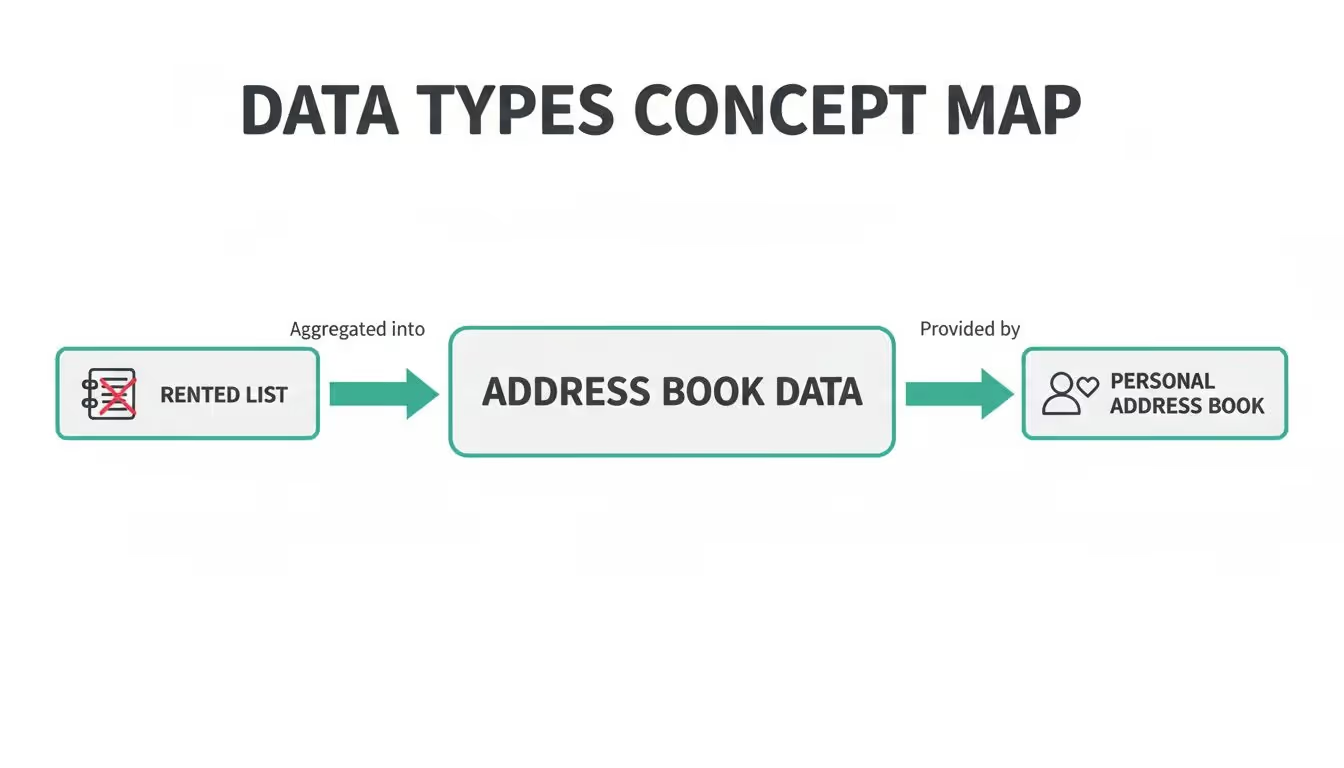
As you can see, your own data is a personal, trusted asset. It's worlds apart from aggregated lists pulled together from who-knows-where.
Second-Party Data: The Trusted Partnership
Next up is second-party data. This is basically another company's first-party data that you get your hands on through a direct partnership. For example, a hotel chain might team up with an airline. They could share insights about their audiences to create travel packages that appeal to both of their customer bases.
This data is usually pretty reliable since it comes from a source that has its own direct relationship with customers. The catch? Its usefulness hinges entirely on how well that partner's audience overlaps with yours.
Third-Party Data: The Broad Aggregate
Finally, there’s third-party data. This is information gathered by companies that have zero direct relationship with the people the data is about. These are massive data aggregators that scrape information from countless websites and platforms, then bundle it up and sell it.
While it offers huge scale for reaching new audiences, it comes with some serious baggage. This data is often inaccurate, out of date, and the way it's collected can be murky, raising major privacy red flags. With the slow death of third-party cookies, its reliability and availability are tanking fast.
To make it even clearer, let's break down how these three data types stack up against each other.
First vs Second vs Third Party Data Comparison
This table shows why the source of your data matters so much—quality and relevance drop significantly as you move away from that direct customer relationship.
The core value of first-party data is its accuracy, which comes from direct customer interactions. This provides granular behavioral insights that are essential for precise segmentation and personalization, especially as AI-driven decisions demand higher-quality inputs.
This level of accuracy is exactly why first-party data delivers a much better return on your investment. Instead of shouting into the void with noisy third-party lists, you're targeting people you already know are interested, which cuts down on wasted ad spend. It’s no surprise that many publishers are seeing their ad performance skyrocket, with 71% crediting first-party data in the first quarter of 2025.
You can explore more about how first-party data drives performance to see the full impact. By building your strategy around data collected with consent, you can create the kind of hyper-relevant experiences that customers don't just appreciate—they now expect.
How To Collect And Manage Your First Party Data
Knowing that first-party data is valuable is the easy part. The real work starts when you have to build a system to actually gather and protect it. This is where theory meets practice. It’s about creating a deliberate, ethical plan to collect information at every key customer touchpoint—not just for the sake of having more data, but to build a foundation of trust for your entire marketing strategy.
The process kicks off by pinpointing where these valuable interactions happen. Think of your digital properties as gold mines of direct customer insight. Each one offers a unique window into what your audience needs and how they behave.
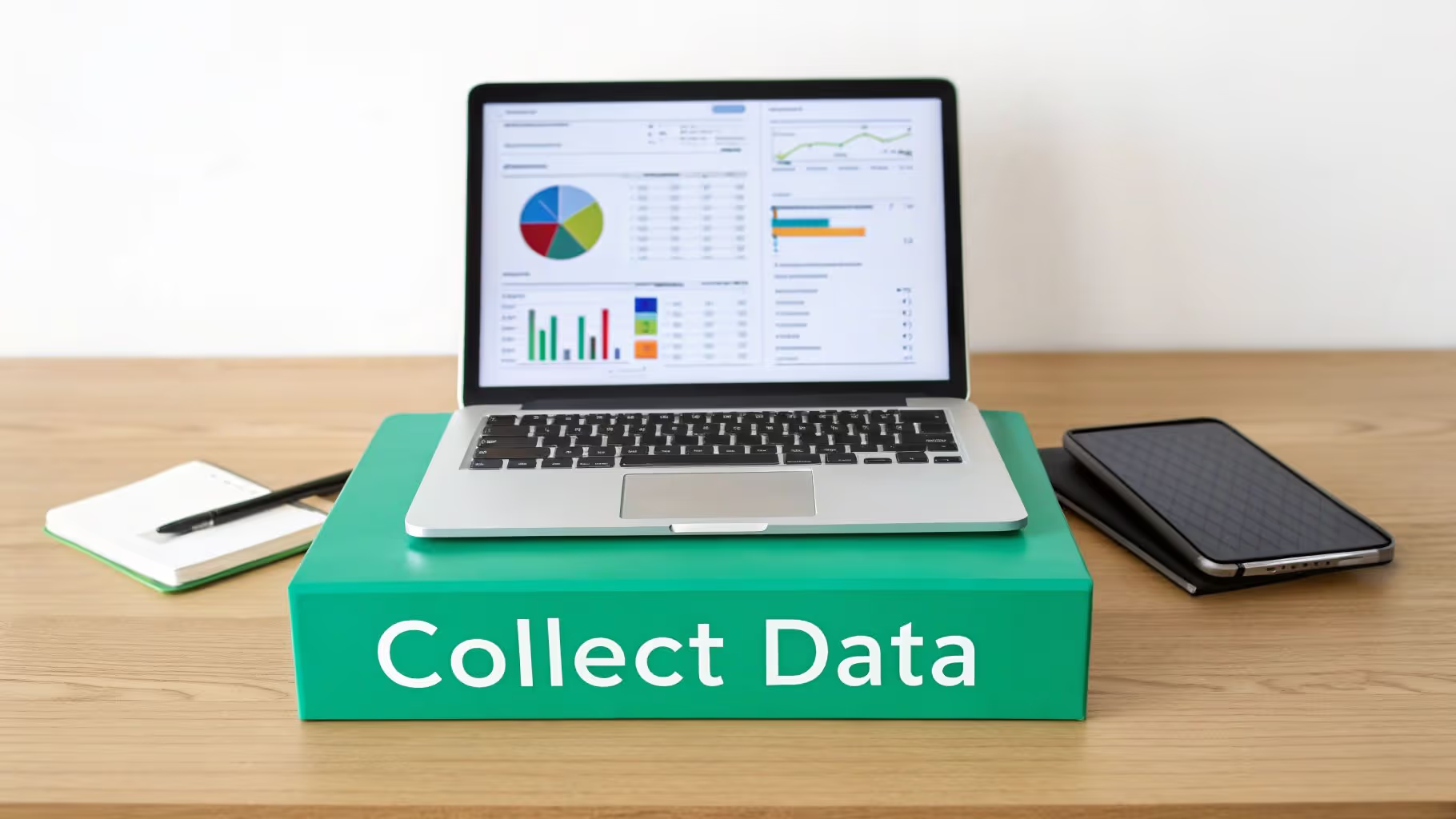
Key First Party Data Collection Points
To get this right, you can't just rely on one source. A multi-channel approach is essential because each source provides different pieces of the puzzle. When you put them all together, you get a rich, detailed picture of your customer.
Here are some of the most effective collection points:
- Website and Mobile Apps: This is your ground zero for behavioral data. Every click, page view, search query, and item added to a cart tells a story about what a user wants. Analytics tools capture these interactions, showing you what content is hitting the mark and where people are running into friction.
- CRM Systems: Your Customer Relationship Management (CRM) platform is the central hub for all things transactional. It tracks purchase history, customer service tickets, and communication logs, giving you a clear, historical view of each customer's relationship with your brand.
- Email and SMS Campaigns: When someone subscribes to your newsletter or texts, they're explicitly giving you a direct line to them. Engagement metrics like opens, clicks, and conversion rates are powerful first-party signals that tell you exactly which messages and offers are resonating.
- Customer Surveys and Feedback Forms: Sometimes, the best way to get an answer is just to ask. Surveys, polls, and feedback forms let you collect qualitative data and specific preferences straight from the source, filling in the crucial "why" behind their actions.
By pulling data from all these sources, you move beyond isolated data points and start building truly comprehensive customer profiles. Of course, this requires a solid framework. You can learn how to create a customer data tracking plan to make sure your collection methods are organized and built to scale.
Your goal isn't just to collect data, but to create a value exchange. Customers are more willing to share information when they believe it will lead to a better, more personalized, and more relevant experience.
The Foundation of Trust and Compliance
Collecting data comes with a huge responsibility. We live in an era of heightened privacy awareness, and how you manage that data is every bit as important as how you collect it. Trust is fragile. Breaking it can do lasting damage to your brand's reputation and your bottom line.
Responsible data stewardship isn't optional—it’s built on two core pillars: consent and compliance.
Managing Consent and Ensuring Privacy
Before you even think about collecting a single piece of information, you need clear and explicit consent from the user. This means being totally transparent about what data you’re collecting, why you need it, and how you plan to use it.
Here are a few key practices for getting this right:
- Transparent Privacy Policies: Your privacy policy should be easy to find, written in plain language, and dead simple to understand. It needs to clearly spell out your data practices. To build trust and avoid legal trouble, learn how to write a GDPR-compliant privacy policy for your newsletters.
- Granular Consent Options: Ditch the all-or-nothing approach. A good consent management platform (CMP) lets users opt-in to specific types of data collection (like analytics, personalization, or marketing) while opting out of others. This gives them genuine control.
- Adherence to Regulations: You absolutely must comply with data privacy laws like the General Data Protection Regulation (GDPR) in Europe and the California Consumer Privacy Act (CCPA). These regulations set strict rules for data handling and give consumers specific rights over their personal information.
Building a system that collects, protects, and respects customer data is the only sustainable path forward. It ensures your strategy is not just effective but also ethical, creating a foundation of trust that will pay dividends for years to come.
Putting Your First-Party Data To Work
Collecting troves of information is just the first step. The real magic happens when you actually put that first-party data to work. This is where you connect the dots between what you know about your customers and how you interact with them, turning a deep, direct understanding of your audience into a serious competitive advantage.
When you get it right, this data transforms generic customer interactions into genuinely personal experiences. It allows you to move beyond guesswork and start making decisions based on what people actually do and say, which is the secret sauce for boosting both loyalty and sustainable growth.

Craft Hyper-Personalized Website Experiences
One of the quickest wins with first-party data is right on your own website or app. By looking at a user's browsing history, past purchases, and on-site behavior, you can start changing their experience in real time. We're talking about much more than just dropping their first name in an email.
Imagine an e-commerce store that notices a visitor clicks on the "Men's Running Shoes" category most often. The next time they land on the homepage, the main banner and featured products can be tailored to showcase exactly that—running shoes. It’s a simple tweak, but it makes the site feel instantly more relevant and intuitive, guiding the user straight to what they’re most likely to buy.
A great example is a "Recommended for You" engine that doesn't feel random. By using a customer's real purchase and viewing history, you can generate product suggestions that are genuinely helpful. This kind of personalization is a direct line to increasing cross-sells and upsells, giving your average order value a healthy boost.
Build Laser-Focused Advertising Campaigns
As the ad world waves goodbye to third-party cookies, first-party data has become the new MVP for effective audience targeting. You can use your own data to build incredibly specific audience segments for your ad campaigns on platforms like Meta and Google.
For instance, you could whip up a segment of customers who have bought from you more than three times in the last year but haven't been back in 60 days. This lets you run a pinpoint-accurate re-engagement campaign with a special offer just for them. This kind of precision stops you from wasting ad spend on broad, uninterested audiences.
The end of the third-party cookie era marks a historical pivot, with first-party data emerging as the consent-based cornerstone for measurement and targeting. With Chrome's full phase-out set for December 2025, the old norms of tracking are over, thrusting data gathered transparently from owned properties into the spotlight.
This shift isn't just about playing by the new rules; it's about performance. The benefits are stark, with some studies showing up to 8x returns on ad spend and 83% cuts in customer acquisition costs. Following privacy updates like GDPR and iOS 14, adoption has spiked. By 2025, it's expected to be indispensable for over 90% of major enterprises. You can learn more about the rising importance of first-party data to get the full picture.
Inform Smarter Product Development
Your first-party data is a direct pipeline to your customers' needs and frustrations, making it an absolute goldmine for your product strategy. Instead of relying on gut feelings or broad market trends, you can use cold, hard data to guide your roadmap.
Think about a software company that sees a huge number of users repeatedly searching its help docs for a feature that doesn't exist. That behavioral data is a massive, flashing sign of unmet demand. It gives the product team a data-backed reason to prioritize building that feature in the next update.
In the same way, analyzing customer service tickets, survey responses, and on-site feedback can reveal common pain points or desires. When you combine this qualitative feedback with quantitative behavioral data, your product team gets a complete picture of what to build next to keep customers happy and coming back for more.
Why Data Quality Is Your Secret Weapon
Piling up mountains of first-party data feels like a win, but it doesn't mean much if the information is broken. This brings us to the critical—and often ignored—challenge of data quality. It's the silent factor that decides whether your data is a game-changing asset or just a costly liability.
Poor data quality can quietly poison your entire strategy. Think of it like trying to navigate a new city with a map full of typos and missing streets. You'll make wrong turns, waste time, and end up miles from your destination. In business, those wrong turns translate directly into flawed analysis and wasted marketing spend.
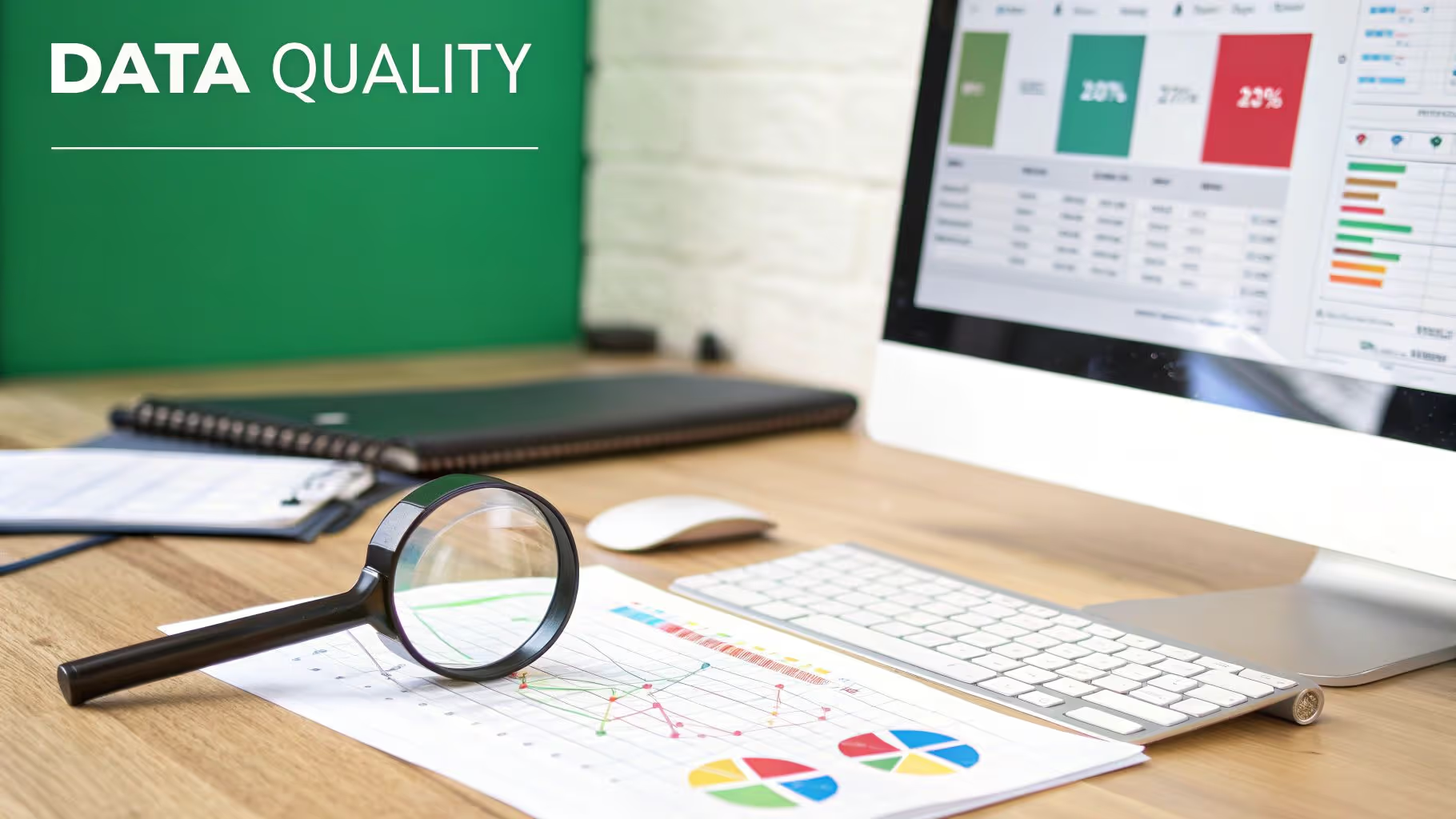
Uncovering the Silent Profit Killers
A handful of common issues can wreck the quality of your first-party data, creating a ripple effect of bad decisions across your organization. These aren't just minor tech glitches; they're fundamental problems that destroy the integrity of your insights.
Some of the worst offenders include:
- Broken Tracking: When analytics tags don't fire correctly—or at all—you lose visibility into crucial user actions. This leaves massive blind spots in your customer journey maps.
- Inconsistent Campaign Tagging: If your team uses different UTM conventions (like
utm_source=facebookvs.utm_source=Facebook), your attribution models become a complete mess. You can't tell which campaigns are actually driving results. - Missing or Incomplete Data: Imagine a user completes a purchase, but the
order_valueproperty comes through empty. These missing data points make it impossible to run accurate revenue analysis or segment high-value customers.
These seemingly small errors pile up fast, leading to unreliable reports and a total lack of confidence in your data. It's impossible to make smart, data-driven decisions when the information you’re using is fundamentally broken.
The Cost of Inaction
Ignoring data quality isn't a neutral choice; it comes with real and often severe consequences. Marketers burn huge chunks of their budgets on the wrong audiences or repetitive messaging simply because their data is off. Disconnected touchpoints create friction in the customer experience, pushing potential buyers away for good.
High-quality data isn't an accident. It's the result of a proactive strategy that transforms your data from a potential liability into a trustworthy asset for confident decisions.
Failing to tackle these issues means you're operating with a massive handicap. You might pour money into a personalization engine that shows irrelevant products or an email campaign that targets the wrong segment. Poor data quality doesn't just lead to bad reports—it leads to bad business outcomes. To see just how deep the rabbit hole goes, you can learn more about the business risks of poor data quality.
Building Your Defense System with Automation
So, how do you defend the integrity of your first-party data? The answer is shifting from a reactive "fix-it-when-it-breaks" mindset to a proactive one. Keeping data clean requires constant vigilance, and manual audits are just too slow and clunky to keep up with the pace of modern business.
This is where automated monitoring and validation become your real secret weapon. Think of these systems as a 24/7 security guard for your data pipelines, constantly checking to make sure every piece of information is accurate, complete, and reliable before it ever reaches your analytics and marketing tools.
An automated observability platform can act as your defense system by:
- Continuously Discovering Your Tracking: It automatically maps out your entire analytics setup, from the dataLayer to every marketing pixel, so you always have a clear picture of what's being tracked.
- Validating Data Against Your Plan: The system compares incoming data against your defined tracking plan in real-time, instantly flagging any deviations, schema mismatches, or missing properties.
- Detecting Errors in Real Time: It alerts your team immediately via Slack or email the moment issues like broken events, campaign tagging errors, or even potential privacy leaks pop up.
By automating this process, you stop spending weeks on manual audits and start fixing errors in minutes. This proactive stance ensures your dashboards are reliable, your insights are trustworthy, and your marketing spend is maximized. You can finally have confidence that the first-party data you're collecting is an asset you can build your business on.
Building Your First Party Data Strategy
Now that we've covered what first-party data is and why quality is non-negotiable, it's time to build a real-world strategy. Forget about some massive, multi-year project—a successful plan is a focused roadmap that turns raw data into tangible business results. The goal here is a practical framework that’s both manageable and rewarding.
This whole process really begins by looking inward. Before you can build anything new, you need a crystal-clear picture of what you already have. This foundational step stops you from collecting redundant information or, worse, investing in shiny new tools you don’t actually need.
Laying the Groundwork for Success
First things first: identify and audit your current data sources. Get granular here. Map out every single touchpoint where you collect information—from your website analytics and CRM to your email platform and customer service logs. You need to know what data lives in each system and how (or if) it’s being used today.
Next, you have to set clear business goals. What, exactly, are you trying to accomplish with this data? Are you aiming to boost customer retention by 15%? Maybe you want to sharpen your ad targeting or personalize website content to drive more conversions. Tying your data strategy to specific, measurable outcomes is the only way to prove its value down the line.
A first-party data strategy isn't a "set-it-and-forget-it" task. It demands a continuous loop of monitoring, measuring, and optimizing to keep the data accurate and ensure your actions are always aligned with your business objectives.
Executing Your Strategic Plan
With your goals locked in, it’s time to select the right tools for the job—collection, management, and quality assurance. This stack might include your analytics platforms, a Customer Data Platform (CDP) if it makes sense for your scale, and an automated monitoring solution like Trackingplan to protect your data integrity from day one.
Just as important, you must prioritize transparent privacy and consent practices. Make sure your methods for collecting and using data are clearly communicated to your audience and are fully compliant with regulations like GDPR and CCPA. Trust is the absolute bedrock of any first-party data initiative.
Finally, launch a pilot project to demonstrate value quickly. Don't try to boil the ocean. Start with a single, high-impact use case, like a re-engagement campaign for a specific customer segment. Proving success on a smaller scale builds momentum and secures the buy-in you'll need for broader implementation across the organization.
Frequently Asked Questions
Alright, let's wrap up by tackling some of the most common questions that come up around first-party data. These quick answers should help lock in the concepts we've covered and clear up any lingering confusion.
What Is The Main Difference Between First-Party and Zero-Party Data?
The real difference boils down to how you get the information. Zero-party data is what a customer chooses to tell you, straight up. Think about someone filling out a style quiz or picking their favorite product categories in an account preference center. They are actively and intentionally handing that information over.
On the other hand, first-party data is information you gather by watching what a user does on your own website or app. This covers things like which pages they visit, what they add to their cart, or their purchase history. So, zero-party is what they tell you; first-party is what they show you.
Can First-Party Data Be Shared With Other Companies?
As a general rule, no. The second you share your first-party data with another business, it’s no longer first-party—it becomes second-party data. A huge part of what makes first-party data so valuable is that it's yours and yours alone. It’s an exclusive asset that gives you a unique edge over the competition.
Beyond that, sharing this kind of data without getting very specific and explicit consent from the user can land you in hot water with privacy laws. It’s best to treat it as a proprietary resource for building a stronger, direct relationship with your own audience.
How Does First-Party Data Improve Marketing Attribution?
First-party data gives you a crystal-clear view of a customer’s journey across all the digital properties you own. Because you're the one tracking every interaction on your website, in your app, and through your email campaigns, you don't need to guess or rely on third-party cookies to connect the dots.
This direct evidence lets you build attribution models that are far more accurate. You can see with confidence which of your own touchpoints—a specific blog post, an email promotion, or a particular ad click—actually pushed a customer toward conversion. That means smarter, more effective budget decisions.
How Can I Ensure My Data Collection Is Compliant With Privacy Laws?
Staying compliant isn't optional, and it demands a proactive strategy built on transparency and giving users control. Every organization should have these fundamentals locked down:
- Use a Robust Consent Management Platform (CMP): This is your frontline tool for transparently asking for and managing user consent for data collection, making sure you honor their choices.
- Maintain a Clear Privacy Policy: Your policy needs to be written in plain language, not legalese. It should clearly explain what data you collect, why you need it, and how you use it.
- Practice Data Minimization: Just because you can collect a piece of data doesn’t mean you should. Only gather what's absolutely necessary for a clear business purpose. Hoarding data you don't use is a liability.
Building your data strategy on these practices creates a foundation of trust, which is absolutely essential for earning long-term customer loyalty and staying on the right side of the law.
Ensuring your first-party data is accurate and reliable is the key to unlocking its full potential. Trackingplan provides a fully automated observability platform that discovers your entire analytics setup, validates your data in real time, and instantly detects errors before they impact your business decisions. Stop relying on manual audits and let our platform be your single source of truth for data quality.
?How can I create a customer data tracking plan?
To create an effective customer data tracking plan, it is crucial to understand the functionality of your analytics system. This understanding ensures that you collect accurate data, which in turn leads to reliable reporting and positive user experiences.
On the other way around, making critical business decisions based on inaccurate data can have detrimental consequences, and this is where the significance of having a tracking plan comes into play.
The purpose of data analytics is to offer companies a better comprehension of their users' behavior. In addition, it delivers organizations information into client activity on their websites, mobile apps, landing pages, and blog articles, allowing them to deliver targeted, tailored, and enjoyable experiences. Tracking processes enables business leaders to determine which methods are effective and which are not in order to reduce unprofitable business procedures and enhance existing business strategies that are performing well.
The process of customer data collection primarily takes place on the frontends of your platform, where it becomes challenging to detect the interactions between your customers and your analytics solutions. However, by using Trackingplan, you can gain complete observability and seamless monitoring.
Trackingplan offers several benefits for your product, analytics, and development teams. It automatically identifies any modifications made to your analytics implementation and alerts you about anomalies such as hit drops, missing properties, and events. Additionally, Trackingplan automatically discovers and documents the path definition and analytics code. It seamlessly integrates into your web and mobile applications, automating the detection of changes, errors, and event schemas in your analytics as soon as any customer interacts with them.
By implementing Trackingplan, you can ensure that your customer data tracking is accurate, reliable, and up-to-date. This empowers your teams to make informed decisions based on high-quality data and improves the overall efficiency and effectiveness of your analytics processes.
?What is event tracking in digital marketing?
Event tracking refers to the process of monitoring and analyzing the interactions users have with a website or mobile app. It's a crucial aspect of understanding user behavior and optimizing the digital experience, especially in digital marketing.
Event tracking is typically implemented through tagging, where small snippets of code are placed on a website to capture and send event data to analytics platforms like Google Analytics or Adobe Analytics. Tag management systems like Google Tag Manager can simplify the process.
Common events that can be tracked include clicks, form submissions, page views, or interactions with videos and other media. Custom events can also be set up to meet specific tracking needs.
For more information, we have a more detailed technical post on event tracking here.
?What is marketing observability?
Marketing observability is the practice of continuously checking marketing data where it is collected, so a broken tag, pixel, or consent signal is caught before it reaches a report or an ad platform. It starts where the customer interaction is collected, validated, and routed; data observability lives downstream, in the pipelines and warehouses the data reaches afterwards. The full explanation, with what it watches and who needs it, is in the guide to marketing observability.
What it checks
- The hit: each request your site or app sends to an analytics or ad platform, with its properties and values.
- The dataLayer and the SDKs: the keys every tag reads, on web, iOS, Android, and server.
- Tags, pixels, and CAPI payloads: whether GA4, Meta, Google Ads, TikTok, and the rest receive the same conversion, once, with the same value and identifiers.
- The consent state: whether each vendor fires only when the visitor’s choice allows it, and whether personal data leaks into URLs or payloads.
- Releases: the GTM version, app build, or deploy after which something changed.
Why it matters
Marketing data rarely fails loudly. A renamed property or a pixel missing from one template keeps dashboards rendering and ad platforms optimizing on the wrong signal, and the gap shows up weeks later as an attribution question. Continuous checks shorten that to hours, without manual audits after every release.
Marketing observability vs data observability
| Marketing observability | Data observability | |
|---|---|---|
| Where it looks | The collection layer: hits, dataLayer, tags, pixels, SDKs, server-side events, consent | The pipeline layer: warehouse tables, transformations, freshness, lineage |
| Typical failure | A broken pixel, a missing event, a renamed property, a tag firing without consent | A stale table, a failed transformation, a schema change in a model |
| When it sees it | As the data is sent | After the data has landed |
The two complement each other: a warehouse can be fresh and complete and still hold a purchase event that lost its value at the source.
Marketing observability vs monitoring
Monitoring checks known things against known limits: a GA4 custom alert tells you a metric crossed a threshold, with little on why. Observability gives you the data underneath the metric, the hits and their payloads compared with what normal looks like, so the cause can be named with evidence. In practice a marketing observability setup includes monitoring, because alerts are how you learn something changed, and adds the diagnosis behind it.
How to start
- Cover the conversions first: purchases, leads and sign-ups, on every platform they are sent to.
- Watch releases: most breakage starts with a deploy or a GTM version.
- Add consent and PII: vendors before opt-in, Consent Mode signals, personal data in URLs and payloads.
- Extend to apps and server-side: the same events from the SDKs and the server, compared with the web.
Frequently asked questions
What is observability in marketing?
It is the continuous check of marketing data where it is collected, so a broken tag, pixel, or consent signal is caught before it reaches a report or an ad platform. The term comes from software engineering, where observability means understanding a system’s internal state from what it outputs; in marketing the outputs are the hits your site and apps send.
What is the difference between marketing observability and data observability?
Where they look. Marketing observability watches the collection layer: hits, dataLayer, tags, pixels, server-side events, and consent. Data observability watches the pipelines and warehouses the data reaches afterwards. A missing event is a marketing observability problem; a stale table is a data observability one.
Is marketing observability the same as monitoring?
No. Monitoring tells you a known metric crossed a known limit. Observability gives you the data underneath, so you can find out why it moved, including causes nobody set an alert for. A marketing observability setup uses alerts, then explains them.
To see which tools do this and how, read marketing observability tools compared by method. For the privacy side, see the privacy hub.
?What are the risks associated with compromised Data Integrity?
Data Integrity ensures that data remains accurate, consistent, and unaltered throughout its lifecycle. It prevents unauthorized changes, maintains data accuracy, and guarantees reliability.
In that sense, data integrity is like building a fortress around your company’s data, ensuring that it remains untampered and secure, reliable, and complete regardless of the passage of time or how often it is accessed.
However, data integrity can be compromised in various ways, and its consequences can go from minor inconveniences to major business disasters depending on the amount of loss and the nature of the data affected. Moreover, considering that a large number of today's businesses prosper through the delivery of digital products and services and that data has become all we have to understand our customer’s needs, there are several reasons that account for the importance of data integrity in protecting your business from data loss and outside forces.
From human errors, to transfer errors between two systems, to bugs and viruses, or compromised hardware, keeping data safe and protecting your company’s data integrity might seem like an overwhelming task. Compromised Data Integrity can lead to distorted analytics, compliance issues, loss of trust in data, financial losses, damaged reputation, and legal ramifications due to inaccurate reporting or decision-making.
That is why error detection software can offer a modern alternative to mitigate these risks.
Trackingplan is a fully automated data QA and observability solution for your digital analytics created to ensure your data never breaks and always arrives to your specifications by automatically documenting all the data that your apps and websites are sending to third-party integrations like Google Analytics, Segment, or MixPanel.
This creates a single source of truth where all teams involved in first-party data collection can collaborate, automatically receive notifications when things change or break in your digital analytics, marketing automations, pixels, or campaigns, and easily debug any problem by being provided with the root cause of the problems affecting your data integrity.
?How can organizations ensure Data Integrity?
Data integrity is characterized by a series of common characteristics. For it, the FDA has developed the acronym ALCOA+ to define some of the most important data integrity standards:
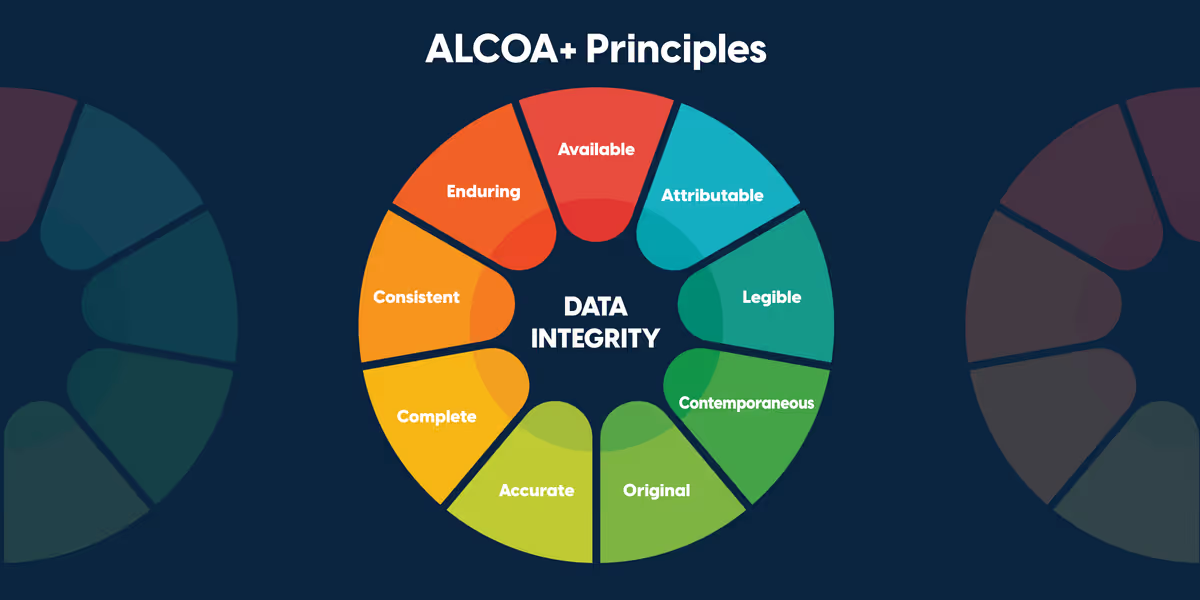
Learn more about each of these principles in the following article.
?What is the role of Data Governance in an organization?
Data Governance refers to the framework, policies, and procedures ensuring data availability, usability, integrity, and security within an organization. It establishes accountability for data-related processes, ensuring compliance and effective decision-making. That is why its role is indispensable for organizations to manage their data throughout its life cycle, from acquisition, usability, data security, and integrity.
The Importance of Data Governance
Data governance offers transparency and protection against ineffective data management and ensures adherence to regulatory requirements, mitigating risks associated with data misuse, breaches, or non-compliance. Let’s see this in more detail:
Data Integrity and Quality:
Low data quality impacts every business element, from marketing insights to financial planning, and impedes the achievement of crucial KPIs. When data quality is inadequate, making informed decisions or taking reasonable risks is impossible.
In the other way around, Data Governance practices help organizations maintain data accuracy, consistency, and reliability, reducing the risk of errors and enhancing trust in organizational data.
Compliance and Risk Management:
The increasing complexity of the regulatory environment has increased the importance of companies establishing robust data governance policies.
That is why Data Governance can help companies prevent risks connected with noncompliance while anticipating future requirements proactively. Implementing a data governance strategy facilitates your organisation's compliance with the most recent laws, such as the General Data Protection Regulation (GDPR) of the European Union, the Health Insurance Portability and Accountability Act (HIPAA), the Payment Card Industry Data Security Standard (PCI-DSS), and others.
Decision-Making and Strategy:
Reliable data, governed properly, forms the basis for informed decision-making, enabling strategic planning and execution.
Implementing Data Governance in your organization
This process involves several key components:
Establishing Policies and Standards: Defining clear guidelines and standards for data management, including data access, usage, and security protocols.
Defining Roles and Responsibilities: Assigning accountability for data quality, security, and compliance to specific individuals or teams within the organization.
Data Lifecycle Management: Outlining processes for data collection, storage, usage, and archival or disposal in line with regulatory requirements and organizational needs.
Monitoring and Enforcement: Regularly monitoring adherence to policies, conducting audits, and enforcing governance measures to maintain data integrity and security.
Automate Data Governance with Trackingplan
Now that businesses can collect vast quantities of heterogeneous internal and external data, they require discipline to optimise their value, mitigate risks, and decrease costs.
Trackingplan is an always up-to-date single source of truth and data governance tool. Its automated capabilities bolster Data Governance in two key ways:
Enhanced Efficiency
By automating data validation, quality checks, and access controls, it minimizes manual efforts and diminishes the likelihood of human errors.
Real-Time Compliance Enablement
Automated monitoring ensures a continuous alignment with data governance policies and regulatory standards.
Moreover, it eliminates the reliance on outdated spreadsheets and ensures the continuous cleanliness and adherence to expected specifications of the data added to your data warehouse. Moreover, Trackingplan aids in the exploration, comprehension, and documentation of your data, fostering improved team communication.
?What are the key components of a robust Data Governance strategy?
A robust Data Governance strategy comprises essential elements that ensure effective management, security, quality, and usability of data assets within an organization. These key components, which usually include clear data ownership, defined policies and standards, data stewardship, regular audits, compliance mechanisms, and continuous improvement strategies to adapt to evolving data needs, create a framework for data governance implementation and maintenance.
Key Components in a Data Governance Strategy
Policies and Standards Development: Establishing clear and comprehensive policies, guidelines, and standards governing data management, access, usage, security, and privacy serve as the foundational principles for managing data across an organization.
Roles and Responsibilities Assignment: This refers to define specific roles and assigning responsibilities to individuals or teams accountable for data governance, ensuring accountability and ownership for data quality, security, and compliance.
Data Lifecycle Management: Structuring processes that oversee the entire lifecycle of data, from acquisition or creation to storage, usage, archival, or deletion. This includes protocols for data retention, archival, and disposal in line with regulatory and business requirements.
Metadata Management: This accounts for implementing strategies to capture, store, and use metadata - information about the data - such as its origin, lineage, format, and usage. This facilitates understanding and traceability of data assets across an organization.
Data Quality Management: Instituting procedures and tools for continuous data quality assessment, validation, and improvement. This ensures data accuracy, consistency, and reliability, maintaining high-quality data throughout its lifecycle.
Risk Management and Compliance: Integrating measures to identify, assess, and mitigate risks associated with data, including data breaches, security vulnerabilities, and non-compliance with regulatory standards. Monitoring and
Auditing Mechanisms: Establishing mechanisms for ongoing monitoring, audits, and reporting on data governance activities. This includes regular assessments of adherence to policies, performance metrics, and compliance status.
How does implementing Data Governance benefit businesses?
Implementing Data Governance leads to improved data quality, increased trust in data, regulatory compliance, minimized risks, and enhanced decision-making, ultimately resulting in better operational efficiency and strategic insights.
Trackingplan’s data governance tool provides you with an always up-to-date single source of truth that helps companies eliminate outdated spreadsheets and ensure their data is always clean and follows the expected specs. In addition, Trackinglan helps you discover, understand, and document your data and improve team communication.
?Why is Data Accuracy crucial for organizations?
Data Accuracy is essential as it directly influences decision-making processes, strategy formulation, customer satisfaction, and overall operational efficiency.
On the other way around, relying on inaccurate data can lead to flawed insights, misguided decisions, wasted resources, damaged customer relationships, and operational inefficiencies. Inaccurate data in healthcare could mean making a fatal mistake in patient care. In retail, it might result in costly mistakes in business expansions. For marketers, this might mean targeting the wrong customers with the wrong message in the wrong media, annoying mistargeted consumers while ignoring higher-potential ones who might be interested in buying what they’re selling.
This explains why accuracy is the first and most critical standard of the data quality framework.
Trackingplan provides a fully automated QA solution that empowers companies with accurate and reliable digital analytics. Our end-to-end coverage of what is happening in your digital analytics at every stage of the process is designed to help you prevent your test executions do not break your analytics before going into production and offers you a quick view of the regressions found between them and their baseline so that you can understand the root cause of those errors in order to fix them before compromising your data.
?How can organizations maintain Data Accuracy?
Organizations can maintain Data Accuracy by implementing stringent data entry protocols, regular audits, using automated validation tools, and ensuring data is sourced from reliable sources. Let’s review this in detail:
Stringent Data Entry Protocols: Establishing standardized data entry procedures and guidelines ensures consistency and reduces the likelihood of errors during data input.
Regular Audits: Conducting routine data audits helps identify discrepancies, anomalies, or inaccuracies, allowing for timely corrections and maintenance of data integrity. In this sense, you can use Trackingplan to automatically audit your digital analytics Trackingplan provides a roadmap for every member involved in the data collection process to ensure the data of your digital analytics, acquisition, pixels, and campaigns are accurately collected, responsibly managed, and integrated efficiently across teams and platforms by offering you an always-updated single source of truth with the real picture of your digital analytics.
Automated Validation Tools: Utilizing automated validation tools and software helps in real-time data validation, flagging inconsistencies or errors upon entry, thus minimizing inaccuracies at the outset. Trackingplan will automatically detect and send you alerts about any update or issue happening in your digital analytics, like missing events or properties, naming inconsistencies, anomalies in your traffic, property type mismatches, or validation errors to help you keep everything that matters to you in the loop.
Reliable Data Sources: Ensuring data is sourced from credible and trustworthy sources enhances its accuracy and reliability, reducing the likelihood of erroneous information entering the system. Trackingplan snippet listens in real-time to all the data your site and apps send to third parties integrations. That's why you can have access to your data in seconds instead of hours. And that's why it supports any provider, including the ones that don't have an API, or even your in-house analytics systems.
By employing these measures in tandem, organizations can establish a robust framework to preserve and enhance Data Accuracy, fostering a foundation for informed decision-making and reliable business operations.
?What defines data reliability and why it is key for decision-making?
Organizations routinely make data-driven business decisions, but without data reliability, those decisions are doomed to fail, resulting in poor-performing decision-making or flawed outcomes. This explains why data reliability is found in the structure behind several successful data-driven enterprises.
Reliable data is consistent, accurate, and trustworthy. Something crucial for making informed decisions as it reduces uncertainty and enables stakeholders to have confidence in their analyses and actions.
While this might sound obvious, as nobody imagines making extremely important business decisions based on unreliable and untrustworthy data, research reveals a bitter reality.
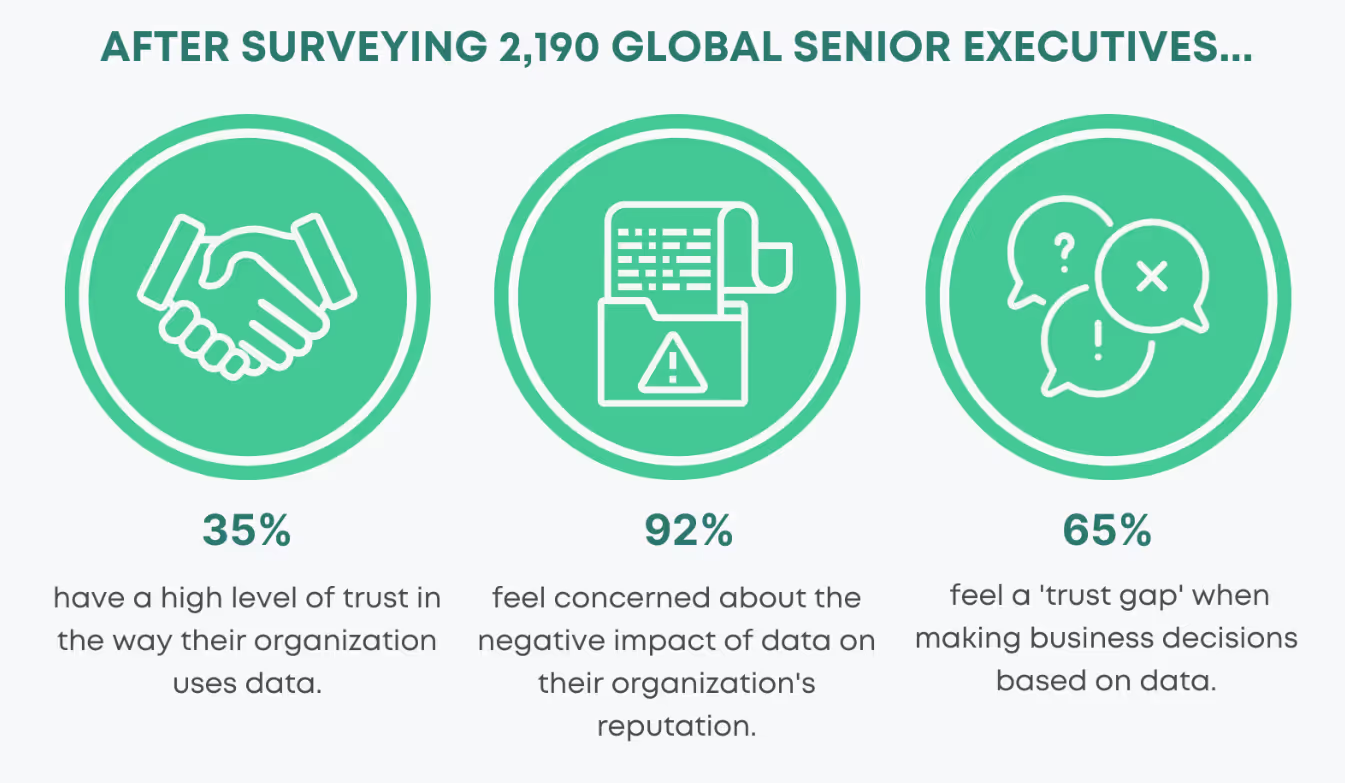
Indeed, after surveying 2,190 global senior executives, a recent report from KPMG International –a tax and advisory firm– shows that only 35% of senior executives have a high level of trust in the way their organization uses data analytics. That accounts for a total of 65% feeling a 'trust gap' when making business decisions based on their data.
Yet, data that is unreliable can have devastating consequences for your business. Let’s see it in more detail.
Flawed Analyses and Decisions: Inaccurate or inconsistent data can lead to flawed analyses, misinterpretations, and erroneous conclusions. This, in turn, results in decisions based on faulty information, potentially leading to adverse outcomes.
Damaged Stakeholder Trust: Unreliable data erodes trust among stakeholders. When decisions are made based on flawed information, it undermines confidence in future analyses and decisions, damaging relationships and credibility.
Operational Inefficiencies: Using unreliable data can result in inefficiencies in business operations. Decisions made on inaccurate information may lead to suboptimal resource allocation, inefficient processes, or missed opportunities.
Financial Losses: Poor data quality can have direct financial implications. Incorrect forecasts, misjudged investments, or misguided strategies stemming from unreliable data can lead to financial losses for the organization.
Undermining Business Success: Ultimately, the cumulative effect of relying on unreliable data can hinder business success. It impacts competitiveness, impedes innovation, and inhibits growth, hindering an organization's ability to achieve its goals and objectives.
In essence, reliable data is the cornerstone of informed decision-making, fostering confidence and trust among stakeholders. Conversely, unreliable data not only leads to flawed analyses and decisions but also damages trust, leads to operational inefficiencies, and can significantly impact an organization's success and competitiveness in the long run. Therefore, ensuring data reliability is crucial for organizational resilience and sustained success.
?How can organizations ensure Data Reliability in their datasets?
Data Reliability is fundamental in building stakeholder trust as it ensures that the information provided is consistent and accurate, fostering confidence in decision-making and business strategies.
Organizations ensure Data Reliability by implementing robust data validation processes, regular quality checks, using standardized data sources, and establishing data governance frameworks.
Establishment of Data Validation Processes
Validation Protocols: Implementing comprehensive validation protocols ensures that data is thoroughly examined for accuracy, completeness, and consistency. This involves automated validation tools or manual checks to verify the integrity of incoming data.
Error Detection and Correction: Incorporating mechanisms to detect and rectify errors during data entry or processing. This includes identifying outliers, resolving inconsistencies, and addressing missing or duplicate data points.
Regular Quality Checks and Maintenance
Scheduled Audits: Conducting routine audits and assessments to verify the quality and integrity of datasets. Regular checks help identify discrepancies, ensuring data remains reliable and up-to-date.
Data Cleansing: Implementing processes to cleanse and enhance data quality. This involves removing duplicate records, correcting inaccuracies, and standardizing formats to maintain consistency.
Utilization of Standardized Data Sources
Trusted and Credible Sources: Leveraging data from reputable and standardized sources ensures reliability. Establishing partnerships or agreements with verified data providers or using industry-standard datasets enhances the credibility of the information.
Consistent Data Formats: Standardizing data formats, structures, and definitions across different sources ensures uniformity and compatibility, reducing the risk of inconsistencies.
Implementation of Data Governance Frameworks
Defined Policies and Standards: Establishing clear guidelines, policies, and standards for data management, usage, and access. Data governance frameworks provide a structured approach to ensure adherence to quality and reliability standards.
Role-Based Access Controls: Implementing access controls to restrict unauthorized modifications or access to critical datasets, preserving their integrity and reliability.
Continuous Improvement and Adaptation
Feedback Loops: Incorporating feedback mechanisms from end-users or stakeholders to improve data quality continuously. This allows for adjustments based on evolving needs and insights.
Adapting to Changes: Being agile in updating data processes and validation methods to accommodate changes in data sources, technology, or regulatory requirements.
By integrating these practices into their data management strategies, organizations can significantly enhance Data Reliability. This reliability, in turn, fosters stakeholder trust, instills confidence in decision-making processes, and forms the cornerstone for effective business strategies based on accurate and consistent information.
?What role does Data Lineage play in regulatory compliance?
Data Lineage maps the lifecycle journey of data, documenting its origin, transformations, and movement across systems. It ensures transparency and traceability, which is also crucial for data integrity and compliance with data handling regulations. It provides insights into how data is processed, helping identify potential quality issues and ensuring data accuracy, thereby enhancing overall data quality assurance efforts.
Transparency and Traceability: Data Lineage provides a comprehensive map detailing the journey of data from its origin through various transformations and movements across systems and processes. This transparency enables organizations to understand how data is sourced, manipulated, and utilized within their infrastructure.
Impact Analysis and Risk Mitigation: By tracking data lineage, organizations can conduct effective impact analyses to assess the potential consequences of changes or errors in the data flow. This proactive approach aids in identifying risks associated with data alterations or system modifications, enabling preemptive measures to mitigate compliance risks.
Data Integrity Verification: Data Lineage ensures data integrity by allowing organizations to verify the accuracy, completeness, and consistency of data throughout its lifecycle. By tracing data lineage, discrepancies or inconsistencies can be detected and rectified, ensuring compliance with regulations that mandate accurate and reliable data handling.
Compliance Documentation and Auditing: Regulatory compliance often necessitates documentation of data handling practices. Data Lineage serves as an essential tool for compliance documentation, providing a detailed record of data lineage, transformations, and usage. During audits, regulators can trace and verify data lineage to ensure adherence to regulatory requirements.
Regulatory Reporting and Governance: For compliance with regulations such as GDPR, HIPAA, or SOX, organizations must demonstrate a robust understanding of data flows and controls. Data Lineage assists in governance by facilitating accurate and reliable reporting of data movement, aiding in meeting regulatory obligations.
Proving Compliance with Data Handling Regulations: Data Lineage documentation serves as concrete evidence that organizations are adhering to data handling regulations. It allows for easy demonstration of compliance by illustrating how sensitive or regulated data is processed, accessed, and protected within the organization.
Continuous Compliance Monitoring: Establishing a framework that includes Data Lineage enables continuous monitoring of data flows and changes. This proactive approach ensures ongoing compliance by identifying and rectifying any deviations from established standards or regulatory requirements in real-time.
All in all, Data Lineage maps the lifecycle journey of data, documenting its origin, transformations, and movement across systems. It ensures transparency and traceability, crucial for data integrity and compliance. This plays a pivotal role in regulatory compliance by providing transparency, verifying data integrity, aiding in risk mitigation, facilitating accurate reporting, and serving as concrete evidence of adherence to data handling regulations. It ensures that organizations have a clear understanding of their data landscape, enabling them to meet stringent regulatory requirements and standards.
?What is the purpose of a Data Dictionary in managing organizational data?
A Data Dictionary establishes a standardized vocabulary and terminology for data elements across the organization. By defining clear and consistent terms, it mitigates ambiguity and ensures that all stakeholders interpret data elements uniformly. This standardization fosters effective communication and eliminates misunderstandings arising from different interpretations of data terminology.
Contextual Information for Data Elements
The Data Dictionary provides comprehensive descriptions and contextual information for each data element. This includes details about its purpose, usage, relationships with other elements, and specific attributes. This contextual information aids in understanding the meaning and significance of data elements, enabling users to make informed decisions based on a thorough comprehension of the data.
Supports Data Discovery and Accessibility
By serving as a centralized repository of data information, the Data Dictionary enhances data discovery. Users can quickly search and locate relevant data elements, understand their relevance, and assess their suitability for specific use cases. This streamlined access to information accelerates data discovery processes, allowing stakeholders to find the right data more efficiently.
Ensures Consistent Interpretation Across Departments
Consistency in interpreting and using data is crucial across various departments within an organization. The Data Dictionary ensures that different teams or departments understand and interpret data elements in the same way. This consistency in data interpretation minimizes errors, discrepancies, and conflicting analyses arising from divergent understandings of data, promoting unified decision-making.
Facilitates Compliance and Governance
In regulated industries, compliance with standards and regulations is essential. A Data Dictionary assists in ensuring adherence to regulatory requirements by documenting data structures, relationships, and constraints. It helps in demonstrating compliance during audits by providing a clear trail of data lineage, usage, and definitions.
Encourages Collaboration and Knowledge Sharing
A comprehensive Data Dictionary encourages collaboration among teams by providing a shared understanding of data elements. It fosters knowledge sharing by enabling different departments or teams to access and comprehend data consistently. This shared understanding promotes collaboration, innovation, and better-informed decision-making processes.
In summary, a Data Dictionary plays a pivotal role in effective data management by standardizing terminology, providing contextual information, aiding data discovery, ensuring consistency in interpretation, supporting compliance efforts, and fostering collaboration among stakeholders. Its centralized repository of data information significantly enhances the organization's ability to leverage data assets efficiently and make informed decisions based on a common understanding of data elements.
?What are the key components typically included in a comprehensive Data Dictionary?
A comprehensive Data Dictionary is an essential resource that contains detailed information about the structure, content, and usage of data elements within an organization. This usually includes data element names, definitions, data types, allowable values, relationships, source systems, and any business rules, dependencies or constraints associated with each data element.
Here's an expanded view of the key components typically found in a comprehensive Data Dictionary:
Data Element Names and Descriptions
Name: Clear and standardized names for each data element, ensuring consistency and easy identification.
Description: Detailed explanations or definitions clarifying the purpose, content, and context of each data element.
Data Types and Formats
Data Type: Specification of the type of data (e.g., integer, string, date, etc.) that the data element represents.
Format: Information on the specific format or structure of the data (e.g., YYYY-MM-DD for dates) providing guidelines for its usage.
Allowable Values and Ranges
Allowable Values: Defined sets of permissible values or ranges applicable to specific data elements.
Constraints: Any restrictions or limitations associated with the data element, such as minimum or maximum values, nullability, or unique constraints.
Relationships and Dependencies
Relationships: Descriptions of connections or associations between different data elements or datasets, such as primary keys, foreign keys, or linkages between tables.
Dependencies: Information on dependencies where one data element's value may rely on another data element's value.
Source Systems and Origins
Source Systems: Identification of the systems or sources from which the data elements are derived or collected, providing insight into data provenance.
Origins: Details about the origin or creation of the data element, including its source, creator, or generation process.
Business Rules and Constraints
Business Rules: Rules or logic governing the use, manipulation, or interpretation of data elements within the organization.
Constraints: Any business-specific limitations or criteria that must be adhered to when working with the data, ensuring compliance with organizational policies.
Metadata and Documentation
Metadata Tags: Additional descriptive information or tags associated with data elements, facilitating easier searchability and categorization.
Documentation: Supplementary notes, examples, or usage guidelines providing further clarification or context for understanding and using the data elements.
A comprehensive Data Dictionary serves as a vital reference tool, aiding data users, analysts, and stakeholders in understanding, interpreting, and effectively utilizing the organization's data assets. It promotes consistency, accuracy, and transparency in data usage and fosters effective communication and collaboration across teams working with the data.
?Why is Data Literacy crucial in today's data-driven business environment?
Data Literacy equips individuals with the skills to comprehend and analyze data effectively. In a data-rich environment, employees with data literacy competencies can derive insights, discern patterns, and draw meaningful conclusions from data sets. This proficiency enables them to make informed decisions based on evidence and analysis rather than relying solely on intuition or subjective judgment.
Driving Innovation and Problem-Solving
Proficiency in Data Literacy encourages innovative thinking and problem-solving. Individuals adept at interpreting data can identify trends, opportunities, and potential challenges more effectively. This insight allows for innovative approaches, the identification of new markets or solutions, and the development of strategies that align with data-driven insights.
Enhancing Performance in Roles
Data Literacy skills enhance the performance of employees in various roles across the organization. Whether in marketing, finance, operations, or customer service, individuals equipped with data literacy can leverage data to optimize processes, refine strategies, improve customer experiences, and drive business growth.
Enabling Effective Communication with Data
Data Literacy involves the ability to communicate data effectively. Employees proficient in data literacy can present complex data in a clear, understandable manner to diverse audiences. This skill facilitates better communication among teams, enabling stakeholders to comprehend, discuss, and act upon data-driven insights more efficiently.
Fostering a Data-Driven Culture
An organization that prioritizes Data Literacy cultivates a data-driven culture. This culture encourages continuous learning, encourages data-based decision-making, and empowers employees at all levels to engage with data confidently. A pervasive data-driven mindset encourages innovation and agility, making the organization more adaptable to change.
Mitigating Risks and Improving Efficiency
Data Literacy enables individuals to identify potential risks or inconsistencies in data, mitigating the chances of making decisions based on faulty information. It promotes efficiency by minimizing errors in analyses, thus saving time and resources that might otherwise be wasted on incorrect assumptions or flawed interpretations.
In essence, Data Literacy is pivotal in today's business landscape as it empowers employees to harness the power of data effectively. It drives informed decision-making, fuels innovation, enhances performance, fosters a data-driven culture, and contributes to more efficient and effective operations across the organization.
?How can organizations promote and enhance Data Literacy among their workforce?
Organizations can promote Data Literacy by providing training programs, workshops, access to analytics tools, creating a data-driven culture, and encouraging data exploration and analysis.
Comprehensive Training Programs
Developing tailored training programs that cater to different levels of proficiency in data literacy is crucial. These programs can include courses covering fundamental data concepts, data analysis techniques, statistical interpretation, and the use of analytics tools. Providing both foundational and advanced training ensures employees have access to continuous learning opportunities.
Interactive Workshops and Hands-On Experience
Conducting interactive workshops and hands-on sessions allows employees to apply theoretical knowledge in practical scenarios. These workshops can involve real-world case studies, simulations, or projects where employees can analyze data sets, draw insights, and make decisions, fostering a deeper understanding of data analysis and interpretation.
Accessible Analytics Tools and Resources
Granting access to user-friendly analytics tools and resources encourages employees to engage with data actively. Accessible tools that facilitate data visualization, exploration, and analysis empower individuals to interact directly with data, promoting learning through hands-on experience.
Creating a Data-Driven Culture
Fostering a culture that values data-driven decision-making encourages employees to embrace data literacy. When data is considered a critical component in decision-making processes, employees are more likely to seek out and understand data to support their ideas and proposals.
Encouraging Data Exploration and Experimentation
Encouraging employees to explore data freely and experiment with analyses fosters a culture of curiosity and continuous learning. Providing opportunities for data exploration, such as access to sandbox environments or data challenges, encourages employees to practice and refine their data analysis skills.
Role-Specific Data Training
Tailoring data literacy training to specific job roles or departments ensures relevance and applicability. For instance, sales teams might benefit from training focused on customer data analysis, while marketing teams might need training on interpreting campaign performance metrics.
Leadership Support and Advocacy
Leadership support is crucial in promoting data literacy. When leaders advocate for the importance of data literacy, allocate resources for training, and actively engage in data-driven decision-making, it sends a strong message to the entire organization about the value placed on data proficiency.
Continuous Learning and Feedback Loops
Encouraging continuous learning through resources like online courses, webinars, or data-related communities enables employees to stay updated with evolving data practices. Additionally, establishing feedback loops where employees receive guidance, mentorship, and constructive feedback on their data analyses helps in their ongoing development.
By implementing these strategies, organizations can cultivate a workforce that is not only proficient in data literacy but also actively engaged in leveraging data to drive informed decision-making and innovative solutions.
?What is the purpose of Data Cataloging in a data management strategy?
Data Cataloging organizes and indexes metadata, making data assets easily discoverable and understandable. It facilitates efficient data usage and supports informed decision-making. Let’s see this point by point:
Organizing and Indexing Metadata: Data Cataloging involves structuring metadata, such as descriptions, tags, lineage, and usage information, associated with various data assets. This organized catalog acts as a comprehensive index, making diverse data assets easily searchable, discoverable, and accessible across the organization.
Enhancing Data Discoverability and Comprehensibility: By providing a structured view of data assets, Data Cataloging enables users to quickly locate and understand available datasets. It aids in assessing data relevance, context, and relationships, facilitating efficient data utilization and analysis.
Supporting Informed Decision-Making: A well-curated Data Catalog empowers stakeholders to make informed decisions by offering insights into available data resources. It helps in selecting the right datasets, ensuring data accuracy, and understanding data dependencies, thereby enhancing the quality and reliability of decision-making processes.
Best Practices for Effective Data Cataloging
Consistent Metadata Tagging: Standardizing metadata tags and attributes ensures uniformity and clarity across the catalog. It involves using a predefined set of tags, labels, or descriptions to categorize and describe data assets accurately.
Documentation of Data Sources: Documenting the origin, structure, and characteristics of data sources provides essential context. This documentation includes details about data owners, creation dates, refresh frequencies, and data formats, aiding users in understanding and trusting the data.
Version Control: Implementing version control mechanisms for data assets helps track changes, updates, and modifications over time. This ensures users access the most current and relevant version of a dataset while preserving historical versions for reference and audit purposes.
User-Friendly Interfaces: Designing intuitive and user-friendly interfaces for the Data Catalog enhances user adoption and navigation. Visual aids, search functionalities, and clear categorization improve the overall user experience, promoting widespread utilization of the catalog.
Integration with Data Governance Frameworks: Aligning Data Cataloging practices with data governance initiatives ensures adherence to policies, standards, and regulatory requirements. Integrating cataloging processes with governance frameworks supports data quality, security, and compliance efforts.
By adhering to these best practices, organizations can establish a robust Data Cataloging framework that efficiently organizes metadata, promotes data discoverability and comprehension, and aligns with data governance principles, ultimately enhancing the effectiveness of their data management strategies.
?How does Data Cataloging benefit data-driven organizations?
Data Cataloging streamlines data access, promotes collaboration among teams, reduces redundancy, and accelerates data-driven initiatives by enabling quick and accurate data discovery. Let’s see how:
Enhanced Data Access and Visibility: Data Cataloging serves as a centralized repository that indexes and organizes diverse data assets across the organization. This comprehensive catalog provides easy and structured access to a wide array of data sources, allowing users to quickly locate and retrieve the specific datasets they need. This increased accessibility eliminates data silos and empowers teams to utilize a wider range of information for analysis and decision-making.
Facilitates Collaboration and Knowledge Sharing: By offering a clear and unified view of available data, Data Cataloging fosters collaboration among different departments or teams within an organization. It encourages knowledge sharing by enabling users to understand data context, usage, and relevance. This shared understanding promotes interdisciplinary collaboration, allowing teams to leverage each other's insights and expertise, thereby enriching the quality of analyses and decision-making processes.
Reduction of Data Redundancy and Duplication: A comprehensive Data Catalog helps identify existing datasets, reducing redundancy in data collection and storage. This visibility into existing data assets prevents duplication of efforts, ensuring that teams leverage existing resources instead of recreating or replicating datasets unnecessarily. Reducing redundancy not only saves time and resources but also ensures consistency and accuracy across the organization.
Acceleration of Data-Driven Initiatives: Data Cataloging expedites data-driven initiatives by enabling rapid and accurate data discovery. This expediency is crucial in today's fast-paced business environment, where timely access to relevant data can significantly impact the speed and effectiveness of decision-making processes. With quick and efficient data discovery, organizations can swiftly respond to market changes, identify opportunities, and make informed decisions to gain a competitive edge.
Compliance and Governance Support: Data Cataloging aids in compliance and governance efforts by providing visibility into data lineage, usage, and permissions. It enables organizations to track data provenance, understand how data is utilized, and ensure adherence to regulatory requirements. This transparency facilitates compliance audits and strengthens data governance practices within the organization.
Continuous Improvement through Metadata Enrichment: Data Cataloging allows for the enrichment of metadata, providing contextual information about the data, such as descriptions, tags, or annotations. This metadata enrichment enhances data understanding and searchability, enabling users to find relevant datasets more accurately. Additionally, as data evolves, metadata enrichment ensures that the catalog remains updated, supporting ongoing data quality and usability.
In summary, Data Cataloging significantly benefits data-driven organizations by optimizing data access, encouraging collaboration, minimizing redundancy, expediting initiatives, supporting compliance, and facilitating continuous improvement through comprehensive metadata management.