02 5 questions
?How to install Trackingplan?
Trackingplan installs in under 10 minutes with no code changes required to your existing tracking. You can add it via Google Tag Manager (no-code), by pasting a lightweight snippet in your site's <head>, or as a destination in Segment or Amplitude.
For app monitoring, iOS and Android SDKs are also available. Once installed, Trackingplan automatically starts listening to all data your site or app sends to third-party tools and automatically begins discovering and documenting your entire analytics stack, without manual configuration required.
See step-by-step installation instructions in our documentation.
?How can I retrieve Trackingplan’s snippet?
To retrieve your Trackingplan’s snippet, you need to create an account first. This will automatically generate your snippet with your TP_id in order to use it when installing Trackingplan.
?Will Trackingplan’s installation cause any disruption in my company?
Not at all, Trackingplan can be installed in minutes by anyone that has access to a tag manager or can include another script or SDK in a website or app. Moreover, as we listen directly to all the customer data that your apps and websites are already sending to all of your third-party integrations, you don’t need to give us private access to none of your data destinations, as well as we don’t need to process all the data in order to understand it.
This means that all the teams involved in the data collection process teams will be able to continue working as they used to, without causing any company disruption.
?Can Trackingplan work with my in-house analytics system?
Yes, Trackingplan snippet listens in real-time to all the data your site and apps send to third parties integrations. That's why you can have access to your data in seconds instead of hours. And that's why it supports any provider, including the ones that don't have an API, or even your in-house analytics systems.
Some of our clients are already using Trackingplan to monitor their integrations with Apache AVRO, optimize their integrations with Google Functions, oversee the performance of their integrations with Amazon Web Services' Lambdas, integrate their data collection systems based on Apache Kafka, or monitor their integrations with Apache Spark.
Contact us to know more about how Trackingplan can help you monitor your in-house analytics systems.
?How can I validate Trackingplan is collecting data correctly?
After installing Trackingplan, we recommend following a few simple steps to make sure everything is working properly.
First, visit the Installation Page to confirm that Trackingplan is collecting data from your platform. You should see the status displayed as “Warming Up.”

If everything is set up correctly, a confirmation message will appear on that page.
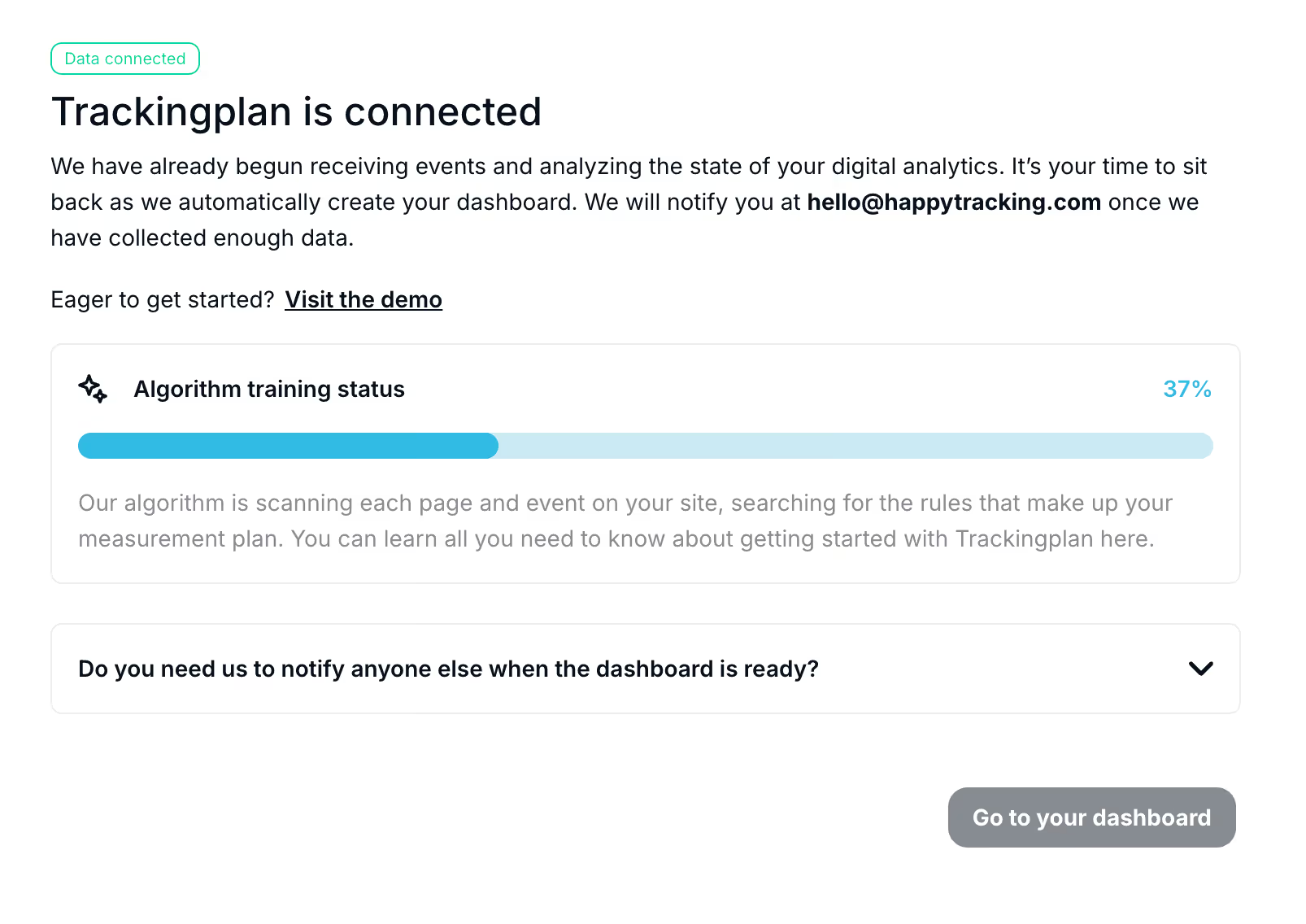
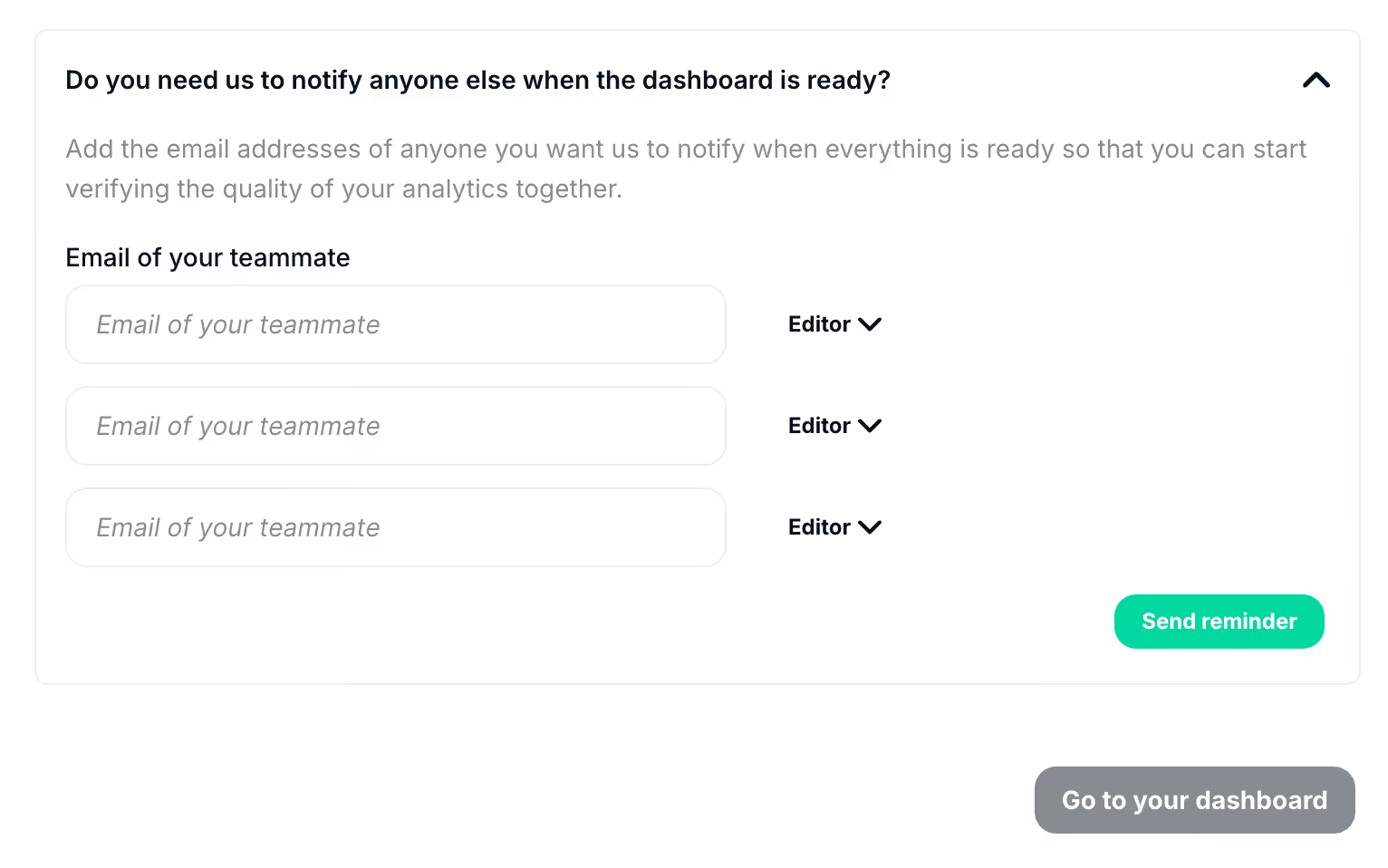
You can also add your teammates’ email addresses if you’d like us to notify them once the dashboard is ready. From there, you’ll be able to assign the appropriate permissions as well.
For new installations, this process can take up to one hour. Please, contact us if you don’t see the previous message after that period of time.
Once the installation is confirmed, Trackingplan will automatically start discovering and documenting all the traffic being sent to your integrations. We’ll notify you as soon as enough data has been collected and your dashboard is ready.
For an extra layer of validation, watch the video below to verify in real-time if Trackingplan's tag is firing correctly.