
TL;DR TikTok publishes its own MCP server, the TikTok for Business MCP Server. In Claude, add it from the connector directory or by URL. In ChatGPT, add it as a custom MCP server. Either way you sign in with TikTok for Business, and the connection lasts 30 days. It can launch and edit campaigns, so authorize it with an Analyst account if you only want reports, and keep write tools behind an approval. Before you scale what the assistant recommends, add Trackingplan MCP: it checks the TikTok pixel and Events API signals behind each result, so budget doesn’t follow a counting error.
TikTok’s pitch for the server is speed: hundreds of campaigns from one instruction. That is also the reason to set it up carefully. This guide covers both assistants, the two server URLs, what the connection can change, and the route without a connector. It is part of a series on connecting AI assistants to marketing data.

What the TikTok for Business MCP Server covers
TikTok’s API for Business docs describe roughly 400 API for Business endpoints packaged as MCP tools:
- Campaigns: create, update and manage Upgraded Smart+ campaigns, ad groups, ads and GMV Max campaigns.
- Reporting: performance data for campaigns, ad groups, ads and creatives.
- Catalogs: create catalogs, upload product data, read diagnostics.
- Creatives: search, upload and manage images and music.
- Audiences: Custom Audiences and Lookalike Audiences.
- Business Center: ad accounts, users, assets and financial settings.
TikTok says the server is open to every TikTok for Business user, with no extra permission to request. The limits worth knowing: 6 queries per second per tool per user, a 30-day authorization, and tools that “may vary by region and account configuration”.
So the server reads and writes. TikTok’s own example workflow has the agent build a campaign, set a $10,000 budget and submit it for review from one sentence.
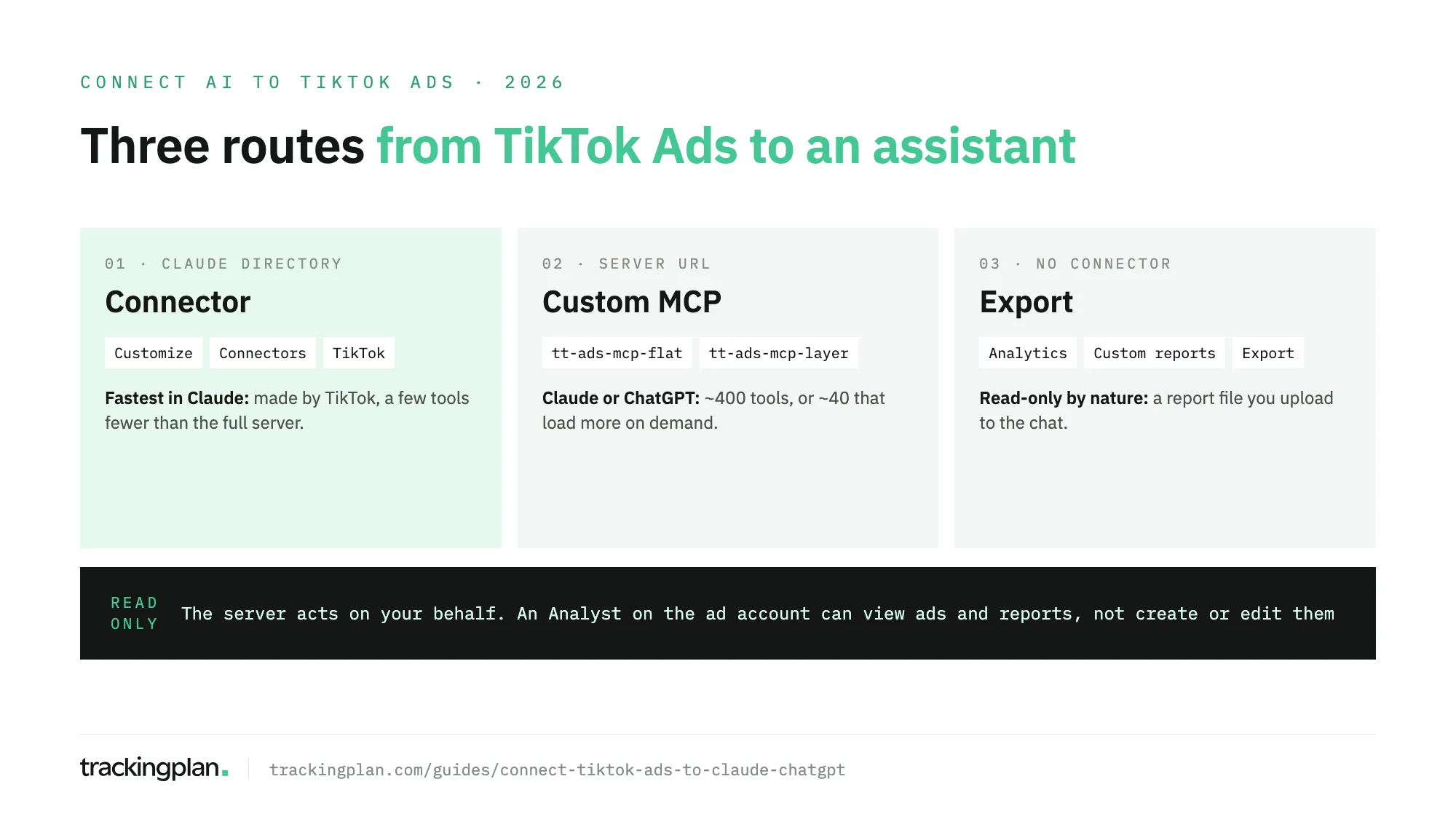
Pick a server URL
If you add the server by URL, TikTok offers two:
| Mode | URL | What loads |
|---|---|---|
| Full Disclosure | https://business-api.tiktok.com/open_mcp/tt-ads-mcp-flat | About 400 tools at once. TikTok recommends it for Claude. |
| Progressive Disclosure | https://business-api.tiktok.com/open_mcp/tt-ads-mcp-layer | About 40 core tools; the rest load on demand. |
Full Disclosure suits assistants with a large context window. Progressive Disclosure costs fewer tokens per conversation.
Route 1: Claude, from the connector directory
The listing in Claude’s directory is made by TikTok and marked Anthropic verified. TikTok’s Claude guide asks for a TikTok for Business account and a Claude Pro or Max plan.
- In Claude, select Customize in the left menu.
- Open Connectors and search for “TikTok”.
- Select the TikTok for Business connector and connect it. From Claude Desktop you may be sent to Claude on the web to finish.
- Sign in to TikTok Ads Manager if asked, review the permissions, and select Authorize.
The directory version lacks some tools, such as finance management. If you need them, use route 2.
Route 2: Claude or ChatGPT, by URL
In Claude:
- Go to Customize > Connectors and select Add.
- Enter a name, paste one of the two URLs, and select Add.
- Select Connect, sign in to TikTok Ads Manager and select Authorize.
In ChatGPT:
OpenAI’s help center documents full custom MCP support for Business, Enterprise and Edu on ChatGPT web, and read and fetch only for Pro. On Business, only admins and owners create the connection.
- Go to Plugins.
- Select the plus button, then Add custom MCP server.
- Enter a name and one of TikTok’s URLs.
- Tick I understand and want to continue, then select Create as a plugin.
- Select Sign in with TikTok for Business MCP and authorize.
TikTok’s ChatGPT guide still starts with turning on Developer mode and lists Plus among the plans. OpenAI’s current help says Developer Mode isn’t needed in the Plugins experience, and it doesn’t list Plus for custom MCP servers. Go by OpenAI’s page; if your account doesn’t show the option, the plan or the workspace is the reason.
After 30 days, either assistant asks you to authorize again with the same TikTok for Business account.
Keep it read-only, or behind an approval
TikTok’s docs don’t describe a read-only mode for the server or per-account rules for agents. The control you have on TikTok’s side is the role of the person who authorizes it, because the agent acts on that person’s behalf.
TikTok’s Business Help Center sets three ad account permissions:
| Permission | View ads and reports | Create and edit ads, manage audiences | Finance and account settings |
|---|---|---|---|
| Admin | Yes | Yes | Yes |
| Operator | Yes | Yes | No |
| Analyst | Yes | No | No |
For reporting work, connect with a user who is an Analyst on the ad accounts in question. An Admin login hands the assistant finance and account settings too.
Then add the assistant’s own brake:
- Claude: in Customize > Connectors, open the connector and set its write tools to Needs approval or Blocked under Tool permissions. Turn write tools off before you use Research, where Claude calls tools without asking.
- ChatGPT: keep the app on Always ask or Allow read actions.
Route 3: export a report
No connector, no write access, any assistant that reads a file. TikTok’s help on reports:
- In TikTok Ads Manager, open Analytics and select Custom reports.
- Select Create report, or start from a template.
- Pick dimensions and metrics, set the time range, and save.
- Select Export to run it and download the file, or Scheduled running to get it by email.
Upload the file to the chat. It’s a snapshot, so ask for the breakdowns you’ll need before you export.
Developers who build their own agent can also call the server with an API access token; TikTok documents that under its custom agent guides.
Trackingplan MCP: make sure the winning ad group really won
An assistant connected to TikTok will happily name the ad group to scale. If its purchases come from the browser and the Events API counting the same order twice, or the pixel dropped off a template after a release, you scale a counting error, and TikTok’s delivery learns the same wrong lesson.
Trackingplan watches the signal TikTok optimizes on, continuously and on real traffic: the pixel and the Events API side by side, each purchase counted once, with its value, currency, ttclid and match keys, plus the consent state of every hit. Gaps come quantified in money and go to whoever owns the tag before bidding acts on them.
Attribution stays under watch too: click IDs and UTMs are what connect a TikTok conversion back to its ad, and when they break, the misattributed campaigns show up instead of hiding in next month’s report.
Its audits, on demand or scheduled daily or weekly, check what the pixel receives and end with the fix to ask for, so the signal TikTok learns from improves.
Trackingplan MCP brings that into Claude, ChatGPT, Cursor or your IDE, next to spend, clicks and reported conversions per campaign from TikTok Ads and ten other ad networks: Google Ads, Meta Ads, LinkedIn Ads, Snapchat Ads, Pinterest Ads, Microsoft Ads, X Ads, Amazon Ads, Apple Search Ads and Reddit Ads. TikTok Shop GMV Max campaigns are not included. An admin connects the accounts once (Ad Platforms), with no 30-day reauthorization for each person. It reads; it doesn’t bid or change campaigns.
What to ask once it’s connected
Start with reads. Compare the first answers with Ads Manager.
- “Show the performance report for all active campaigns this week.”
- “Which ad groups spent the most in the last 14 days, and what was their cost per conversion?”
- “Which creatives have the lowest click-through rate among ads that spent more than $100 this month?”
- “Run diagnostics on our product catalog and list the issues by number of products affected.”
- “Compare our Lookalike Audiences by conversion rate over the last 30 days.”
- “Draft a Smart+ campaign for this product set, but don’t submit it. Show me the settings first.”
The last one writes. With approvals on, it stops before anything changes.
Before you trust the answers
The assistant reads the conversions TikTok reports. It can’t tell how they were collected. If the TikTok pixel dropped off a template, if the browser and the Events API both count one purchase, or if consent signals don’t make it through, the report is wrong and the analysis built on it is wrong in the same confident tone. Our TikTok audit checklist starts with exactly those checks.
An AI agent can only reason about what it can see, which is why Trackingplan MCP belongs next to TikTok’s server before anyone scales an ad group. For the same setup on Meta, see how to connect an AI assistant to Meta Ads Manager.
FAQ
How do I connect TikTok Ads to Claude?
In Claude, go to Customize > Connectors, search for TikTok and connect the TikTok for Business connector, then authorize it with your TikTok for Business account. You can also add the server by URL as a custom connector, which gives you the full tool set.
How do I connect TikTok Ads to ChatGPT?
Add TikTok’s server as a custom MCP server: Plugins, the plus button, Add custom MCP server, then paste one of TikTok’s two URLs and sign in with TikTok for Business. OpenAI documents full custom MCP support for Business, Enterprise and Edu, and read and fetch only for Pro.
Can the TikTok MCP server change my campaigns?
Yes. It covers campaign creation and editing, budgets, audiences, catalogs, creatives and Business Center settings. It acts on behalf of the TikTok user who authorized it, so that user’s role on the ad account sets the limit. An Analyst can view ads and reports but can’t create or edit them.
How long does the TikTok connection last?
Thirty days. TikTok’s authorization expires after that window, and you reauthorize with the same TikTok for Business account.