Connect your ad accounts and you see their spend and reported results next to the traffic Trackingplan observes, campaign by campaign. The agent uses them to compare what each platform reports with what your site actually sent. Connect them from Settings & Members > Connect.
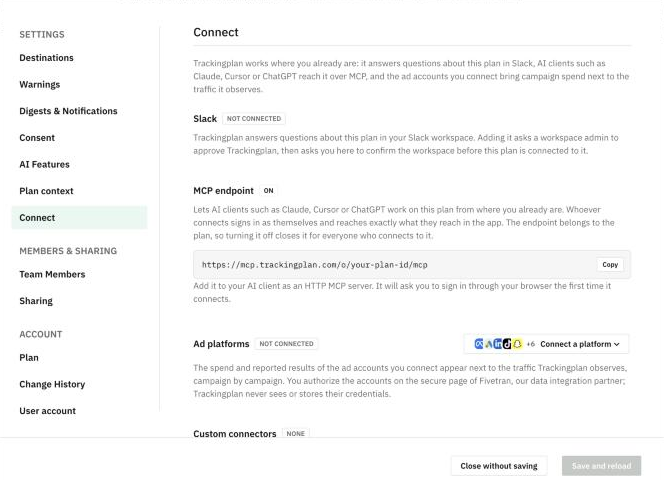
Connect an ad account
- Open the plan selector at the bottom of the menu and click Settings & Members, then Connect.
- In Ad platforms, click Connect a platform and choose one: Meta Ads, Google Ads, LinkedIn Ads, TikTok Ads, Snapchat Ads, Pinterest Ads, Microsoft Ads, X Ads, Amazon Ads, Apple Search Ads or Reddit Ads.
- Authorize the account on the secure page of Fivetran, Trackingplan's data integration partner.
Trackingplan never sees or stores your ad account credentials.
What you can ask then
Once an account is connected, ask the agent about spend, impressions, clicks and platform-reported conversions, side by side with your tracking. For example: "Which campaigns have spend but no tracked conversions?" See For Performance & Paid Media.