
The most common TikTok Events API advice stops at one step: send the same event_id from the browser and the server. The rule is right. It still has to be tested against retries, delayed events and source changes, with an expected conversion count.
A stronger approach starts with one conversion contract. Define the event name, value, currency, transaction identity and event_id rule before building the integration. Then use a test matrix to check whether TikTok receives the conversion you intended, without counting another copy or losing the event.
What the TikTok Events API covers
The TikTok Events API is a secure server-to-server integration that sends customer actions to TikTok from websites, mobile apps, offline systems and CRM platforms.
A purchase doesn't always finish inside a browser session. A customer may place an order by phone, complete registration in an app or become a qualified lead after a sales call. A backend or CRM can report those outcomes even when browser tracking is incomplete or unavailable.
According to TikTok's Events API documentation, Events API 2.0 uses /event/track/ and unifies the supported sources under one schema. TikTok recommends this version for new integrations and recommends upgrading existing Events API 1.0 implementations.
Choose the source that describes the action
The event_source field tells TikTok where the reported action belongs:
webdescribes a website linked to a TikTok Pixel Code, typically reporting actions such asViewContentorPurchase.appdescribes a mobile app, typically reporting actions such asPurchaseorCompleteRegistration. Sending app events through Events API 2.0 is allowlist-only, so ask your TikTok representative first.offlinedescribes store or phone sales uploaded after the transaction. It takes standard events only, typicallyPurchase.crmdescribes a lead outcome in a CRM system, such as a qualified lead. It takes custom events only.
These source values describe the event's origin. They aren't labels for transport methods. A website purchase sent by your backend is still a web event, not an offline event merely because a server delivered it.
Use one model without erasing source differences
A shared schema means your team doesn't need separate definitions of order value for the storefront, app and sales export. Each pipeline can map its records into the same conversion contract.
That doesn't mean every source needs identical customer identifiers. A store sale may lack browser context. A CRM record may contain a stored click ID but no current page URL. Preserve the fields that exist rather than fabricating browser information.
Separate business facts from delivery context. The purchase amount belongs to the transaction. The source and permitted match keys describe how that transaction reaches TikTok.
List the sources your business already sends. For each, name the system that creates the event, the person who owns it and any conversion outcomes that aren't reported.
Mark those gaps before changing tags. Otherwise, you can spend a release fixing browser purchases while leaving qualified leads or store sales outside the measurement process.
Event structure and required fields
Every request identifies its event_source and carries a data array of up to 1,000 event objects. event_source_id names what measures the events: the Pixel Code for web, the TikTok App ID for app, the Offline Event Set ID for offline and the CRM Event Set ID for CRM. Web events also carry a page object with the URL where the event happened. Each event needs an exact event name and an event_time expressed as Unix time in UTC seconds, as defined in TikTok's parameter documentation.
Events API 2.0 payload fields
| Field | Required | Format | Example value |
|---|---|---|---|
event_source | Yes | web, app, offline or crm | web |
event_source_id | Yes | Pixel Code, TikTok App ID, Offline Event Set ID or CRM Event Set ID | Your Pixel Code |
data | Yes | Array of event objects, up to 1,000 per request | One or more events per request |
event | Yes | Case-sensitive standard or custom name | Purchase |
event_time | Yes | Unix timestamp in UTC seconds | Original transaction time converted to UTC seconds |
event_id | When the Pixel and the Events API send the same web event | Unique per event, identical across Pixel and server copies | Persisted purchase-event ID |
page.url | Yes for web | URL where the event happened | The confirmation page URL |
properties.value | Recommended for revenue events | Number, without currency symbols | Saved order total |
properties.currency | Recommended with value | ISO 4217 code | USD |
properties.contents[].content_id | Recommended | Product ID, ideally the catalog's SKU or item group ID | Storefront product identifier |
properties.content_type | Recommended | product or product_group | product |
The example cells describe payload values, not production defaults. Replace the Pixel Code and product identifier with actual records. The table is a field checklist, not a flat JSON template: request fields, event fields and commerce properties belong at their documented nesting levels.
event_id appears here so it isn't missed during implementation. Its identity rules belong with deduplication, including server retries, rather than basic request validation.
Prevent timestamp and commerce errors
Milliseconds aren't seconds. Many application logs and date libraries represent time in milliseconds. Sending that representation unchanged can place the event far into the future instead of at the transaction time.
Keep the original occurrence time when a queue delays delivery. A retry should not make yesterday's purchase look like a new purchase made when the worker restarted.
Value needs a currency. A numeric amount alone doesn't identify its monetary unit. Check the pair before transmission, and define whether your purchase value includes tax, shipping and discounts.
That definition belongs in the conversion contract. Don't let the browser send a checkout subtotal while the backend sends the final charged amount.
Product identifiers need a shared reference. Take content_id from the same product system used by the storefront and product feed. A display label, internal database key and catalog identifier may all describe the same item, but they aren't interchangeable.
Validate meaning as well as format
A request can have valid types and still describe the wrong action. A number in value passes a type check even if it contains the basket subtotal from before a discount.
Build checks at both levels:
- Schema checks confirm required fields, types, nesting and permitted source values.
- Business checks compare the payload with the saved transaction, including amount, currency and product identity.
- Delivery checks connect the outgoing request and response to the event record.
Before a release, send a test request and read back every field. Compare it with the saved order and this checklist, not just the success status.
Standard event names and case matching
purchase is not Purchase. That difference matters even when your server successfully reaches TikTok's endpoint.
Standard events use names TikTok documents for recognized actions. Custom events describe actions for which your implementation uses its own name. A custom label isn't an alias that automatically becomes the nearest standard event.
TikTok's supported-events documentation requires exact spelling and capitalization for standard event names. A mismatch can stop TikTok from treating a received hit as the intended standard event.
Standard event names and common wrong variants
| Standard event | Usual trigger | Common wrong variant |
|---|---|---|
Purchase | Order confirmed on the server | purchase |
AddToCart | Product added to the basket | add_to_cart |
ViewContent | Product detail page loaded | viewcontent |
CompleteRegistration | Sign-up confirmed | completeregistration |
Translate internal names at the boundary
Your application may use add_to_cart in the dataLayer or an internal event bus. That's not necessarily a problem. The problem appears when the TikTok adapter forwards that internal name without mapping it to AddToCart.
Keep an explicit mapping between the business action and the outgoing TikTok event. Don't apply a general lowercase transformation to every destination.
Common mistakes include:
- Lowercase names, such as
purchase, introduced by a normalization function. - Snake_case names, such as
add_to_cart, copied directly from an analytics event. - Names with spaces, such as
Add To Cart, copied from a human-readable label. - Custom purchase labels, such as a store-specific checkout name, used where the team expects standard purchase reporting.
A custom purchase label may appear under its own name rather than contribute to the standard purchase event the analyst expects. Successful delivery doesn't prove correct classification.
Check the deployed name, not just the specification
An event dictionary can be correct while the deployed tag is wrong. A template update may change a variable, or a server mapping may retain an old label after the browser code changes.
Inspect the actual browser hit and server payload. Compare the outgoing names character by character with the documented list.
After each tag or template change, compare names in both implementations. Keep the supported-events list as the reference rather than relying on memory or labels displayed in a tag manager.
How to build server-side events for TikTok
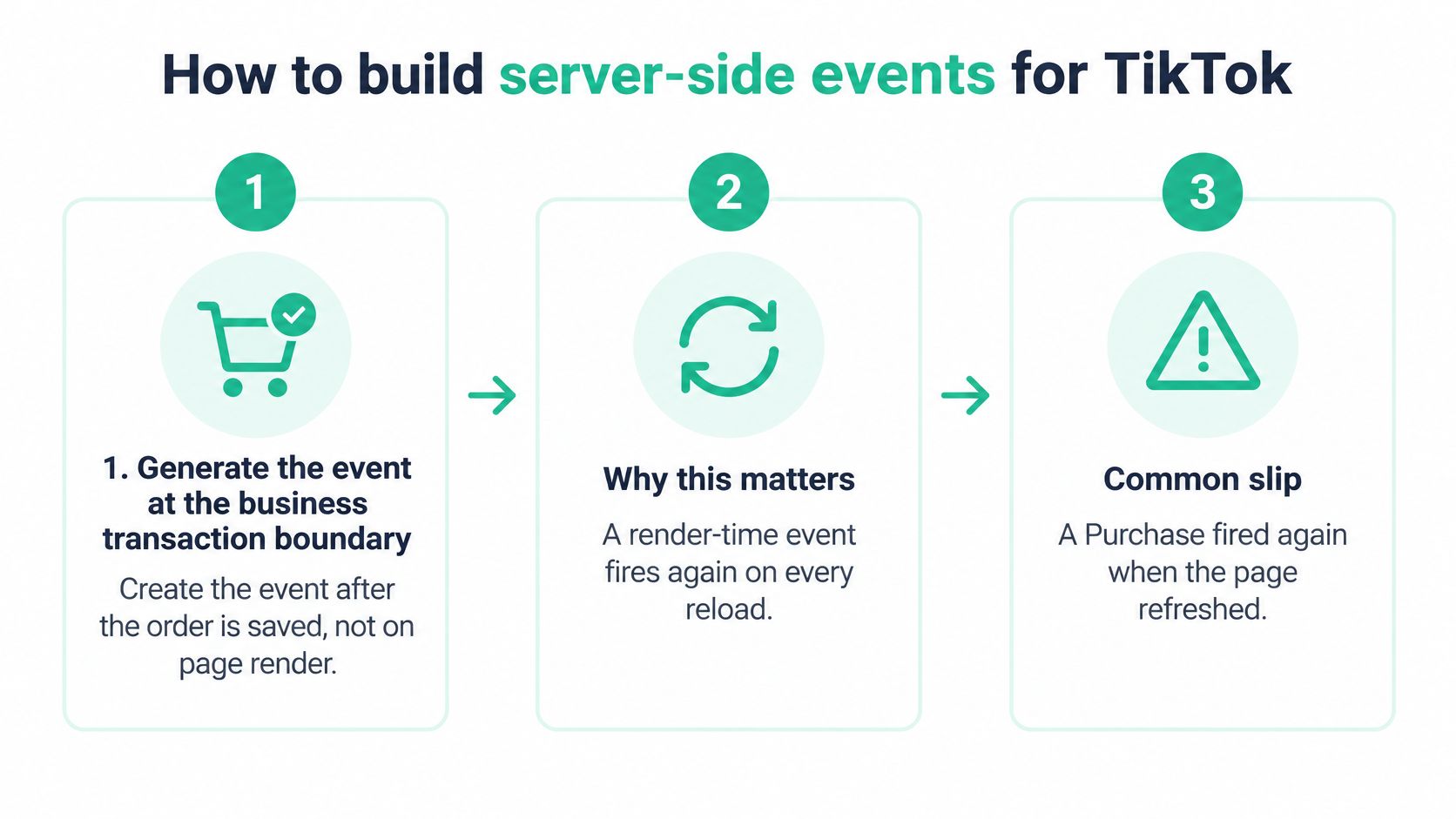
Build the event around the saved business transaction, not around the page that displays it. The practical distinction in server-side tracking is control over when an event is created, what it contains and how it survives delivery failures. If you send it from a server-side GTM container, the guide to TikTok, Meta and Google Ads server-side covers the tags.
Create a durable event before sending it
-
Reloads must not create purchases. Generate
Purchaseafter the order is saved, not when the confirmation page renders. The common slip is a page-refresh trigger that reports the same order again. -
Retries need the original identity. Persist the order or transaction identifier with the event record. A worker retry must reuse that record, not generate another order ID or purchase-event ID.
-
The occurrence time must survive queue delays. Convert the saved transaction time to Unix seconds in UTC. Don't substitute the send time when a failed request returns to the queue.
-
Commerce fields must describe the saved order. Validate
valueandcurrencytogether. Treat aPurchasewith no value as an implementation error and hold it for correction rather than sending an incomplete commerce record. -
Product reporting needs consistent identifiers. Read
content_idand the quantity from the same product source the storefront uses. Don't reconstruct them from confirmation-page text.
Apply privacy controls before transmission
-
Raw contact details should not enter outgoing matching payloads. Hash email and phone using SHA-256 before sending them for matching, after normalising them: trim and lowercase the email, and write the phone in E.164 format (
+12133734253). Keep raw values out of request logs as well. -
A server route doesn't override consent. Send identifiers only when the applicable consent state permits them. Store that state with the event so the team can trace the basis for transmission.
-
Delivery needs an audit trail. Post to
/event/track/with the source fields anddataarray, then store the response beside the order ID. Distinguish a transport failure from an event-validation error so the worker doesn't retry a malformed payload indefinitely.
Use restricted logging for troubleshooting. Engineers need event identity, validation results and delivery status, not unrestricted copies of customer records.
A healthy result is a durable event linked to the order, a permitted payload and a stored response.
Deduplicating TikTok Pixel and Events API conversions
The browser Pixel and server API aren't independent conversions when they report the same purchase. They're delivery paths for copies of the same business event.
TikTok's web setup guidance recommends combining the TikTok Pixel with Events API and sharing events and parameters consistently. Without a shared deduplication signal, the same purchase can be counted twice.
Separate deduplication from user matching
The event source ID links the copies to the same Pixel Code. The event name must match exactly. The event_id must identify the business event and remain identical across its browser and server copies.
What each Purchase copy must carry for deduplication
| Signal | Browser Pixel copy | Server Events API copy | Must match |
|---|---|---|---|
event_source_id | Pixel Code | Same Pixel Code | Yes |
| Event name | Purchase | Purchase | Yes, exact casing |
event_id | Shared ID | Same shared ID | Yes, unique per event |
| Value and currency | Order value and currency | Same order value and currency | Yes |
ttclid | Captured from the landing URL | Passed from stored session | Same value when present |
| Transaction identity | Order ID | Same order ID | Yes |
The table combines deduplication keys with payload consistency and matching checks. Value, currency and transaction identity should agree, but they don't replace the deduplication key.
The TikTok Click ID, ttclid, connects the event to click context. Preserve it through permitted landing-page storage, redirects and checkout handoffs. Advanced Matching, IP address and user-agent data help match web events to users; they serve a different purpose from deciding whether received hits represent the same event.
Generate the identity once
Say the backend creates a purchase-event ID when it saves an order. It exposes that ID to the confirmation-page Pixel and uses the same stored ID in its Events API request.
That architecture gives both copies the same identity. By contrast, independently generating a random ID in each environment creates distinct events from TikTok's perspective.
A transaction ID can help derive the event identity, but define the event type as well. An order's purchase and a later business action aren't automatically the same event because they share an order record.
When investigating CAPI deduplication issues, inspect the actual outgoing IDs before changing reporting settings. On each release, verify that both purchase copies carry the same name, value, currency, transaction identity and event_id.
Test matrix for proving deduplication works
Run the matrix against controlled business events and compare the expected count with the received hits and the Browser, Server and Server & Browser metrics on the pixel's detail page.
TikTok's deduplication documentation identifies the event source ID, event name and event_id as deduplication inputs, and says duplicate Events API events can be removed when they arrive within a 48-hour window. TikTok keeps the first event and discards the later copies, and a copy that arrives within 5 minutes has its data merged into the first one.
Deduplication test matrix with expected counts
| Test case | Expected count | What to compare |
|---|---|---|
Purchase, browser and server with the same event_id | 1 counted | TikTok-reported purchases against orders |
| Purchase, browser only | 1 counted | Pixel fires once per order confirmation |
| Purchase, server only | 1 counted | Server copy carries the same order ID |
Purchase, server retry with the same event_id | 1 counted | Retry reuses the stored identity |
| AddToCart, overlapping delivery within 48 hours | 1 counted | Add-to-cart count per session |
| Lead from the CRM (custom event) and the same form submit from the Pixel | 2 counted, different event sources | Which pipeline owns the lead outcome |
CRM lead sent through the API and uploaded as CSV with the same event_id | 1 counted | event_id in the payload and in the CSV row |
Purchase, event_id generated separately in browser and backend | 2 counted | Duplicate persists; IDs differ |
These are controlled test expectations, not guarantees that every delivered event becomes an attributed ad conversion. A CRM event never merges with a Pixel event: a CRM Event Set ID and a Pixel Code are different event sources, so matching event_id values don't help.
Read the failure before choosing the fix
Compare raw browser and server hits, exact event names, event_source_id and event_id values, and timestamps against TikTok-reported conversions. Keep the underlying order or lead record beside that evidence.
Doubled counts suggest separately generated IDs, an unexpected source identity or another trigger. Check those possibilities before removing a delivery path.
Dropped counts require a different investigation. Check whether the browser path fired, whether the server created an event and whether a missing order ID caused your pipeline to reject or lose the record. A missing order ID isn't itself proof that TikTok discarded the hit.
For browser evidence, use the TikTok Pixel Helper workflow, then pair its findings with server logs. Don't infer backend delivery from a working Pixel.
For AddToCart, isolate the intended action within the session. A customer can legitimately add products repeatedly, so session totals alone don't establish duplication.
One conversion contract across web, app, offline and CRM
A business can have a correct web integration and inconsistent conversion reporting overall. The app team may define purchase value differently, the store export may use another order key, and the CRM may create new identities during import.
TikTok's Events API 2.0 documentation recommends the unified endpoint for web, app, offline and CRM reporting. Use that shared structure to enforce a common contract, not to assume automatic deduplication across source boundaries.
Write rules that each source can check
The contract should define:
- Event meaning. Specify the business condition that qualifies as a purchase, registration or lead outcome.
- Name and commerce fields. Set the standard name, value calculation, currency rule and product identifier reference.
- Transaction identity. Preserve the order or lead ID through exports, imports and downstream updates.
- Event identity. Define how an
event_idis created, persisted and reused for copies, while distinguishing different actions. - Consent and permitted identifiers. Document which match keys may be sent for each consent state and region.
Hashing doesn't replace consent or a documented purpose. Define retention and access rules for the stored matching data as well.
Migrate the record, not just the endpoint
Map each existing Events API 1.0 event to its 2.0 name and fields. Compare the mapping with actual records from the app, storefront, sales export and CRM.
Test an event from every active source before retiring the old call. Control overlapping migration traffic so the old and new pipelines don't create unplanned copies.
For offline and CRM records, preserve the order or lead ID that links the outcome to its originating web or app interaction. Pass stored ttclid and permitted Advanced Matching data when the record holds them.
Distinguish a copy from a new outcome. A CRM import of an existing purchase shouldn't become another purchase because the importer generated a new ID. A qualified lead, however, may represent a later business stage rather than a duplicate of the original form submission.
Shared business identity supports reconciliation, but cross-source deduplication still requires compatible source identity and delivery conditions. Where those conditions don't hold, choose which pipeline reports the conversion instead of relying on matching order IDs.
Assign a named team to own the contract. Every source change should pass that team's review before release.
Validating conversion signals before the next campaign launch
Start with release evidence, not a dashboard total. A plausible conversion count can hide missing server events and duplicate browser triggers that happen to offset each other.
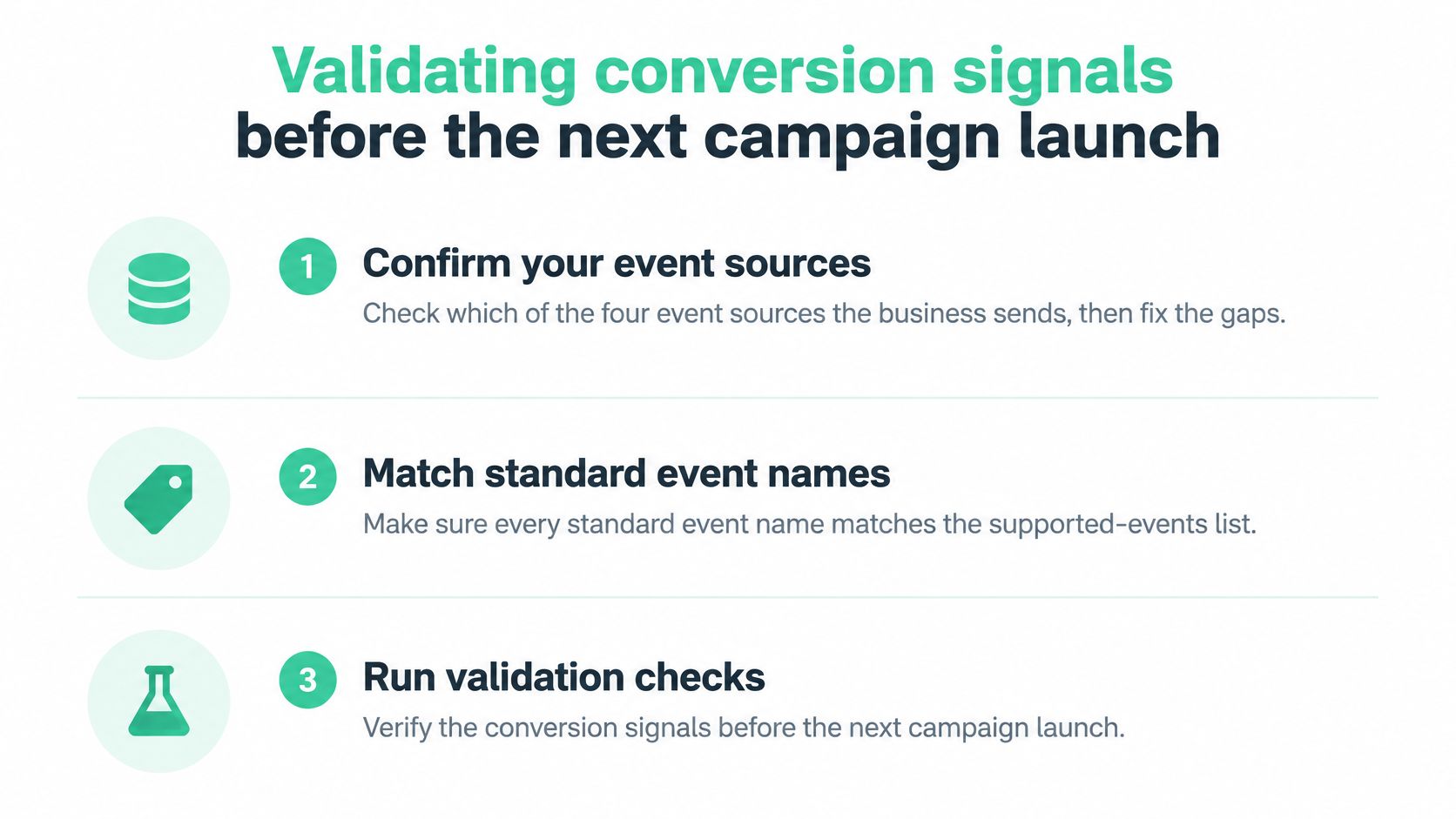
Use this release-week order:
- Confirm active sources. Identify which sources the business sends and fix missing outcomes or undocumented pipelines.
- Check standard names. Compare deployed event names with the supported-events list.
- Run controlled conversions. Execute the deduplication matrix on a staging order and a live order after release.
- Schedule reconciliation. Compare TikTok, GA4 and CRM results daily or weekly, with a written tolerance and a named reviewer.
This release check is one part of a wider TikTok audit of the account and its data. Keep the launch checklist visible to the tag owner:
Reconcile definitions before totals
TikTok, GA4 and the CRM don't necessarily count the same population. Before calling a difference a tracking failure, align the event definition, reporting dates, timezone, attribution scope and treatment of cancelled orders.
Start with saved transactions and received events. Then examine which conversions each reporting system attributes to marketing. Don't force attributed purchases to equal every CRM order.
Record the reason for every accepted difference. A tolerance without a definition can turn a recurring implementation fault into a number the team stops investigating.
Keep checking after the release
Track the share of paid landing sessions that retain ttclid through the relevant journey. Inspect the consent state attached to events, and verify that prohibited identifiers aren't sent when consent is refused.
After tag or template changes, look for duplicate triggers and missing properties. Inspect outgoing matching fields for unhashed email and phone values. A passing launch test doesn't prove that a later checkout or consent-manager release preserved the implementation.
Trackingplan monitors every conversion, UTM and consent signal across your ad platforms, the TikTok Pixel and Events API included, across more than 170 analytics and ad providers. It spots where you're losing match rate, where value is missing and where CAPI double-counts, catches anomalies, missing properties and consent breaches as they appear, and routes each one to whoever owns the tag. Setup takes one tag, SDK or server-side hook, and events appear as traffic flows across web, mobile and server.
Its scheduled checks run daily or weekly, and it observes only data your site or app already sends to analytics and marketing tools, solely to monitor tracking quality and detect implementation issues. It makes sure campaigns are optimized on conversion data the team can trust.
This week, pick the release check your team can't currently prove, and assign an owner to collect the evidence.
Trackingplan can run that check on the conversion signals your TikTok Pixel and Events API already send. Install one tag, SDK or server-side hook, check a live purchase against your conversion contract, and route any mismatch to the person who owns the tag.