
Understanding GA4 Campaign Tracking Fundamentals
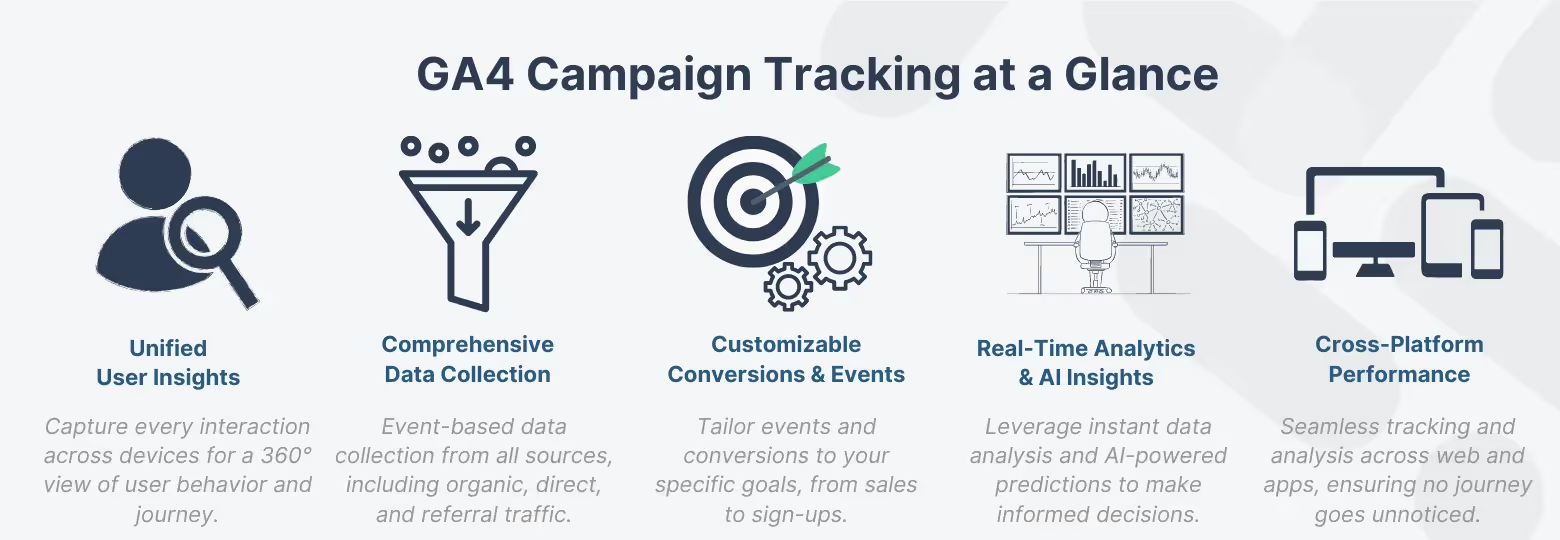
GA4 campaign tracking arises as an essential instrument for data analysts and marketers to attribute website traffic and user actions back to the specific marketing efforts that drove them. It transforms raw data into actionable insights, helping you gauge ROI and optimize budget allocation.
The Basics of GA4 Campaign Tracking
GA4 campaign tracking essentially allows you to monitor the origin of your website traffic and the actions users take as a result of your marketing campaigns. Gauging the effectiveness of your marketing efforts through GA4 campaign tracking is not just critical; it's a game-changer for performance analysis, providing insights into user behavior and conversion metrics. Google Analytics 4 prepares you to examine your campaigns' performance with precise detail, facilitating data-informed choices that greatly enhance your marketing tactics. For more detailed information, Google provides a comprehensive guide on campaigns and traffic sources in GA4.
Key Differences: GA4 vs. Universal Analytics
The transition from Universal Analytics to GA4 signifies a major advancement in analytics technology, improving the configuration guide and performance evaluation for campaign tracking. Google Analytics 4 focuses on a more comprehensive view of user interactions, tracking users across devices and sessions to provide a full-picture view of the customer journey. This approach is more aligned with contemporary browsing behaviors and offers deeper insights into user engagement.
Integrating Google Analytics 4 with Google Search Console plays an integral role in leveraging GA4's capabilities, enhancing your campaign's SEO analysis by combining search data with website performance metrics. This integration is critical for understanding how search queries lead to website interactions, enriching your campaign tracking and analysis. For insights on integrating GA4 with Google Search Console, explore the guide for enhanced SEO insights. Further exploration into Google Analytics 4's structural changes and the benefits of Search Console integration can be found within Google's support documentation on account structure and Search Console integration.
As we delve deeper into the nuances of setting up GA4 for campaign tracking, the goal is to equip you with the knowledge to effectively capture and analyze the wealth of data available, thereby maximizing the impact of your digital marketing efforts.
Step-by-Step GA4 Campaign Tracking Setup
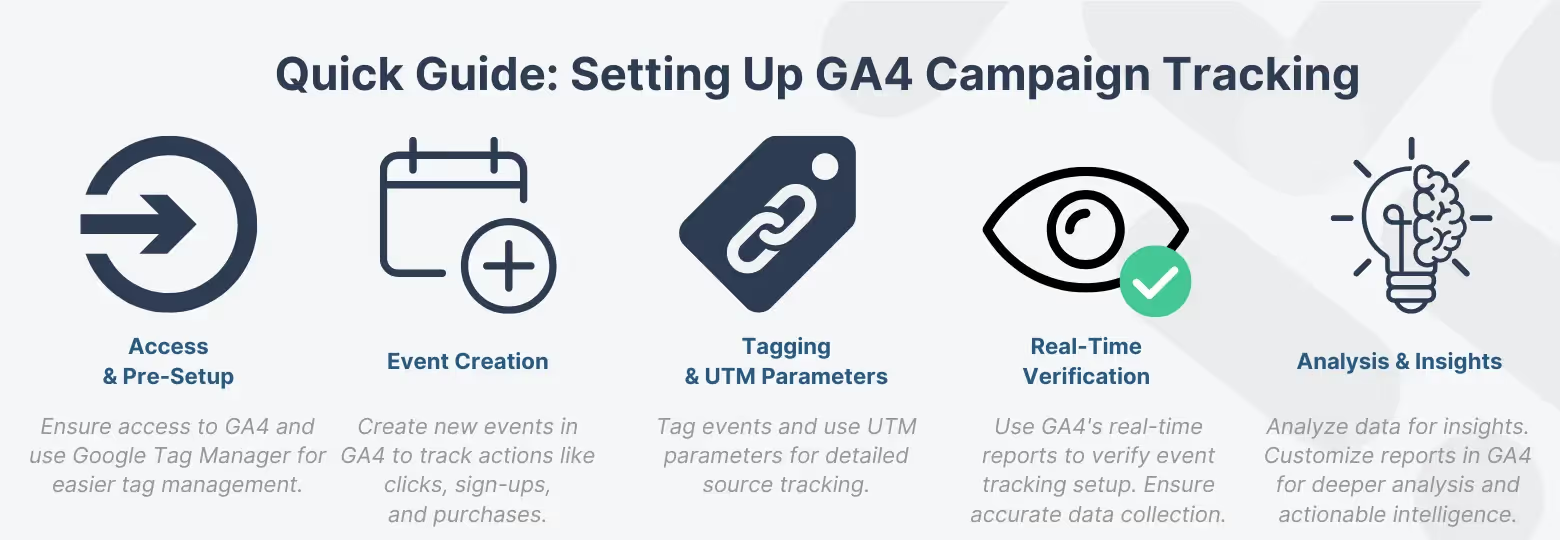
Starting your GA4 campaign tracking setup might feel overwhelming, yet this clear and direct setup guide simplifies the process. This section aims to demystify the process, providing you with a clear, step-by-step approach to harness the full power of Google Analytics 4 for your marketing campaigns. Let's dive into this setup guide to lay the groundwork for effective GA4 campaign tracking and analysis.
Pre-Setup Requirements
Before we get into the nuts and bolts of setting up campaign tracking, there are a few prerequisites you'll need:
- Access to Google Analytics 4: Ensure your website is equipped with GA4 as your first step in this setup guide is to achieve optimal campaign tracking and insightful performance analysis. If you're transitioning from Universal Analytics, now's the time to make the switch.
- Google Tag Manager (optional but recommended): While not strictly necessary, Google Tag Manager streamlines the process of managing tags, particularly for incorporating UTM parameters.
- Defined Campaign Goals: Define what you want to track and why. Whether it's website traffic, conversions, or something else, knowing your objectives upfront is crucial.
Configuring Tracking Parameters (UTMs)
For proficient GA4 campaign tracking, becoming adept at using UTM parameters is vital for precise performance evaluation. Adding these tags to your URLs furnishes Google Analytics 4 with essential context for detailed GA4 campaign monitoring and performance evaluation, attributing traffic and conversions to the appropriate sources, channels, and campaigns.
Required and Recommended UTM Parameters
Practical UTM Tagging Examples
Step-by-Step Event and Conversion Setup
Follow these detailed steps in our setup guide to effectively launch your GA4 campaign tracking:
- Create a New Event: Navigate to your GA4 property and look for the 'Events' section. Here, you'll add new events that correspond to your campaign goals. Google offers a helpful guide on setting up conversions, which can be particularly useful.
- Configure Event Tagging: Use Google Tag Manager or Google Analytics 4's native tagging capabilities to tag your events. This includes specifying event names, parameters, and values that align with your campaign goals.
- Verify Your Setup: After setting up your tags, use the real-time reports in GA4 to verify that events are being tracked correctly. This guarantees the precise collection of your campaign data.
Tagging and URL Parameters
- UTM Parameters Basics: At a minimum, include
utm_source,utm_medium, andutm_campaignin your URLs. These identify the source of your traffic, the type of traffic, and the specific campaign, respectively. - Campaign Data Collection: For detailed guidance on collecting campaign data with custom URLs, Google's support documentation offers invaluable insights. Similarly, for insights on A/B testing and optimizing campaign performance, there are resources available that detail how to perform A/B testing effectively.
With these steps, you're well on your way to unlocking the full potential of GA4 for campaign tracking. The setup process lays the groundwork for robust campaign analysis and optimization efforts, leading to more informed, data-driven decisions that can propel your marketing strategy forward. To truly enhance your campaign tracking capabilities, consider integrating a proactive monitoring system like Trackingplan
Trackingplan takes your tracking accuracy to the next level by automatically detecting discrepancies in your campaigns, notifying you in real-time if they deviate from predefined specifications or parameters. It’s an advanced best practice that safeguards your data integrity and ensures that your campaign attribution remains on point, allowing for uninterrupted insights and performance optimization. Explore Trackingplan's Campaign Validation feature to maintain impeccable campaign tracking accuracy.
Advanced GA4 Configuration for Data Accuracy
Achieving reliable campaign data requires vigilance against data pollution.
Configuring Referral Exclusions
One common issue is self-referrals (traffic from your own domain/payment processors incorrectly attributed as a new campaign).
- Identify Polluting Domains: Look for your payment processor domains (e.g., PayPal, Stripe), third-party booking systems, or your subdomains (if not already handled).
- Add to Exclusion List: In GA4, go to Admin > Data Streams > Configure Tag Settings > Configure Your Domains. Add the domains you wish to exclude.
Enhancing Data Quality with Proactive Monitoring: Even with perfect setup, UTM errors (typos, missing parameters) frequently occur. A critical best practice is integrating a proactive monitoring system like Trackingplan. It automatically detects discrepancies in your campaigns and notifies you in real-time if parameters deviate from specifications, safeguarding your attribution integrity.
Performance Analysis and Reporting in GA4
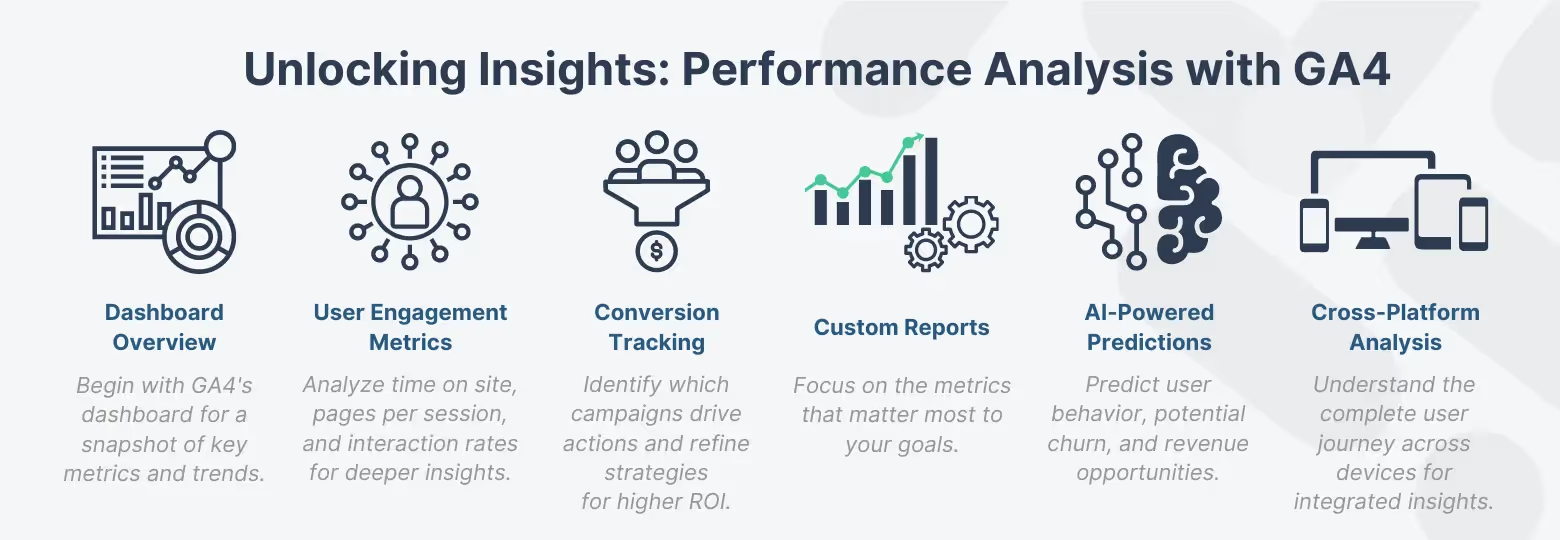
The final step is leveraging the data to make informed marketing decisions. Conducting a detailed performance review in Google Analytics 4 is crucial for data analysts committed to honing GA4 campaign tracking, aiming to extract valuable insights from their marketing campaigns. This section is your advanced setup guide for utilizing Google Analytics 4's analytical tools for comprehensive GA4 campaign tracking and performance analysis to their fullest potential, ensuring your campaigns are optimized for success.
Understanding the Data
Google Analytics 4 offers a broad range of data types vital for assessing campaign performance analysis. This includes user engagement metrics like time spent on page and interactions, along with conversion data that details users' responses to your campaigns across various devices and platforms.
Pro tip: A good starting point is to become familiar with the Google Analytics account structure, which will help you navigate and make sense of the data available. Analyzing this data effectively requires asking targeted questions related to campaign objectives, such as identifying the most effective campaigns in driving engaged traffic or understanding specific campaign conversion rates.
Custom Reports for Deeper Campaign Insights
Generating custom reports in Google Analytics 4 is indispensable for carrying out in-depth performance evaluations. Custom reports enable you to configure how data is presented, focusing on the specific metrics and dimensions that are most relevant to your analysis goals. This capability is essential for dissecting user behavior within specific campaigns or comparing performance across various marketing channels.
Pro tip: To begin crafting these insightful reports, familiarize yourself with the processes for creating custom reports and customizing detail reports. Using these tools allows for a tailored analysis approach, facilitating the identification of actionable trends and improvement opportunities within your campaign data.
Using Google Analytics 4 Features for Enhanced Campaign Tracking
Google Analytics 4 stands out not just for its user-centric data collection and flexible reporting capabilities, but also for its advanced AI and machine learning features, which significantly boost SEO and campaign performance analysis. These advanced features are the cornerstone of our GA4 campaign tracking setup guide.
The machine learning algorithms in Google Analytics 4 excel at identifying trends and predicting user behaviors, enabling marketers to anticipate changes in demand and interests. This forward-looking insight prepares us for an upcoming deep dive into GA4’s AI and Machine Learning capabilities for SEO, where we will unpack how these capabilities can transform SEO strategies.
Furthermore, GA4's robust multi-channel funnel analysis tools offer unparalleled visibility into the customer journey across various touchpoints. This holistic view is essential for understanding the complex web of interactions that lead to conversions. In a future exploration of the role of GA4 in multi-channel funnel analysis, we'll reveal how leveraging these insights can fine-tune marketing efforts for superior ROI.
If you're eager to delve further into Google Analytics 4's innovative features, explore resources on Analytics Insights and the introduction to the next generation of Analytics to glimpse GA4's power in transforming data into actionable marketing intelligence. Whether you're preparing for a future read or looking to deepen your current understanding, these features of Google Analytics 4 are instrumental in elevating campaign tracking and analysis to new heights.
GA4 Campaign Questions & Answers
Conclusion
As we conclude our in-depth exploration of GA4 campaign tracking, equipped with a comprehensive setup guide and insights into performance analysis, Google Analytics 4 proves itself not only as a robust tool. It’s also an essential ally for executing a comprehensive setup and performance analysis in the digital marketing field. From setting up to in-depth performance analysis, Google Analytics 4 offers unparalleled insights that enable marketers and data analysts to fine-tune their strategies for maximum impact. Its advanced features, including AI and machine learning capabilities, pave the way for not just understanding but predicting user behavior, setting a new standard for campaign tracking.
We invite readers to look forward to future posts delving further into GA4's subtleties, including its AI and Machine Learning capabilities for SEO and its role in multi-channel funnel analysis. These explorations are designed to provide a comprehensive understanding of how to leverage Google Analytics 4 to its full potential, ensuring your marketing campaigns are as effective and informed as possible.
Stay curious, keep exploring, and let GA4 revolutionize your approach to analytics. The future of data-driven decision-making is in your hands—seize the opportunity to shape it.