
Understanding Consent Frameworks: GDPR vs. CCPA
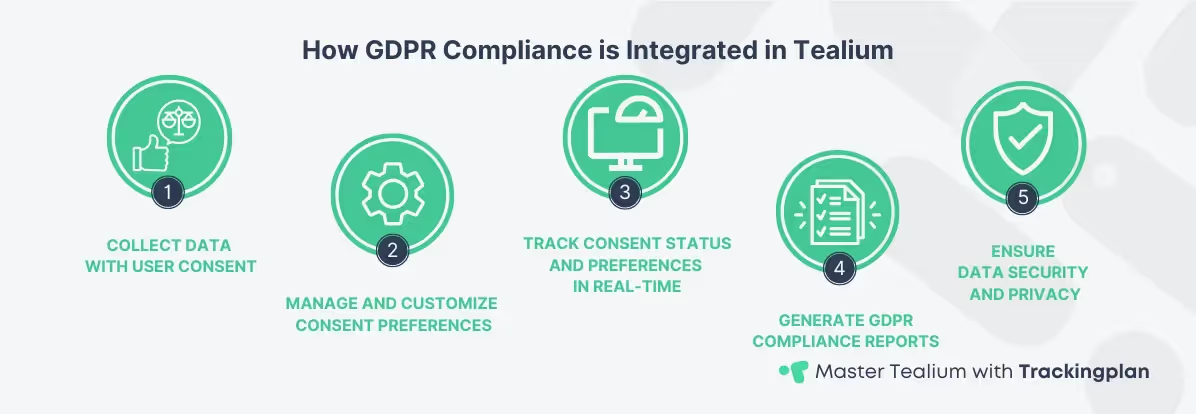
A consent framework is the structure that governs how businesses manage user permissions for data collection. These frameworks enable users to choose which personal data they wish to share and under what terms. Implementing a solid consent management process is essential to remain compliant with global privacy laws, while also maintaining trust with your users.
The most well-known frameworks include GDPR in Europe and CCPA in California, both of which set strict requirements on how consent should be obtained, stored, and managed. GDPR compliance mandates an opt-in approach, requiring users to explicitly give consent before businesses collect their data, while CCPA regulations allow users to opt-out of data collection. Both frameworks emphasize transparency and empower users to control their personal data. For more information, you can refer to the official GDPR guidelines.
For digital analysts leveraging Tealium, the platform’s integration with global frameworks provides Tealium compliance tools for capturing and managing user consent preferences seamlessly. This includes customizable options to display consent banners, track user responses, and ensure compliance with the latest regulations. Tealium’s support for these frameworks is thoroughly detailed in its documentation on consent management. For a deeper understanding of Tealium’s role in data privacy compliance, explore how it ensures data security in different legal contexts.
By using Tealium compliance and consent management features, analysts can ensure their data collection strategies meet regulatory standards while continuing to gather actionable insights.
Customizing the User Interface for Consent: UX Best Practices
A clear and well-crafted user interface (UI) is vital to establishing user trust in consent management. Designing a user-friendly consent interface ensures that users can easily understand their options and make informed decisions about their data. Effective consent interfaces use simple language, provide clear choices (accept all, reject all, or customize), and are easy to navigate across all devices.
Tealium compliance capabilities are strengthened by flexible customization options in its Consent Manager, allowing you to tailor consent experiences to meet legal requirements and user expectations. With Tealium compliance tools, you can design custom banners and pop-ups that align with your brand while ensuring you remain compliant with data privacy regulations. Tealium’s adaptable consent prompt configurations allow digital analysts to adjust every aspect, enhancing Tealium compliance from color schemes to consent messaging.
Explicit Consent Prompt and Manager
The Explicit Consent Prompt is a critical tool for guaranteeing that users give explicit consent before data collection starts. The Tealium Explicit Consent Prompt Manager allows you to configure prompts that require visitors to make clear decisions about how their data is used. This is particularly useful for jurisdictions with strict privacy laws, like GDPR, where explicit opt-in is required. Visitors receive a clear prompt that captures their explicit consent before any tracking starts, ensuring compliance with regulations.
To manage the Explicit Consent Prompt effectively, you need clear messaging and distinct options for users to accept, reject, or customize their preferences. Tealium’s tools seamlessly integrate these prompts into your website’s design, preserving a smooth user experience. To manage this process smoothly, you can customize the frequency of the prompts, the design layout, and even trigger re-prompts if consent preferences need to be updated over time.
To ensure maximum engagement, it’s essential to test different versions of your consent interface. A/B testing various UI elements—such as button placement, color contrast, and the order of consent options—can significantly improve user interaction. By testing and optimizing, you can create an experience that both respects user privacy and drives higher opt-in rates. For more advanced customization tips, you can explore how Tealium’s advanced features support seamless implementation in your data workflows.
This is a key technical configuration for GDPR compliance, as it enforces an opt-in model.
How to Configure the Explicit Consent Prompt in Tealium iQ
For analysts, configuring this correctly ensures no data leakage before consent is acquired. Follow these key steps:
- Select a CMP Tool: Choose your CMP tool (e.g., OneTrust, TrustArc, or Tealium’s own Consent Manager) within your Tealium Profile.
- Define Consent Categories: Map the categories required by law (e.g.,
analytics,affiliates,marketing) to your specific vendor tags. - Set the Load Rule: For every tag that requires consent (e.g., GA4, Adobe Analytics, Facebook Pixel), you must apply the corresponding Load Rule based on the consent category.
- Example: For your Google Analytics tag, the Load Rule must be set to:
Consent Statusequalsutag.data.cp.consent_statusand includes the categoryanalytics.
- Example: For your Google Analytics tag, the Load Rule must be set to:
- Configure the Prompt Trigger: Customize the frequency and appearance of the prompt. Ensure it loads before any other tracking code on the page.
A/B Testing Your Consent Prompt for Optimization
To ensure maximum engagement and data integrity, it's essential to test different versions of your consent interface.
By testing and optimizing, you can create an experience that both respects user privacy and drives higher opt-in rates, reducing data loss
For further inspiration on how to design user-friendly consent interfaces, explore UX best practices for privacy-sensitive designs in this article.
Tracking Compliance with Consent Data: Key Metrics
Tracking consent data is crucial for maintaining both data integrity and regulatory compliance. Collecting consent is only the first step; tracking compliance must continue throughout the entire data lifecycle to ensure that user preferences are respected as data is processed, stored, and analyzed. Consistently monitoring consent status helps avoid costly non-compliance penalties and protects the business from potential reputational damage.
Tealium offers comprehensive consent management tools that make it easier for analysts to track and audit consent data. Built-in features like audit trails allow you to keep a detailed log of user consent preferences over time. This feature is crucial for demonstrating compliance in audits or internal reviews. Tealium’s consent data tracking features help analysts align their data collection strategies with evolving privacy regulations.
You must incorporate consent data into your reports to maintain Tealium compliance throughout your analytics framework. Practical approaches include adding consent status as a variable in your reports and dashboards, allowing you to measure the effectiveness of your consent management efforts and identify areas for improvement. For a more in-depth understanding of Tealium’s privacy tools and how to effectively track compliance data, keep an eye on the upcoming guide that covers these features.
To further strengthen your approach to compliance tracking, explore metrics and best practices outlined in this KPMG report, which provides insights into effective compliance monitoring.
Troubleshooting: Common Tealium Consent Manager Issues
Experienced analysts know that implementing the Consent Manager can present specific challenges. Addressing these common issues is vital for ensuring compliance and accurate data.
Conclusion and Future Considerations
Optimizing consent management in Tealium is vital for analysts seeking to stay compliant with privacy regulations while maintaining strong data insights. The ability to customize consent interfaces, track user preferences, and integrate consent data into your reports not only ensures Tealium compliance, but also enhances your overall analytics strategy.
As privacy laws evolve, it’s crucial to stay up to date with the latest consent management tools and regulatory requirements. Regular reviews and updates of consent processes keep your business compliant and ensure the continued delivery of valuable, data-driven insights. To dive deeper into the principles of data privacy and compliance, explore our in-depth guide on Ensuring Data Privacy and Compliance in Tealium, or review the advanced customization options available to analysts in Mastering Tealium for Digital Analysts.