
Key Takeaways
- Preparation is critical: Cross-functional teams, documented tracking plans, and compliance knowledge prevent costly errors.
- Deploy with precision: Clear event schemas and systematic validation catch issues at implementation, not months later.
- Automate quality assurance: AI-driven audits detect 90% of tracking discrepancies, cutting detection time by 70%.
- Maintain compliance rigorously: Regular privacy audits and consent management protect your business and customer trust.
- Measure and improve continuously: Track accuracy metrics and attribution performance to sustain data quality long term.
Prerequisites: What You Need Before Starting Analytics Implementatio
Before diving into implementation, you need the right foundation. Rushing into deployment without these prerequisites leads to rework and data quality issues down the road.
First, secure access to your core analytics platforms. This includes Google Analytics, Facebook Pixel, Adobe Analytics, and your tag management system. You’ll also need permissions to deploy code changes across your digital properties.
Second, assemble a cross-functional team. Analytics implementation isn’t just a developer task. You need marketers who understand business goals, QA engineers to validate functionality, data analysts to verify outputs, and developers to execute technical changes. Each role brings essential perspective.
Third, create a documented tracking plan. This blueprint defines what events you’ll track, how you’ll name them, and what data attributes each event carries. Without this, teams make inconsistent choices that fragment your data. Clear prerequisites facilitate smooth analytics setup and reduce errors, especially when testing cookies and session persistence.
Fourth, understand privacy regulations. US teams must comply with CCPA in California and similar state laws emerging nationwide. Know when you need consent, what data you can collect, and how long you can retain it. This isn’t optional.
Finally, prepare your testing environment. Set up staging servers, install debugging tools like browser extensions for tag inspection, and establish procedures for validating changes before production release. These basics prevent embarrassing errors from reaching real users.
Key prerequisites checklist:
- Access to analytics platforms and tag managers
- Cross-functional team with defined roles
- Documented tracking plan with event schemas
- Knowledge of CCPA and state privacy laws
- Test environments and debugging tools ready
You’ll also benefit from reviewing an analytics monitoring guide to understand ongoing quality practices. Understanding Adobe Analytics tracking code specifics helps if that’s your platform. With prerequisites in place, you’re ready to build a solid tracking strategy.
Step 1: Planning and Setting Up Your Tracking Strategy
Your tracking strategy determines everything that follows. Get this wrong and you’ll spend months fixing fragmented data and inconsistent reports.
Start by defining event data standards aligned with your marketing goals. What actions matter most? Product views, add to cart, purchases, form submissions, video plays? Each event needs a clear business purpose. Don’t track everything just because you can. Focus on events that inform decisions and measure outcomes.
Next, establish naming conventions. Will you use camelCase or snake_case? How will you distinguish similar events across platforms? Consistency here prevents the nightmare of merging “signUp”, “sign_up”, and “user_signup” in reports. Document these standards and enforce them ruthlessly.
Define your data layer structure. What properties does each event carry? User ID, session ID, product SKU, price, category? Standardize these attributes across all implementations. Structured event schema and planning reduce data errors and improve attribution, particularly when implementing server-side tracking for cookieless environments.
Choose your tracking architecture carefully:
- Identify platforms you’ll integrate: web analytics, advertising pixels, CRM, marketing automation
- Decide between client-side, server-side, or hybrid tracking approaches
- Map data flows showing how events move from capture to storage to reporting
- Plan for cross-device tracking to unify user journeys across platforms
- Document integration points and API requirements
Create a comprehensive tracking architecture document. This becomes your implementation blueprint. Include diagrams showing data flow, tables listing all events with their properties, and technical specifications for each platform integration. Share this document with every team member.
Consider how your strategy accommodates growth. Will it scale when you add mobile apps? Can it handle new marketing channels? Build flexibility into your plan without overcomplicating the initial deployment.
Key strategy elements:
- Event taxonomy aligned with business objectives
- Strict naming conventions and data standards
- Documented data layer architecture
- Cross-platform integration plan
- Scalability considerations
Review server-side tracking guide resources to understand modern implementation patterns. A well-planned strategy saves countless hours of troubleshooting and prevents the data quality issues that plague reactive implementations.
Step 2: Deploying Tracking Pixels and Tags
Deployment is where planning meets reality. Even the best strategy fails if you execute poorly.

Use tag management systems like Google Tag Manager or Tealium to centralize deployment. These platforms let you add, modify, and remove tags without constant developer intervention. They also provide version control and rollback capabilities when something breaks.
For direct pixel implementations, place code snippets in the appropriate locations. Header tags for page views, event handlers for interactions, confirmation pages for conversions. Follow each platform’s documentation precisely. Even small deviations cause tracking failures.
Validate immediately after deployment:
- Open browser developer tools and check network requests
- Verify that pixels fire when expected events occur
- Inspect payload data to confirm correct parameters
- Test across browsers and devices to catch compatibility issues
- Use real-time debugging tools provided by analytics platforms
Validation during deployment is key to catching errors early and ensuring data quality. Don’t skip this step assuming everything works. Most tracking issues stem from untested assumptions during deployment.
Document every deployment decision. Which tag version did you use? What triggers did you configure? What custom parameters did you add? Future troubleshooting depends on this historical record.
Implement version control for your tracking code. Store tag configurations in repositories. Create deployment branches and require peer review before merging changes. Treat tracking code with the same rigor as application code.
Pro Tip: Create a testing checklist covering all critical events and user paths. Run through this checklist after every deployment to catch regression errors before they corrupt your data.
Maintain rollback procedures. When a deployment goes wrong, you need the ability to revert quickly. Document the steps to restore previous configurations and test rollback processes regularly.
Common deployment verification points:
- Pixel presence on target pages
- Event firing on user interactions
- Parameter accuracy in payloads
- Cross-browser compatibility
- Mobile responsiveness
Review analytics monitoring steps to understand validation best practices. Careful deployment creates the foundation for accurate analytics.
Step 3: Automating Monitoring and Auditing
Manual monitoring doesn’t scale. You need automation to catch errors before they damage decision making.
Set up automated audits that continuously check pixel health. These systems verify that tags fire correctly, payloads contain expected data, and platforms receive events. Configure checks to run after every code deployment and at regular intervals during normal operations.
Integrate AI-powered anomaly detection into your monitoring workflow. AI-driven anomaly detection identifies 90% of discrepancies before they affect reports. Machine learning algorithms spot unusual patterns humans miss, like gradual degradation in event volume or subtle schema changes that break downstream processing.
Configure real-time alerting systems. Real-time alerts reduce tracking error downtime from days to under 2 hours. Connect monitoring tools to Slack, email, or Microsoft Teams so your team learns about issues immediately. Define alert thresholds carefully to avoid notification fatigue while catching genuine problems.
Key monitoring components:
- Automated pixel presence verification across all properties
- Event firing accuracy checks for critical user actions
- Schema validation ensuring data structure consistency
- Traffic anomaly detection for unusual spikes or drops
- Platform integration health monitoring
Use centralized dashboards to visualize tracking health. Display metrics like error rates, event volume trends, schema compliance scores, and alert history. Make this dashboard accessible to all stakeholders so everyone understands current data quality.
Regularly update monitoring rules as your implementation evolves. New campaigns require new checks. Platform updates may change expected behaviors. Your monitoring must adapt to remain effective.
Schedule weekly reviews of monitoring data. Look for patterns in errors. Are certain pages problematic? Do issues cluster around deployments? Use these insights to improve processes and prevent recurring problems.
Pro Tip: Start with conservative alert thresholds and adjust based on false positive rates. Better to receive a few unnecessary alerts initially than miss critical issues.
Explore automated analytics monitoring solutions that handle the complexity of modern Martech stacks. Learn about AI anomaly detection in analytics to understand cutting-edge quality assurance. Review how real-time alerts for tracking errors transform response times. Automation transforms analytics quality from reactive firefighting to proactive assurance.
Step 4: Troubleshooting Common Tracking Issues
Even with careful planning, tracking problems emerge. Knowing how to diagnose and fix them quickly separates high-quality implementations from broken ones.
Broken or missing pixels cause the most data loss. These failures often stem from code conflicts, ad blockers, consent management issues, or deployment errors. Use browser developer tools to inspect network traffic and identify which requests fail. Check console logs for JavaScript errors that prevent tag execution.
Event schema mismatches create inconsistent reporting. This happens when different teams implement the same event with different property names or data types. One team sends “product_id” as a string while another sends “productID” as an integer. Your analytics platform can’t reconcile these variations, fragmenting your data.
Campaign misconfigurations hurt attribution accuracy. UTM parameters with typos, incorrect campaign IDs, or missing source tracking prevent proper credit assignment. Audit campaign links systematically and establish quality checks before launch.
Cross-device and server-side integration gaps cause incomplete user journeys. Events fire on web but not mobile, or client-side tracking works while server-side events fail. Map the complete user experience and verify tracking at every touchpoint.
Systematic troubleshooting approach:
- Isolate the problem: Which events fail? On which platforms? For which users?
- Check recent changes: Did deployments or configuration updates precede the issue?
- Verify prerequisites: Are required scripts loaded? Do users have necessary permissions?
- Test in isolation: Reproduce the issue in controlled environments
- Apply fixes incrementally: Change one thing at a time and verify results
Pro Tip: Maintain a troubleshooting runbook documenting common issues and their solutions. When team members encounter problems, they can reference proven fixes rather than reinventing solutions.
Fixing broken pixels and schema mismatches reduces data loss and improves marketing ROI by ensuring complete, accurate attribution. Consult the analytics troubleshooting guide for detailed diagnostic techniques. Learn how to detect tracking issues before they impact business decisions.
Quick resolution requires preparation. Build relationships with platform support teams. Document your implementation thoroughly. Invest in diagnostic tools. These investments pay off when urgent issues arise.
Step 5: Ensuring Compliance and Privacy in Your Analytics Setup
Compliance isn’t optional. Privacy violations carry severe penalties and destroy customer trust.
Implement consent management platforms that obtain and record user permissions before tracking begins. These systems present clear consent requests, store user choices, and enforce those preferences across your analytics stack. They must handle granular consent categories allowing users to accept some tracking while refusing others.
Perform regular compliance audits examining every data collection point. Verify that tracking respects user consent choices. Confirm that data retention policies match legal requirements and your privacy policy promises. Check that data deletion requests are honored promptly.
Key compliance practices:
- Deploy consent management before any tracking code fires
- Audit data collection points quarterly for regulation adherence
- Document all compliance procedures and policy decisions
- Train teams on CCPA, GDPR, and emerging state privacy laws
- Implement privacy by design in analytics architecture
Document compliance procedures meticulously. When regulators inquire, you need proof of your practices. Maintain records of consent policies, audit results, training sessions, and remediation actions. This documentation protects your organization legally and operationally.
Train teams continuously on evolving privacy legislation. California’s CCPA sets the baseline, but other states are passing similar laws with variations. Federal legislation may establish nationwide standards. Your team needs current knowledge to maintain compliance.
Use privacy by design principles when architecting analytics. Collect only necessary data. Minimize data retention periods. Anonymize personal information where possible. Encrypt sensitive data in transit and at rest. These practices reduce risk exposure significantly.
Establish clear data deletion processes. Users exercising their right to be forgotten expect prompt action. Define workflows for identifying user data across systems, verifying deletion completeness, and confirming removal. Need guidance? Review data deletion instructions for implementation patterns.
Compliance requirements continue evolving. Stay informed through industry associations, legal counsel, and privacy-focused publications. Adapt your practices as regulations change.
Step 6: Measuring Success and Maintaining Your Analytics Implementation
You can’t improve what you don’t measure. Tracking implementation quality requires specific metrics.
Monitor data accuracy by comparing reported events against expected volumes. Significant deviations signal problems. Track data completeness by measuring what percentage of user sessions include all required events. Incomplete tracking creates attribution gaps.
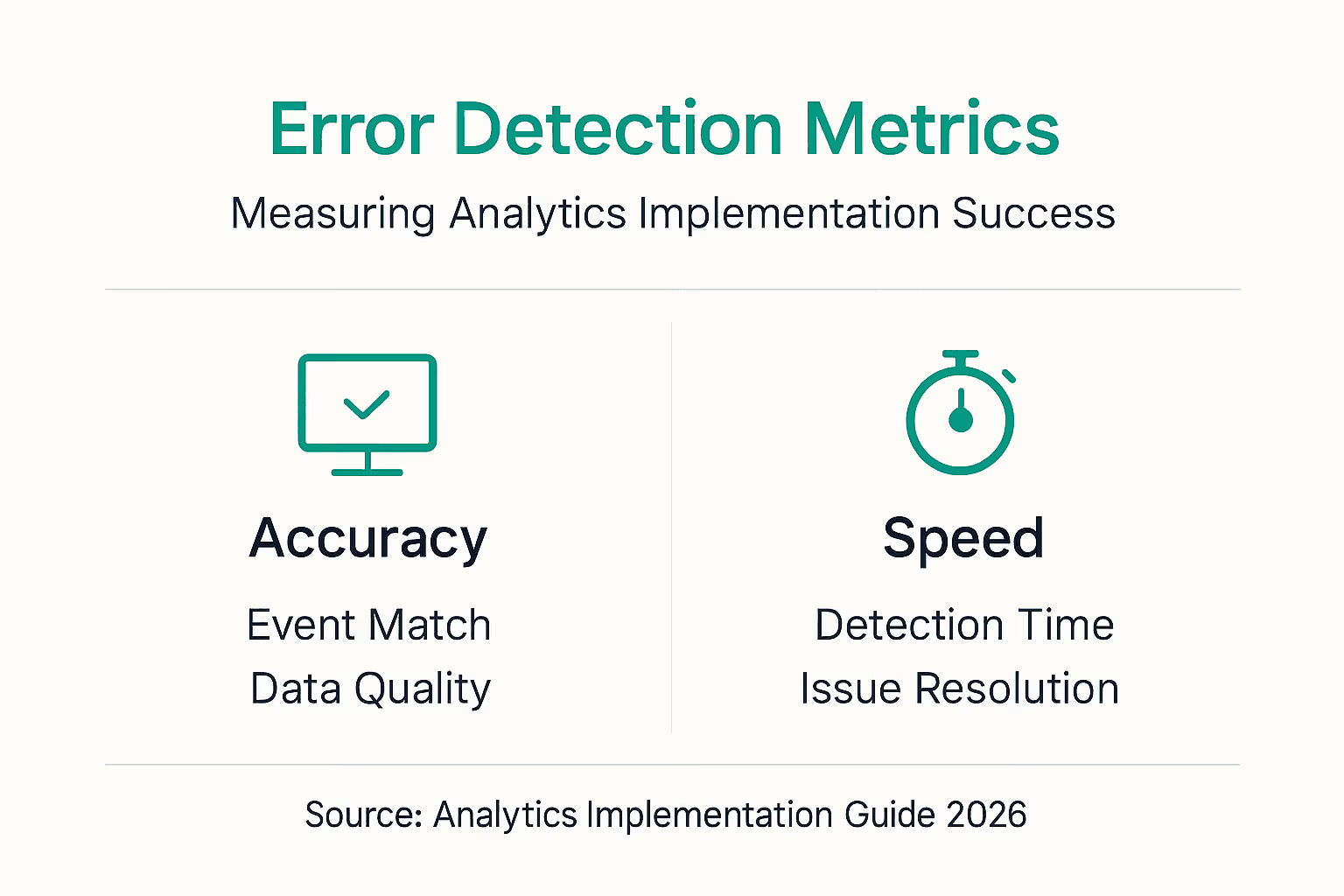
Measure error detection time from when issues occur to when your team identifies them. Regular measurement and maintenance improve data accuracy by 35% and reduce error resolution times by 70%. Faster detection means less corrupted data and better decisions.
Track improvements in marketing attribution accuracy. As you fix campaign misconfigurations and close tracking gaps, attribution should become more reliable. Compare conversion credit distribution before and after implementation improvements.
Schedule regular maintenance activities:
- Monthly: Review monitoring dashboard trends and alert patterns
- Quarterly: Conduct comprehensive tracking audits across all properties
- Semi-annually: Update tracking documentation and team training
- Annually: Reassess tracking strategy alignment with business goals
Use analytics dashboards to visualize tracking health over time. Show error trends, resolution velocity, and quality improvements. Share these dashboards with stakeholders to demonstrate value and maintain support for quality initiatives.
Foster a culture of continuous improvement. Celebrate wins when quality metrics improve. Conduct blameless postmortems when issues occur, focusing on process improvements rather than individual fault. Encourage cross-team collaboration on analytics quality.
Maintenance best practices:
- Document all changes and their rationale
- Test updates in staging before production
- Monitor closely after deployments
- Keep tracking documentation current
- Share knowledge across team members
Explore the marketing attribution guide to understand how quality tracking enables accurate attribution. Learn why last-touch attribution critique matters for sophisticated measurement. Consider requesting a free tracking audit to benchmark your current implementation.
Sustained success requires ongoing attention. Analytics implementations degrade without maintenance. Commit to regular review and improvement cycles.
Enhance Your Analytics Implementation with Trackingplan
Implementing this guide manually demands significant time and expertise. Trackingplan automates the hard parts, letting your team focus on insights instead of infrastructure.
Our platform continuously monitors your analytics implementation, detecting issues before they corrupt reports. AI-powered anomaly detection spots tracking failures instantly. Real-time alerts notify your team via Slack, email, or Teams when problems emerge. Comprehensive dashboards provide visibility into your entire Martech stack health.
Trackingplan integrates seamlessly with major platforms, ensuring data quality for digital analytics tools you already use. We help teams achieve the digital marketing analytics growth that accurate tracking enables. Start with a free analytics audit to discover hidden issues in your current implementation. Join innovative marketing teams who trust Trackingplan to safeguard their data integrity and unlock the full value of their analytics investments.
FAQ
What tools do I need for effective analytics implementation?
You need analytics platforms like Google Analytics or Adobe Analytics, tag management systems for centralized deployment, and debugging tools for validation. Automated audit solutions catch errors that manual checks miss. Cross-functional collaboration tools and consent management platforms are also essential for coordinating teams and maintaining compliance.
How does automated monitoring improve tracking accuracy?
Automated monitoring catches 90% of tracking errors before they affect reports, dramatically improving data reliability. It reduces manual detection time by 70%, enabling teams to fix issues within hours instead of days. Continuous auditing spots subtle degradation that humans overlook, maintaining quality as implementations evolve. Learn more about AI auditing in analytics.
What are the most common tracking implementation mistakes?
Missing or broken pixels cause up to 40% of data loss in implementations. Schema mismatches create inconsistent reporting when teams use different naming conventions. Campaign misconfigurations hurt attribution by failing to properly track source and medium parameters. Ignoring cross-device integration results in fragmented user journeys and incomplete conversion paths.
How can I ensure my analytics setup complies with privacy laws?
Implement consent management platforms to obtain user permissions before tracking begins. Conduct quarterly audits of all data collection points to verify compliance with CCPA, GDPR, and state privacy laws. Document your compliance procedures thoroughly and train teams on current regulations. Use privacy by design principles to minimize data collection and retention. For implementation details, see data deletion instructions.