
Missing a surge in revenue or spotting a sudden drop in conversions too late can cost mid-sized eCommerce teams thousands. Accurate attribution and fast troubleshooting rely on dashboards that offer clarity right when you need it. Effective marketing dashboards transform data complexity into focused decision-support tools that link marketing efforts to business outcomes. This article shows how to define, build, and maximize dashboards that drive confident decisions about spend, strategy, and tracking implementation.
Table of Contents
- Defining Dashboards In Marketing Analytics
- Types Of Marketing Analytics Dashboards
- Key Features And Workflow Integration
- Dashboards For Attribution And Troubleshooting
- Common Pitfalls And Best Practices
Key Takeaways
| Point | Details |
|---|---|
| Effective Marketing Dashboards | They provide real-time insights, focusing on relevant metrics to drive ROI and informed decision-making. |
| Types of Dashboards | Understanding operational, strategic, and analytical dashboards helps tailor insights for different stakeholder needs. |
| Integration and Automation | Successful dashboards automate data updates and integrate into workflows to enable swift responses to performance shifts. |
| Avoid Common Pitfalls | Focus on meaningful metrics, customize dashboards for specific roles, and ensure data consistency to enhance engagement and decision-making. |
Defining Dashboards in Marketing Analytics
A marketing dashboard is a centralized display that transforms raw data into actionable insights at a glance. Rather than drowning in spreadsheets, you see your most critical metrics organized in one place—exactly what you need to make confident decisions about spend and strategy.
Unlike static monthly reports, modern dashboards are dynamic and real-time. They show performance as it happens, not weeks later. This responsiveness matters immensely when you need to catch attribution errors or ad performance drops before they drain your budget.
Marketing dashboards integrate key performance metrics into one centralized view, helping you monitor, communicate, and optimize efforts across campaigns and channels. They’ve evolved dramatically over the past 30 years—from basic KPI reporting tables to sophisticated tools that simulate scenarios and test spending strategies before you commit resources.
Here’s what separates an effective dashboard from a data dump:
- Relevant metrics only: Shows what actually drives ROI for your business, not every metric available
- Actionable insights: Reveals problems and opportunities, not just historical data
- Clear visualization: Uses charts, heat maps, and summaries that take seconds to interpret
- Real-time updates: Reflects current performance so you can respond immediately
- Alignment across teams: Ensures everyone from analysts to executives sees the same version of truth
For mid-sized eCommerce teams, this clarity is transformative. You need to link marketing activities directly to revenue outcomes. A dashboard that shows traffic surged but conversions fell tells you something broke—maybe a pixel disconnected, campaign tagging went wrong, or tracking implementation needs review. That diagnostic capability turns data into immediate action.
Effective dashboards transform data complexity into focused decision-support tools that link marketing activities to firm value.
When you understand not just outcomes but the pathways that led to them—which channels drove users, which audiences converted best, where attribution gaps exist—you debiase your marketing decisions. You stop relying on gut feeling and start operating on evidence, which directly improves ROI clarity and reduces wasted spend.
Pro tip: Start by identifying the 5-7 metrics that directly tie to your business goals (conversions, revenue, customer acquisition cost, return on ad spend), then build your dashboard around those core metrics rather than adding everything you can measure.
Types of Marketing Analytics Dashboards
Marketing dashboards aren’t one-size-fits-all. Different roles need different views of the same data. An analyst tracking campaign performance needs something entirely different from an executive reviewing quarterly ROI.
Dashboards typically fall into three main categories based on their purpose and audience. Understanding which type serves which function helps you build the right dashboard for each stakeholder.
Operational Dashboards
Operational dashboards focus on real-time monitoring of ongoing campaigns and immediate performance indicators. These are your day-to-day workhorses. You’re watching traffic patterns, click-through rates, conversion rates as they happen.
Think of them as your control room. When a campaign launches, you’re watching for anomalies—traffic spikes that don’t match expectations, cost-per-click increases, or conversion drops. If your pixel broke or tagging went wrong, an operational dashboard catches it within minutes, not days.
For eCommerce teams, this matters because campaigns run fast. You can pause underperforming ads, scale winners, and adjust bids before the day ends.
Strategic Dashboards
Strategic dashboards provide a macro view aimed at executives and leadership for long-term planning and KPI tracking. These show quarterly and annual performance trends, not hourly updates.
Executives care about total revenue generated, customer acquisition cost trends, return on ad spend across the year, and whether you’re hitting growth targets. They need the story, not the noise.
A strategic dashboard might display:
- Total revenue by channel and campaign
- Customer acquisition cost trends over time
- Marketing budget allocation versus actual spend
- Year-over-year performance comparisons
- Attribution model results and conversion paths
Analytical Dashboards
Analytical dashboards offer deep dives into data for detailed insights, trend identification, and troubleshooting. These are for your analysts who need to optimize the marketing mix and diagnose problems.

When performance dips, you’re using an analytical dashboard to isolate the cause. You’re layering data—comparing device types, audience segments, traffic sources, and conversion funnels. You’re asking “why did conversions drop 23% on mobile traffic from Facebook last Tuesday?”
These dashboards help you identify patterns others miss. You spot seasonality, audience fatigue, channel inefficiencies, and opportunities to improve marketing effectiveness.
Each dashboard type serves a different purpose—operations need speed, strategy needs clarity, analysis needs depth.
The challenge for mid-sized eCommerce teams is building all three without creating redundant data silos. Your operational metrics feed into strategic summaries. Your analytical findings surface insights that drive strategic decisions.
Here’s how operational, strategic, and analytical dashboards differ in their purpose and utility:
| Dashboard Type | Main Focus | Typical Users | Business Value |
|---|---|---|---|
| Operational | Real-time campaign monitoring | Campaign managers | Immediate issue detection and response |
| Strategic | Long-term trends and KPIs | Executives, leadership | Guides budget and strategic planning |
| Analytical | Deep data investigation | Analysts | Optimizes marketing mix, identifies causes |
Here’s what separates effective multi-dashboard ecosystems:
- Clear ownership: Each dashboard has a primary audience and purpose
- Shared data sources: All pulling from the same clean, validated data
- Different time horizons: Operational (real-time), analytical (daily/weekly), strategic (monthly/quarterly)
- Escalation pathways: When operational issues surface in analytics, they inform strategy
Pro tip: Start with one operational dashboard focused on your highest-spend channel, then build analytical and strategic views once you’ve proven the operational metrics are accurate and automated.
Key Features and Workflow Integration
A dashboard is only valuable if it works within your actual workflow. It sits unused if it takes five minutes to load, requires manual data updates, or shows metrics no one asked for. The best dashboards are built around how your team actually works.
Modern dashboards pull from multiple sources—your CRM, Google Analytics, ad platforms, email marketing tools. They unify data that lives in separate systems, giving you one source of truth instead of conflicting reports across platforms.
Critical Features for Marketing Teams
Real-time or near real-time updates matter most for operational dashboards. When you’re running daily campaigns, yesterday’s data is useless. You need to see what’s happening now so you can respond immediately to issues.
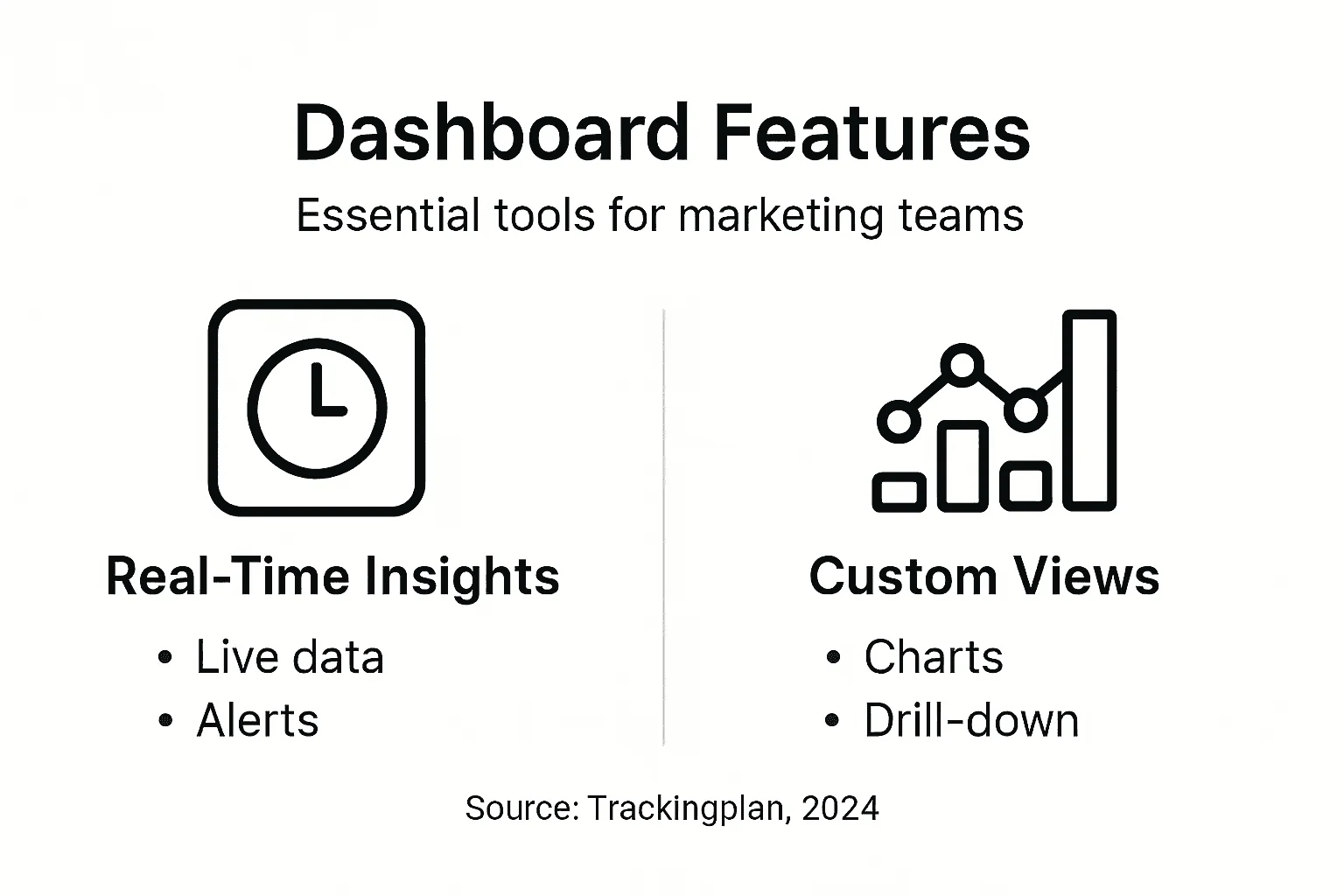
Customizable visualizations let different users see what matters to them. Your CEO doesn’t want to see every metric you track—she wants revenue, CAC, and ROAS. Your analyst needs segmentation by device, audience, and traffic source to diagnose problems.
Automated data syncing ensures consistent metrics across all channels and platforms. Manual data entry introduces errors, delays, and inconsistency. Automation frees your team from reporting drudgery so analysts can actually analyze.
Alert systems catch anomalies before they become disasters. You set thresholds—if conversion rate drops 25% or cost-per-click spikes 40%, you get notified. For eCommerce, catching pixel breakage within minutes instead of discovering it in monthly reports saves thousands in wasted ad spend.
Drill-down capabilities turn summary views into investigation tools. You see total revenue is down, click to dig deeper, and discover the problem is iOS mobile traffic from Facebook—not your entire funnel.
Workflow Integration
Your dashboard must fit into how decisions actually happen. If alerts go to an email address no one checks, or if generating a custom report takes two hours, the dashboard becomes useless theater.
Effective workflow integration means:
- Alerts route to Slack channels where your team actually communicates
- Dashboards embed in decision-making meetings, not separate reporting calls
- Drill-down data lets analysts answer questions without requesting custom reports
- Actionable insights surface automatically, not requiring someone to interpret raw numbers
Dashboards that integrate into workflows enable teams to respond promptly to performance shifts and optimize resource allocation in real time.
For mid-sized eCommerce teams, this integration is what separates dashboards that drive action from dashboards that just exist. When your team questions why revenue dropped, the dashboard should let you answer in 30 seconds, not spend an hour pulling data from five systems.
Key workflow integration points:
- Campaign launch meetings: Operational dashboard displays live performance
- Weekly strategy reviews: Analytical dashboard highlights trends and anomalies
- Executive reporting: Strategic dashboard shows quarterly results and forecasts
- Problem-solving: Drill-down capability lets you isolate root causes immediately
Pro tip: Set up alerts before building customized views—anomaly detection often matters more than perfect dashboards, since catching tracking issues fast prevents days of bad data and wasted budget.
Dashboards for Attribution and Troubleshooting
Attribution dashboards solve a specific problem: understanding which marketing touchpoints actually drove conversions. For eCommerce teams, this clarity directly impacts budget allocation and ROI visibility. You can’t optimize what you don’t measure accurately.
Without proper attribution dashboards, you’re flying blind. Last-click attribution inflates the value of retargeting while undervaluing top-of-funnel awareness. First-click attribution does the opposite. You need dashboards that show multiple attribution models simultaneously so you can see the full customer journey, not just the final click.
What Attribution Dashboards Reveal
Attribution dashboards track the complete path from first interaction to conversion. They answer questions like: Which channels deserve more budget? Where are we losing prospects? Which touchpoint combinations drive the highest-value customers?
For mid-sized eCommerce, this matters because customer journeys are complex. Someone might discover you through organic search, click a Facebook ad a week later, receive an email, then convert. Each touchpoint contributed to that sale. Standard last-click models credit only the email, misrepresenting actual channel performance.
Multi-touch attribution dashboards display:
- Revenue attributed to each channel and campaign
- Conversion paths showing sequences that work best
- Customer lifetime value by first-touch source
- Attribution model comparisons (linear, time-decay, position-based)
- Assist conversions showing secondary touchpoints that influenced sales
Troubleshooting Dashboards
Troubleshooting dashboards focus on data quality and implementation issues. They’re your early warning system for tracking problems that poison attribution data.
When pixels break, tracking code fails, or campaign parameters get misconfigured, your data becomes unreliable. A troubleshooting dashboard catches these issues before they corrupt weeks of data. You see missing conversions, untracked events, or misattributed revenue immediately.
These dashboards monitor:
- Pixel firing rates and response codes
- Event tracking completeness across pages and funnels
- Campaign parameter consistency (UTM values, source codes)
- Data anomalies like unusual traffic spikes or conversion drops
- Cross-domain tracking failures
- Schema validation errors in your data layer
Connecting Attribution to Troubleshooting
The two work together. When attribution numbers seem off, troubleshooting dashboards help you diagnose why. Why last-touch attribution can mislead your strategy becomes obvious when you compare it against other models—but only if your underlying tracking data is clean and complete.
If conversion counts suddenly drop 30%, a troubleshooting dashboard shows whether it’s a real decline or a tracking failure. This distinction matters enormously. One requires strategic action; the other requires immediate technical fixes.
Attribution without data quality is storytelling, not analysis. Troubleshooting without attribution context misses the business impact.
For eCommerce teams managing multiple campaigns, integrations, and platforms, these dashboards become mission-critical. They transform attribution from a theoretical exercise into a practical tool for budget decisions.
Integration workflow:
- Troubleshooting dashboard alerts you to tracking issues
- You fix implementation problems
- Attribution dashboard recalculates with clean data
- You reallocate budget based on accurate channel performance
Pro tip: Run troubleshooting audits weekly before analyzing attribution trends—bad data corrupts attribution models for weeks, so preventing issues beats fixing them after the fact.
Common Pitfalls and Best Practices
Most dashboards fail not because of technical limitations but because teams build them wrong. You can have perfect data integration and still create a dashboard no one uses. Understanding what kills dashboards helps you avoid wasting time and resources.
The Pitfalls
Vanity metrics are the biggest trap. Page views look impressive but don’t tell you if anyone converted. Click-through rates soar while revenue stays flat. Focusing on metrics disconnected from business outcomes wastes dashboard real estate on numbers that don’t drive decisions.
Your CEO doesn’t care about impressions. She cares about revenue, customer acquisition cost, and return on ad spend. Build around those metrics first, then add supporting details.
Overloading dashboards paralyzes users. When a dashboard shows 40 metrics, no one knows which ones matter. Information overload turns dashboards into noise instead of signal. Users abandon them and go back to spreadsheets.
One-size-fits-all dashboards don’t work either. Your CFO needs different information than your paid media manager. If everyone sees the same 30 metrics, half are irrelevant to half the audience. You end up with a tool nobody actually uses.
This table summarizes common pitfalls in dashboard design alongside recommended best practices:
| Pitfall | Impact on Teams | Best Practice |
|---|---|---|
| Vanity metrics | Misleads decision-makers | Tie metrics to business outcomes |
| Information overload | Causes user disengagement | Limit to critical metrics |
| One-size-fits-all | Irrelevant for stakeholders | Customize views for each role |
| Manual data updates | Introduces errors and delays | Automate data flows |
Best Practices
Start with business questions, not available data. Ask: What decisions do we make from this dashboard? How will we act differently based on what we see? If you can’t answer those questions, don’t include the metric.
Maintain fast load times and clear purpose. A dashboard that takes 30 seconds to load gets abandoned. Users expect instant feedback. Every metric should answer a specific business question directly tied to decision-making.
Data consistency prevents disaster. When your CRM reports different conversion numbers than Google Analytics, trust evaporates. Ensure consistent metrics across all data sources through automated validation and documented definitions.
Tailor views for different user roles. Analysts need drill-down capability and granular segmentation. Executives need summarized trends. Managers need actionable insights about their teams’ performance. One dashboard can’t serve all three.
Dashboards that directly link marketing activities to financial outcomes drive adoption because users see themselves in the data.
Automate everything possible. Manual data updates introduce errors and delays. Automation frees your team from maintenance so you can focus on analysis and strategy instead of pulling reports.
Best practice workflow:
- Define strategic goals and key questions
- Map metrics directly to those goals
- Design separate views for distinct user roles
- Test with actual users before launch
- Monitor usage and refine regularly
- Update as business priorities shift
Pro tip: Launch with one high-impact dashboard for your top decision-maker rather than trying to build a perfect, comprehensive dashboard for everyone—usage and buy-in matter more than feature completeness.
Unlock True ROI Clarity with Reliable Marketing Dashboards
Building effective marketing dashboards means more than just gathering data. It requires clean, accurate tracking and real-time insights to catch issues like broken pixels or misconfigured campaigns before they drain your budget. This article highlights critical challenges such as data quality, attribution accuracy, and fast troubleshooting that mid-sized eCommerce teams face every day. Without automated monitoring and alert systems you risk making decisions based on flawed metrics or delayed information.
Trackingplan directly addresses these pain points by providing AI-driven automated discovery and auditing of your marketing and attribution implementations. Imagine receiving instant alerts on Slack or email when tracking errors occur rather than discovering them after wasted ad spend. Our platform ensures your dashboards reflect true performance with pixel monitoring, event validation, and root-cause analysis all in one place. With seamless integration into your workflow you gain the confidence to optimize spend and strategy backed by trustworthy data.
Explore how Trackingplan empowers digital marketing teams to maintain flawless tracking and improve attribution accuracy.
Learn more about our automated audit features and real-time alert system.
Take control of your marketing ROI now with clear, actionable insights powered by Trackingplan.
Frequently Asked Questions
What is a marketing dashboard?
A marketing dashboard is a centralized tool that displays key performance metrics, transforming raw data into actionable insights for making informed marketing decisions.
How do operational, strategic, and analytical dashboards differ?
Operational dashboards focus on real-time monitoring of campaigns, strategic dashboards provide long-term performance trends for executives, and analytical dashboards allow in-depth data analysis for identifying trends and troubleshooting.
Why is real-time data important for marketing dashboards?
Real-time data is crucial as it enables marketers to monitor campaigns as they happen, allowing for immediate responses to any performance issues, thus optimizing spend and strategy without delays.
What are some common pitfalls in dashboard design?
Common pitfalls include focusing on vanity metrics that don’t align with business outcomes, overloading dashboards with too much data, and creating one-size-fits-all dashboards that fail to meet the specific needs of different user roles.